

Mobile Asset Auditing
Audit assets from any device — scan QR labels, verify locations, update records, and generate compliance reports on the go.
Trusted by innovative teams



































































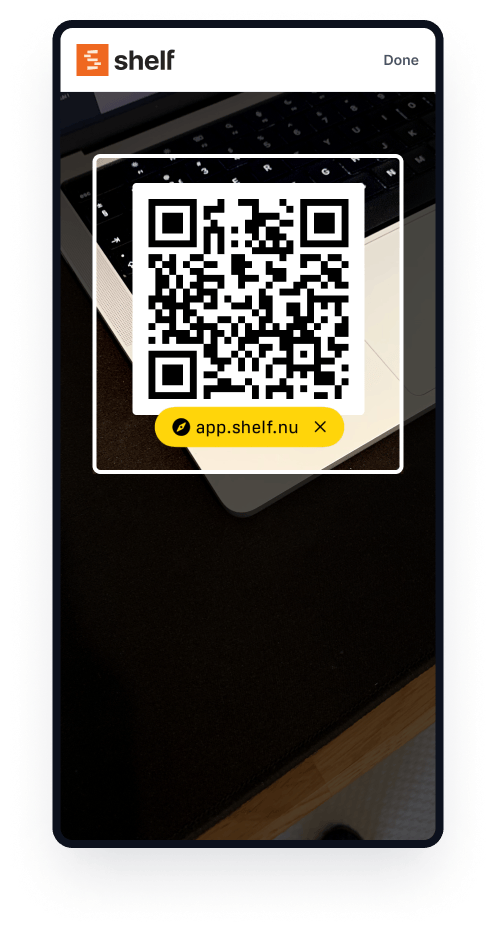
Asset audits should not require a clipboard or a desktop computer. With Shelf, teams can audit equipment from any phone or tablet — in the browser or via the free Shelf Companion app on iPhone and Android. Scan QR labels, verify locations, update records, and confirm asset conditions in the field. Everything syncs in real time, so the back office sees results the moment they happen.
Why Mobile Auditing Matters
Traditional asset audits are slow, error-prone, and disruptive:
- Field operations: Teams working across job sites, warehouses, or campuses cannot return to a desk to update records. Data entry gets delayed or skipped entirely.
- Multi-site organizations: Auditing equipment spread across multiple locations requires coordination, travel, and manual consolidation of results.
- Compliance pressure: Regulatory bodies and insurance providers expect up-to-date records. Outdated spreadsheets do not hold up under scrutiny.
- Manual processes: Paper-based audits introduce transcription errors, duplicate entries, and gaps that undermine the entire exercise.
Mobile auditing eliminates these problems by putting the audit tool in every team member's pocket.
How Shelf Enables Mobile Audits
Works on Any Device
Shelf runs in the browser on any phone, tablet, or laptop — nothing to install on the web side. For a native field experience, the free Shelf Companion app is on the App Store and Google Play. If a device has a camera and a browser, it can run an audit; if you want a native app on iPhone or Android, you have one.
QR Scanning
Each asset has a unique QR label. During an audit, the user scans the code to pull up the asset record instantly. This confirms the item's existence, identity, and current data — all in one step.
GPS Updates on Scan
When a QR code is scanned, Shelf can record where the scan happened from the device's GPS coordinates, so an asset's record shows where it was last seen. This keeps location data current without requiring manual entry, which is especially valuable for equipment that moves between sites. It works in the web app from the browser, and from version 1.3.0 in the Shelf Companion app on iPhone and Android. On the phone it is opt-in: the app asks for permission once when you first open the scanner, and scanning works normally if you decline.
Real-Time Sync
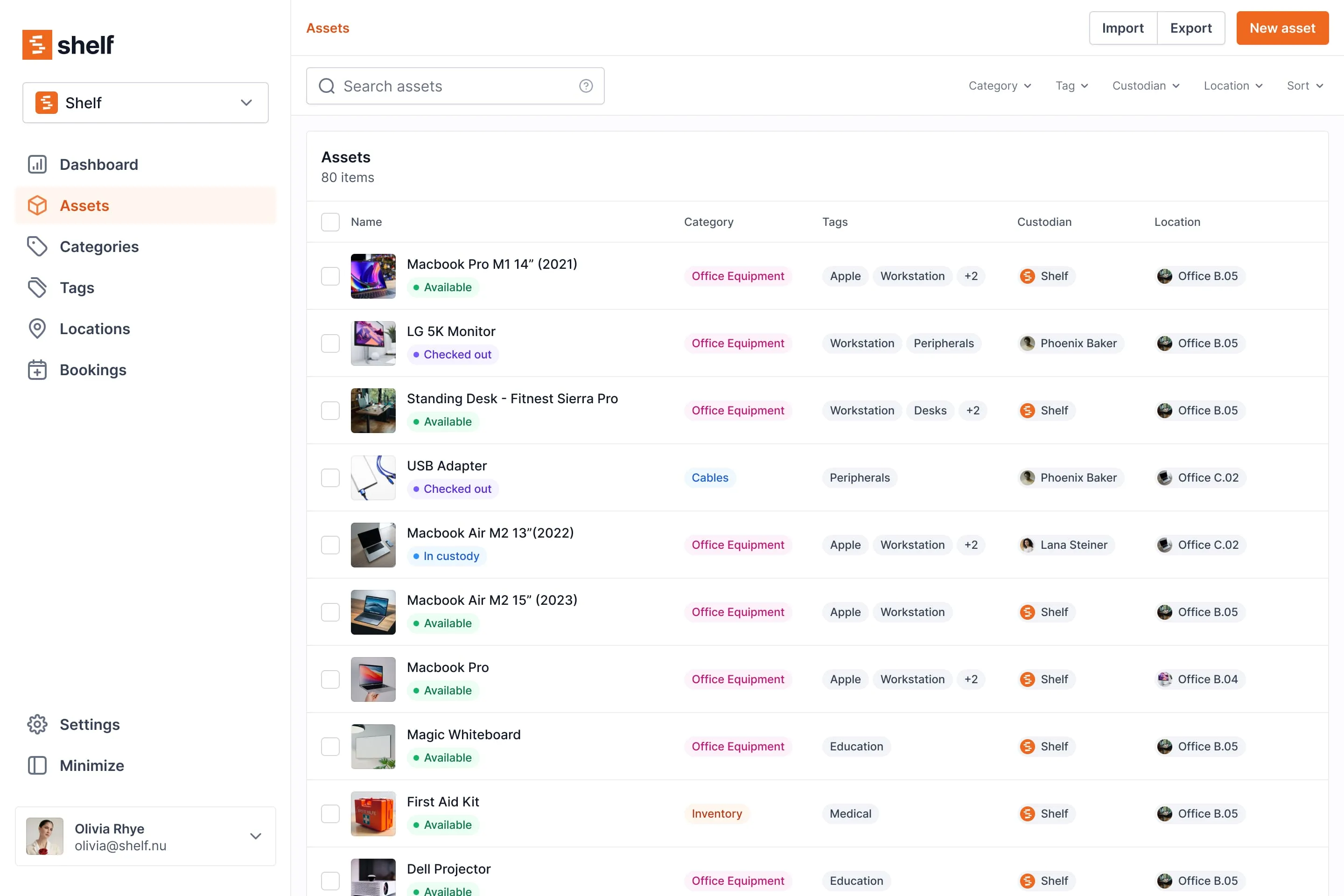
Every scan and update syncs immediately to the central database. Managers monitoring the audit from the office see results as they happen. There is no batch upload step, no file merging, and no risk of conflicting edits.
Key Features
- Multi-device support: Audit from phones, tablets, or laptops in the browser, or from iPhone and Android via the Shelf Companion app.
- Evidence on every scan: Attach a condition note and a photo to any scanned asset, from the web or from the Companion app, with the camera or the photo library — then read it back on either, with who recorded it and when.
- Correct a mis-scan on the spot: Scan the wrong label and take it straight back off, from the web or, from Companion 1.5.0, from the phone. An expected asset returns to Not scanned, an unexpected one leaves the audit, and the counts recount from the rows. Notes and photos survive the correction, because evidence is attached to the audit's row for the asset rather than to the scan.
- Custom fields: Verify and update any field during the audit — condition, serial number, notes, or organization-specific data.
- Location tracking: Confirm or update asset locations as part of the audit workflow. In Companion 1.5.0 a scanned row on the phone shows where the asset lives instead of repeating "Found", so a walk through a room tells you which of the found items are not where your records say they are. Anything the audit did not expect reads Not on this audit, and the count of those is tappable to see just them.
- Dashboard reporting: View audit progress and results from the central dashboard in real time.
Common Use Cases
- Warehouse audits: Walk the floor with a phone, scan each item, and confirm inventory counts match records.
- Field inspections: Verify equipment at remote job sites, construction zones, or client locations without returning to the office.
- Compliance checks: Generate documented proof that assets were verified at specific times and locations for regulatory requirements.
- Insurance documentation: Maintain current records for policy renewals and claims, with per-asset photos captured on the spot from the phone or added later from the web.
Case Studies
- CES Utility Solutions — $70K Equipment Recovery — Field operations team using QR-first workflows for accountability across job sites.
- HAARP — 7 Universities Under One System — Multi-site research asset auditing in extreme environments.
Get Started
Shelf is free to start with unlimited assets for one user. No credit card required.
- Sign up at app.shelf.nu
- Add your assets manually or import from CSV
- Print QR labels and attach them to your equipment
- Walk the floor — scan from your phone, verify, and update (browser or Shelf Companion on iPhone & Android)
Run audits live from the floor with the free Shelf Companion app on the App Store and Google Play: scan, watch found/expected counts update in real time, attach a note or a photo to any scan, and complete the audit when done. Free with any Shelf account.
Related
See it in action
Real teams using Shelf for mobile asset auditing.

Ready to organize your assets?
Join thousands of teams who trust Shelf to manage their physical assets. Free forever, or try the Team plan free for 7 days.
Out in the field? Shelf Companion is free on iPhone & Android.