
Shelf vs WebCheckout
WebCheckout Alternative
Compare WebCheckout and Shelf to understand how education and media equipment checkout systems differ in approach and usability.

WebCheckout Alternative
WebCheckout has been the dominant equipment checkout platform in higher education for over a decade, serving more than 250 academic media centers, film schools, and production studios across seven countries. It is purpose-built for the academic equipment lending model: a staffed checkout desk, barcode scanners, patron categories tied to student enrollment, and scheduling rules linked to course sections.
Teams evaluating alternatives typically run into one or more of these friction points: new student workers needing days of training before they can operate the desk, checkout workflows that require five to eight clicks per transaction during peak hours, and a modular pricing structure where features like repair tracking and the patron self-service portal cost extra on top of the base subscription.
Overview: WebCheckout vs Shelf
WebCheckout is structured around the academic media center model. An administrative operator sits at a checkout desk, scans barcodes, and processes reservations made through a separate Patron Portal. The system supports recurring reservations tied to course sections, Active Directory and SSO integration for campus authentication, and configurable privilege rules based on patron type (faculty, graduate student, undergraduate, staff). Its Lite plan starts at $400/month, with the Pro tier and additional modules priced through institutional quotes.
Shelf approaches equipment management differently. Instead of a centralized desk-and-operator model, Shelf distributes checkout authority through QR codes on every asset. Any authorized user with a smartphone can scan, check out, return, or check availability—no dedicated hardware, no staffed desk required. Booking, custody tracking, and kit management are all included in every plan, with no extra modules to purchase. Teams get operational in hours rather than weeks.
Where Shelf Takes a Different Approach
1. Self-Service vs Desk-Dependent Workflows
WebCheckout’s core workflow assumes a staffed checkout desk: an operator scans barcodes, verifies patron authorization, processes the loan, and handles returns. During peak periods—start of semester, midterm production weeks, end-of-term returns—this creates bottlenecks. Some users report that common transactions require five to eight clicks to complete.
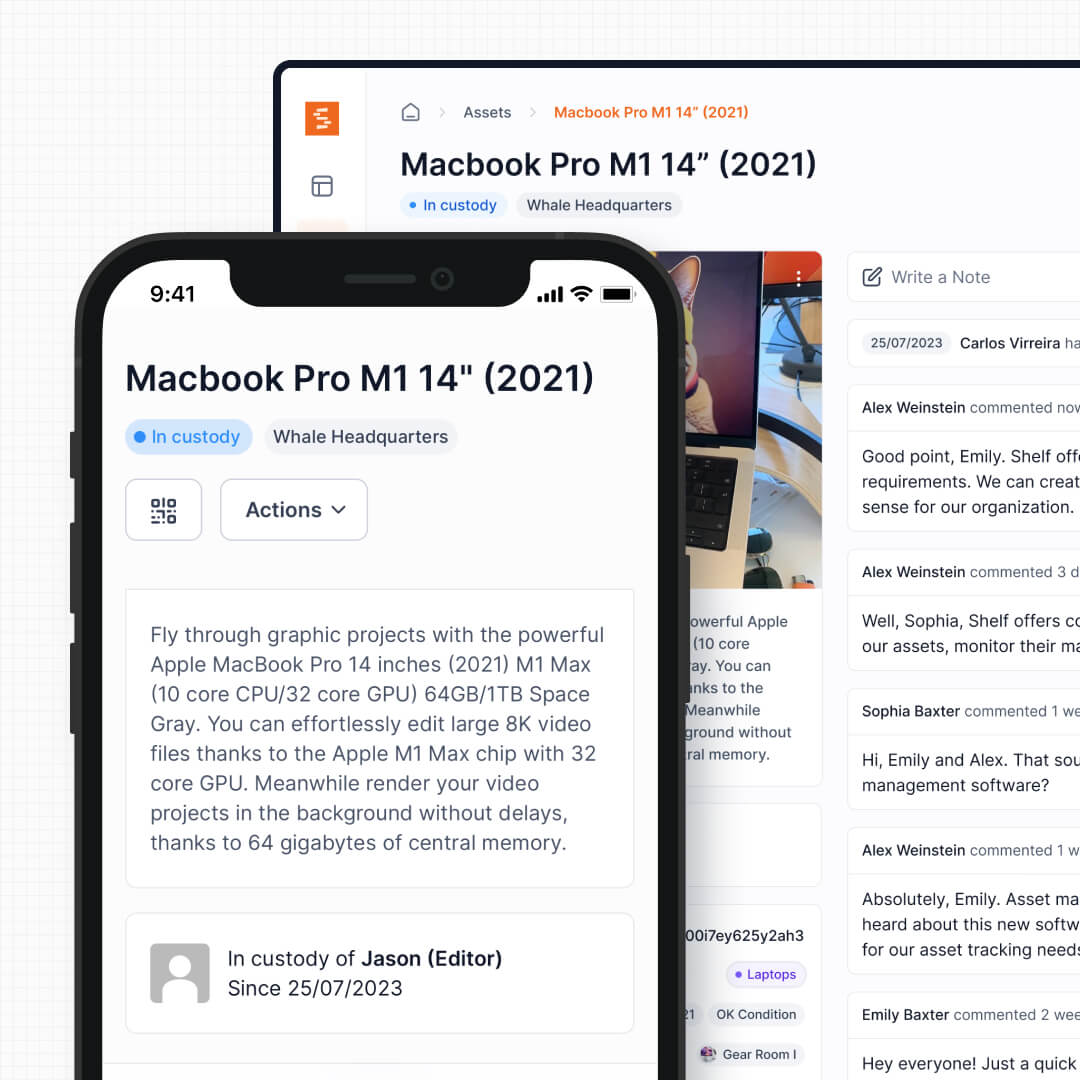
Shelf eliminates the desk dependency. Each asset has a QR code that any authorized user scans with their phone. Check out, return, transfer custody, or check availability—all from the asset itself. Student workers at the desk can still manage operations, but they are no longer the only path to getting equipment in and out.
See: Custody
2. Smartphone QR Scanning vs Dedicated Barcode Hardware
WebCheckout uses barcode scanning with dedicated hardware at the checkout desk. This works well in a fixed-location media center but limits where and how transactions happen. If a student needs to check out a tripod from a satellite equipment closet in a different building, someone still needs to process it at the main desk or have a barcode scanner available.
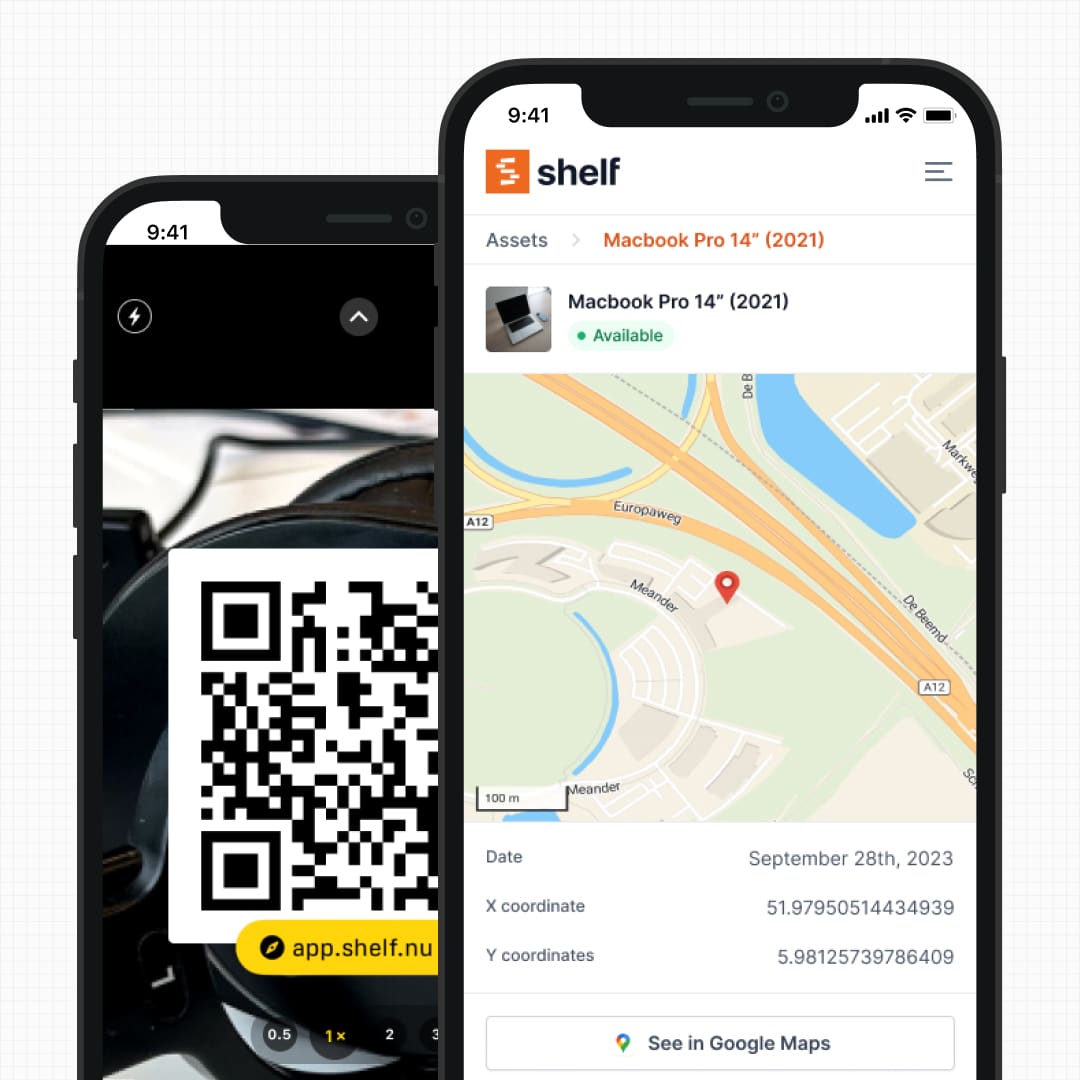
Shelf’s QR labels turn any smartphone into the checkout device. Stick a QR label on the asset, and it becomes scannable from any location—the main equipment room, a satellite closet, a production studio, or out in the field. No additional hardware purchase or maintenance required.
See: Location Tracking
3. Simplified Booking vs Complex Scheduling Configuration
WebCheckout’s scheduling engine is powerful but requires significant administrator setup. Resource types, availability windows, patron categories, authorization rules, and pickup/return policies all need configuration before the first reservation can happen. The Patron Portal module that lets students self-reserve is a separate add-on.
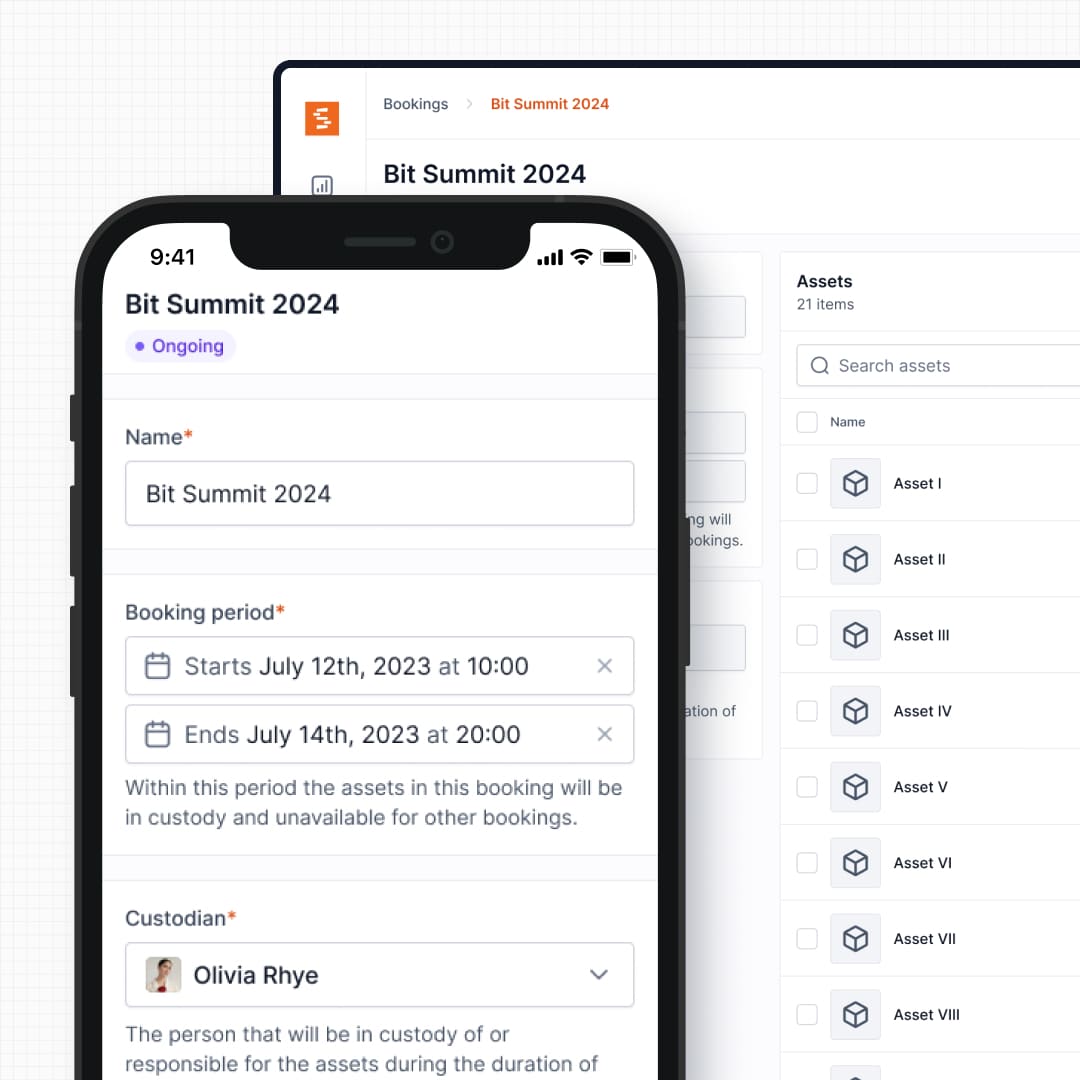
Shelf’s booking system works out of the box with minimal configuration. Create your assets, set availability, and users can start reserving immediately. Conflict prevention is automatic. There is no separate module to purchase for self-service reservations—it is built into the core platform.
See: Bookings
4. Kit Management with Integrated Component Verification
Both platforms handle equipment grouping, but the approaches differ. WebCheckout groups resources as containers, and operators manage kit contents during checkout and return at the desk.
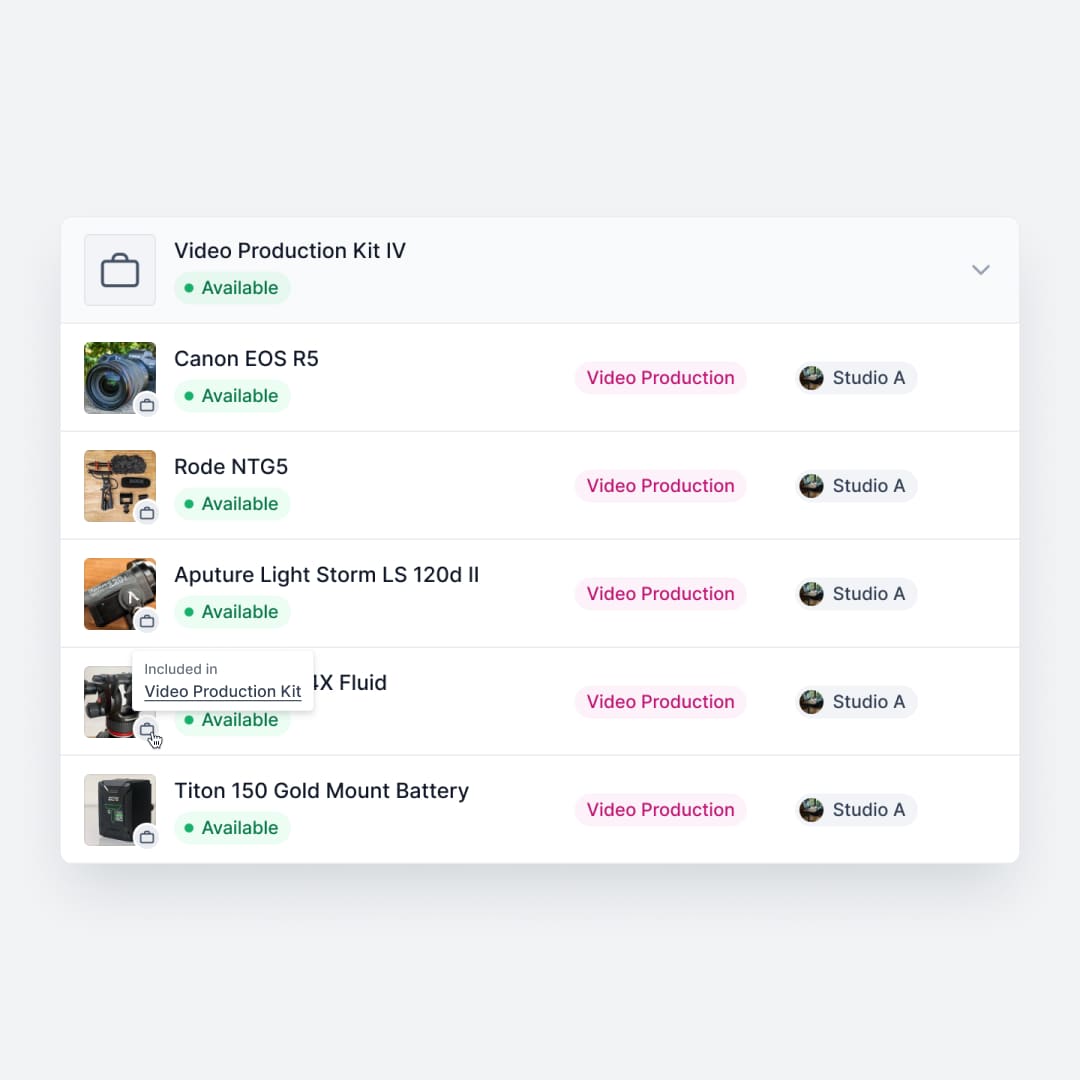
Shelf integrates kit management directly with custody and booking workflows. Reserve a camera kit, and every component—body, lenses, batteries, cables, memory cards—is automatically reserved together. Return it, and Shelf verifies each piece before the kit is marked complete. A missing lens cap or battery charger is flagged immediately, before the kit goes back on the shelf for the next user.
See: Kits
5. Predictable Pricing vs Modular Licensing
WebCheckout’s pricing model starts at $400/month for the Lite plan, with the Pro tier and individual modules quoted separately. Features that many teams consider essential—repair tracking, the patron self-service portal, advanced reporting—are add-on purchases. Implementation costs range from $1,000 for small setups to $10,000+ for larger institutions, with training packages from $500 to $5,000. Some users report that module costs add up quickly once they discover which features they actually need.
Shelf’s pricing is flat and transparent. All core features—custody, bookings, kits, QR codes, location tracking, workspaces—are included in every plan. No modules to evaluate, no surprise costs after deployment, no multi-thousand-dollar training fees.
6. Minutes of Training vs Days of Onboarding
WebCheckout’s depth comes with a learning curve. New operators need training on the administrative interface, patron management, scheduling rules, and checkout procedures. Users frequently note that new hires need dedicated training sessions before they can work the desk independently. WebCheckout offers formal training packages, which speaks to the complexity of the system.
Shelf is designed so that a new student worker can process their first checkout within minutes. Scan the QR code, confirm the user, done. The administrative interface follows the same principle—clean layouts, obvious actions, no hidden menus. Departments that cycle through student workers every semester benefit significantly from reduced onboarding time.
7. Multi-Department Workspaces vs Single-Center Design
WebCheckout is architected around a single media center or equipment room. Institutions that need multiple departments to manage their own equipment—media, theatre, athletics, IT, science labs—typically need separate WebCheckout instances or complex permission configurations.
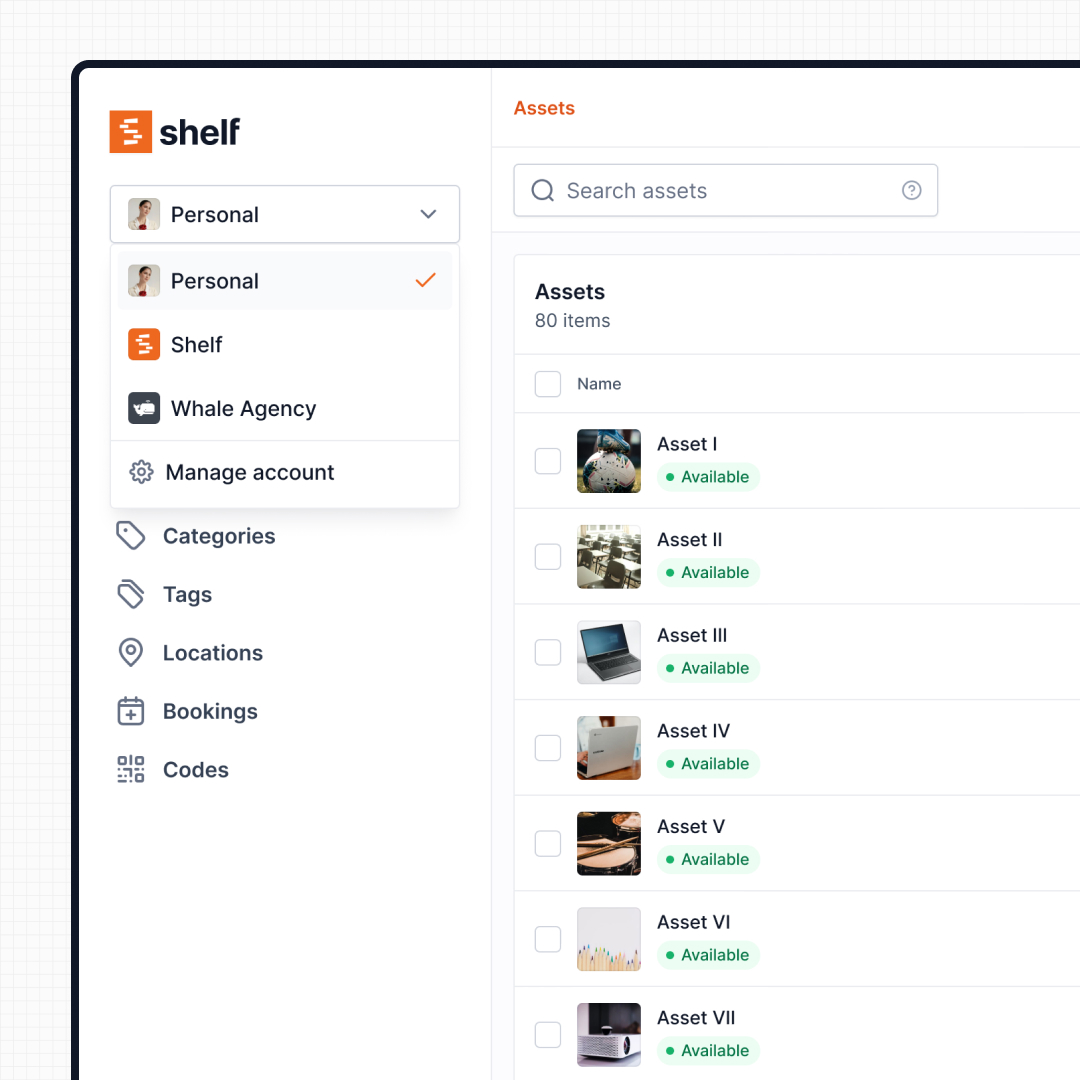
Shelf’s workspace model separates inventories by department, program, or location natively. Each department manages its own equipment, users, and policies independently, while institution-wide administrators maintain oversight across all workspaces. One platform, one login, multiple independent inventories.
See: Workspaces
8. Open Source vs Proprietary Lock-In
WebCheckout is proprietary software. Universities cannot audit the code, modify it for campus-specific needs, or migrate their data without going through WebCheckout’s export tools. Contract terms, renewal pricing, and feature availability are controlled entirely by the vendor.
Shelf is open source. Campus IT can review the codebase, contribute improvements, and self-host if institutional policies require on-premises data storage. There is no vendor lock-in—your data and your workflows belong to you.
Reports — Operational Visibility
WebCheckout ships an extensive set of checkout, allocation, and equipment-history reports tuned for academic media-center operations. Shelf's Reports area takes a lighter, self-serve approach: ready-to-run operational reports (Booking Compliance, Top Booked Assets, Top Booked Kits, Monthly Booking Trends, Overdue Items, Asset Inventory, Asset Activity Summary, Asset Utilization, Idle Assets, Asset Distribution, Custody Snapshot) with timeframe and filter controls, available on every plan. Every report exports to CSV; chart-based reports also export to PDF.
When Teams Choose Shelf Instead of WebCheckout
- Universities modernizing from legacy checkout systems: Replacing a desk-and-barcode workflow with QR-based self-service that students and staff adopt immediately
- Media departments experiencing checkout desk bottlenecks: Peak-hour congestion disappears when students can scan and go from any location, not just the main desk
- Programs expanding beyond a single equipment room: Workspaces let media, theatre, athletics, IT, and science labs each manage equipment independently under one platform
- Institutions tired of module fatigue: Getting custody, bookings, kits, and QR codes in one plan without evaluating and purchasing separate add-ons
- Departments that cycle through student workers: New staff become productive in minutes instead of attending multi-day training sessions
- Budget-conscious programs: Predictable pricing without implementation fees, training packages, or escalating module costs
When WebCheckout May Be a Better Fit
WebCheckout remains a strong choice for specific institutional scenarios:
- Deep academic calendar integration: Institutions that need reservations tied directly to course sections, academic terms, and student enrollment systems—where checkout privileges change automatically based on registration status
- Complex patron hierarchy requirements: Environments with granular access rules where faculty, graduate students, undergraduates, work-study students, and community borrowers each have different checkout limits, loan durations, and equipment access levels
- Active Directory and campus system integration: Institutions that rely heavily on AD sync, campus card integration, and SIS (Student Information System) data to manage patron records automatically
- Established WebCheckout deployments with years of data: Media centers that have built their entire operational workflow around WebCheckout’s specific features and have historical data they want to preserve in place
- Institutions that need staff scheduling alongside equipment: WebCheckout includes a personnel scheduling module, which is useful for media centers that also manage student worker shifts
Both platforms solve the core problem of getting equipment to the people who need it. The right choice depends on whether your priority is deep academic system integration or fast, flexible operations that work anywhere.
Case Studies
See how educational and media teams use Shelf:
- Eastern Michigan University — Theatre Equipment Management
- KCAI — Art College Equipment Management
- Fabel Film — Eliminating Double Bookings
- HAARP — Research Equipment Accountability
Related Solutions
Quick comparison
| Feature | Shelf | WebCheckout |
|---|---|---|
| Free plan with unlimited assets | Varies | |
| Open source & self-hostable | ||
| QR codes with custom branded labels | Varies | |
| Custody tracking with full audit trail | Varies | |
| Equipment bookings & reservations | Varies | |
| Kit-aware check-in/check-out | Varies | |
| Location hierarchy (up to 12 levels) | Varies | |
| CSV import from any tool | Varies | |
| Works on any device (PWA) | Varies | |
| No credit card to start | Varies |
Feature availability for WebCheckout may vary by plan. We encourage you to verify on their website.
Compatibility Checker
Will your WebCheckout Barcodes
Work with Shelf?
Camera preview
Supported barcode types: Code128, Code39, QR Code, DataMatrix, EAN-13, EAN-8, UPC-A, UPC-E, ITF, Code93.
If your barcode doesn't scan, it may be due to camera focus, lighting, or barcode quality. This doesn't necessarily mean your code isn't supported — try again or upload a clearer image.

Ready to switch from WebCheckout?
Create a free account and import your data in minutes. No credit card required.
Also compare
Evaluating alternatives? See how Shelf stacks up against similar tools.





Ready to organize your assets?
Join thousands of teams who trust Shelf to manage their physical assets. Free forever, or try the Team plan free for 7 days.
Out in the field? Shelf Companion is free on iPhone & Android.