
Shelf vs EZOfficeInventory
EZOfficeInventory Alternative
Compare EZOfficeInventory and Shelf to understand how office-centric IT tracking differs from operational equipment management.
EZOfficeInventory Alternative
EZOfficeInventory (now rebranded as EZO) is an asset tracking and IT service management platform known for its integrations with help desk tools like Zendesk and Jira. It is built for IT departments managing laptops, monitors, and office peripherals, with maintenance scheduling and service desk workflows at its core. Teams exploring alternatives typically need simpler pricing, faster day-to-day equipment operations, and workflows that extend beyond IT—covering shared gear, production equipment, and field tools across multiple departments.
Overview: EZOfficeInventory vs Shelf
EZOfficeInventory positions itself at the intersection of asset tracking and IT service management. Its Zendesk and Jira integrations let support agents see which assets are assigned to a user when resolving tickets, and its CMMS features help IT teams schedule preventive maintenance and track device lifecycles. Plans start at $35/month for 250 items, scaling by $15/month for each additional 250 items, with advanced features like service desk integrations and SSO locked to the Premium tier at $55/month.
Shelf focuses on the operational side of equipment management. Rather than building around ticketing systems, Shelf optimizes the physical workflows—scanning, checking out, booking, returning, and transferring custody. Shelf’s Team plan starts at $67/month with unlimited items and users included, so teams can grow without hitting item caps or calculating per-tier add-ons.
Where Shelf Takes a Different Approach
1. QR-First Operations vs Dashboard-First Administration
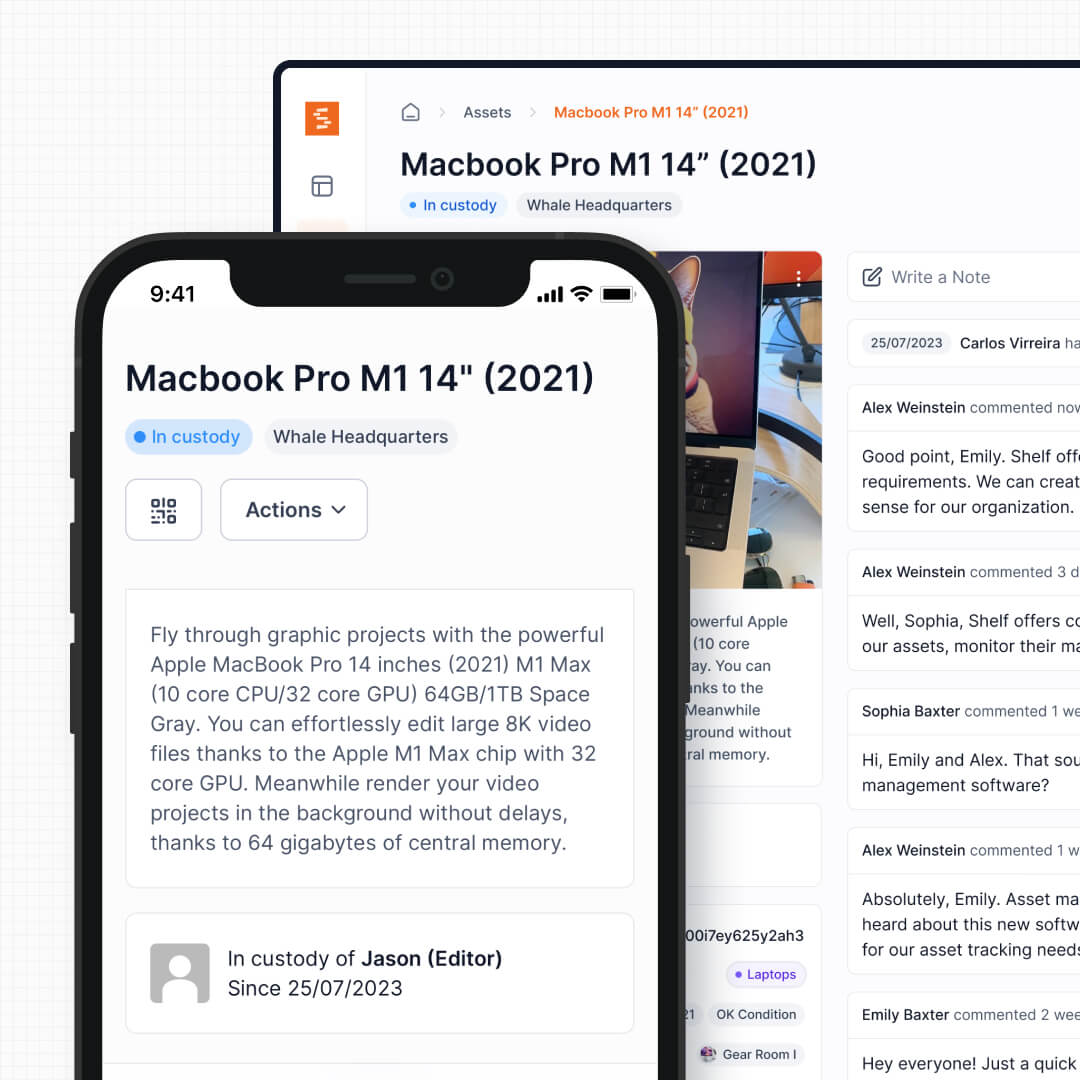
EZOfficeInventory centers its workflows on a web dashboard where administrators manage assets, assign items, and resolve tickets. Users report that some common actions—like canceling a reservation—take several steps once you locate the right screen. Shelf puts the power at the point of interaction: staff scan a QR code on the equipment itself and complete check-out, return, or transfer on the spot in seconds. No dashboard navigation required.
See: Custody
2. Booking System Built for Shared Equipment
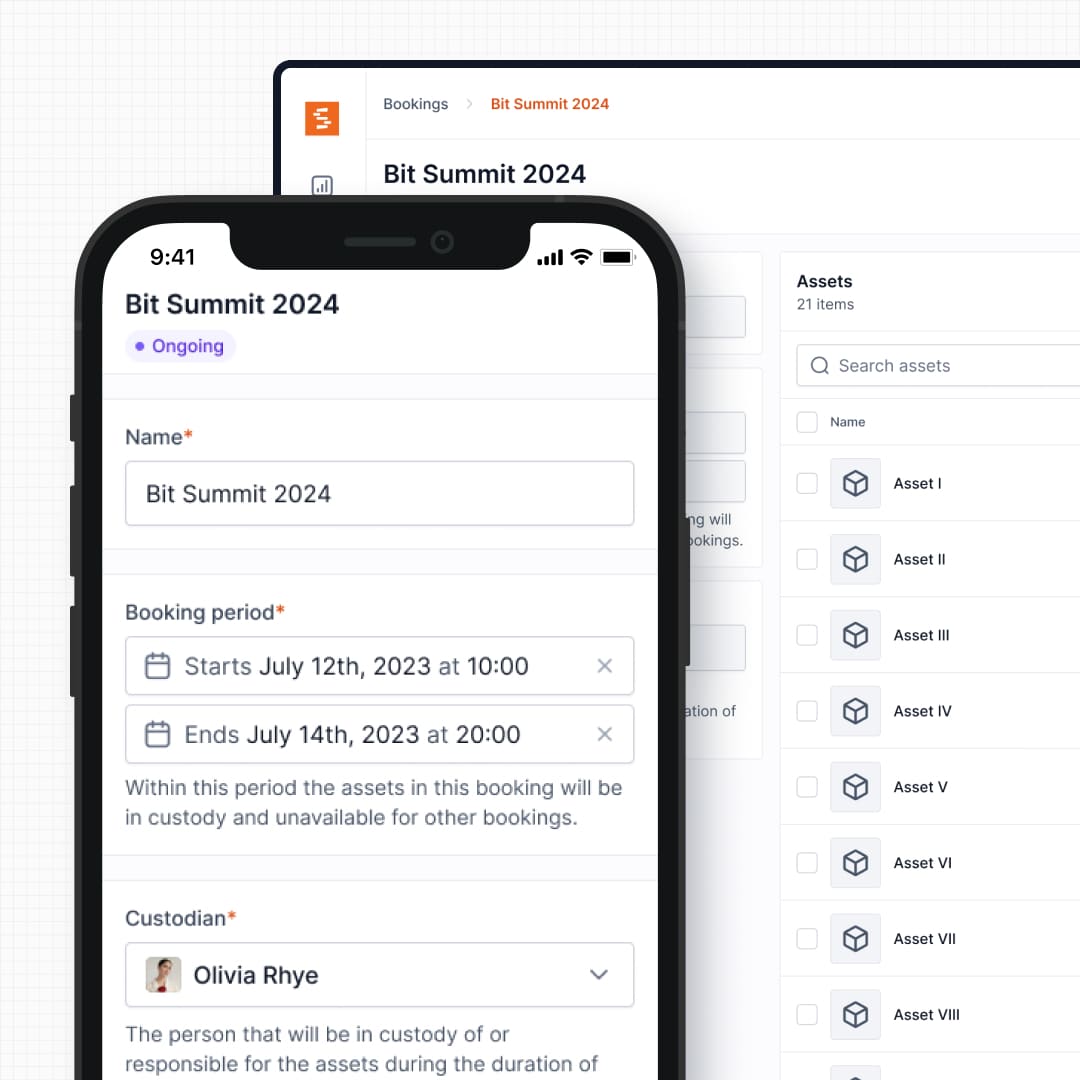
EZOfficeInventory includes reservations, but its primary model is assignment—one laptop assigned to one employee. Its reservation system is built around that paradigm. Shelf’s booking system is designed from the ground up for shared pools: multiple users reserving the same projector, camera, or test instrument across different days and shifts, with conflict-free scheduling that prevents double bookings automatically.
See: Bookings
3. Simpler, More Predictable Pricing
EZOfficeInventory’s pricing scales based on item count—250 items at $35/month, 500 items at $50/month, and so on. Features like help desk integrations, SSO, and custom roles are locked behind higher tiers (Premium at $55/month or Enterprise with custom pricing). This means costs can escalate quickly as your inventory grows and your needs mature.
Shelf’s Team plan is $67/month with unlimited items, unlimited users, and the full feature set—custody, bookings, kits, workspaces, and QR operations. No item caps, no per-user fees, no feature gating between tiers for core operational workflows.
See: Pricing
4. Cross-Department Workspaces, Not Just IT
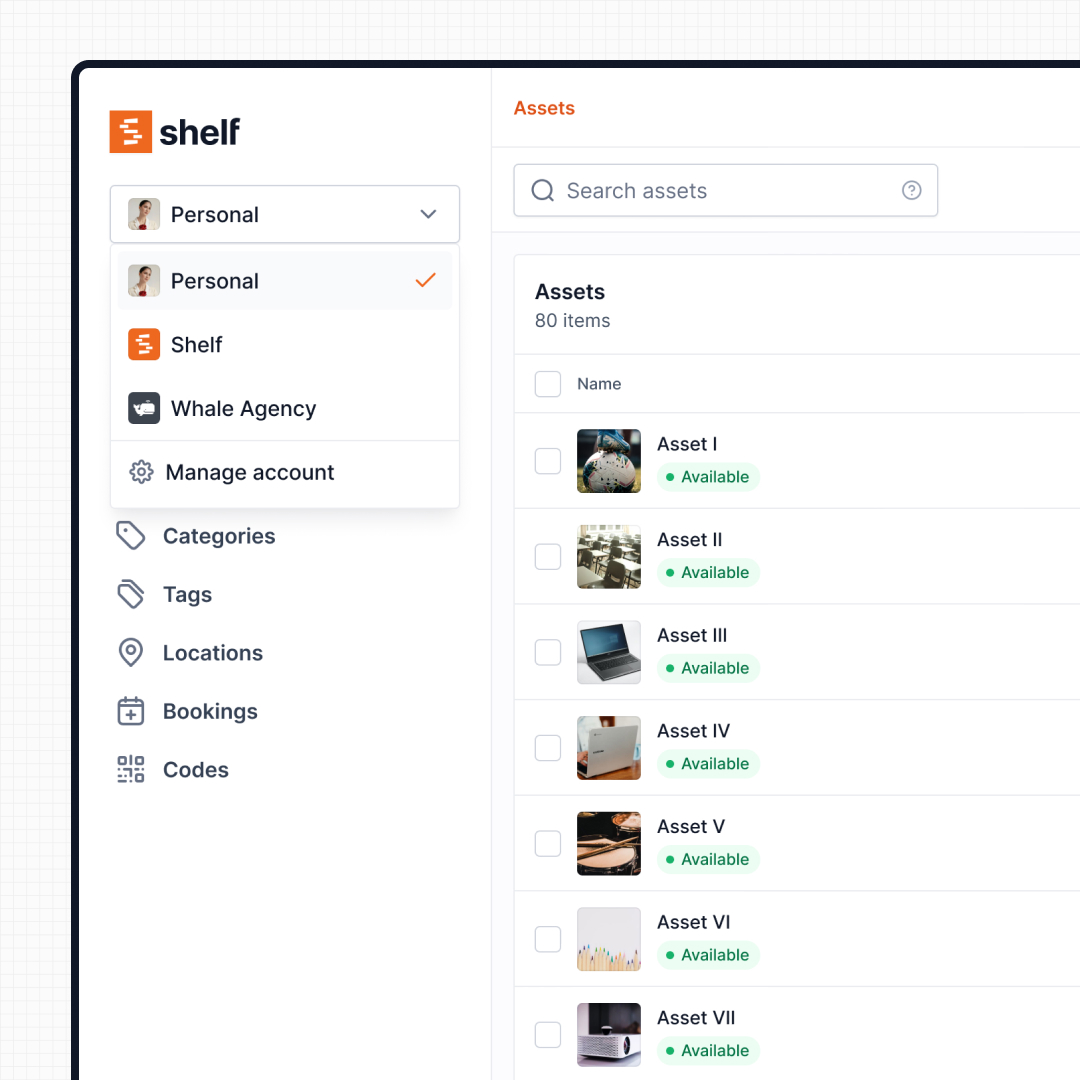
EZOfficeInventory’s DNA is IT service management. Its integrations, workflows, and interface are designed for IT teams managing help desk tickets alongside hardware. Shelf serves the whole organization—IT, media production, facilities, education, and operations—with workspaces that give each department its own inventory view while maintaining organizational oversight. A university can run IT asset tracking and theatre equipment lending from the same account without cross-contamination.
See: Workspaces
5. Kit Management for Multi-Part Equipment
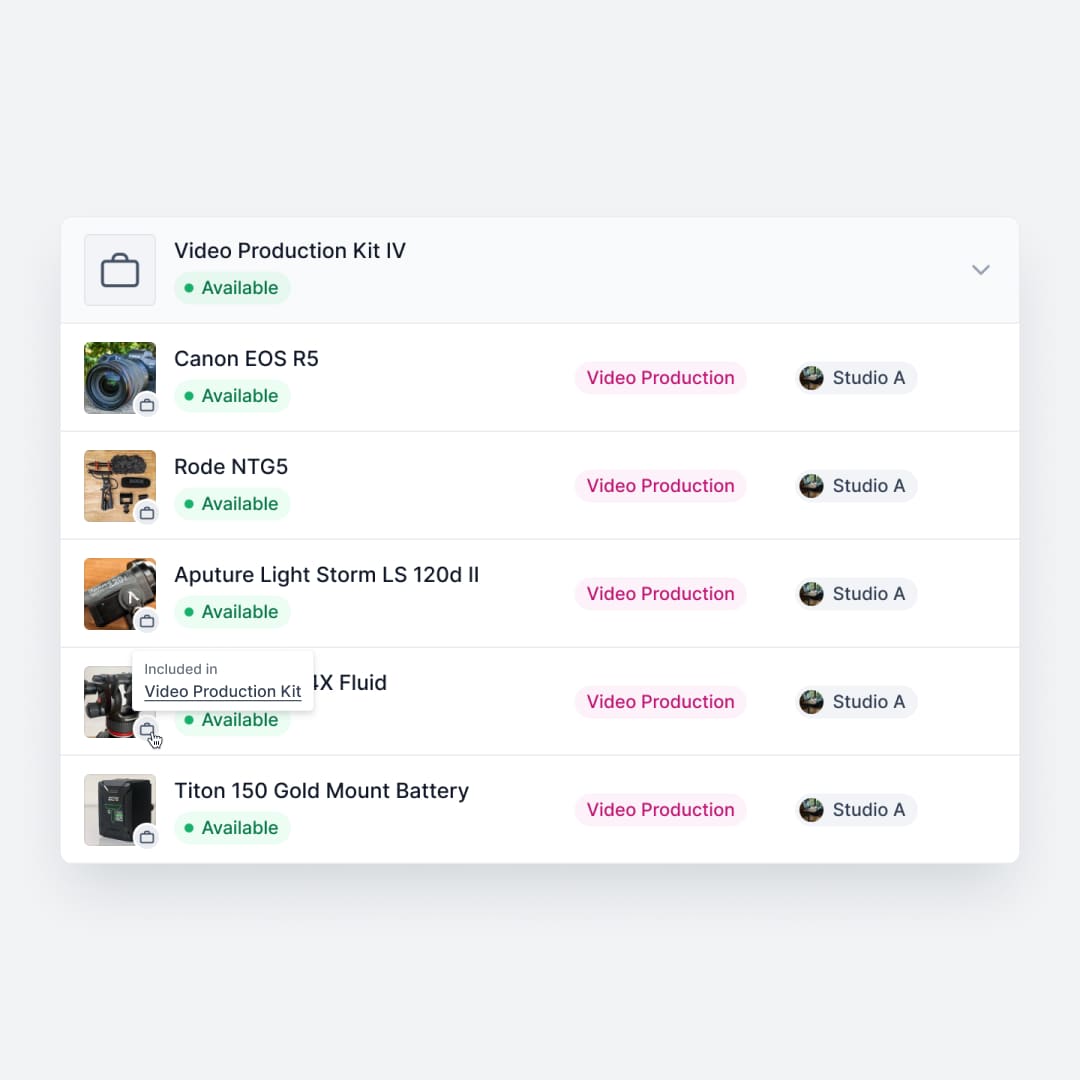
EZOfficeInventory tracks individual assets well—laptops, monitors, keyboards. But production teams, labs, and field operations work with kits: a camera body, three lenses, two batteries, a tripod, and a carrying case that all need to move together. Shelf groups related items into a single bookable unit, tracking every component through the full custody cycle. Return a kit, and Shelf flags what is missing.
See: Kits
6. Location Tracking Across Sites
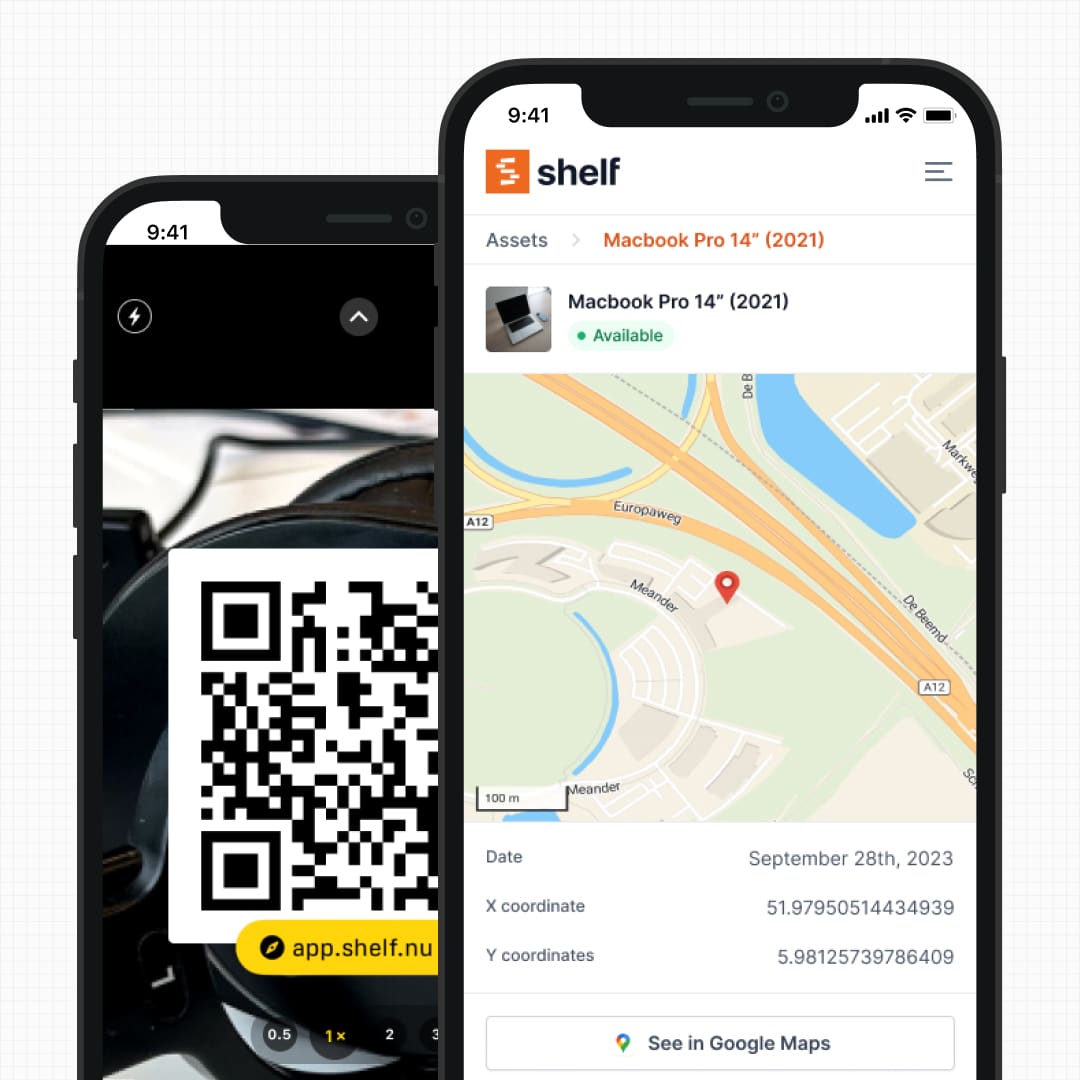
EZOfficeInventory tracks which user an asset is assigned to, but visibility into physical location across buildings, rooms, and job sites can require manual updates. Shelf ties every custody event to a location, giving you a real-time map of where equipment is—not just who has it. For organizations with multiple facilities, warehouses, or job sites, this means less time hunting for gear.
See: Location Tracking
7. One Unified Asset Record vs Three Separate Entity Types
EZOfficeInventory splits stock across three different entity types—Assets, Asset Stock, and Inventory—and you commit an item to one of them up front. Its Inventory type covers consumables, but it is strictly one-way: stock is drawn down and never checked back in. Shelf keeps a single, unified asset record and lets you track consumables by quantity on any item, choosing per item whether stock is used up (one-way, consumed) or returnable (two-way, returned with a consumption report at check-in). One mental model, both behaviors, no migrating items between entity types as needs change.
See: Consumables Tracking
8. Open-Source Transparency
EZOfficeInventory is a proprietary SaaS product—you trust the vendor with your data and workflows without visibility into how the software operates. Shelf is open source, meaning teams can audit the code, understand exactly how their data is handled, and contribute to the platform’s development. For organizations with compliance requirements or data sovereignty concerns, this is a meaningful differentiator.
Reports — Operational Visibility
EZOfficeInventory provides a wide library of asset and asset-tracking reports; custom and scheduled report capabilities are typically gated to higher subscription tiers. Shelf includes a built-in Reports area on every plan with ready-to-run reports — Booking Compliance, Top Booked Assets, Top Booked Kits, Monthly Booking Trends, Overdue Items, Asset Inventory, Asset Activity Summary, Asset Utilization, Idle Assets, Asset Distribution, and Custody Snapshot — each with timeframe and filter controls. Every report exports to CSV; chart-based reports also export to PDF.
When Teams Choose Shelf Instead of EZOfficeInventory
Teams often switch to Shelf when EZOfficeInventory’s IT-centric model creates friction outside the help desk:
- Multi-department organizations: IT, media, facilities, and operations all need equipment tracking—not just the help desk team. Shelf’s workspaces keep each department independent under one account.
- Teams with shared equipment pools: Projectors, cameras, test instruments, and AV gear need booking workflows with conflict prevention, not just assignment records.
- Growing inventories hitting item caps: EZOfficeInventory charges more as item counts increase. Shelf’s flat pricing with unlimited items means no cost surprises as the inventory scales.
- Operations managing kits: Multi-part equipment sets need to be tracked as units through check-out and return, not as individual line items scattered across a registry.
- Field teams needing QR-based workflows: Staff on job sites, warehouse floors, or production sets need to scan and act without logging into a web dashboard.
- Organizations valuing open-source transparency: Code visibility, community-driven development, and data auditability matter for compliance and trust.
When EZOfficeInventory May Be a Better Fit
EZOfficeInventory has genuine strengths for certain use cases:
- Deep help desk integration: If your team lives in Zendesk or Jira and needs asset context embedded directly in support tickets, EZOfficeInventory’s native integrations are mature and well-documented.
- CMMS and preventive maintenance: Teams focused on scheduling maintenance tasks, tracking repair histories, and managing vendor relationships for device refreshes will find EZOfficeInventory’s maintenance module more developed.
- IT-only scope: If your tracking needs are limited to laptops, monitors, and IT peripherals assigned to individual employees, EZOfficeInventory’s assignment model maps directly to that workflow.
- Enterprise compliance features: Larger organizations needing SSO, custom security configurations, and private cloud hosting options may find EZOfficeInventory’s Enterprise tier aligned with their requirements.
Both platforms serve asset management needs—the right choice depends on whether your priority is IT service desk integration or fast, cross-department equipment operations.
Case Studies
See how teams manage equipment across departments with Shelf:
- CES Utility Solutions — $70K Equipment Recovery
- ResQ Contact Center — 4,000+ Devices Across Multiple Sites
- Eastern Michigan University — Theatre Equipment Management
- Arellano Associates — Event Equipment Management
Related Solutions
Quick comparison
| Feature | Shelf | EZOfficeInventory |
|---|---|---|
| Free plan with unlimited assets | Varies | |
| Open source & self-hostable | ||
| QR codes with custom branded labels | Varies | |
| Custody tracking with full audit trail | Varies | |
| Equipment bookings & reservations | Varies | |
| Kit-aware check-in/check-out | Varies | |
| Location hierarchy (up to 12 levels) | Varies | |
| CSV import from any tool | Varies | |
| Works on any device (PWA) | Varies | |
| No credit card to start | Varies |
Feature availability for EZOfficeInventory may vary by plan. We encourage you to verify on their website.
Compatibility Checker
Will your EZOfficeInventory Barcodes
Work with Shelf?
Camera preview
Supported barcode types: Code128, Code39, QR Code, DataMatrix, EAN-13, EAN-8, UPC-A, UPC-E, ITF, Code93.
If your barcode doesn't scan, it may be due to camera focus, lighting, or barcode quality. This doesn't necessarily mean your code isn't supported — try again or upload a clearer image.

Ready to switch from EZOfficeInventory?
Create a free account and import your data in minutes. No credit card required.
Also compare
Evaluating alternatives? See how Shelf stacks up against similar tools.





Ready to organize your assets?
Join thousands of teams who trust Shelf to manage their physical assets. Free forever, or try the Team plan free for 7 days.
Out in the field? Shelf Companion is free on iPhone & Android.