

How to Choose a Tracking Method
One of it, a fleet of it, or a bin of it? A four-question guide to picking individual assets, Asset Models, or quantity tracking for each item type.
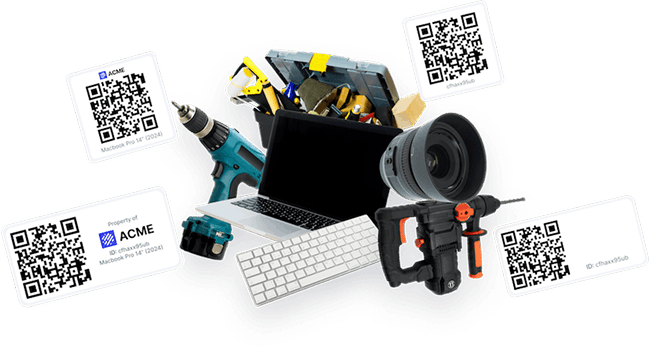
One of it, a fleet of it, or a bin of it? Shelf gives you three ways to track what you own. Track one-of-a-kind items as individual assets, group fleets of identical units with Asset Models, or manage interchangeable stock as one record with a count using quantity tracking. The right answer differs per item type, and you can mix all three freely in one workspace.
Answer up to four questions for any item you are about to add, and you land on the right method.
Decision helper
How should you track it in Shelf?
Answer up to four questions to find the right method for one item type.
Question 1 of up to 4
Do you have several identical ones of this item?
one projector vs a bin of 200 cables
Answer per item type: most workspaces mix all three methods freely.
The same decision as a flowchart
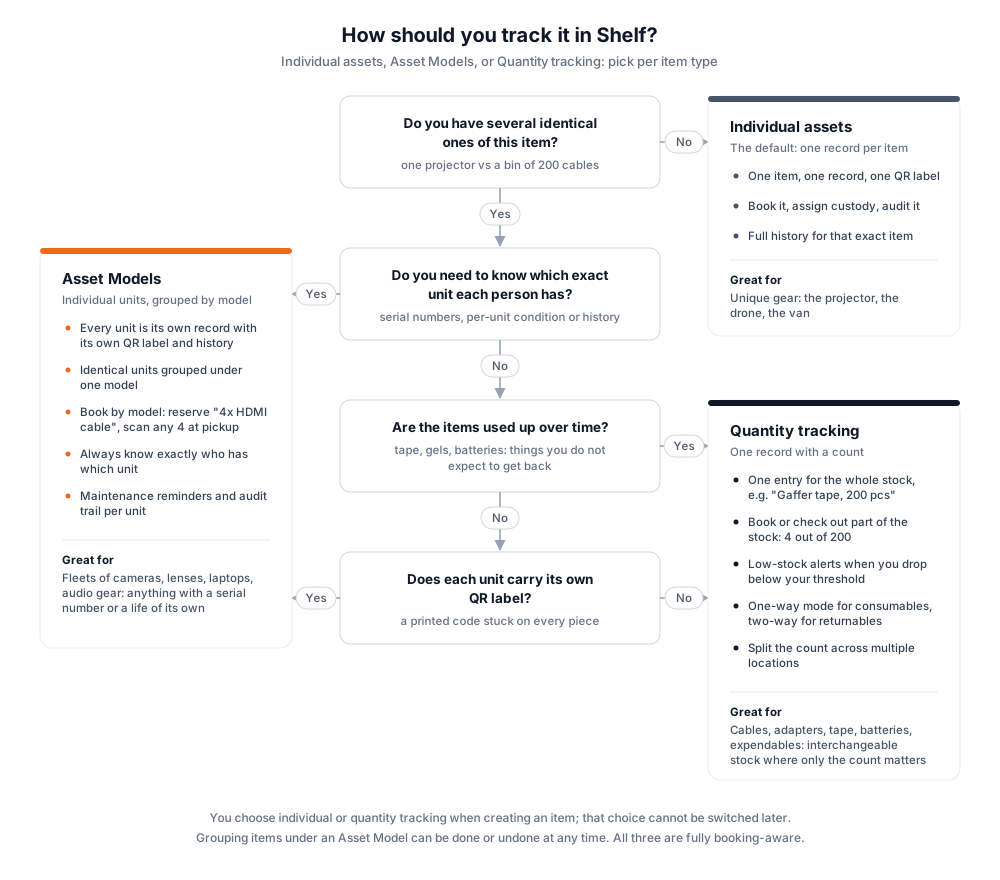
The full flowchart is best viewed on a larger screen. On a phone, use the interactive helper above or the text version below: same questions, same answers.
The four questions, in plain text
- Do you have several identical ones of this item? One projector vs a bin of 200 cables. If no, track it as an individual asset.
- If yes: do you need to know which exact unit each person has? Serial numbers, per-unit condition or history. If yes, use Asset Models.
- If no: are the items used up over time? Tape, gels, batteries: things you do not expect to get back. If yes, use quantity tracking.
- If no: does each unit carry its own QR label? A printed code stuck on every piece. If yes, use Asset Models. If no, use quantity tracking.
Compare the three methods
| Individual assets | Asset Models | Quantity tracking | |
|---|---|---|---|
| What it is | One record per item | One record per unit, grouped under a model | One record with a count |
| Best for | Unique gear (the projector, the drone, the van) | Fleets of identical gear with serials (cameras, lenses, laptops) | Interchangeable stock (cables, tape, batteries) |
| QR labels | One label for the item | Every unit has its own label | One record, one label |
| Bookings | Reserve that specific item | Reserve "4x" of a model, scan any 4 units at pickup | Reserve 4 out of 200 from the pool |
| Who has it | The item's custodian | Exactly which unit each person holds | How many units each person holds |
| Stock alerts | Not applicable | Not needed, you see every unit | Low-stock alert below your threshold |
| Consumables | Not suited | Not suited | One-way mode built for it |
| History | Full history for that item | Full history and audit trail per unit | History and consumption log per pool |
| Locations | The item sits at one location | Each unit sits at one location | The count can be split across locations |
| Change later | Can join an Asset Model anytime | Can leave or switch models anytime | Fixed as quantity at creation |
All three methods work with bookings. Bookings are part of the Team plan; that includes reserving by model and reserving quantities.
Individual assets: the default
One item, one record, one QR label. An individual asset is the right shape for anything unique: the projector, the drone, the van. You book it, assign custody, audit it, and the record carries the full history of that exact item. See Asset Pages and Custody.
Asset Models: fleets of identical units
An Asset Model groups identical, individually tracked units under one template. Every unit stays its own record with its own QR label, custody chain, maintenance reminders, and audit trail, so you always know exactly who has which unit. Creating units from a model pre-fills shared defaults like category and valuation, and bookings can reserve by model: reserve "4x HDMI cable", scan any 4 at pickup.
Two things to know: models group individually tracked items only (a quantity-tracked pool cannot join a model), and grouping is flexible. Items can join, leave, or switch models at any time.
Grouping a fleet you already own is a bulk action, not a per-asset chore: select the units in the asset index and use Actions → Update asset model, or Remove from asset model to ungroup them. Quantity-tracked assets in a mixed selection are skipped instead of failing the batch. See Using Batch Actions in Shelf.
Quantity tracking: stock you count
A quantity-tracked item is one record with a count in your own unit of measure: "Gaffer tape, 200 pcs". You book or check out part of the stock (4 out of 200), several people can each hold a portion, and the count can be split across multiple locations. Set a minimum quantity to get low-stock alerts before you run out. A consumption type fits how the stock behaves: one-way for consumables you do not expect back, two-way for returnables reconciled at check-in.
The full feature tour is on Consumables Tracking, and the setup walkthrough is in Quantity-Tracked Assets and Consumables.
What you can and cannot change later
You choose individual or quantity tracking when creating an item; that choice cannot be switched later, so decide per item type up front. Grouping under an Asset Model is the flexible part: individually tracked items can join, leave, or switch models at any time, one at a time on the asset's edit form or in bulk from the asset index Actions menu. Picked quantity and need a label on every unit after all? The steps are right below.
Already created it as a quantity asset?
There is no switch, but the fix is four steps. Say you set up "8 c-stands" as one quantity-tracked record and now want a QR label on every stand. Extra labels or barcodes on the pool will not do it: every code on a quantity-tracked record opens the same pool and the same count. You need one record per stand.
- Settings → Asset models → New: create a model, for example "C-stand".
- Assets → New asset → Bulk create from model: pick the model, set the name template to
C-stand {i}and the count to 8. Each unit gets its own QR code. A batch can hold up to 100 units. - On the assets list, select the new units and use Actions → Download QR Codes to print one label per unit.
- Delete the old quantity-tracked record once nothing is out on it. Its history goes with it, so do this before the pool has bookings you want to keep.
From here on, a booking can reserve "3x C-stand" and you scan whichever three you grab at pickup.
Where kits fit in
A kit is not a fourth tracking method. Kits bundle different items that get booked together (a camera, a lens, a tripod), and items using any of the three tracking methods can go into a kit. Choose the tracking method per item first; bundle with Kits after.
Related Articles
- Adding New Assets: the asset creation walkthrough where you make this choice
- Quantity-Tracked Assets and Consumables: set up quantity tracking step by step
- Consumables Tracking: the quantity tracking feature tour
- Bookings: reservations for all three methods, including book-by-model
- What Are Asset Models?: definition and examples
- What Are Quantity-Tracked Assets?: definition and examples
Ready to try Shelf?
Put what you're learning into practice. Free plan available — no credit card required.