
Shelf vs Spreadsheets
Spreadsheet Alternative
Stop tracking equipment in Excel and Google Sheets. Shelf replaces manual spreadsheets with QR scanning, automatic custody logs, and real-time availability.
Spreadsheet Alternative for Equipment Tracking
Spreadsheets are where equipment tracking starts — and where accountability goes to die. Excel, Google Sheets, and Airtable are flexible enough to list what you own, but they cannot answer the question that actually matters: who has it right now?
Every organization that tracks equipment in a spreadsheet eventually hits the same wall. The file gets stale. Someone forgets to update it. Two people edit at the same time. A $3,000 camera goes missing and the last entry says "checked out — Tuesday." No name, no return date, no accountability.
Shelf replaces that cycle with a system built specifically for equipment that moves between people.
Why Spreadsheets Fail for Equipment Tracking
Spreadsheets were designed for financial modeling and data analysis, not operational workflows. When you use one to track physical equipment, every limitation compounds over time:
No Real-Time Visibility
A spreadsheet only reflects reality if every person updates it, every time, without fail. One missed entry and the data is wrong. Two missed entries and no one trusts the file. The moment trust breaks, people stop updating altogether — and the system collapses.
No Accountability Trail
When a laptop charger disappears or a projector comes back damaged, a spreadsheet cannot tell you who was responsible. Manual entries can be edited, deleted, or simply never made. There is no permanent, timestamped record of who had what and when.
Version Conflicts and Stale Data
Even with Google Sheets, concurrent editing creates confusion. Multiple tabs, color-coded rows, and conditional formatting become a maintenance burden. Excel files shared via email are worse — you end up with five versions of the truth, none of them current.
No Booking or Scheduling
Spreadsheets cannot prevent double-bookings. If two people need the same drone kit on Friday, they both write their name on the sheet and someone finds out the hard way. Calendar-based coordination happens outside the spreadsheet — in Slack, email, or hallway conversations.
Scale Breaks Everything
A spreadsheet tracking 50 items works. At 500 items across three locations with 20 team members, it becomes unmanageable. Finding a specific item requires scrolling or searching. Filtering by location, status, or assignee requires increasingly complex formulas. And one accidental row deletion can erase an entire asset record.
How Shelf Replaces Your Spreadsheet
Shelf is not a fancier spreadsheet. It is a purpose-built system for tracking equipment that moves between people, locations, and projects.
QR Scanning Instead of Manual Entry
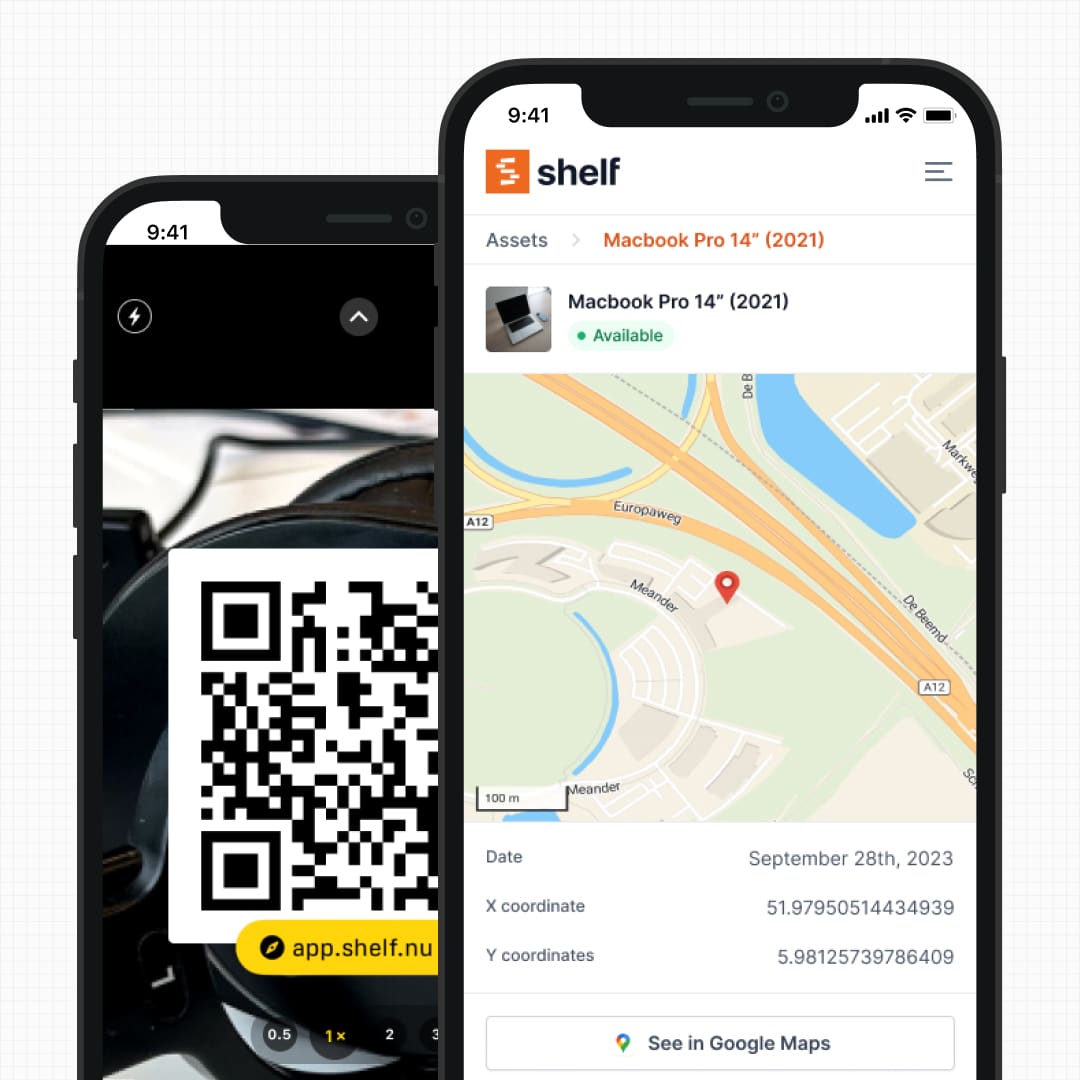
Every asset gets a printable QR label. Team members scan the code with any phone camera to check equipment in or out. The web works in any modern phone browser, and the free Shelf Companion app on iPhone and Android gives you a native-feeling field experience when you want one. Either path, the process takes seconds and the record is automatic.
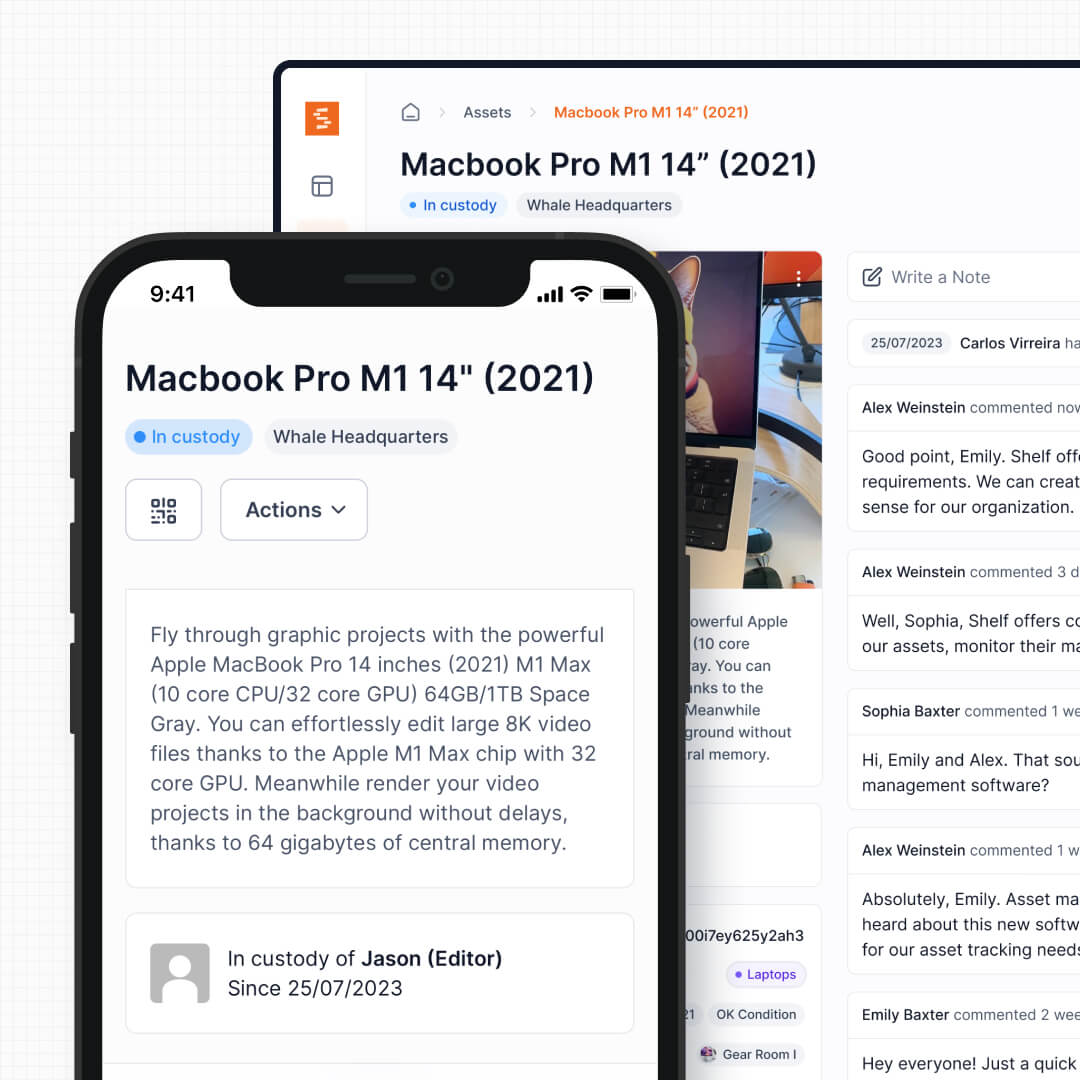
Automatic Custody Logs
Every check-out, return, and transfer is recorded with a timestamp, the user's identity, and the location. The custody chain is permanent and searchable. No one can quietly "un-check-out" an item or claim they never had it.
Need proof of who had a projector last Thursday? Filter by asset and date, then export the custody trail as a record.
See: Custody
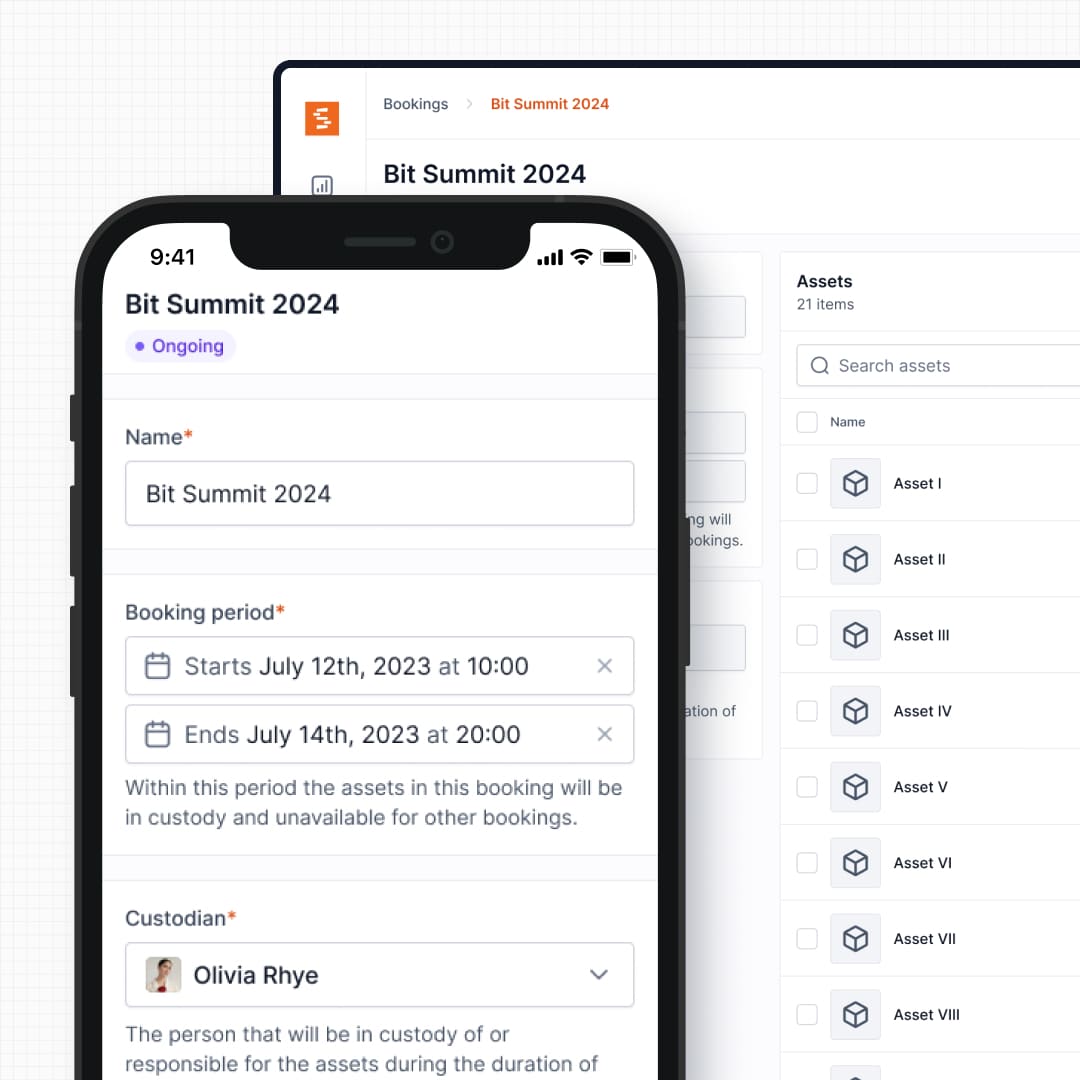
Built-In Booking Calendar
Reserve equipment in advance through a visual calendar. Shelf prevents double-bookings automatically — if someone tries to reserve a camera that is already booked, the conflict is blocked before it happens. No more Slack messages asking "is the projector free on Tuesday?"
See: Bookings
CSV Import — Bring Your Spreadsheet With You
You do not start from scratch. Export your existing spreadsheet as a CSV file and import it directly into Shelf. Asset names, categories, locations, and custom fields map over in minutes. Your historical data becomes the foundation, not something you abandon.
Bulk Update via Spreadsheet — Keep Your Workflow
Once you are in Shelf, you can still use Excel or Google Sheets to make bulk edits. Export any selection of assets as a CSV, edit the values in your spreadsheet, and re-import the file. Shelf shows you a preview of every change — field by field, old value next to new value — before anything is saved.
This means you can update hundreds of asset names, categories, locations, and custom fields in one pass without leaving the tools your team already knows. The spreadsheet workflow stays available; the accountability, booking calendar, and QR tracking layer on top of it.
See: Bulk Updating Assets via CSV
Multi-Location Visibility
Track equipment across buildings, campuses, warehouses, and job sites from a single dashboard. See what is available at each location, transfer assets between sites with a QR scan, and use hierarchical locations to organize by region, building, floor, and room.
A spreadsheet shows you a flat list. Shelf shows you a map of where everything is — and who has it.
See: Location Tracking
Kit Tracking
Group related items — a drone with its controller, batteries, and carrying case — into a single bookable unit. Check the kit out as one item, and Shelf verifies all components return together. Spreadsheets track items individually, which means accessories drift apart silently until someone needs a charger that is not there.
See: Kits
Built-In Reports — No More Pivot Tables
In a spreadsheet, answering "what was our on-time return rate last quarter?" or "which assets have not been booked in 90 days?" means writing pivot tables and filter formulas that break the moment someone re-sorts the sheet. Shelf includes ready-to-run reports — Booking Compliance, Top Booked Assets, Top Booked Kits, Monthly Booking Trends, Overdue Items, Asset Inventory, Asset Activity Summary, Asset Utilization, Idle Assets, Asset Distribution, Custody Snapshot, and Audit Completion. Set a timeframe, apply a filter, and read the result. Every report exports to CSV when a spreadsheet is genuinely the right destination; chart-based reports also download as PDF for board packs and audits.
See: Reports
Quick Comparison
| Capability | Spreadsheets | Shelf |
|---|---|---|
| Real-time accuracy | Only if everyone updates manually | Automatic via QR scan |
| Custody accountability | Honor system | Timestamped, permanent log |
| Booking and scheduling | Not possible | Built-in calendar with conflict prevention |
| Double-booking prevention | None | Automatic |
| Multi-user editing | Version conflicts and stale data | Real-time, single source of truth |
| Kit tracking | Individual rows per item | Grouped components with return verification |
| Multi-location | Separate tabs or sheets | Unified dashboard with hierarchical locations |
| Mobile access | Awkward on phone screens | Native iOS & Android app (Shelf Companion) + mobile web with QR scanning |
| Bulk data editing | Native (it's a spreadsheet) | Export → edit in Sheets → preview diff → apply |
| Reporting | Manual pivot tables and formulas | Built-in dashboards and exports |
| Cost | Free (but hours of maintenance) | Free plan available; Team plan at flat rate |
When Teams Switch From Spreadsheets to Shelf
The trigger is usually one of these moments:
- Something goes missing and the spreadsheet cannot prove who had it
- A double-booking causes a project delay, a missed deadline, or an angry team
- The spreadsheet maintainer leaves and no one understands the formulas, color codes, or hidden tabs
- A second location opens and the single-sheet model cannot handle two sites
- The team grows beyond five people and manual coordination stops working
- An audit or compliance check requires proper custody documentation that a spreadsheet cannot provide
What Switching Looks Like
- Export your spreadsheet as a CSV file
- Sign up for Shelf at app.shelf.nu — free, no credit card
- Import your CSV — assets, categories, locations, and custom fields carry over
- Print QR labels and attach them to your equipment
- Invite your team — unlimited users on the Team plan, no per-seat fees
- Start scanning — check-outs, returns, and bookings are live within an hour
Most teams are fully operational the same day they switch.
Frequently Asked Questions
Can I import my existing Excel or Google Sheets data?
Yes. Export your spreadsheet as a CSV file and import it into Shelf. The import wizard maps your columns to Shelf fields — asset name, category, location, serial number, and any custom fields you have been tracking. If you are coming from another asset tool rather than a spreadsheet, Switching From Another Asset Tool to Shelf covers the export step and how to keep existing labels.
Is Shelf free?
Yes. The free plan includes unlimited assets, QR codes, and basic custody tracking. The Team plan adds unlimited users, booking calendars, and more — at a flat annual rate with no per-user fees.
Do I need to install an app?
Not mandatory. The web app works in any modern phone browser — QR scanning uses the phone's built-in camera, no install required. For a native field experience on iPhone and Android, the free Shelf Companion app is on the App Store and Google Play. Either path uses the same workspace and login.
Will my team actually use it?
This is the question that matters. Spreadsheets fail because they add friction — every action requires a manual update. Shelf removes friction — scan a QR code and the system updates itself. The less effort a system requires, the more consistently people use it.
How is this different from a more complex asset management system?
Shelf is designed to be as easy as a spreadsheet but with the accountability of a proper system. You do not need weeks of implementation, custom consultants, or enterprise sales calls. Sign up, import, print labels, start scanning.
Case Studies
See how teams replaced spreadsheets with QR-based equipment tracking:
- Arellano Associates — Replacing Outlook Chaos With Real-Time Tracking
- CES Utility Solutions — $70K Equipment Recovery
- Fabel Film — Eliminating Double Bookings
- Eastern Michigan University — Theatre Equipment Management
Related Solutions
Quick comparison
| Feature | Shelf | Spreadsheets |
|---|---|---|
| Free plan with unlimited assets | Varies | |
| Open source & self-hostable | ||
| QR codes with custom branded labels | Varies | |
| Custody tracking with full audit trail | Varies | |
| Equipment bookings & reservations | Varies | |
| Kit-aware check-in/check-out | Varies | |
| Location hierarchy (up to 12 levels) | Varies | |
| CSV import from any tool | Varies | |
| Works on any device (PWA) | Varies | |
| No credit card to start | Varies |
Feature availability for Spreadsheets may vary by plan. We encourage you to verify on their website.
Compatibility Checker
Will your Spreadsheets Barcodes
Work with Shelf?
Camera preview
Supported barcode types: Code128, Code39, QR Code, DataMatrix, EAN-13, EAN-8, UPC-A, UPC-E, ITF, Code93.
If your barcode doesn't scan, it may be due to camera focus, lighting, or barcode quality. This doesn't necessarily mean your code isn't supported — try again or upload a clearer image.

Ready to switch from Spreadsheets?
Create a free account and import your data in minutes. No credit card required.
Ready to organize your assets?
Join thousands of teams who trust Shelf to manage their physical assets. Free forever, or try the Team plan free for 7 days.
Out in the field? Shelf Companion is free on iPhone & Android.