
Shelf vs Reftab
Reftab Alternative
Compare Reftab and Shelf to understand how each platform approaches asset tracking, equipment workflows, and team-level operations.
Reftab is a cloud-based IT asset management platform founded in 2013. It has built a solid reputation for quick setup, responsive customer support, and a clean interface that small IT teams can adopt without deep technical skills. Reftab tracks hardware, software, and equipment with barcode and QR scanning, approval workflows, and integrations with tools like Zendesk, Microsoft 365, and Okta. Teams exploring alternatives typically need equipment booking, custody workflows, kit management, or open-source flexibility that Reftab does not provide.
Overview: Reftab vs Shelf
Reftab offers four tiers: Free (50 assets, limited features), Starter ($31.25/month billed annually, 250 assets), Pro ($62.50/month, more assets with changelogs and access control), and Business ($125/month, full integrations). Each tier caps the number of assets you can track, and organizations managing more than 3,000 assets need custom pricing. Reftab is proprietary SaaS — there is no self-hosted option and the source code is not available.
Shelf focuses on what happens when equipment moves between people. Instead of optimizing for static asset registries, Shelf tracks custody chains, reservations, and kit completeness. Every interaction — check-out, return, location update — happens through a QR scan on any smartphone. Shelf is open source with unlimited assets and unlimited users on every plan.
Quick Comparison
| Capability | Reftab | Shelf |
|---|---|---|
| Primary focus | IT asset registry + approval workflows | Equipment check-out, booking, custody |
| Pricing | Free (50 assets); paid from $31.25/month | Free (self-hosted) or managed cloud |
| Asset limits | 50–3,000+ depending on tier | No asset caps on any plan |
| User limits | Unlimited on paid plans | Unlimited on every plan |
| Equipment booking | No native booking system | Built-in with conflict prevention |
| Custody tracking | Assignment-based checkout | Full custody chain with history |
| Kit management | Individual asset tracking; limited kit printing | Kit-aware booking and return verification |
| Open source | No — proprietary SaaS | Yes — full codebase available |
| Self-hosting | Not available | Available |
| Mobile experience | Native iOS and Android apps | Native iOS & Android app (Shelf Companion) + mobile web |
| Integrations | Zendesk, M365, Okta, NinjaOne, Zapier, Jira | Open source codebase; CSV import/export |
| Multi-team workspaces | Single instance with role-based access | Separated workspaces per department |
| Operational reports | Asset and assignment reports with CSV export | Built-in operational reports (booking compliance, top booked assets and kits, utilization, idle, custody, distribution, audit completion) with CSV/PDF export |
Where Shelf Takes a Different Approach
1. Equipment Booking and Reservations
Reftab handles asset assignment — an administrator checks out a device to a user and checks it back in when returned. There is no native booking or reservation system for scheduling shared equipment in advance.
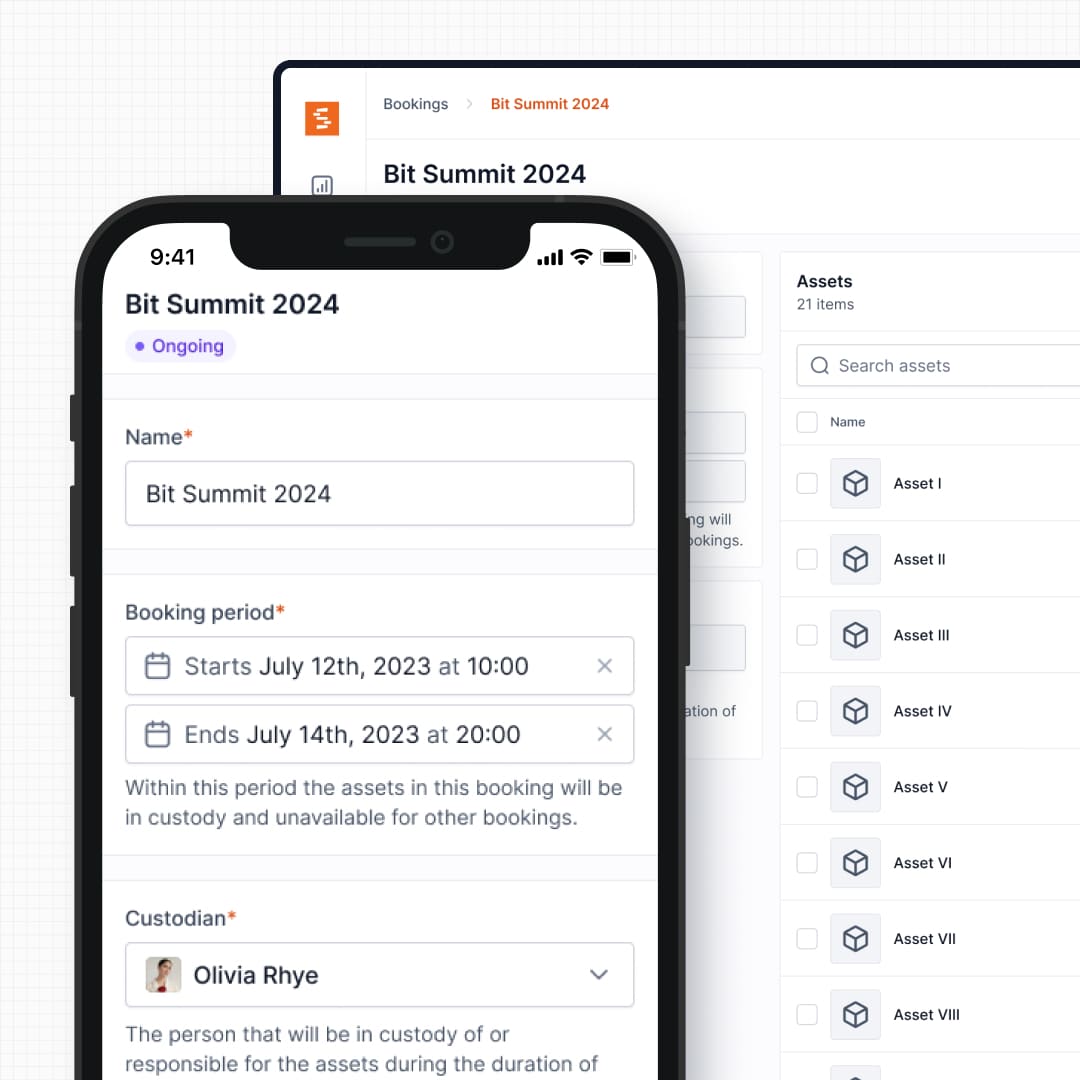
Shelf includes a full booking system with real-time availability calendars, automatic double-booking prevention, and multi-day reservation support. Users can self-serve their own reservations without needing administrator intervention. This matters for environments where multiple people share the same equipment and need to plan ahead — film crews, university gear rooms, or IT loaner pools.
See: Bookings
2. No Asset Caps or Tier Pressure
Reftab gates the number of assets by pricing tier. The Free plan allows 50 assets. Even the Starter tier caps you at 250 assets for $31.25/month. Organizations that outgrow these limits face incremental upgrades, and managing more than 3,000 assets requires custom pricing.
Shelf does not cap assets or users on any plan. Whether you track 200 items or 20,000, the pricing stays predictable. For teams that grow quickly or manage large inventories across departments, this eliminates the pressure of tier-based limits.
See: Location Tracking
3. Full Custody Chain vs Assignment Logs
Reftab records who has a device and when it was assigned. This works for tracking which laptop belongs to which employee. But for shared equipment that changes hands frequently — loaner devices, field tools, production gear — a simple assignment log does not capture the full picture.
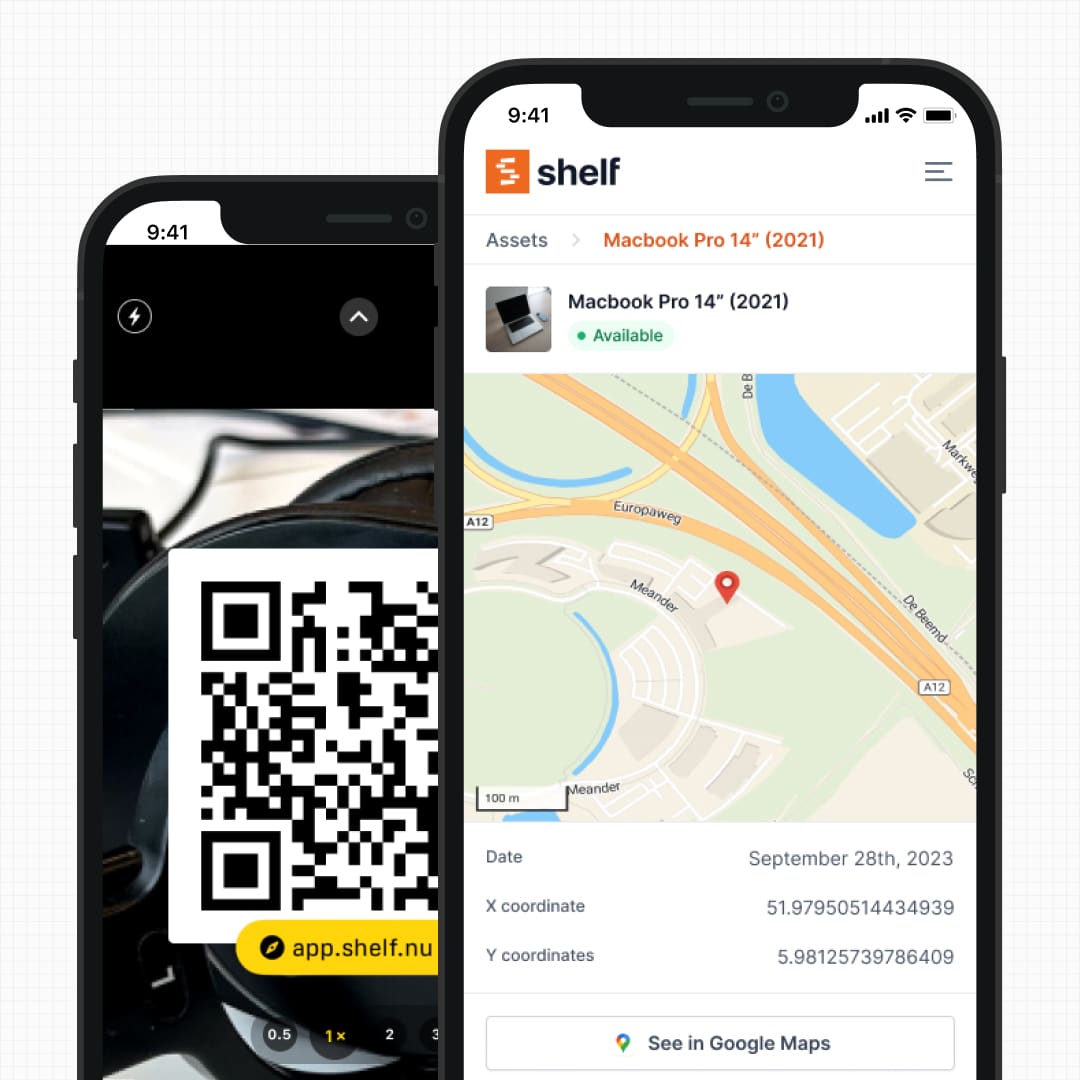
Shelf maintains a permanent, timestamped custody chain for every asset. Every check-out, return, and transfer is recorded with the user's identity, location, and timestamp. Need proof of who had a projector last Thursday? Filter by asset and date, then export the trail as a record.
See: Custody
4. Kit Tracking and Component Verification
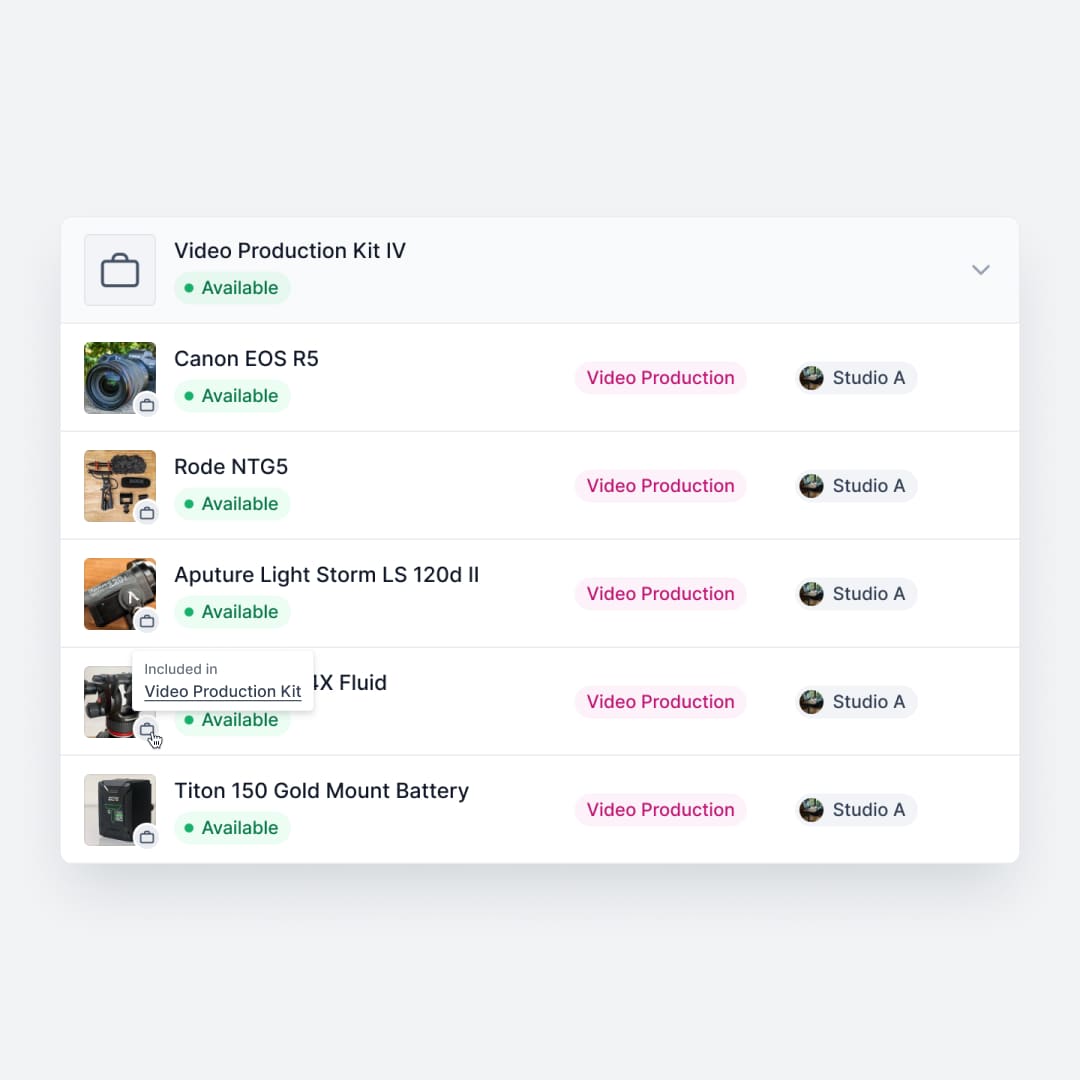
Reftab tracks assets individually. Reviewers have noted that you cannot print a list of items in a kit and that accessory management feels limited. If you manage a camera kit with a body, lenses, batteries, and a charger, those are separate records with no inherent relationship during checkout.
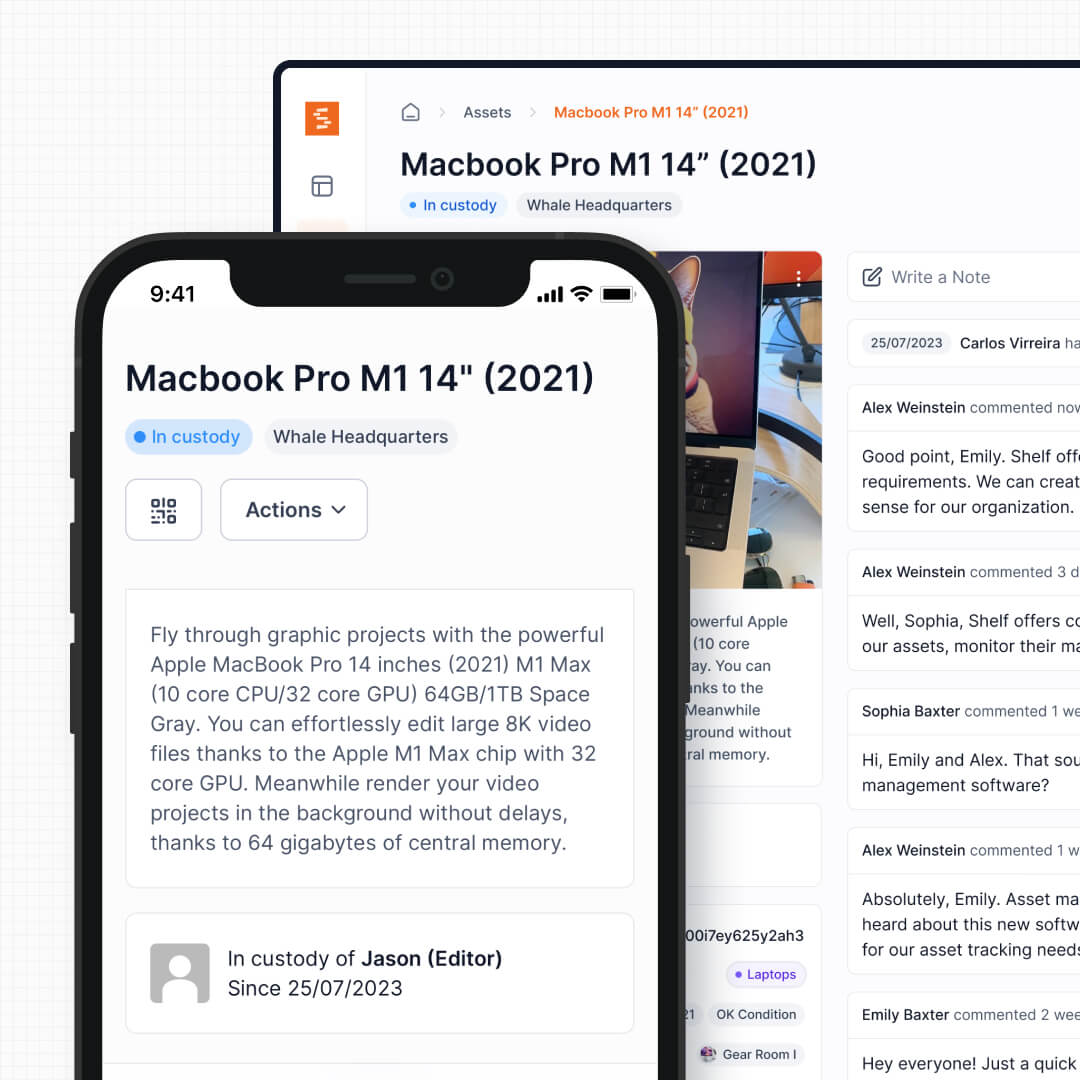
Shelf groups related equipment into kits that are booked, checked out, and verified as a single unit. When a kit comes back, Shelf flags missing components before the next user picks it up. This prevents the gradual loss of accessories that plagues every shared equipment operation.
See: Kits
5. Open Source and Self-Hosting
Reftab is proprietary SaaS. The source code is not available, there is no self-hosted option, and your data lives on Reftab's infrastructure. For organizations with data sovereignty requirements, compliance mandates, or a preference for inspectable code, this is a hard constraint.
Shelf is open source with a fully public codebase. Teams can inspect every line of code, self-host on their own infrastructure, or use Shelf's managed cloud. There is no vendor lock-in, and teams with development resources can extend Shelf to connect with any system their organization uses.
6. Multi-Department Workspaces
Reftab operates as a single inventory with role-based permissions. This works for a single IT team managing one equipment pool. When multiple departments — IT, facilities, media, education — need to manage their own equipment within the same organization, permissions get complex and cross-department clutter is hard to avoid.
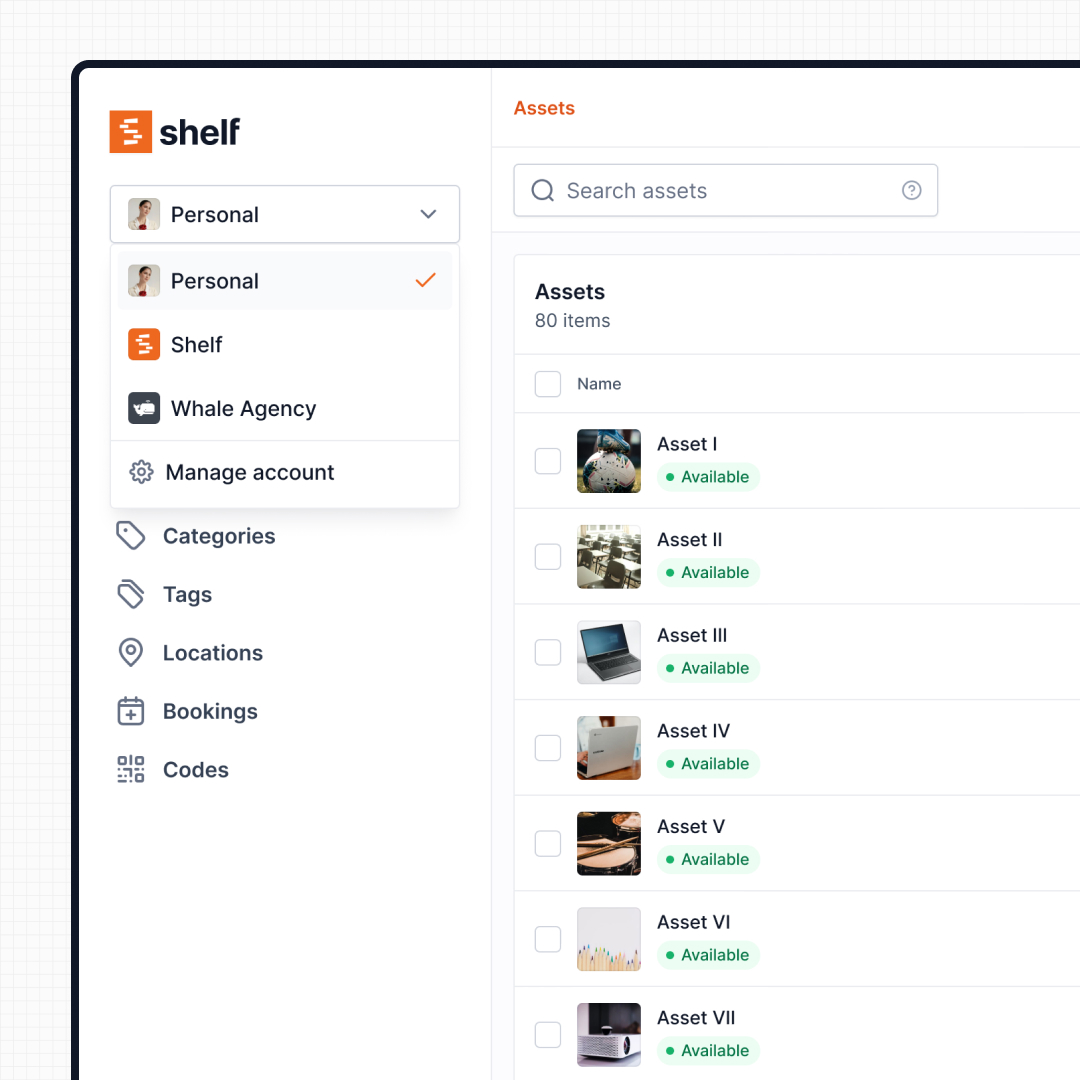
Shelf uses workspaces to give each team a fully separate inventory. Each workspace has its own assets, users, and settings. Administrators retain visibility across the entire organization without any department seeing another's equipment.
See: Workspaces
7. Platform Consistency
Reftab offers both a web interface and native mobile apps for iOS and Android. However, reviewers on Capterra and Software Advice have noted that the desktop and mobile versions feel different, making it difficult to adapt to both. Some editing tasks — like managing accessory barcodes — are limited on mobile.
Shelf is a mobile-first web application. The same interface works on desktop and mobile browsers with consistent behavior — QR scanning, custody transfers, and booking confirmations work in either context. For field-heavy iPhone workflows, the free Shelf Companion app is also on the App Store and Google Play. The web stays the canonical experience either way.
When Teams Choose Shelf Instead of Reftab
Teams typically choose Shelf over Reftab when their equipment needs go beyond static tracking:
- Shared equipment needs scheduling: Multiple people need the same assets on different days, and a booking system prevents conflicts
- Custody accountability matters: Knowing the full chain of who had equipment — not just the current assignee — is important for compliance, insurance, or dispute resolution
- Kits need to stay complete: Production, education, and field teams managing grouped equipment need kit-level tracking and return verification
- Asset caps are a concern: Growing teams and large inventories should not be penalized with forced tier upgrades
- Open source is a requirement: Data sovereignty, self-hosting, and codebase transparency are organizational priorities
- Multiple departments share one platform: IT, facilities, and media teams each need their own workspace without cross-department noise
When Reftab May Be a Better Fit
Reftab has genuine strengths that make it the right choice for certain teams:
- Quick IT inventory setup: Teams that need to be tracking laptops and devices within a single afternoon will appreciate Reftab's streamlined onboarding
- Approval workflows: Reftab's service catalog and request approval system is useful for IT departments managing hardware and software provisioning
- Enterprise integrations: Native connections to Zendesk, Microsoft 365, Okta, NinjaOne, and Jira Cloud are valuable for teams already embedded in those ecosystems
- Responsive support: Reftab consistently receives high marks for customer service speed and helpfulness
- Native mobile on both iOS and Android: Reftab ships native apps on both platforms today, and Shelf Companion is on the App Store and Google Play
- Managed-only simplicity: Teams that do not want to think about hosting, updates, or infrastructure benefit from Reftab handling everything
Both platforms track physical assets — but they optimize for different realities. Reftab is built for IT teams that need a clean asset register with approval workflows. Shelf is built for teams where equipment circulates and the daily reality is check-outs, bookings, and custody transfers.
Ready to move your data from Reftab? Switching From Another Asset Tool to Shelf walks through exporting from your current tool, mapping the columns to Shelf's import file, and keeping the barcode or QR stickers already on your equipment.
Case Studies
See how teams operate with QR-first equipment workflows:
- ResQ Contact Center — 4,000+ Devices Across Multiple Sites
- HAARP — Research Equipment Accountability
- CES Utility Solutions — $70K Equipment Recovery
- Eastern Michigan University — Theatre Equipment Management
Related Solutions
Quick comparison
| Feature | Shelf | Reftab |
|---|---|---|
| Free plan with unlimited assets | Varies | |
| Open source & self-hostable | ||
| QR codes with custom branded labels | Varies | |
| Custody tracking with full audit trail | Varies | |
| Equipment bookings & reservations | Varies | |
| Kit-aware check-in/check-out | Varies | |
| Location hierarchy (up to 12 levels) | Varies | |
| CSV import from any tool | Varies | |
| Works on any device (PWA) | Varies | |
| No credit card to start | Varies |
Feature availability for Reftab may vary by plan. We encourage you to verify on their website.
Compatibility Checker
Will your Reftab Barcodes
Work with Shelf?
Camera preview
Supported barcode types: Code128, Code39, QR Code, DataMatrix, EAN-13, EAN-8, UPC-A, UPC-E, ITF, Code93.
If your barcode doesn't scan, it may be due to camera focus, lighting, or barcode quality. This doesn't necessarily mean your code isn't supported — try again or upload a clearer image.

Ready to switch from Reftab?
Create a free account and import your data in minutes. No credit card required.
Ready to organize your assets?
Join thousands of teams who trust Shelf to manage their physical assets. Free forever, or try the Team plan free for 7 days.
Out in the field? Shelf Companion is free on iPhone & Android.