

Equipment Checkout Software
Replace sign-out sheets with instant QR scanning. Free equipment check-in/check-out software with custody logs, booking integration, and real-time availability.
Trusted by innovative teams
































































Equipment Checkout Software
Equipment checkout software is a system that tracks who has which equipment, when they took it, and when it is due back — replacing paper sign-out sheets, spreadsheets, and manual coordination with structured digital workflows.
Shelf is a free, open-source equipment checkout platform that uses QR code scanning to make check-in and check-out instant. Scan a code, transfer custody, and move on. Works in any phone browser — the Shelf mobile app installs in seconds — and there is a free native iPhone & Android app (Shelf Companion) for teams that prefer it. No special hardware. Used by 3,000+ teams managing 450,000+ assets.
How It Works — 3 Steps
1. Label your equipment. Print QR code labels and attach them to every item you want to track. Labels are customizable with your logo and print on DYMO, Brother, and Zebra printers.
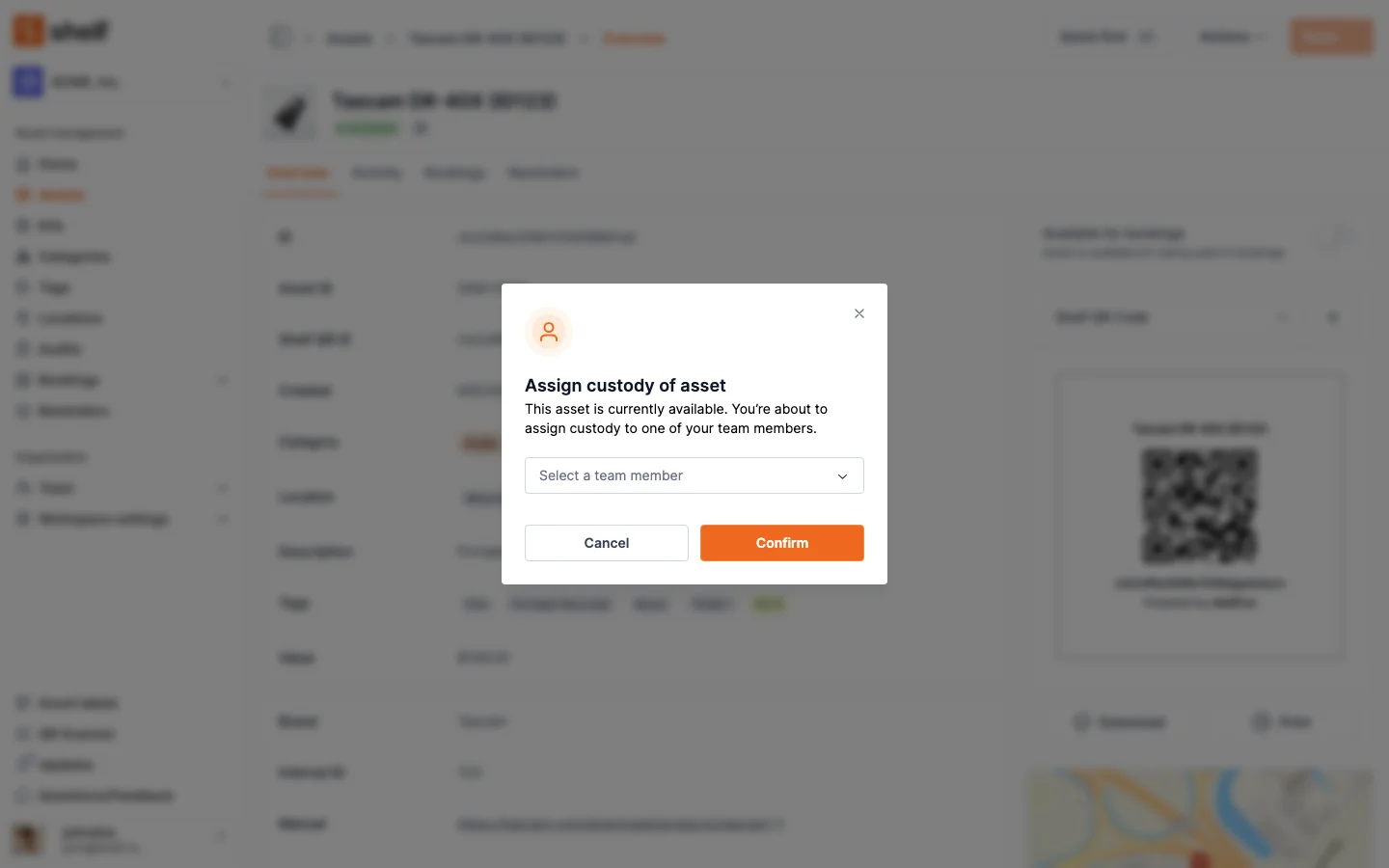
2. Scan to check out. When someone needs equipment, they scan the QR code — either in their phone browser or via the free Shelf Companion app on iPhone and Android. Shelf records who took it, when, and when it is due back. The process takes seconds.
3. Scan to return. A second scan completes the cycle. Shelf updates custody, verifies kit completeness, and makes the item available for the next user.
Why Manual Equipment Check-Out Fails
Organizations that rely on manual processes for equipment lending hit the same problems, whether they manage 50 items or 5,000:
- Sign-out sheets get ignored: Paper logs, whiteboards, and sticky notes are unreliable the moment a second person is involved. Records get erased, lost, or simply not filled in. When a $2,000 camera goes missing, there is no custody trail showing who took it.
- Spreadsheets drift out of sync: Manual tracking breaks as soon as two people edit the same file. Version conflicts, stale data, and "I forgot to update the sheet" become the norm. Arellano Associates described their pre-Shelf process as "Outlook chaos" — emails and calendar entries that no one fully trusted.
- No accountability for damage or loss: Without a structured system, there is no way to prove who was responsible for a damaged lens or a missing laptop charger. Teams absorb the cost silently.
- Late returns go unnoticed: No one realizes equipment is overdue until the next person needs it and finds it gone. Projects stall, shoots are delayed, and students miss deadlines.
- No visibility across locations: Multi-site organizations — campuses, satellite offices, field crews — cannot see what is available at other facilities. Without location tracking, equipment sits idle in one location while another team scrambles to find a replacement.
These problems are expensive. They also erode trust. When people do not believe the check-out system works, they stop using it — and the system fails completely.
How Shelf Streamlines Equipment Check-In/Check-Out
Shelf turns the check-in/check-out process into a two-scan workflow: scan to check out, scan to return. Everything in between is logged automatically.
QR Scanning — Browser or App, Your Choice
Every asset gets a printable QR label. Users scan the code with any phone camera — in the browser, no install required, or via the free Shelf Companion app on iPhone and Android for a native field experience. Either path uses the same Shelf workspace.
Labels are customizable with your logo and colors, and print on standard label printers (DYMO, Brother, Zebra) or regular paper. You can also use Code128, Code39, or Data Matrix barcodes.
Automatic Custody Logging
When equipment is checked out, Shelf records who has it, when they took it, and when it is due back. When they return it, a second scan completes the cycle. The full custody chain is permanent, timestamped, and searchable.
Need proof of who had a projector last week? Filter by asset and date range, then export the custody trail for your audit records.
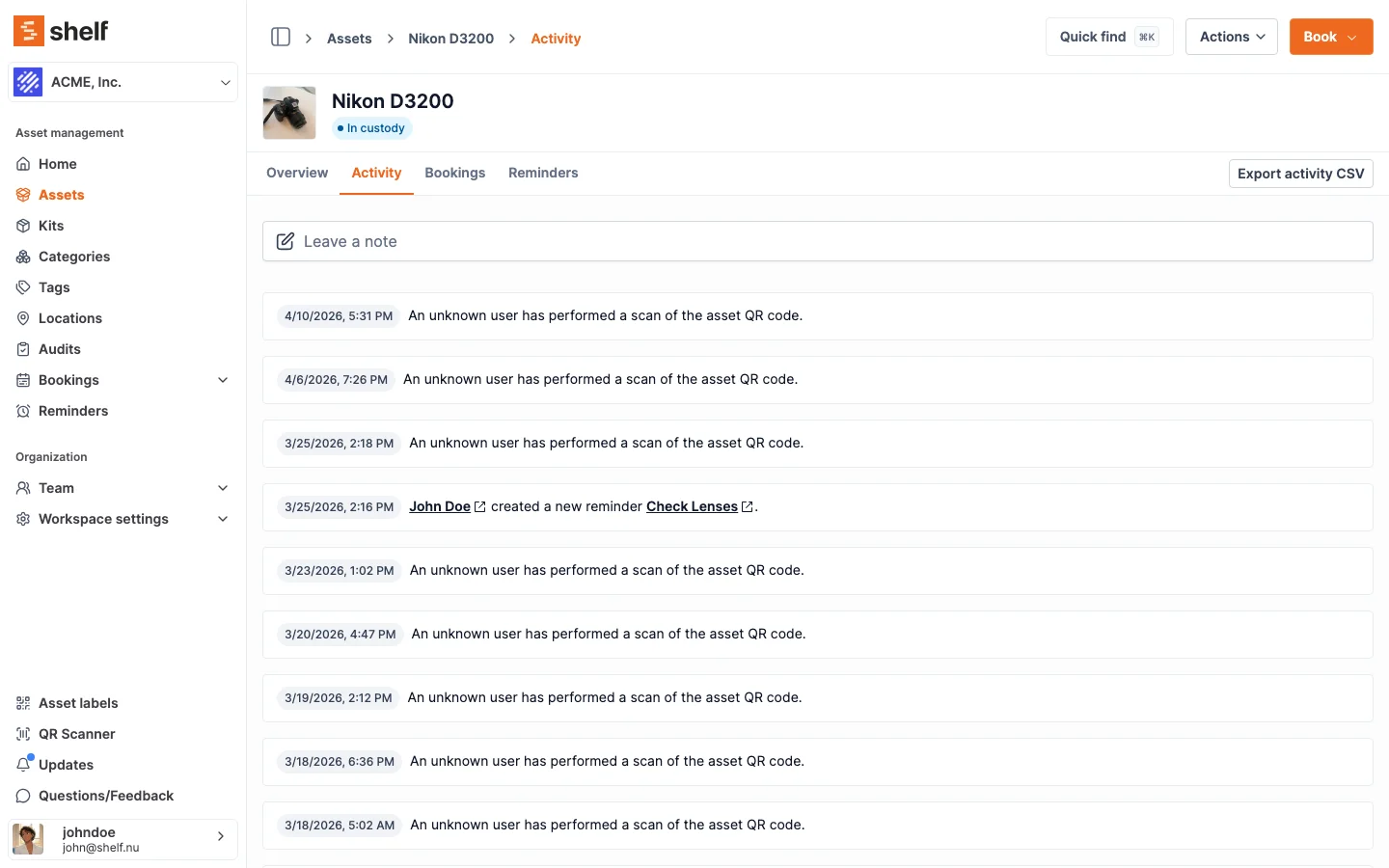
Shelf also supports self-checkouts — team members can check out equipment without needing an administrator to process the transaction. And Non-Registered Members (NRM) allow you to assign custody to external contractors or visitors who do not need a Shelf account.
See: Custody
Booking Integration — Reserve Before You Check Out
Check-out works hand-in-hand with equipment reservations. Users reserve equipment in advance through a visual booking calendar (daily, weekly, or monthly view), then scan to confirm the pick-up when the reservation begins.
This prevents conflicts automatically. If someone tries to book a camera that is already reserved, Shelf blocks the overlap. Overdue items are highlighted so administrators can follow up before the next booking is affected.
You don't have to hand everything over in one go, either. Check a booking out all at once, or progressively — scan items out one at a time as they're picked up, or in bulk from the Actions menu. The booking goes live on the first item, and a Booked / Checked out / Returned bar shows exactly what's gone out and what's still waiting.
See: Bookings
Kit-Aware Check-Out
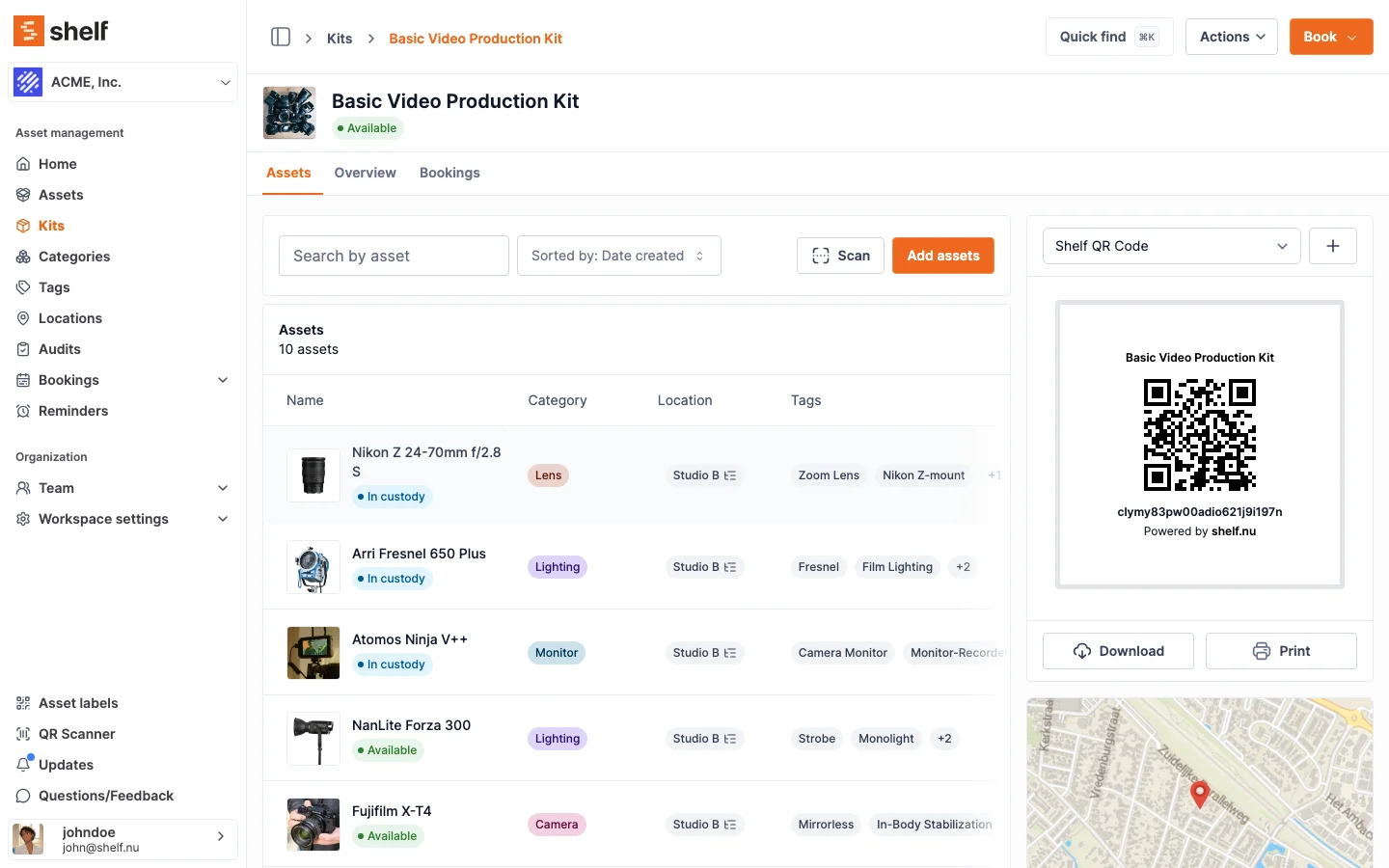
Bundle a camera with its lenses, batteries, memory cards, and charger into a single kit. When the kit is checked out, all components move together. When it comes back, Shelf flags any missing items during check-in.
No more hunting for the charger that someone left in a different bag.
See: Kits
Multi-Location Support
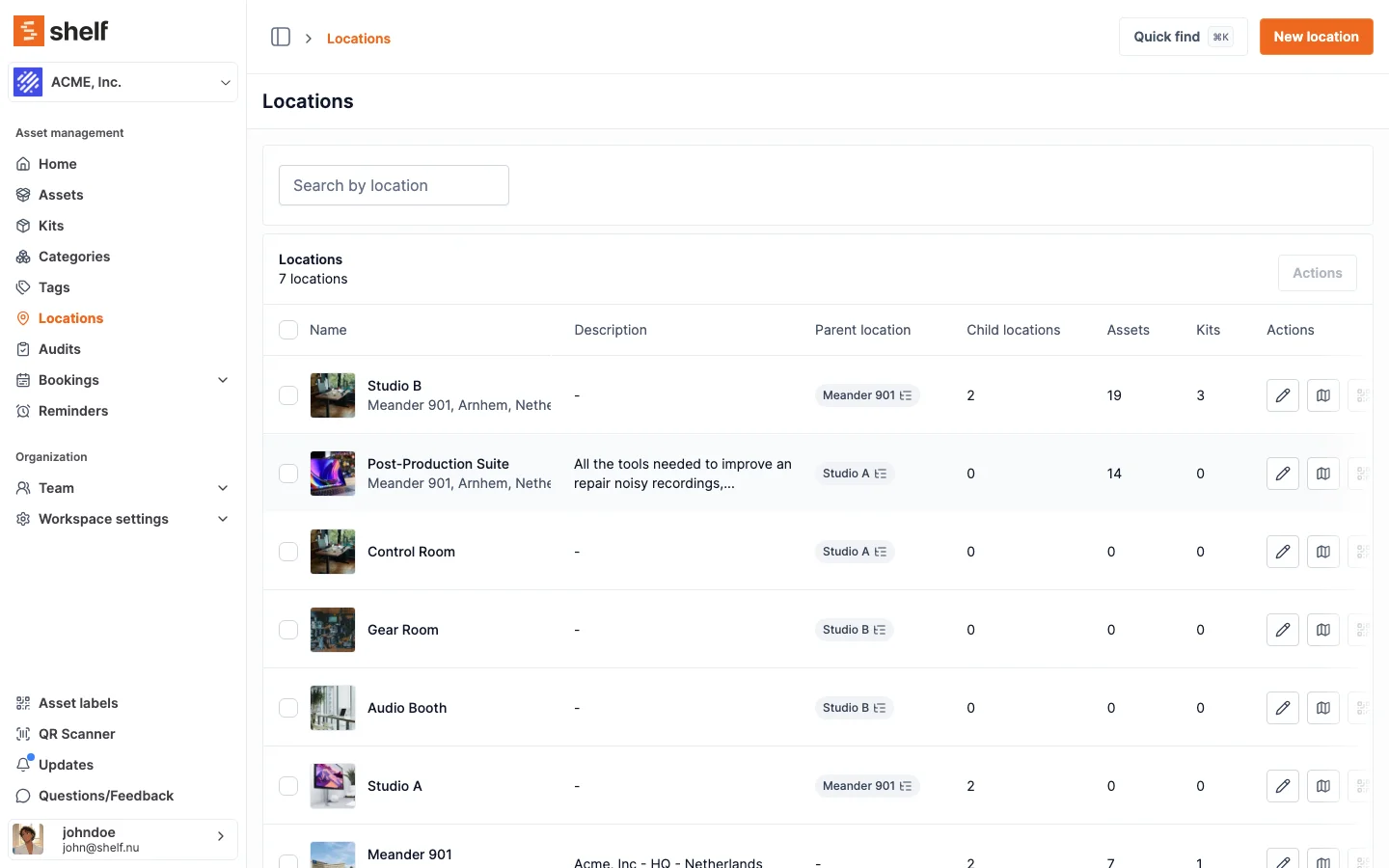
Track equipment across buildings, campuses, warehouses, job sites, and vehicles. Each location maintains its own inventory while sharing visibility across the organization. Shelf supports up to 12 levels of location hierarchy.
When an asset is checked in at a different site than where it was checked out, the location updates automatically.
See: Location Tracking
Key Features at a Glance
- QR scanning: Instant check-in/check-out from any phone camera — in the browser, or via Shelf Companion on iPhone and Android
- Custody trail: Automatic, timestamped log of who has each item and when it changed hands
- Exportable records: Pull custody and booking history to CSV for audits and insurance
- Bookings: Reserve equipment ahead of time with conflict-free scheduling
- Overdue alerts: Automatic notifications when equipment is not returned on time
- Kits: Bundle related items so accessories check out with their parent asset
- Location tracking: Know where equipment is across multiple sites
- User roles: Control who can check out, who can approve, and who can manage inventory
- Batch actions: Check in or reassign multiple items at once
- CSV import/export: Bring existing equipment lists into Shelf or export data for reporting
Common Use Cases
- AV and media equipment: Production teams and education programs check out cameras, microphones, lighting, and audio gear for shoots and classes. Fabel Film eliminated gear chaos by replacing memory-based coordination with Shelf.
- IT device lending: Helpdesks manage loaner laptops, monitors, chargers, and peripherals with custody trails. ResQ tracks 4,000+ contact center devices across multiple sites using Shelf.
- Construction and field tools: Site managers issue power tools, safety equipment, and testing instruments to crews at the start of each shift, with QR scans documenting every handoff.
- Lab and research equipment: Researchers check out instruments and testing equipment with documented custody chains. HAARP manages research assets across seven universities using Shelf.
- University and school equipment rooms: Students check out cameras, tablets, and maker space tools through self-service workflows. Eastern Michigan University streamlined their theatre equipment checkout process with Shelf.
- Event and conference equipment: Arellano Associates manages high-demand event equipment across simultaneous community events — replacing Outlook-based coordination with real-time availability.
Why Teams Choose Shelf
- Free to start: Unlimited assets on the free plan. No credit card required.
- Use the browser or the iPhone app: Works in any browser on any device. QR scanning uses the built-in camera. The free Shelf Companion app on iPhone and Android adds a native field experience.
- Open source: AGPL licensed with a fully public codebase. Transparent, auditable, community-driven.
- Set up in minutes: Most teams are operational within an hour. Import existing lists via CSV.
- Scales: Teams managing 50,000+ assets use Shelf in production.
Getting Started
- Sign up for free at app.shelf.nu — no credit card required.
- Add your equipment manually or import from a CSV file.
- Print QR labels and attach them to each item. Custom branding available.
- Invite your team and assign roles: self-service users can check out on their own, base users can browse and request, administrators manage everything.
- Start scanning — team members scan QR codes (in the browser or via Shelf Companion on iPhone and Android) to check equipment in or out. Custody logs, location updates, and booking confirmations happen automatically.
Most teams are fully operational within an hour.
Process checkouts and returns from the floor with the free Shelf Companion app on the App Store and Google Play — scan QR codes, manage custody, confirm handoffs in real time. Free with any Shelf account.
Frequently Asked Questions
How is this different from a spreadsheet or sign-out sheet?
A spreadsheet requires every person to manually update the same file, every time, without fail. One missed entry and the data is unreliable. Shelf automates the process: scan a QR code to check out, scan again to return. Custody, location, and availability update automatically. There is no manual data entry to forget.
Does everyone on my team need an account?
Users with accounts get the full experience: scanning, booking, custody history, and notifications. But Shelf also supports Non-Registered Members (NRM) — you can assign custody to someone by name without them needing to create an account. This is useful for external contractors, event staff, or visitors.
Can users check out equipment without an admin present?
Yes. Self-service users can check out and return equipment by scanning QR codes on their own. Administrators set the rules (who can self-checkout, checkout duration limits), and Shelf handles the rest.
What happens when equipment is returned late?
Shelf highlights overdue items in the dashboard and sends automated notifications to the relevant team members. Administrators can see all overdue equipment at a glance and follow up before the next booking is affected.
Is Shelf free?
Yes. The free plan includes unlimited assets, QR codes, and basic custody tracking for one user. The Team plan adds unlimited users, booking calendars, batch operations, and more.
Can I track equipment across multiple locations?
Yes. Shelf supports hierarchical locations with up to 12 levels of nesting (e.g., Campus → Building → Floor → Room → Shelf). Equipment can move between locations via QR scan, and you get full visibility across all sites from a single dashboard.
See it in action
Real teams using Shelf for equipment checkout software.


Ready to organize your assets?
Join thousands of teams who trust Shelf to manage their physical assets. Free forever, or try the Team plan free for 7 days.
Out in the field? Shelf Companion is free on iPhone & Android.