
Shelf vs AssetGuru
AssetGuru Alternative
Compare AssetGuru and Shelf to understand differences in approval workflows, equipment check-out speed, and operational simplicity.

AssetGuru Alternative
Asset.Guru is a cloud-based fixed asset management platform founded in 2014 and headquartered in Sydney, Australia. It grew out of the accounting and compliance space, and that heritage is clear: Asset.Guru is strongest in depreciation calculations, financial reporting, and integration with accounting systems like Xero, QuickBooks Online, and NetSuite. Teams evaluating alternatives typically need faster day-to-day equipment operations—check-outs, bookings, kit management—rather than depreciation journals and fixed asset registers.
Overview: Asset.Guru vs Shelf
Asset.Guru offers three tiers: Micro Edition Plus ($99/month for up to 500 assets and 3 users), Starter Edition ($179/month for up to 1,000 assets and 10 users), and Enterprise Edition (custom pricing for 5,000+ assets and 50 users). Critically, check-in/check-out functionality is only available on the Starter Edition and above, meaning the entry-level plan lacks the most basic equipment circulation feature. Asset.Guru also does not offer a public API, limiting integration and automation possibilities.
Shelf focuses on what happens when people interact with equipment every day. Instead of treating assets primarily as financial line items to depreciate, Shelf's QR-first approach makes every interaction intentional: scan to check out, scan to return, scan to see who booked it next. Shelf is also open source, so teams can inspect the codebase, self-host for free, or extend functionality without vendor dependency. All features are available on every plan—no critical capabilities locked behind higher tiers.
Quick Comparison
| Capability | Asset.Guru | Shelf |
|---|---|---|
| Primary focus | Depreciation, financial reporting, fixed asset register | Equipment check-out, booking, custody |
| Pricing | From $99/month (500 assets, 3 users) | Free (self-hosted) or managed cloud |
| Check-in/check-out | Starter Edition and above only ($179/month) | Available on all plans |
| Equipment booking | Not a core feature | Built-in with conflict prevention |
| Kit management | Individual asset tracking only | Kit-aware booking and verification |
| Depreciation tracking | Yes — automated with accounting sync | No — operational focus |
| Accounting integration | Xero, QuickBooks Online, NetSuite | No native accounting sync |
| Open source | No — proprietary SaaS | Yes — full codebase available |
| User limits | 3–50 depending on plan | Unlimited on Team, at a flat rate |
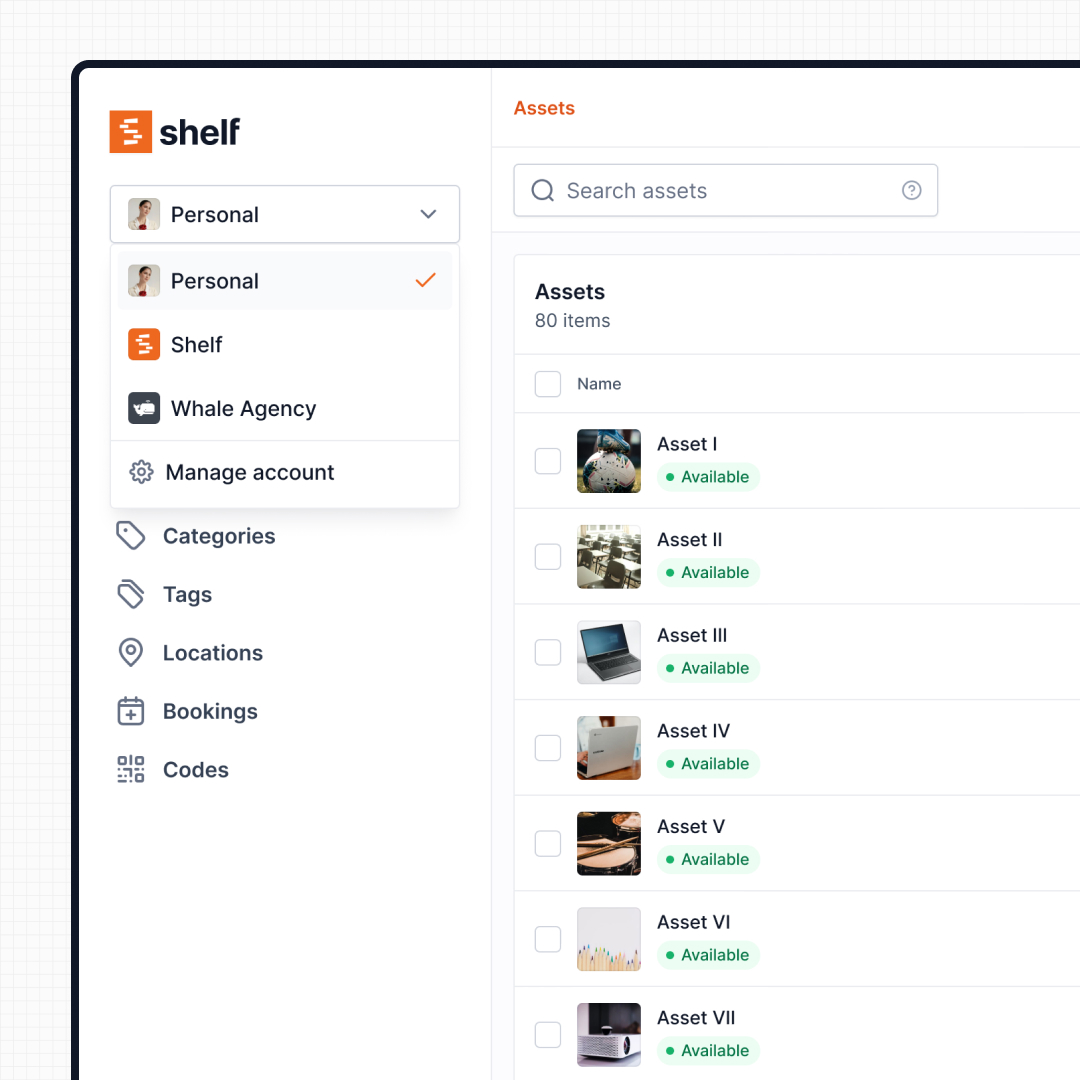
| Mobile experience | iOS app available | Native iOS & Android app (Shelf Companion) + mobile web |
| Multi-team workspaces | Divisional structure | Separated workspaces per department |
| Operational reports | Asset register and basic exports | Built-in operational reports (booking compliance, top booked assets and kits, utilization, idle, custody, distribution) with CSV/PDF export |
Where Shelf Takes a Different Approach
1. Operational Equipment Tracking vs Financial Asset Registers
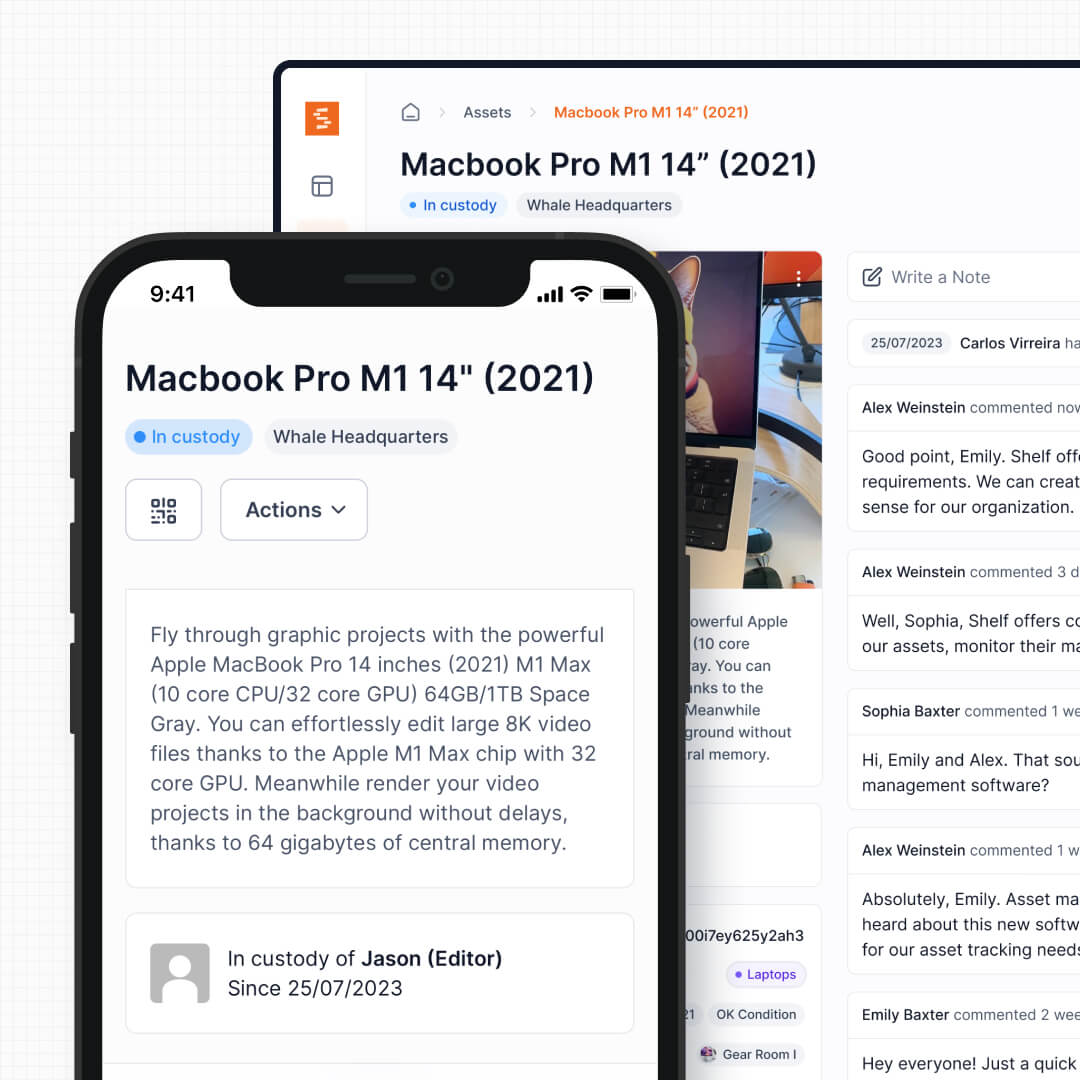
Asset.Guru was built for the finance team. Its core value proposition is knowing what assets your organization owns, what they cost, what they are worth today, and how depreciation affects your tax position. This is valuable for accounting—but it does not solve the daily operational question of who has the laptop, when the projector is coming back, or whether the camera kit is available next Tuesday.
Shelf was built for the operations team. Every feature is designed around equipment circulation: who has it, when it is due back, who needs it next, and whether all the pieces came back. Financial tracking and operational tracking are different problems, and trying to solve both with an accounting-first tool leaves operations underserved.
See: Custody
2. Check-Out Without Tier Restrictions
Asset.Guru's check-in/check-out feature is locked behind the Starter Edition at $179/month. Teams on the Micro Edition Plus plan—the most affordable tier—cannot assign equipment to staff or track who has what. This means the most fundamental equipment operation requires upgrading before you can even start.
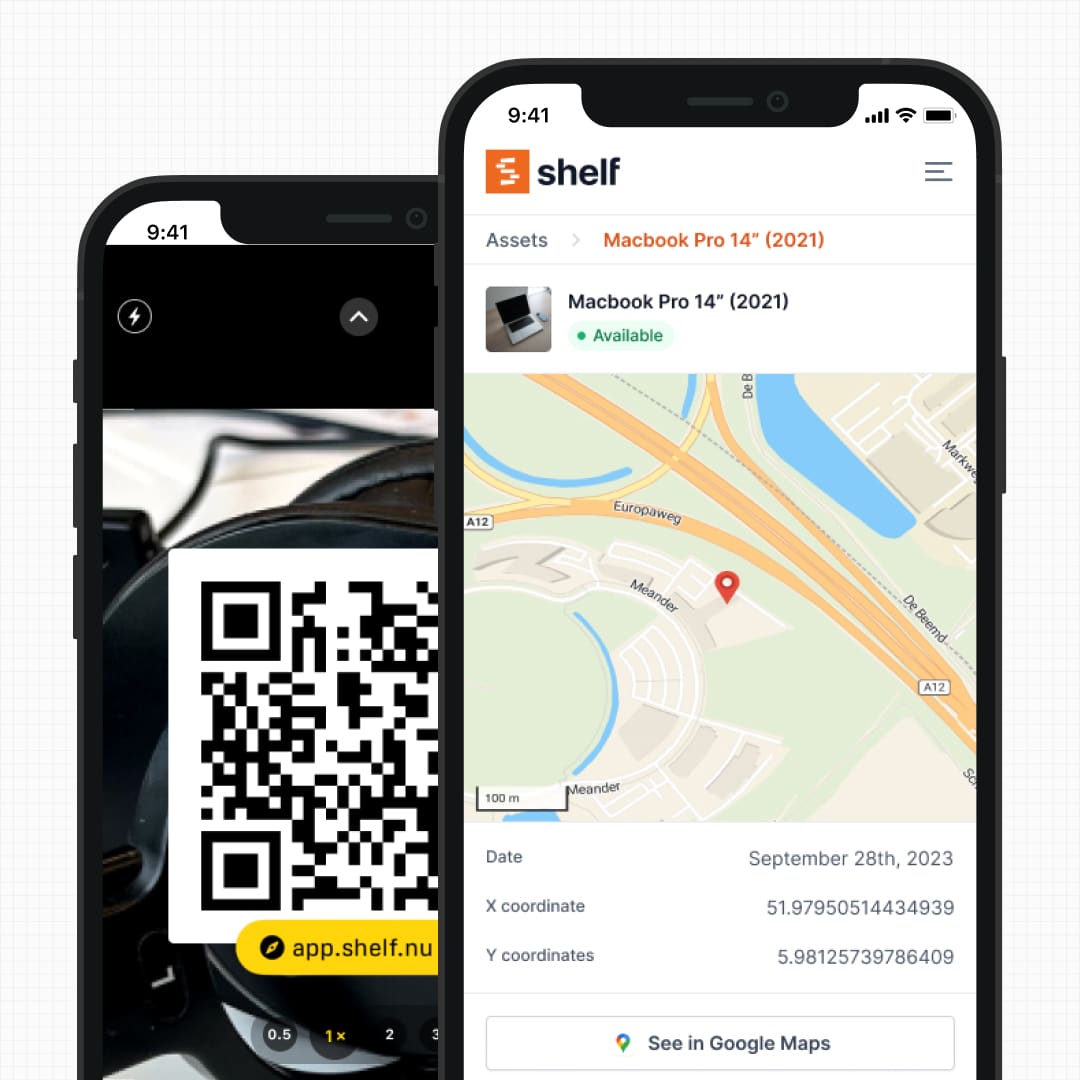
Shelf includes check-in and check-out on every plan, including the free self-hosted option. There is no feature gating on core equipment workflows. A team of five and a team of five hundred both get the same custody tracking, the same QR scanning, and the same audit trail.
See: Location Tracking
3. Purpose-Built Booking and Reservations
Asset.Guru focuses on tracking asset ownership and location, but it does not offer a dedicated booking and reservation system. If a team needs to schedule shared equipment—conference room AV gear, pool vehicles, camera kits—they need to manage that outside the platform or rely on manual coordination.
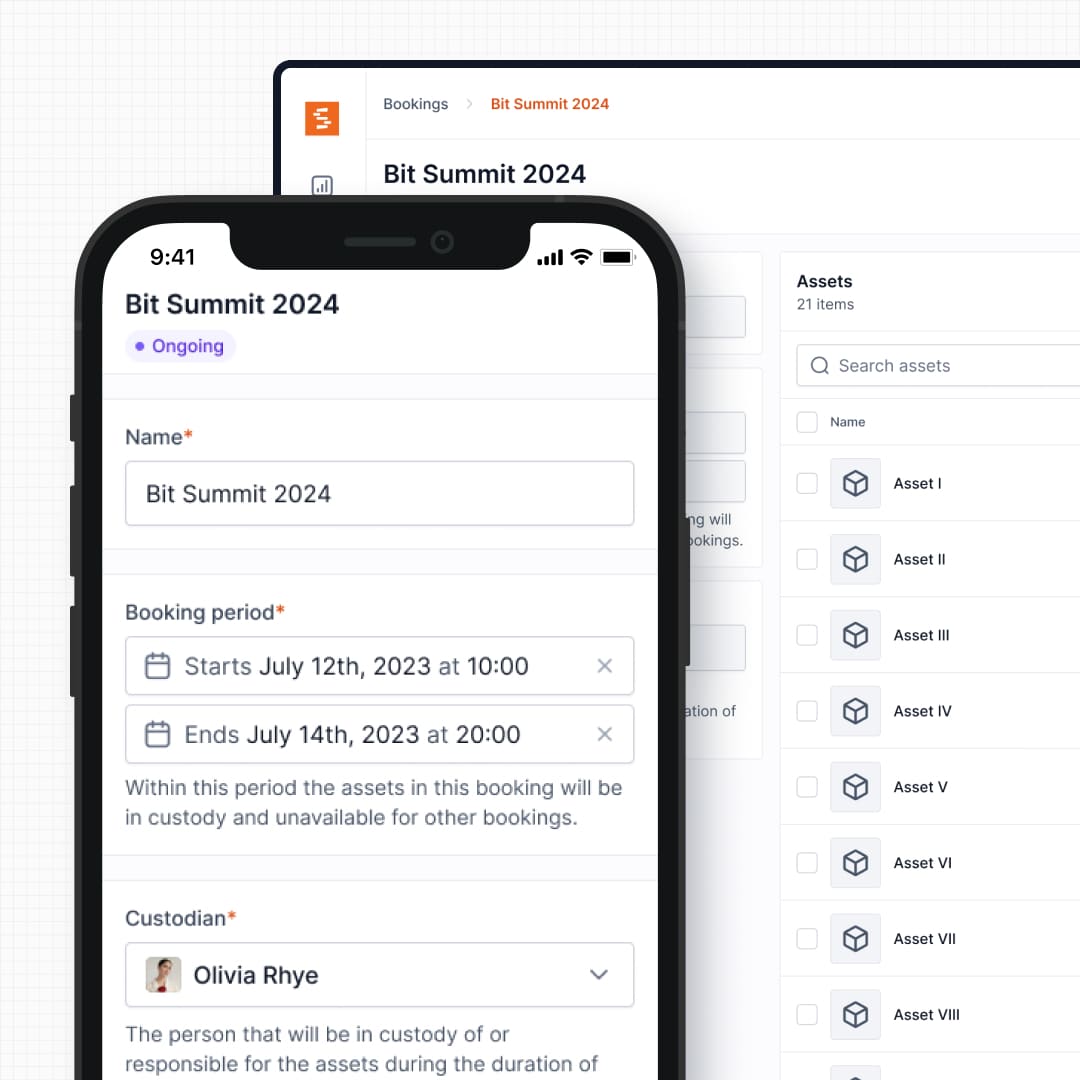
Shelf's booking system is designed for high-frequency shared equipment environments: real-time availability calendars, automatic double-booking prevention, and multi-day reservation support. This matters for film productions scheduling camera packages, universities managing student gear loans, or IT teams coordinating laptop pools.
See: Bookings
4. Kit Tracking and Component Verification
Asset.Guru tracks assets as individual records in a register. If you manage a camera kit with a body, three lenses, batteries, and a tripod, those are five separate entries with no inherent relationship between them. Grouping and verifying them as a unit requires manual effort.
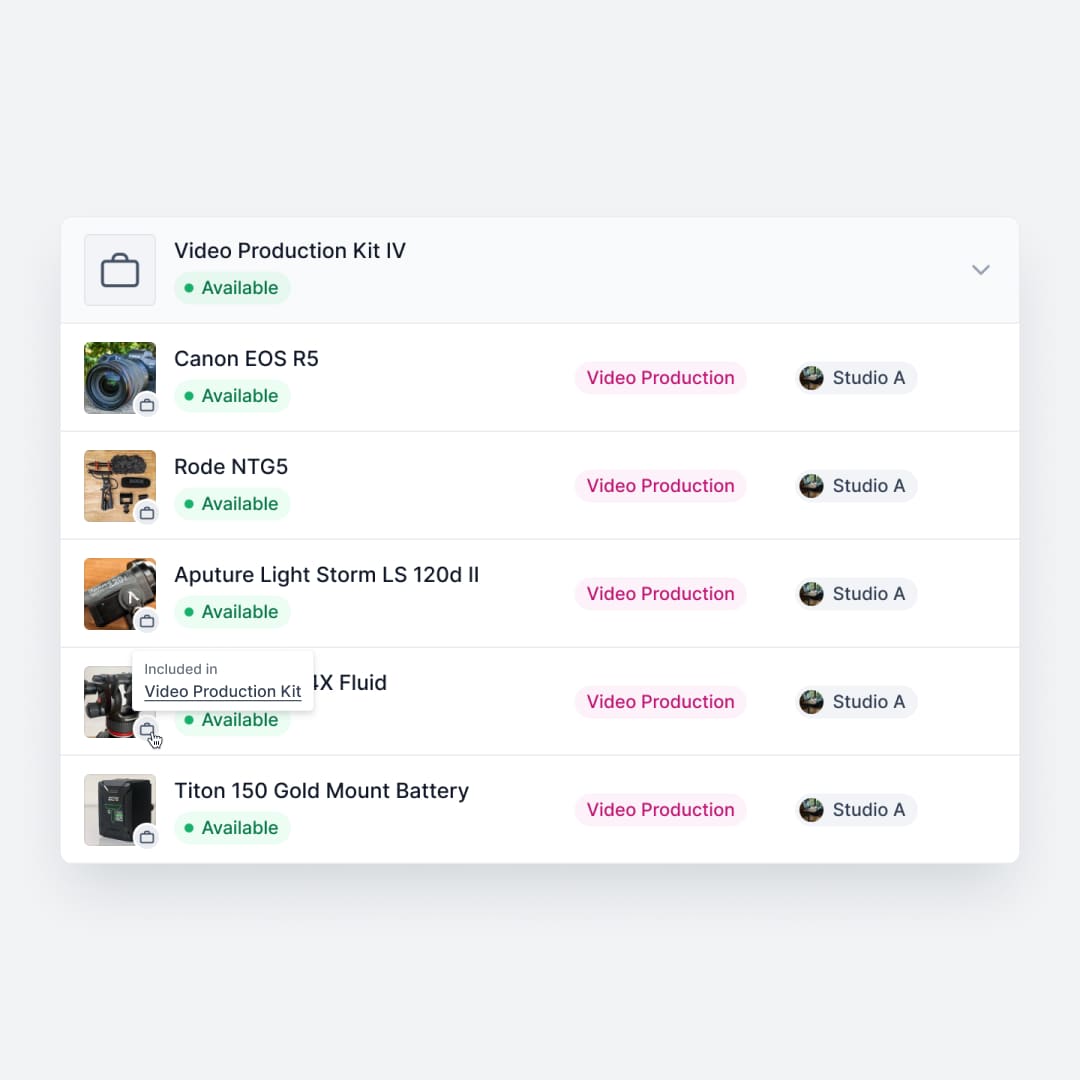
Shelf groups related equipment into kits that are booked, checked out, and verified as a single unit. When a kit comes back missing a lens cap or a battery charger, Shelf flags the discrepancy before the next user picks it up. This prevents the slow bleed of accessories that plagues shared equipment operations.
See: Kits
5. Unlimited Users vs Seat-Based Limits
Asset.Guru caps users by plan: 3 on Micro Edition Plus, 10 on Starter, and 50 on Enterprise. For organizations where dozens or hundreds of people need to check out equipment—schools, production companies, multi-site operations—these limits either force an expensive upgrade or leave most staff unable to self-serve.
Shelf's Team plan includes unlimited users at a flat rate. Students, freelancers, field staff, and temporary workers can all participate in equipment workflows without consuming a seat license. This is particularly important for education and media production environments where the user base fluctuates.
See: Workspaces
6. Open Source
Asset.Guru is a closed-source platform. Feature requests enter a backlog with no visibility into prioritization or timelines. Reviewers have noted that support documentation does not always cover every scenario.
Shelf is open source with transparent pricing. The full codebase is available for inspection, self-hosting, or extension — teams that need custom behaviour can fork the application rather than wait on a vendor roadmap. There is no vendor lock-in: your data and your deployment are yours.
7. QR-First Field Operations
Asset.Guru supports barcode and serial number scanning for asset identification, but its workflow is centered on the desktop interface and asset register. Field operations—checking out gear on a loading dock, verifying returns in a gear room—require navigating to the right record and updating it through the platform.
Shelf treats QR codes as the operational interface. Staff scan a code to see availability, check out an item, transfer custody, or flag an issue. Every smartphone becomes a scanner in the browser, and the free Shelf Companion app on iOS and Android gives you a native-feeling field experience when you want one. Every interaction is logged automatically.
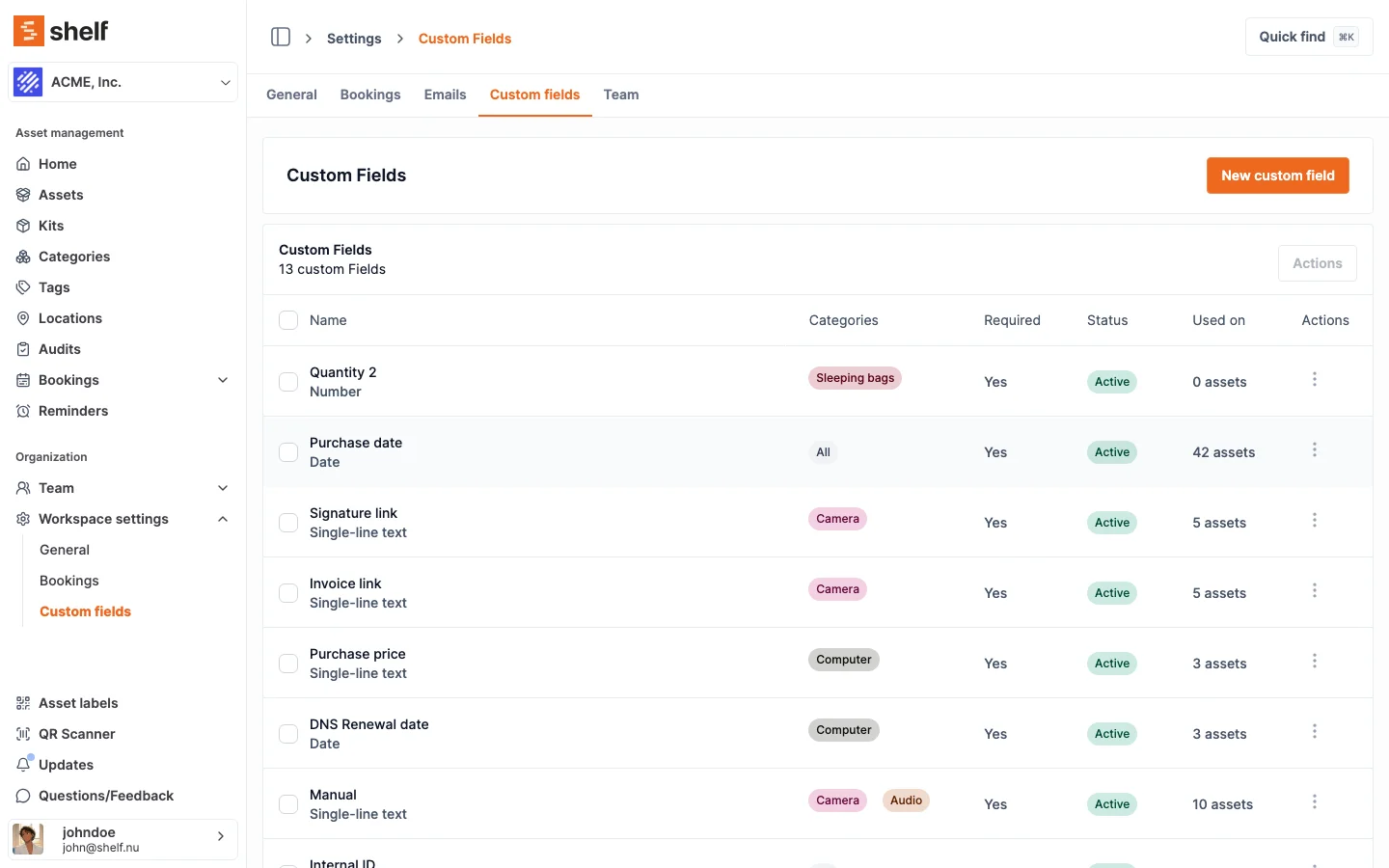
See: Custom Fields
When Teams Choose Shelf Instead of Asset.Guru
Teams often choose Shelf over Asset.Guru when their daily operations center on equipment circulation rather than financial asset accounting:
- Equipment moves between people daily: Check-outs, returns, and transfers happen constantly, and the tool needs to keep up without tier restrictions
- Budget is constrained: Asset.Guru's Starter plan at $179/month with 10 user seats adds up quickly; Shelf's Team plan is a flat $67/month however many people you add, and the self-hosted option is free
- Kits need to stay complete: Production, education, and field teams managing grouped equipment need kit-level workflows that track components together
- Multiple departments share one platform: Workspaces let IT, facilities, and media teams operate independently without seat-license contention
- Non-technical users need to participate: Students, freelancers, and field staff can scan a QR code without training or a platform login
- Open source is a requirement: Data sovereignty, self-hosting capability, and codebase transparency are priorities
When Asset.Guru May Be a Better Fit
Asset.Guru has genuine strengths that matter for certain use cases:
- Depreciation and financial reporting: Organizations that need automated depreciation calculations, tax compliance reporting, and amortization schedules will find Asset.Guru's accounting-first approach more mature. Its depreciation calculators are designed for regulatory compliance and integrate directly with general ledger systems.
- Accounting system integration: Teams deeply embedded in Xero, QuickBooks Online, or NetSuite who want automatic depreciation journals and draft asset imports flowing between systems will benefit from Asset.Guru's native connectors.
- Fixed asset register compliance: Industries where auditors need a formal fixed asset register with book value, tax value, and disposal tracking—Asset.Guru is purpose-built for this requirement.
- Small teams with simple needs: An organization with fewer than 500 assets, three users, and a primary need for knowing what they own and what it is worth may find Asset.Guru's Micro Edition Plus sufficient at $99/month.
Both platforms manage assets, but they solve different problems. Asset.Guru is strongest when depreciation tracking, tax compliance, and accounting integration drive the decision. Shelf is strongest when equipment circulation, custody accountability, and booking workflows are the daily reality.
If your team spends more time tracking who has the gear than calculating what the gear is worth, Shelf is likely the better fit.
Case Studies
See how teams operate with QR-first equipment workflows:
- CES Utility Solutions — $70K Equipment Recovery
- ResQ Contact Center — 4,000+ Devices Across Multiple Sites
- Fabel Film — Eliminating Double Bookings
- Eastern Michigan University — Theatre Equipment Management
Related Solutions
Quick comparison
| Feature | Shelf | AssetGuru |
|---|---|---|
| Free plan with unlimited assets | Varies | |
| Open source & self-hostable | ||
| QR codes with custom branded labels | Varies | |
| Custody tracking with full audit trail | Varies | |
| Equipment bookings & reservations | Varies | |
| Kit-aware check-in/check-out | Varies | |
| Location hierarchy (up to 12 levels) | Varies | |
| CSV import from any tool | Varies | |
| Works on any device (PWA) | Varies | |
| No credit card to start | Varies |
Feature availability for AssetGuru may vary by plan. We encourage you to verify on their website.
Compatibility Checker
Will your AssetGuru Barcodes
Work with Shelf?
Camera preview
Supported barcode types: Code128, Code39, QR Code, DataMatrix, EAN-13, EAN-8, UPC-A, UPC-E, ITF, Code93.
If your barcode doesn't scan, it may be due to camera focus, lighting, or barcode quality. This doesn't necessarily mean your code isn't supported — try again or upload a clearer image.

Ready to switch from AssetGuru?
Create a free account and import your data in minutes. No credit card required.
Also compare
Evaluating alternatives? See how Shelf stacks up against similar tools.





Ready to organize your assets?
Join thousands of teams who trust Shelf to manage their physical assets. Free forever, or try the Team plan free for 7 days.
Out in the field? Shelf Companion is free on iPhone & Android.