

Kits
Group equipment and accessories so everything stays together—cameras with lenses, tools with components, and devices with chargers.
Trusted by innovative teams



































































Kits let you group equipment with its accessories so everything stays together—cameras with lenses, tools with components, and devices with chargers.
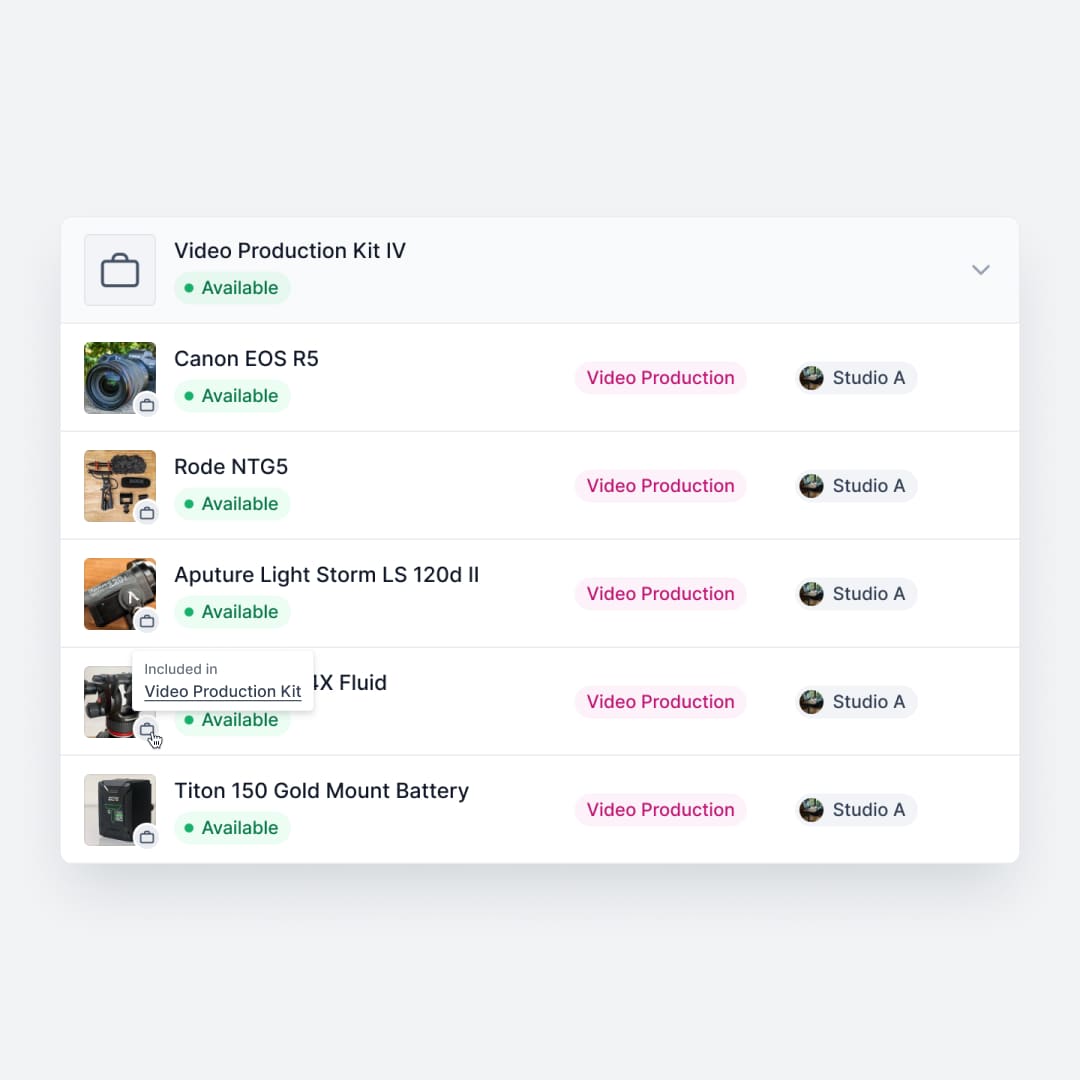
Why Kits Matter
Accessories are the most commonly lost items in any equipment operation:
- Missing accessories: Chargers, cables, batteries, and adapters disappear without anyone noticing.
- Mismatched sets: Components end up with the wrong parent items, creating confusion.
- Confusion during check-in: Staff can't tell what's missing when items return incomplete.
- Manual checking slows operations: Verifying every component by hand creates bottlenecks.
Kits solve these problems by defining what belongs together—and automatically tracking completeness.
How Kits Work in Shelf
Parent + Child Items
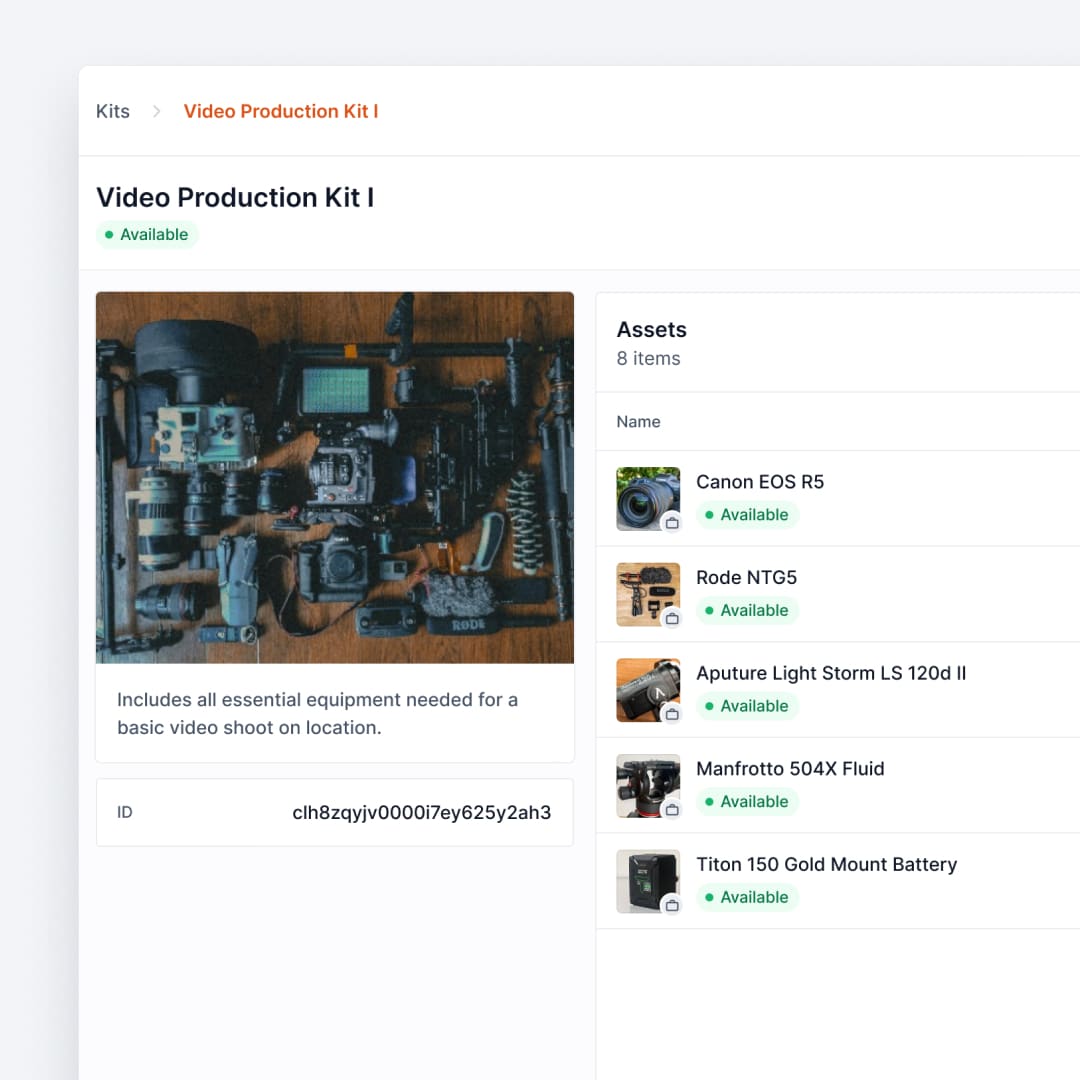
A kit consists of a parent item (like a camera) and its child items (lenses, batteries, cables, cases). Shelf knows what belongs together and tracks each component.
Quantity-Tracked Stock in Kits
Kits aren't limited to individually tracked items. You can include quantity-tracked stock — supplies and consumables managed by count — in a kit, and the kit handles custody by quantity. A kit only claims the slice you gave it, so the same pool can sit in several kits at once and the units none of them claimed stay bookable on their own.
One pool can supply several kits at the same time, each holding its own slice, with the remainder still free on the shelf. Those units are counted once wherever they appear, so the asset's availability, a booking's checkout, and the printed pull list all agree on where each portion of the pool has gone.
A kit holds its slice indefinitely, so the ceiling on what it can take leaves alone anything a future reservation is relying on — and it measures that as the busiest single moment on the calendar, not the sum of every booking, so two jobs three weeks apart never reserve the same units twice. A kit cannot quietly claim the units a booking was built on. Used-up consumables are the one case where time still tells: the pool itself falls with every check-in that consumes stock, so a ceiling is read against today's total rather than granted for good. See how many units a kit can take.
Kits bundle assets; the tracking method is set per asset. Here is how to choose one.
Kit-Aware Bookings
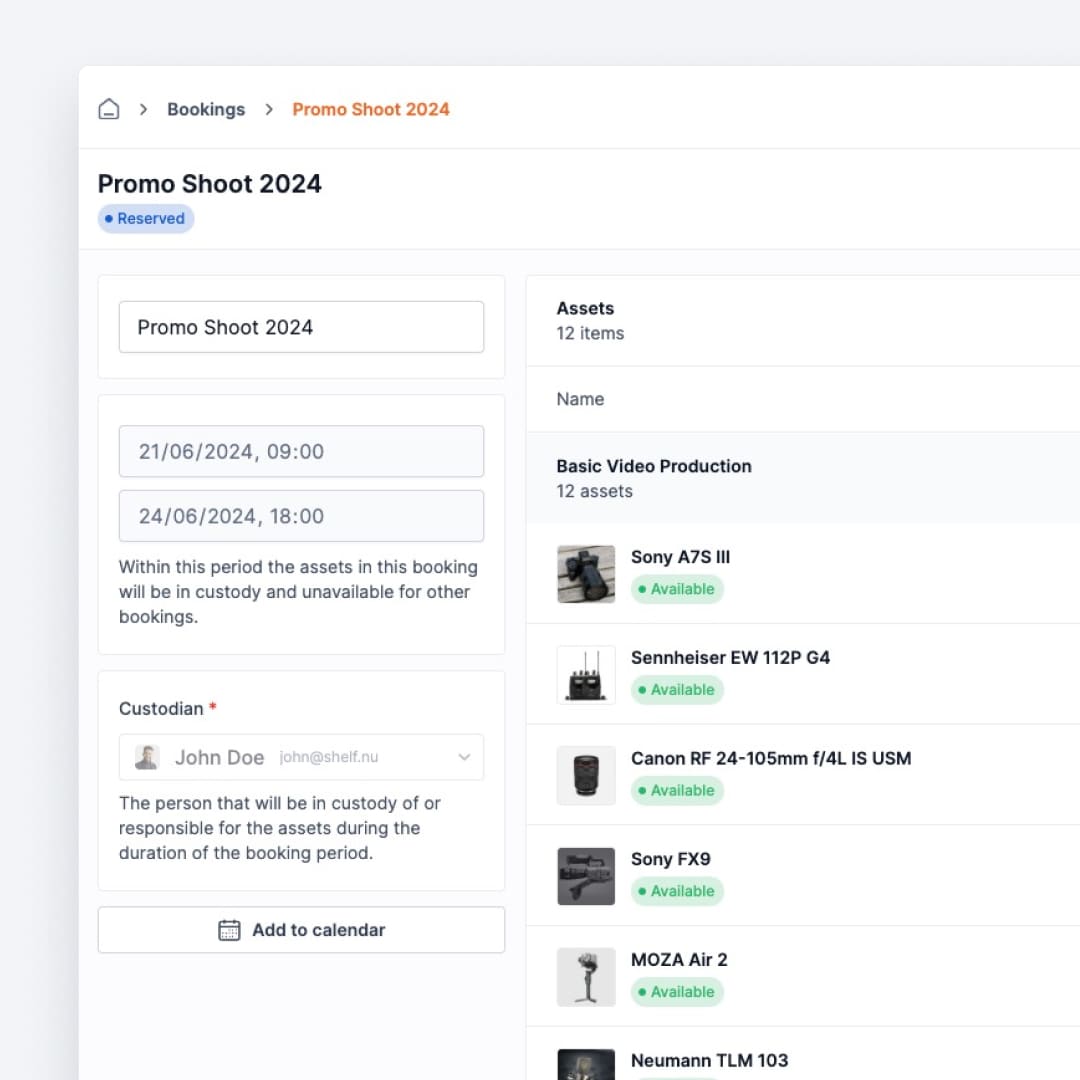
When users book a kit, all its accessories come along. No need to reserve each item separately—the entire bundle is scheduled as one unit.
A kit is one physical case, so it goes out on one booking at a time. A second booking whose dates overlap is refused at reserve, check-out, extend and scan, and the kit shows an "Already booked" badge in the picker before anyone gets that far. That holds for a kit built entirely from quantity-tracked stock as much as for one with a camera body in it — the case is claimed as a whole, not counted as a pile of parts. See One booking at a time. Custody and bookings never overlap on a kit either: a kit in someone's custody does not go out on a booking until that custody is released, and a kit that is out cannot be handed to a custodian. See A kit in custody stays home.
The kit goes back into circulation as soon as its bookings end, and it survives maintenance along the way: swapping a part out while the kit is on a job costs you nothing, because the booking keeps its own record of which kit each item left with and the release follows that record rather than the kit's contents on the day it comes back.
See: Bookings
Missing Item Detection
During check-in, Shelf compares what's returned against what should be in the kit. If something is missing, the system flags it immediately—no manual counting required.
Workspaces that work mostly with kits can also count each kit as a single unit on the booking check-in progress bar, so a large kit reads as one item to return rather than dozens.
Custody & Location Sync
Kit items inherit updates from the parent. When custody or location changes for the kit, all child items update automatically, and the hold the kit put on a member is the kit's to lift: releasing one member on its own is refused, so a kit and its contents can never disagree about who has them.
Moving a kit is a single action, done from the kit page, from a multi-select on the Kits index, or by scanning the kit's QR code with the scanner set to Update location. Every asset inside lands at the new location, and each one records the move in its own activity history so the trail shows it came from the kit. Quantity-tracked stock only moves the slice the kit holds; the rest of the pool stays where you put it. Unpack the kit later and its individually tracked assets stay at the location the kit left them at, rather than reverting to unplaced.
See: Custody · Kit location, step by step
Benefits
- Reduces accessory loss by tracking every component
- Faster check-in/out with automatic completeness verification
- Eliminates accessory chaos with clear parent-child relationships
- Perfect for media and education where kits are standard practice
- Scales across departments with kit definitions that can be reused
Related Features
Ready to organize your assets?
Join thousands of teams who trust Shelf to manage their physical assets. Free forever, or try the Team plan free for 7 days.
Out in the field? Shelf Companion is free on iPhone & Android.