
Shelf vs Sortly
Sortly Alternative
Compare Sortly and Shelf to understand how each platform approaches asset tracking, equipment management, and operational workflows.

Sortly Alternative
Sortly is a cloud-based inventory management app founded in San Francisco in 2013. It built its reputation on a photo-first, visually intuitive approach to cataloging items, and has grown to serve over 30,000 customers across industries like construction, medical supply, and small retail. Sortly excels at answering the question "what do I have?"—but teams that need to answer "who has it, when is it due back, and who needs it next?" often find themselves looking for a different kind of tool.
Overview: Sortly vs Shelf
Sortly offers five tiers: Free (100 items, 1 user), Advanced ($49/month or $24/month billed annually, 2 users), Ultra ($149/month or $74/month annually, 5 users), Premium ($299/month or $149/month annually, 8 users), and Enterprise (custom pricing, 12+ users). Each tier caps the number of items you can track, and key features like role permissions and QuickBooks integration are locked to the Premium tier and above.
Shelf focuses on what happens when equipment moves between people. Instead of organizing items into photo folders, Shelf tracks custody chains, reservations, and kit completeness. Every interaction—check-out, return, location update—happens through a QR scan on any smartphone. Shelf is also open source, with no cap on the number of assets you can track on any plan, and unlimited users on the Team plan at a flat rate rather than per seat.
Quick Comparison
| Capability | Sortly | Shelf |
|---|---|---|
| Primary focus | Visual inventory cataloging | Equipment check-out, booking, custody |
| Pricing | Free tier; paid from $24/month (annual) | Free (self-hosted) or managed cloud |
| User limits | 1–12+ depending on tier | 1 on Personal and Plus; unlimited on Team |
| Item/entry limits | 100–10,000+ depending on tier | No item caps |
| Equipment booking | Not available | Built-in with conflict prevention |
| Custody tracking | Limited — folder-based assignment | Full custody chain with history |
| Kit management | No kit grouping | Kit-aware booking and return verification |
| Consumables / quantity tracking | Photo-and-count inventory with low-stock and expiration alerts | Track consumables by quantity with units of measure, min-quantity alerts, and Used-up/Returnable types — on every plan |
| Integrations | QuickBooks Online (Premium+); limited otherwise | Open source codebase; CSV import/export |
| Open source | No — proprietary SaaS | Yes — full codebase available |
| Mobile experience | Native iOS/Android app | Native iOS & Android app (Shelf Companion) + mobile web |
| Multi-team workspaces | Single inventory with user roles | Separated workspaces per department |
| Operational reports | Activity log and basic exports | Built-in operational reports (booking compliance, top booked assets and kits, utilization, idle, custody, distribution) with CSV/PDF export |
Where Shelf Takes a Different Approach
1. Operational Workflows vs Inventory Cataloging
Sortly is designed around the concept of a visual inventory list. You photograph items, organize them into folders and subfolders, tag them, and browse your catalog. This works well when your goal is knowing what you own and where it is stored.
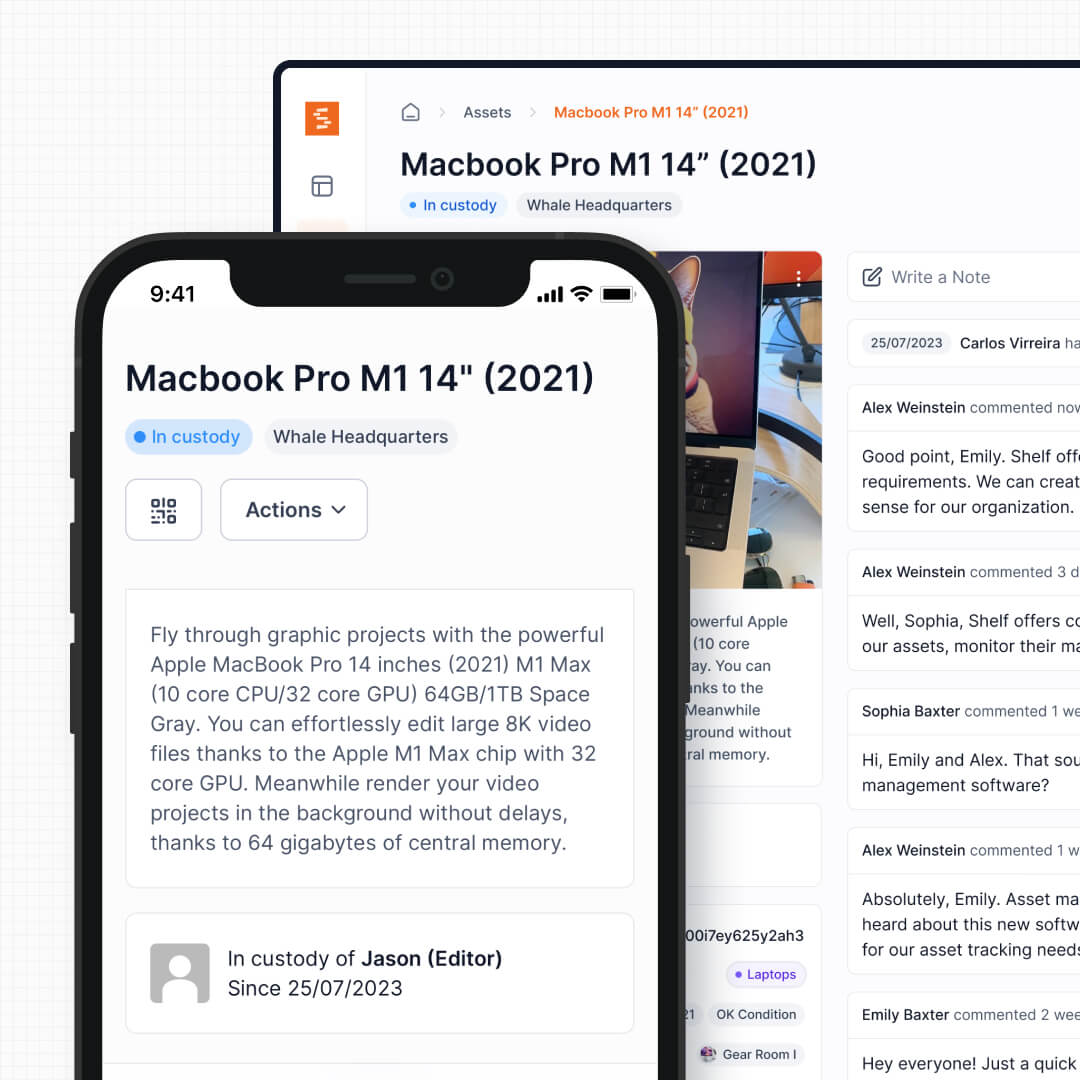
Shelf is designed around what happens after you know what you own. When a film student needs a camera kit for the weekend, when an IT technician hands a loaner laptop to an employee, or when a field crew checks out a surveying tool at 6 AM—those are workflow events that require custody transfer, scheduling, and accountability. Shelf treats every asset as something that moves, not something that sits.
See: Custody
2. No Per-Tier Item Caps or User Limits
Sortly gates both the number of items and the number of users by pricing tier. The Free plan allows 100 items and 1 user. Even the Ultra tier—the most popular plan at $74/month annually—caps you at 2,000 items and 5 users. Organizations that outgrow these limits face a steep jump to Premium or Enterprise pricing.
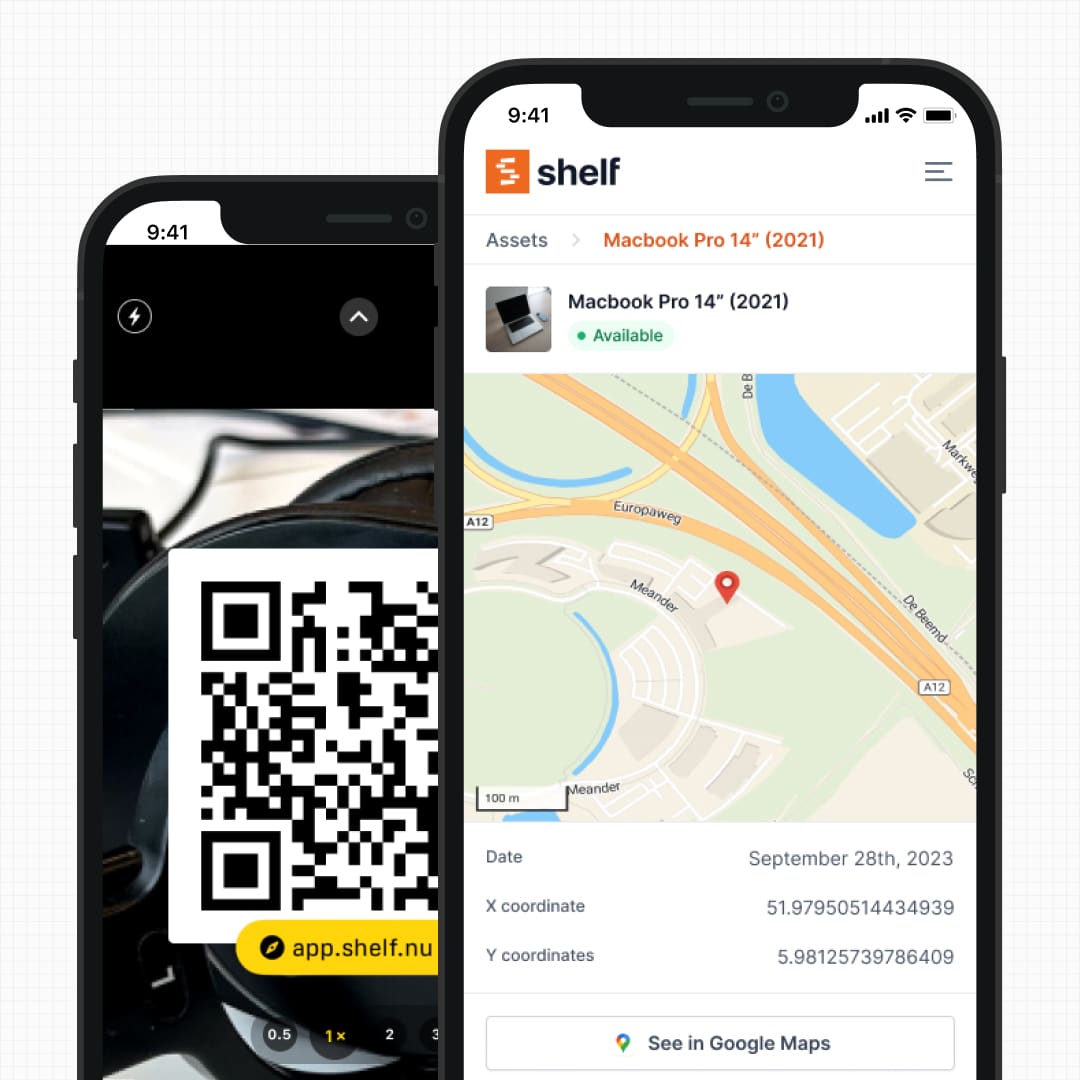
Shelf never caps items, on any plan, including the free one. Seats work differently: the free Personal plan and Plus are single-user, and the Team plan carries unlimited users at a flat $67/month. So the tier you pick is the one decision — whether you track 200 assets or 20,000, and whether you have 3 team members or 300, the price does not move after that. For teams that grow quickly or manage large inventories across departments, this removes the constant pressure of tier upgrades.
See: Location Tracking
3. Purpose-Built Booking and Reservations
Sortly does not offer equipment booking or reservation functionality. If your team shares equipment that needs to be scheduled—camera gear, loaner devices, event supplies, lab instruments—you would need a separate calendar tool or spreadsheet alongside Sortly.
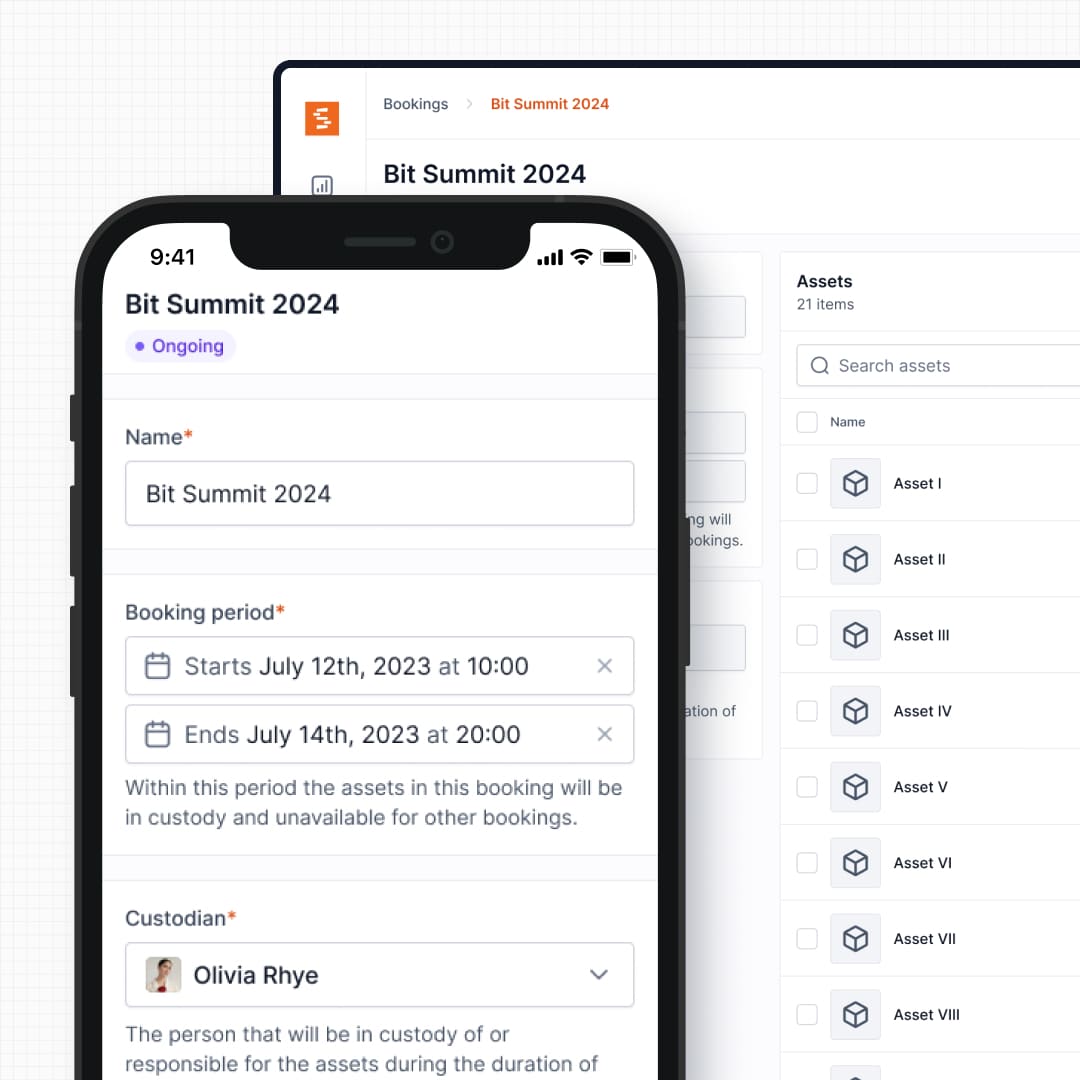
Shelf includes native booking with real-time availability, automatic double-booking prevention, and multi-day reservation support. Users can see what is available, reserve it for a specific window, and receive the equipment with a clear return date. This matters for any team where multiple people compete for the same assets.
See: Bookings
4. Kit Tracking and Component Verification
Sortly tracks items individually. If you manage a drone kit with a controller, three batteries, a carrying case, and spare propellers, those are separate entries in separate folders. There is no way to group them as a single bookable unit or verify that all components return together.
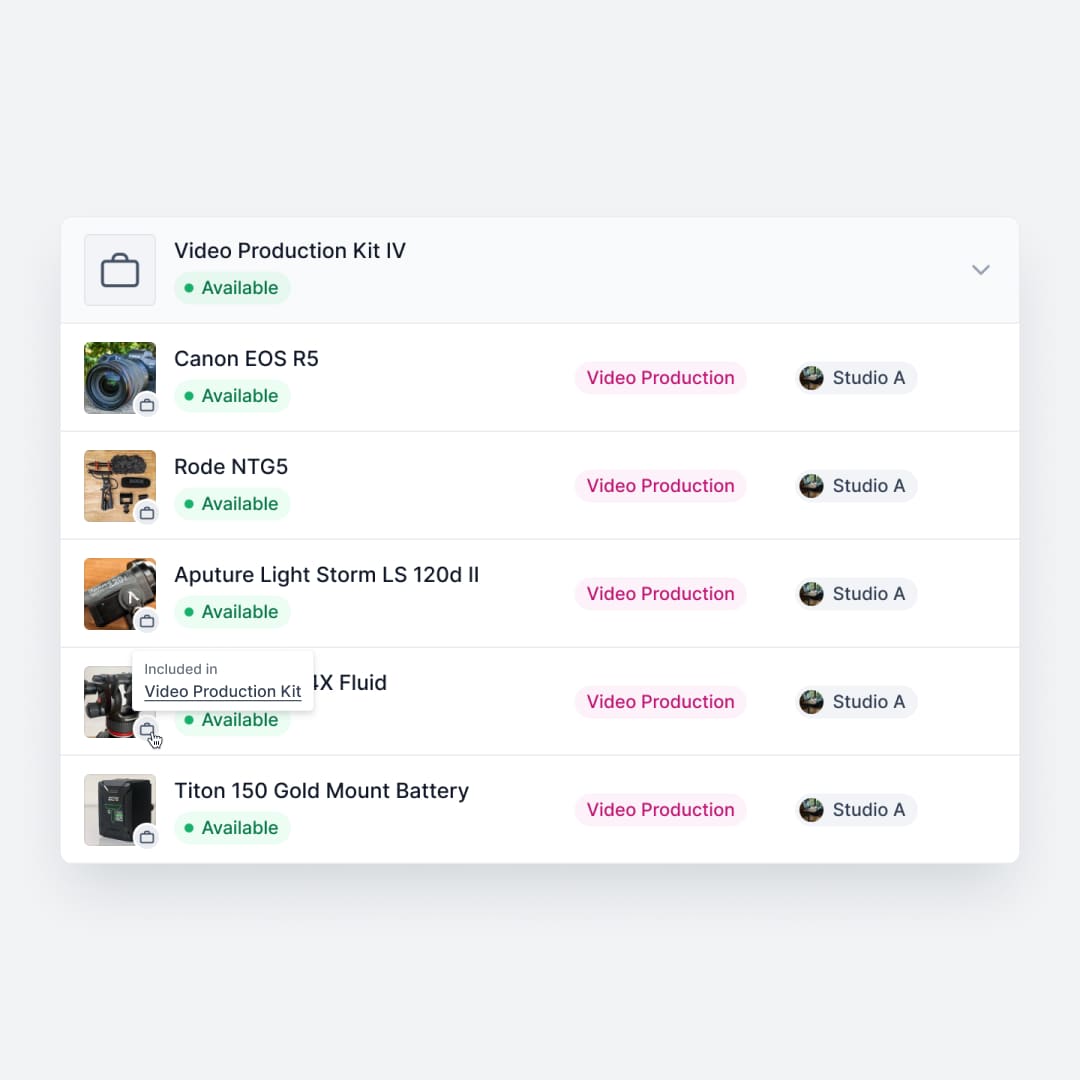
Shelf groups related equipment into kits. Book the drone kit, and every component is reserved together. Return it, and Shelf flags any missing pieces before the next person picks it up. This prevents the gradual loss of accessories that plagues shared equipment pools—the missing battery charger, the absent lens cap, the cable that never came back.
See: Kits
5. One Model for Trackable Gear and Consumables
Sortly is count-and-photo centric: it catalogs items and watches stock levels, with low-stock and expiration alerts that suit consumable supplies. But the same workspace does not turn those items into bookable, custody-tracked equipment.
Shelf keeps both in one place. The same workspace that handles individually tracked equipment can also track consumables by quantity — set a unit of measure (pcs, boxes, liters), a min-quantity threshold that triggers a low-stock email, and choose whether each item is "Used up" (consumed) or "Returnable" (returned with a consumption report at check-in). Available quantity is computed live as you assign, reserve, and restock. Quantity-tracked stock can be reserved in bookings and dropped into kits, so cables, batteries, and supplies live alongside the gear they support instead of in a separate count list.
See: Consumables Tracking
6. Integration and Extensibility
Sortly's integration ecosystem is limited. QuickBooks Online integration is available only on the Premium tier and above, and reviewers on Capterra and Software Advice have consistently noted the lack of third-party integrations as a significant gap. API and webhook access require the Enterprise plan.
Shelf is open source, which means teams can inspect the codebase, build custom integrations, or self-host the entire platform. There is no vendor lock-in, and teams with development resources can extend Shelf to connect with any system their organization already uses.
7. Multi-Department Workspaces
Sortly organizes everything into a single inventory with folder-based separation and user roles. This works for a single team but becomes difficult when IT, facilities, a media department, and an education program all need to manage their own equipment within the same organization. Folder structures get deep, permissions get complex, and cross-department clutter is hard to avoid.
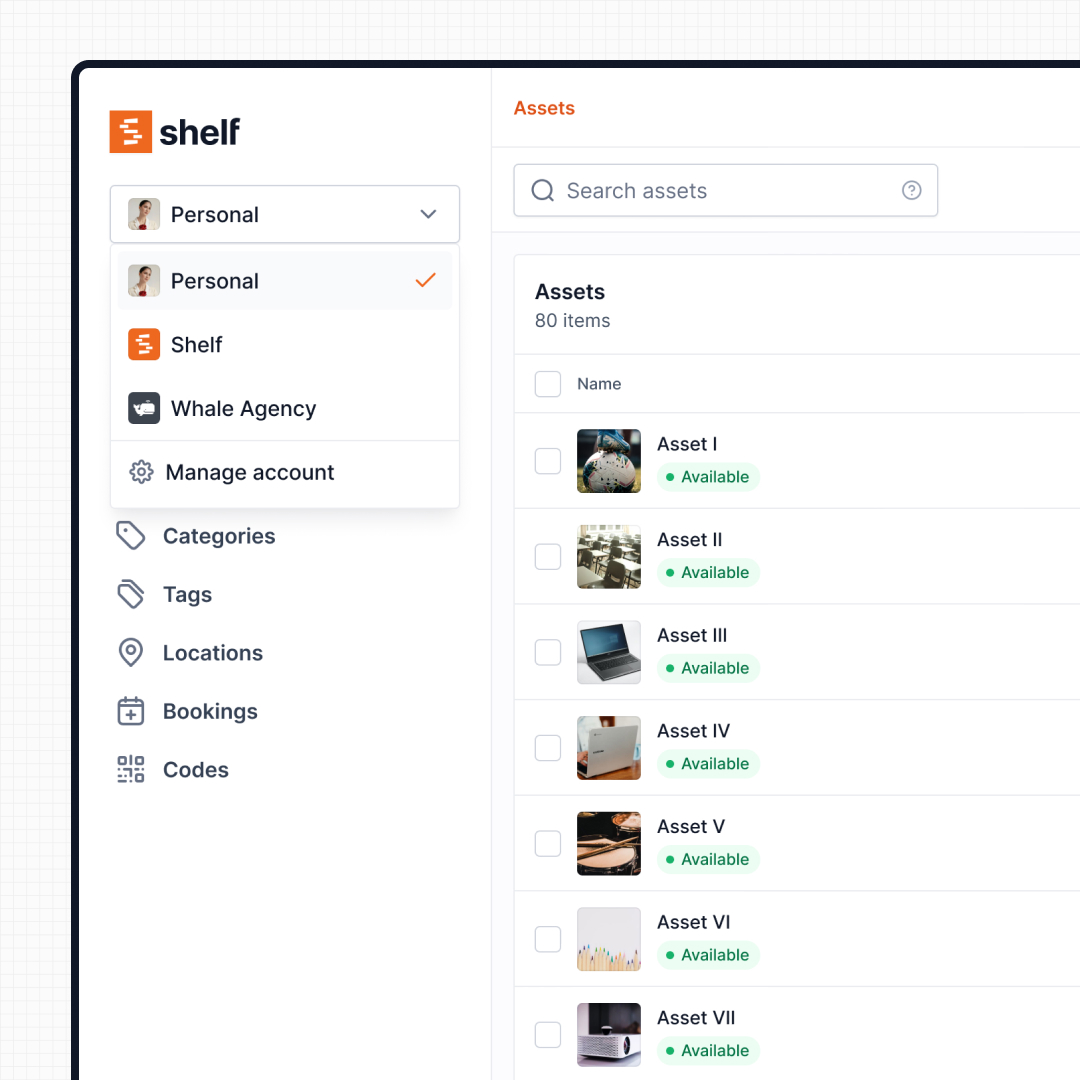
Shelf uses workspaces to give each team a fully separate inventory. Each workspace has its own assets, users, and settings. Administrators retain visibility across the entire organization without any department seeing another's equipment.
See: Workspaces
8. QR-First Field Operations
Sortly includes barcode and QR code scanning for looking up items and performing inventory counts. However, QR codes in Sortly serve as a search shortcut—scan to find the item record—rather than as a workflow trigger.
Shelf uses QR codes as the primary operational interface. Scan to check out, scan to return, scan to update location, scan to see the full custody history. Every smartphone becomes a scanner in the browser, and the free Shelf Companion app on iOS and Android gives you a native-feeling field experience when you want one. For teams doing equipment handoffs on loading docks, at event venues, or in campus gear rooms, the difference between "scan to find" and "scan to do" is substantial.
When Teams Choose Shelf Instead of Sortly
Teams typically choose Shelf over Sortly when their equipment moves frequently and accountability matters more than cataloging:
- Shared equipment needs scheduling: Multiple people need the same assets on different days, and a booking system prevents conflicts
- Custody chains matter: Knowing who has equipment and when it is due back is more important than knowing what shelf it normally lives on
- Kits need to stay complete: Production, education, and field teams managing grouped equipment need kit-level tracking
- User and item limits are a concern: Growing teams and large inventories should not be penalized with forced tier upgrades
- Multiple departments share one platform: IT, facilities, and media teams each need their own workspace without cross-department noise
- Open source is a requirement: Data sovereignty, self-hosting, and codebase transparency are organizational priorities
When Sortly May Be a Better Fit
Sortly has genuine strengths that make it the right choice for certain teams:
- Visual cataloging is the primary need: Teams that want to photograph, organize, and browse a visual inventory of supplies, materials, or personal collections will appreciate Sortly's photo-first design
- Small teams with static inventory: A small business tracking supplies in a single warehouse or storage room, where items rarely change hands, fits Sortly's model well
- Low stock alerts and reordering: Sortly's alert system for low inventory levels and expiration dates is useful for consumable supplies management
- Native mobile on both iOS and Android: Sortly ships a native app on both platforms today, and so does Shelf — Shelf Companion is on the App Store and Google Play
- Simple setup for non-technical users: Sortly's folder-and-photo approach requires virtually no training and works intuitively for individuals or very small teams
Both platforms track physical things—but they optimize for different realities. Sortly is built for knowing what you have. Shelf is built for managing who uses it and when.
Case Studies
See how teams operate with QR-first equipment workflows:
- Industrial Artifacts — Moved 8,860 Items Off Sortly in Under Two Weeks — An antique mall and auction house switched when their Sortly contract expired, kept the barcodes already on their shelves, and now tracks 10,000+ one-of-a-kind objects across two buildings.
- Arellano Associates — Event Equipment Management
- CES Utility Solutions — $70K Equipment Recovery
- Fabel Film — Eliminating Double Bookings
- Eastern Michigan University — Theatre Equipment Management
Related Solutions
Quick comparison
| Feature | Shelf | Sortly |
|---|---|---|
| Free plan with unlimited assets | Varies | |
| Open source & self-hostable | ||
| QR codes with custom branded labels | Varies | |
| Custody tracking with full audit trail | Varies | |
| Equipment bookings & reservations | Varies | |
| Kit-aware check-in/check-out | Varies | |
| Location hierarchy (up to 12 levels) | Varies | |
| CSV import from any tool | Varies | |
| Works on any device (PWA) | Varies | |
| No credit card to start | Varies |
Feature availability for Sortly may vary by plan. We encourage you to verify on their website.
Compatibility Checker
Will your Sortly Barcodes
Work with Shelf?
Camera preview
Supported barcode types: Code128, Code39, QR Code, DataMatrix, EAN-13, EAN-8, UPC-A, UPC-E, ITF, Code93.
If your barcode doesn't scan, it may be due to camera focus, lighting, or barcode quality. This doesn't necessarily mean your code isn't supported — try again or upload a clearer image.

Ready to switch from Sortly?
Create a free account and import your data in minutes. No credit card required.
Also compare
Evaluating alternatives? See how Shelf stacks up against similar tools.





Ready to organize your assets?
Join thousands of teams who trust Shelf to manage their physical assets. Free forever, or try the Team plan free for 7 days.
Out in the field? Shelf Companion is free on iPhone & Android.