
Shelf vs BlueTally
BlueTally Alternative
Compare BlueTally and Shelf to see how simple small-team tracking differs from scalable equipment operations.
BlueTally is a cloud-based IT asset management platform built for tracking hardware assignments, software licenses, and warranty lifecycles. It integrates with MDM tools like Intune, Jamf, and Kandji, making it a strong fit for IT departments that need to sync device data and manage employee onboarding and offboarding workflows. Teams searching for a BlueTally alternative often need capabilities BlueTally does not offer—equipment scheduling, kit-based tracking, or workflows designed for non-IT staff like students, film crews, or operations teams.
Overview: BlueTally vs Shelf
BlueTally is designed around IT asset registries. It tracks which laptops, monitors, and peripherals are assigned to which employees, monitors warranty expirations and end-of-life dates, and integrates with enterprise identity providers like Azure AD, Okta, and Google Workspace. Its strength is keeping IT departments informed about device assignments and license compliance across the organization.
Shelf takes a different approach, focusing on operational equipment workflows. Instead of tracking static assignments, Shelf is built for equipment that moves—checked out, returned, reserved, transferred between people and locations. Shelf provides booking calendars, custody chains, kit grouping, QR-powered field operations, and workspace separation for departments. Where BlueTally answers "who has this laptop?", Shelf answers "who has this gear, when is it due back, who needs it next, and is everything accounted for?"
Where Shelf Takes a Different Approach
1. Equipment Booking and Scheduling
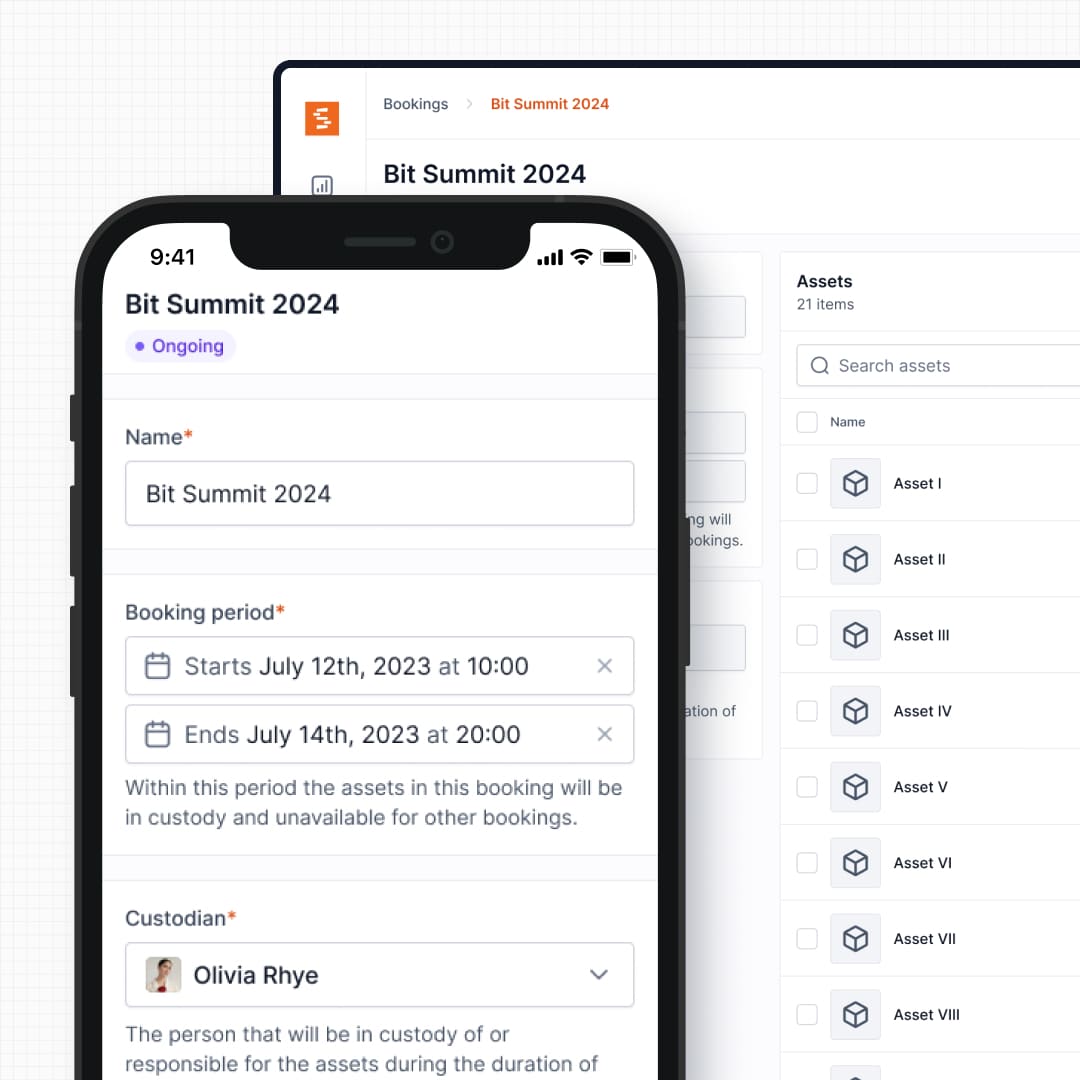
BlueTally does not include reservation or scheduling features. Assets are assigned to employees and stay assigned until manually reassigned or returned. This works for laptops and monitors that stay with one person, but breaks down for shared equipment like projectors, cameras, tools, or vehicles that multiple people need on different days.
Shelf includes a real-time booking calendar with automatic conflict detection. Users reserve equipment in advance, see what is available for specific dates, and avoid the double-bookings that happen when teams rely on spreadsheets or Slack messages to coordinate shared gear.
See: Bookings
2. QR-First Field Operations vs Browser-Only Workflows
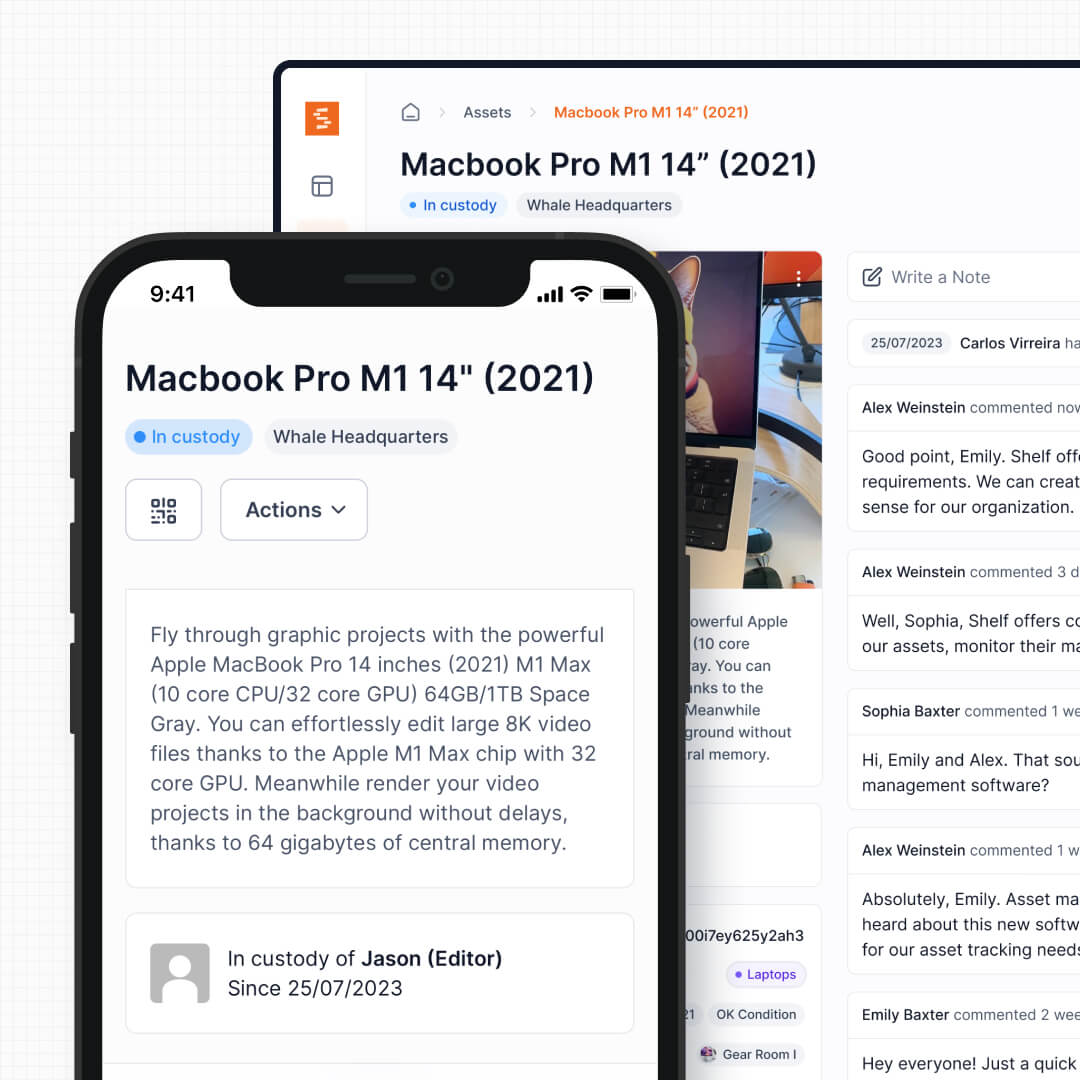
BlueTally generates barcodes for assets and supports label printing through Brother printers and Avery sticker sheets. However, scanning a BlueTally barcode pulls up the asset's detail page—it does not trigger an action. Checking out or returning an asset still requires navigating the web interface.
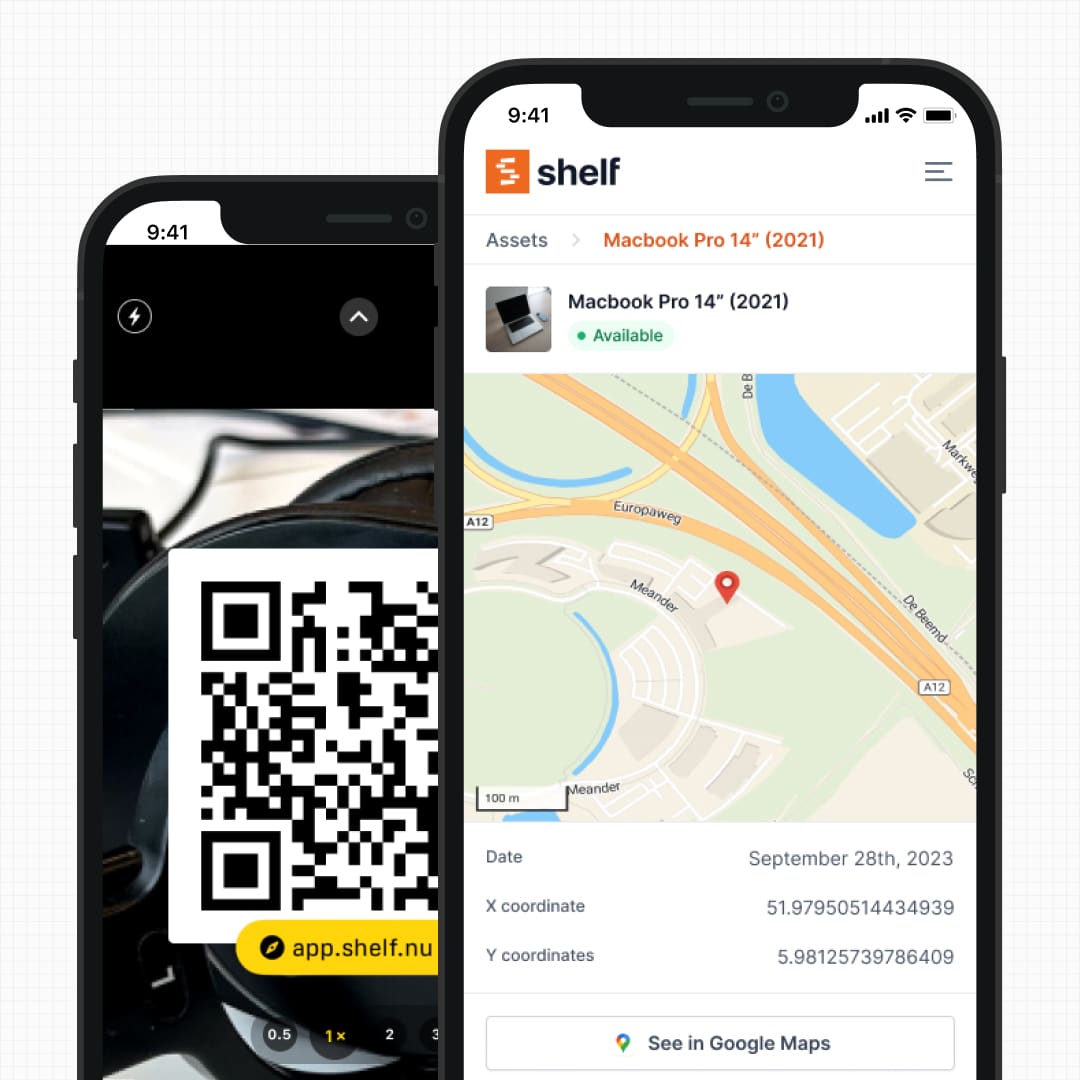
Shelf uses QR codes as operational triggers. Scan a Shelf QR code and the system immediately presents contextual actions: check out, return, transfer custody, or reserve. Warehouse staff, event crews, and field technicians can process equipment without logging into a dashboard or navigating menus—scan and go.
See: Custody See: Location Tracking
3. Kit Tracking for Multi-Part Equipment
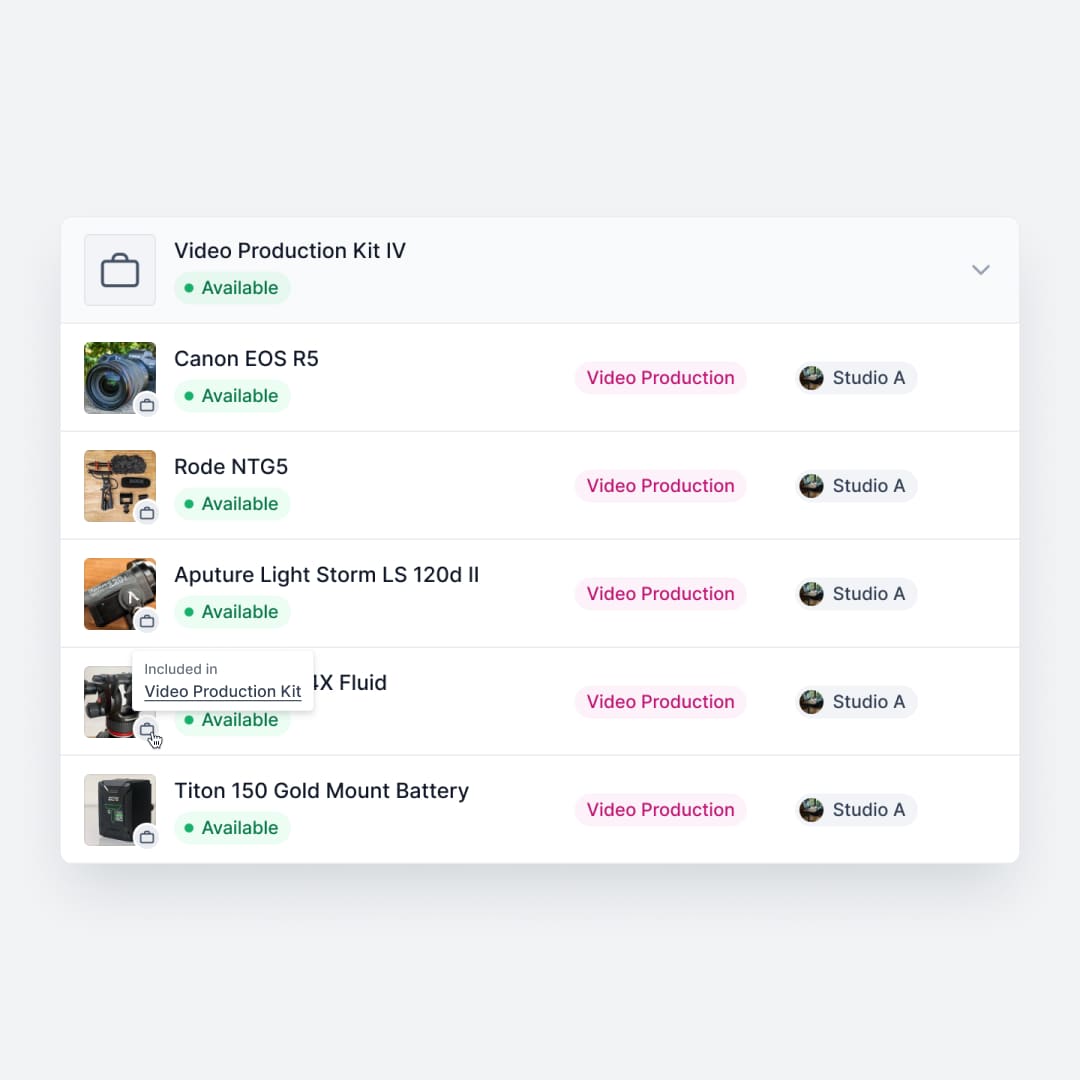
BlueTally tracks accessories and components as separate line items linked to a parent asset. This works for recording that a charger belongs to a laptop, but it does not support operational kit workflows—booking an entire set together, checking out all components as a unit, or flagging missing pieces on return.
Shelf groups related items into kits with parent-child relationships. Book a camera kit and all its lenses, batteries, and cables are reserved together. Return it and Shelf verifies every component is accounted for. This matters for film production houses, university media labs, and any team where equipment sets need to move as a unit.
See: Kits
4. Custody Chains and Accountability
BlueTally tracks asset assignment—who currently has what—with digital signature checkouts for accountability. When an employee leaves, the offboarding workflow flags unreturned equipment.
Shelf tracks the full custody chain: every handoff, transfer, and return is logged with timestamps and user attribution. This creates an auditable trail that goes beyond current assignment to show the complete movement history of each piece of equipment. For organizations that need to document chain of custody for compliance, insurance, or loss prevention, this level of detail matters.
See: Custody
5. Open Source Transparency
BlueTally is a closed-source SaaS product. Teams trust the vendor with their asset data and rely on the company's roadmap for feature development.
Shelf is open source under the AGPL license. Organizations can inspect the codebase, self-host if required, and contribute to development. For teams in regulated industries, education institutions with data sovereignty requirements, or organizations that want to avoid vendor lock-in, open source availability is a meaningful differentiator.
6. Multi-Department Workspaces
BlueTally offers internal multi-tenancy on its Corporate plan ($399/month annually), allowing organizations to separate asset inventories for different subsidiaries or departments.
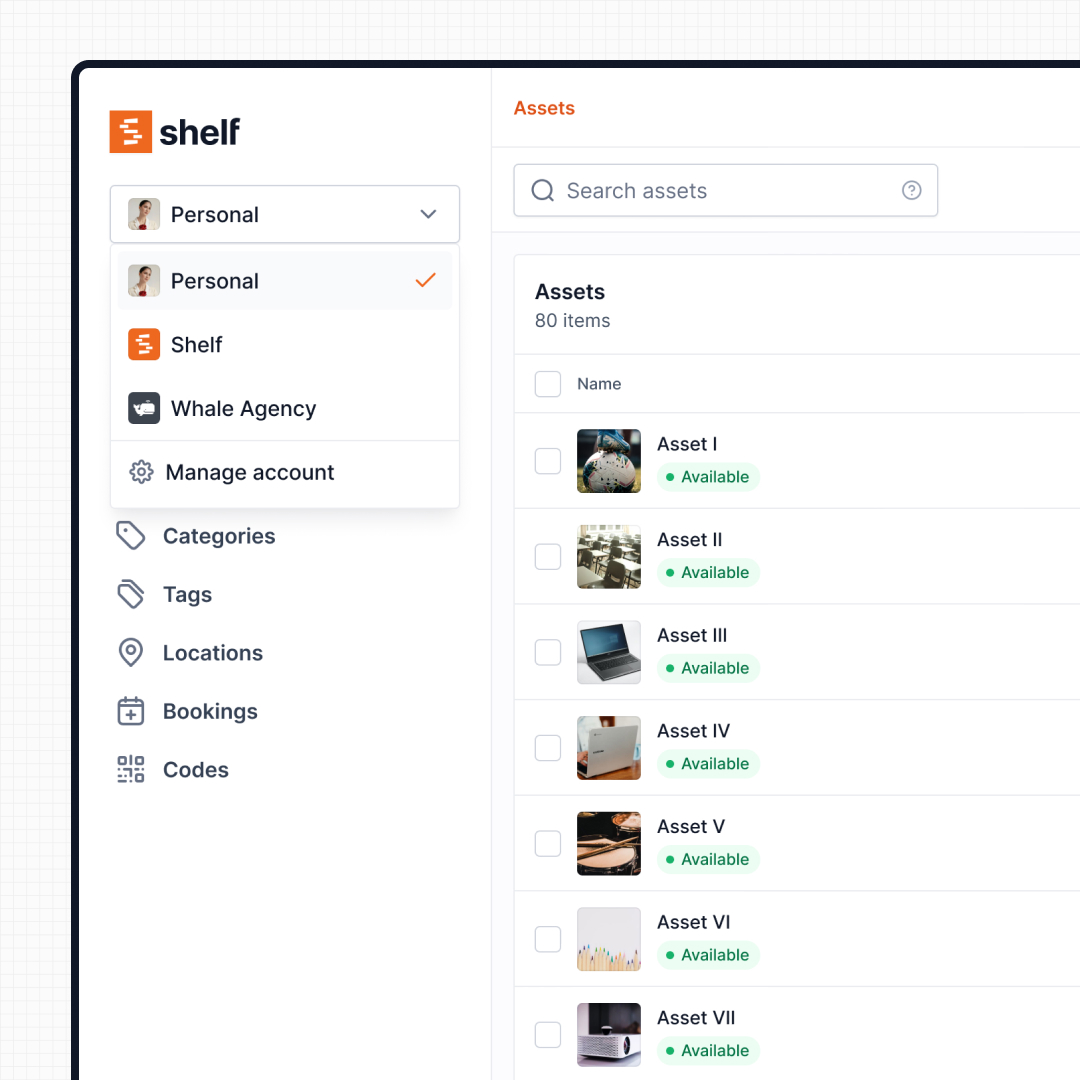
Shelf provides workspace separation across all plans. IT, media, facilities, and operations teams each manage their own inventory while administrators maintain organization-wide visibility. This is particularly valuable for universities where IT lending, theatre equipment, and lab instruments all need separate management but unified oversight.
See: Workspaces
7. Pricing Structure
BlueTally starts at $59/month (billed annually) on its Starter plan, scaling to $399/month for Corporate. All plans include unlimited assets and users, but features like multi-tenancy and direct reports visibility are locked to higher tiers. A free tier covers up to 50 assets.
Shelf offers a free tier for individuals — a single user, with no cap on assets — and paid plans that include booking, custody, kits, and workspace features. Team is the plan that adds teammates, at a flat rate rather than per seat. Shelf's open-source option also means teams can self-host at no licensing cost—an option BlueTally does not provide.
See: Pricing
Reports — Operational Visibility
BlueTally focuses on asset registry workflows; reporting is limited to asset lists and basic exports. Shelf includes a built-in Reports area with ready-to-run reports — Booking Compliance, Top Booked Assets, Top Booked Kits, Monthly Booking Trends, Overdue Items, Asset Inventory, Asset Activity Summary, Asset Utilization, Idle Assets, Asset Distribution, Custody Snapshot, and Audit Completion — each with timeframe and filter controls. Every report exports to CSV; chart-based reports also export to PDF.
When Teams Choose Shelf Instead of BlueTally
- Shared equipment pools that need scheduling: Film gear, AV equipment, tools, and vehicles require booking and availability tracking that BlueTally does not offer
- Education programs with lending workflows: Universities and schools need students to check out and return equipment with clear accountability—not just static assignment records
- Organizations scaling beyond IT asset tracking: When operations, facilities, or media departments also need asset management, Shelf's workspace model avoids paying for separate BlueTally tenants
- Teams that need field-ready workflows: Warehouse staff, event crews, and technicians need QR-scan operations that work without navigating a browser dashboard
- Multi-part equipment sets: Camera kits, tool kits, and presentation setups need to be tracked as operational units, not just linked line items
- Open-source requirements: Organizations with data sovereignty mandates, self-hosting needs, or vendor lock-in concerns
When BlueTally May Be a Better Fit
- IT-focused asset registries: Organizations primarily tracking laptops, monitors, and peripherals assigned to employees—where equipment rarely changes hands—may prefer BlueTally's IT-centric design
- MDM integration is the priority: Teams heavily invested in Intune, Jamf, or Kandji that want one-click device syncing will find BlueTally's MDM integrations more mature
- Warranty and lifecycle management: If the primary goal is tracking warranty expirations, end-of-life dates, and depreciation across a fleet of IT hardware, BlueTally's purpose-built features serve this well
- Enterprise identity provider integration: Organizations already using Azure AD, Okta, or JumpCloud for employee management may benefit from BlueTally's SCIM provisioning and SSO workflows
- Software license tracking: Teams that need to manage license seat counts, renewal dates, and compliance alongside hardware may find BlueTally's unified approach convenient
Both platforms handle asset tracking effectively. The choice depends on whether your assets are mostly assigned-and-static (BlueTally) or shared-and-moving (Shelf).
Ready to move your data from BlueTally? Switching From Another Asset Tool to Shelf walks through exporting from your current tool, mapping the columns to Shelf's import file, and keeping the barcode or QR stickers already on your equipment.
Case Studies
See how teams manage equipment operations with Shelf:
- Eastern Michigan University — Theatre Equipment Management
- KCAI — Art College Equipment Management
- Fabel Film — Eliminating Double Bookings
- CES Utility Solutions — $70K Equipment Recovery
Related Solutions
Quick comparison
| Feature | Shelf | BlueTally |
|---|---|---|
| Free plan with unlimited assets | Varies | |
| Open source & self-hostable | ||
| QR codes with custom branded labels | Varies | |
| Custody tracking with full audit trail | Varies | |
| Equipment bookings & reservations | Varies | |
| Kit-aware check-in/check-out | Varies | |
| Location hierarchy (up to 12 levels) | Varies | |
| CSV import from any tool | Varies | |
| Works on any device (PWA) | Varies | |
| No credit card to start | Varies |
Feature availability for BlueTally may vary by plan. We encourage you to verify on their website.
Compatibility Checker
Will your BlueTally Barcodes
Work with Shelf?
Camera preview
Supported barcode types: Code128, Code39, QR Code, DataMatrix, EAN-13, EAN-8, UPC-A, UPC-E, ITF, Code93.
If your barcode doesn't scan, it may be due to camera focus, lighting, or barcode quality. This doesn't necessarily mean your code isn't supported — try again or upload a clearer image.

Ready to switch from BlueTally?
Create a free account and import your data in minutes. No credit card required.
Also compare
Evaluating alternatives? See how Shelf stacks up against similar tools.





Ready to organize your assets?
Join thousands of teams who trust Shelf to manage their physical assets. Free forever, or try the Team plan free for 7 days.
Out in the field? Shelf Companion is free on iPhone & Android.