
Shelf vs AssetTiger
AssetTiger Alternative
Compare AssetTiger and Shelf to understand how asset-count cloud tracking differs from workflow-driven asset management.

AssetTiger is a cloud-based asset tracking tool built by MyAssetTag.com (SmartSign, LLC), the largest online retailer for physical asset tags. Until at least July 2026 it offered a free plan for up to 250 assets, which made it a popular first step for small teams moving off spreadsheets. AssetTiger's pricing page, checked on 5 October 2026, now shows a 30-day free trial for up to 250 assets instead, and paid plans start at $20 per month for 500 assets. AssetTiger covers the basics: barcode scanning, check-in/check-out with a full custody chain, reservations, depreciation tracking, and maintenance alerts. Teams that need kit-level tracking and one flow from booking to check-out to verified return typically look for a platform built around those operational needs.
Overview: AssetTiger vs Shelf
AssetTiger is structured as an asset register with financial tracking capabilities. Its strength is giving small teams a low-cost way to catalog what they own, where it is, and who has it, along with depreciation schedules, warranty dates, and maintenance reminders. The 30-day free trial covers up to 250 assets with 2 users, 50 sites, and 5 custom fields. Paid plans run from $220 per year (Basic, 500 assets) to $3,025 per year (Enterprise, 250,000 assets), and every paid plan includes unlimited users. These prices are from AssetTiger's pricing page, checked on 5 October 2026.
Shelf is built around equipment workflows. Beyond the asset record, Shelf provides the operational layer teams need when equipment is actively shared: scan-to-act QR codes, real-time booking calendars, custody transfer chains, kit grouping with component verification, and multi-department workspaces. Teams choose Shelf when knowing what they own is not enough—they need to manage how equipment flows between people and places every day.
Where Shelf Takes a Different Approach
1. Operational Workflows vs Asset Registry
AssetTiger tracks assets as records—serial numbers, purchase dates, assigned users, depreciation values. It is effective when the primary goal is maintaining an accurate inventory list and financial picture of your assets.
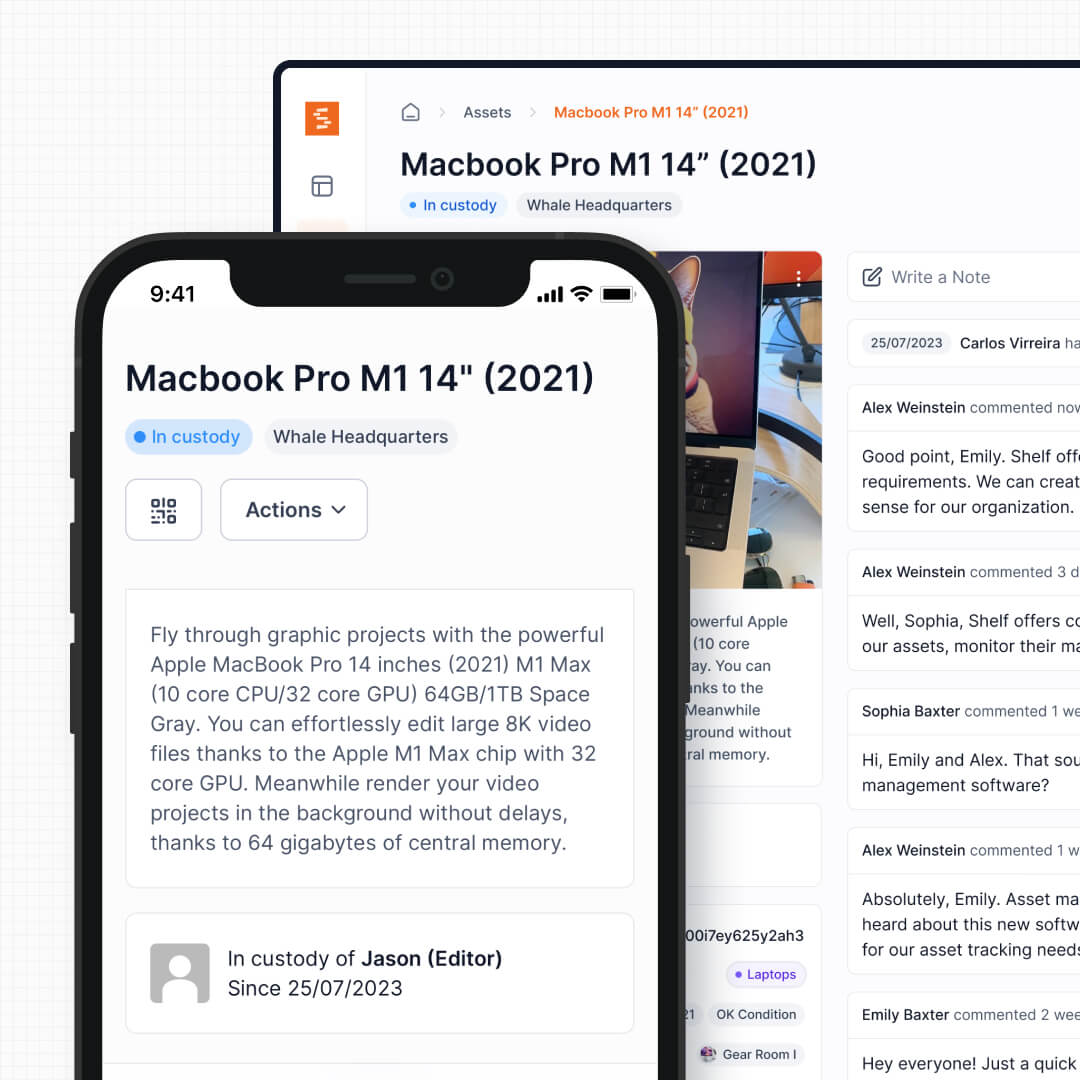
Shelf adds an operational layer on top of the asset record. Beyond who has an item, Shelf tracks who booked it next, what kit it belongs to, when it is due back, and the full custody chain from the moment it left the shelf. For teams where equipment moves daily, this difference shapes how quickly staff can act.
See: Custody
2. QR Codes That Trigger Actions vs Barcodes for Identification
AssetTiger supports barcode scanning through its mobile apps for iOS and Android. Scanning a barcode pulls up the asset record so administrators can view details or update fields. This works well for audits and inventory counts.
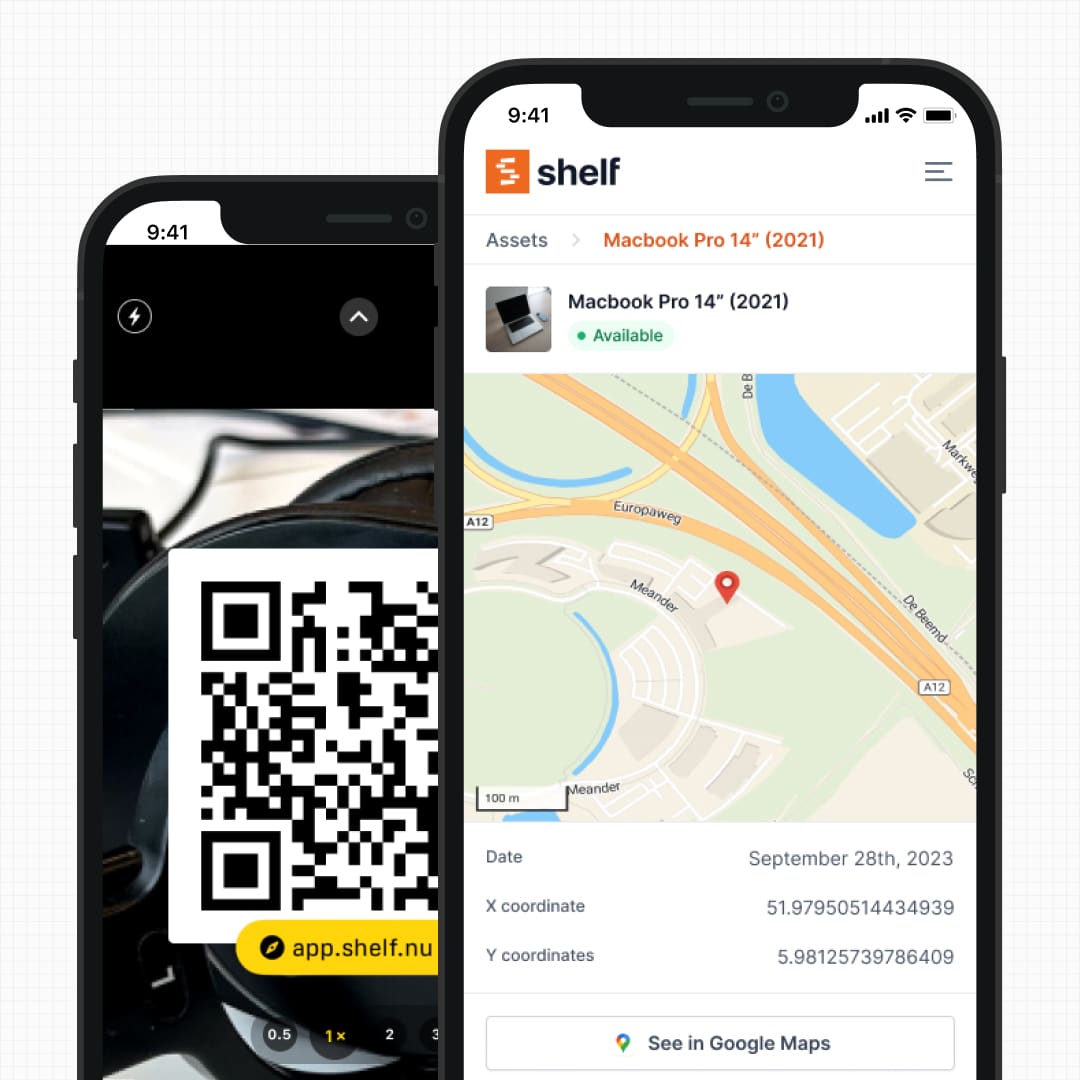
Shelf uses QR codes as interactive entry points. Scanning a Shelf QR code opens a context-aware page where any authorized user—not just an admin—can check out, return, transfer custody, view history, or make a booking, all from their phone in seconds. The difference is between scanning to look something up and scanning to do something.
See: Location Tracking
3. Reservations and Booking Depth
Both products offer reservations. AssetTiger's pricing page, checked on 5 October 2026, lists "Asset reservations / booking" on every paid plan. We have not used AssetTiger's booking feature, so we do not describe how it works here.
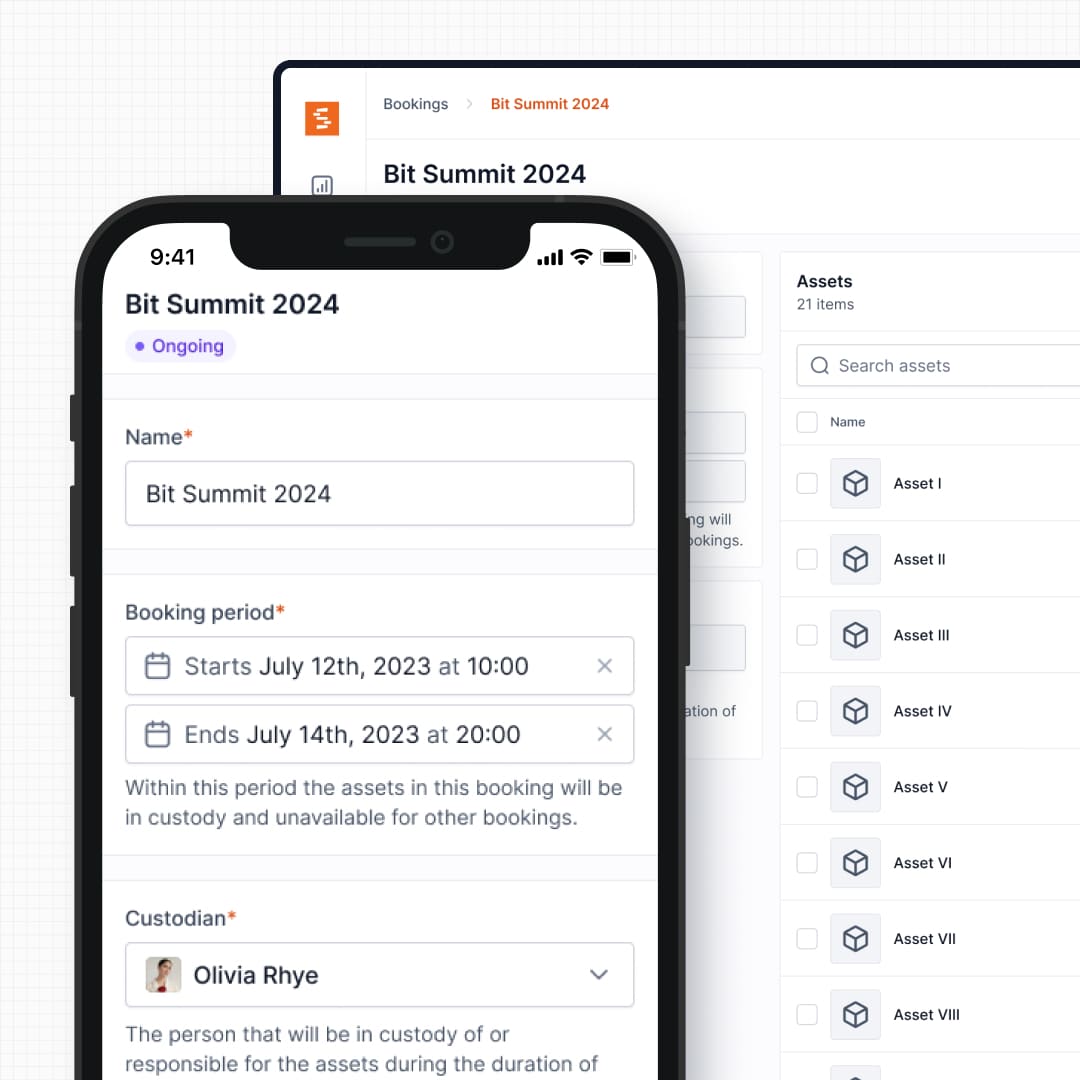
Here is what Shelf's booking flow includes. A real-time availability calendar shows when each item is free. Shelf checks every booking for conflicts, so a taken time slot cannot be booked twice. Kits book as one unit, with all their accessories. Staff check out directly from a confirmed booking. Bookings are part of the Team plan.
See: Bookings
4. Kit and Accessory Management
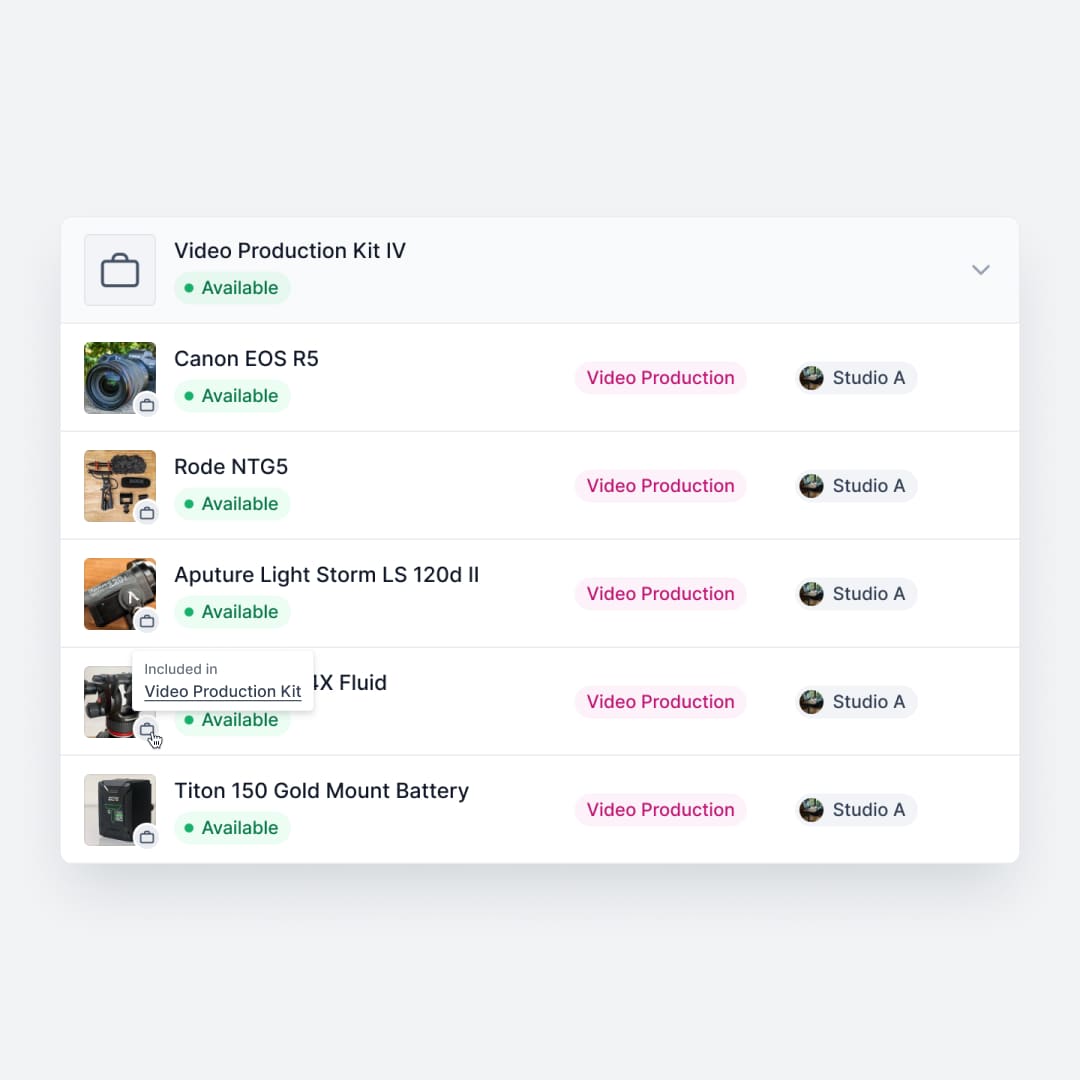
AssetTiger supports basic parent-child relationships between assets. Shelf takes this further with purpose-built kit functionality—book a camera kit, and all its lenses, batteries, cables, and cards are reserved together. Return it, and Shelf verifies each component was actually returned. This matters for organizations managing equipment sets where a missing adapter can render the whole kit unusable.
See: Kits
5. Multi-Department Workspaces
AssetTiger organizes assets by sites and locations (up to 50 sites during the free trial, unlimited on paid plans), which works for basic physical separation. However, all assets share the same pool—there is no way to give different departments independent control over their own inventory.
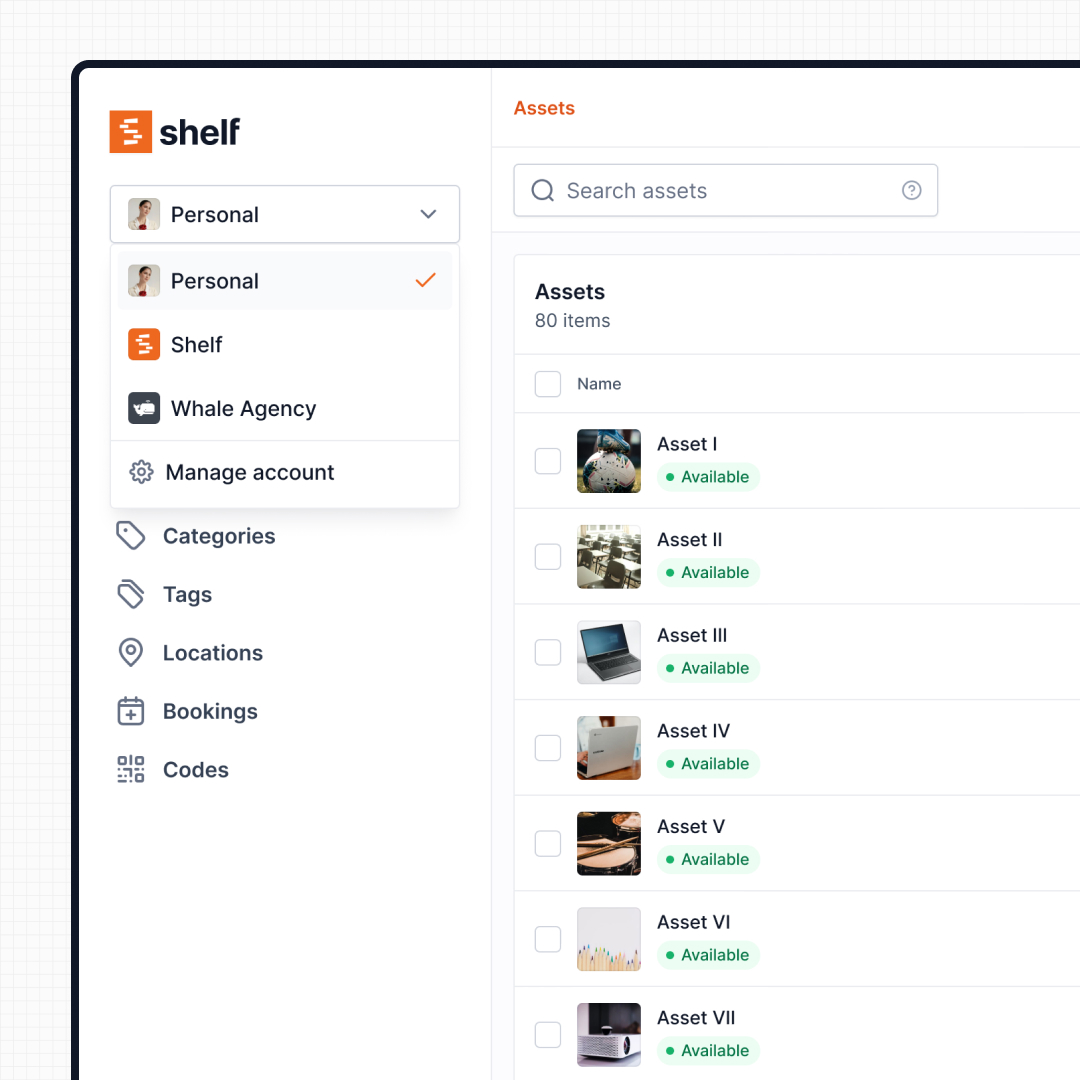
Shelf goes further with workspaces that provide full inventory separation by department, program, or function. IT, media, facilities, and education teams can each manage their own equipment with independent permissions, categories, and workflows—all within the same organization account. Leadership gets cross-department visibility without departments stepping on each other.
See: Workspaces
6. Scalable Custom Fields and Reporting
AssetTiger’s 30-day free trial limits teams to 5 custom fields and 100 email notifications per day. Paid plans remove these caps. AssetTiger lists 80+ report types, such as depreciation, audit reconciliation, maintenance costs, and check-out history, with CSV and PDF export. In our reading of the product pages, those reports center on the asset register rather than on booking and utilization questions. For sign-in, AssetTiger lists 2FA and Google SSO on every paid plan, and its sign-in form also offers Microsoft. Paid plans add a REST API. The pricing page lists no SAML, Slack, or Zapier connections (AssetTiger's pricing page, checked on 5 October 2026).
Shelf provides flexible custom fields across all plans. Its Plus and Team plans add a built-in Reports area with ready-to-run reports designed around the operational questions: Booking Compliance (on-time vs late), Top Booked Assets, Top Booked Kits, Monthly Booking Trends, Overdue Items, Asset Inventory, Asset Activity Summary, Asset Utilization, Idle Assets, Asset Distribution, and Custody Snapshot. Each report supports timeframe and filter controls; every report exports to CSV and chart-based reports also export to PDF.
7. Open Source with Full Transparency
AssetTiger is closed-source, meaning teams have no visibility into how their data is handled, what the development roadmap looks like, or whether a feature they need will ever be prioritized. The platform is ultimately a companion product to a physical tag business, and its development priorities may not always align with user needs.
Shelf is open source. Teams can inspect the codebase, contribute to development, or self-host if their data governance requirements demand it. This transparency is especially important for organizations in regulated industries or those with strict IT procurement policies.
Pricing and Scaling Considerations
AssetTiger's pricing is based on asset count. There is no longer a free plan. The 30-day free trial covers up to 250 assets with limited customization (2 users, 5 custom fields, 50 sites) and needs no credit card. Paid plans are Basic (500 assets) at $20 per month or $220 per year, Core (2,500 assets) at $40 or $440, Advanced (10,000 assets) at $75 or $825, Pro (50,000 assets) at $140 or $1,540, and Enterprise (250,000 assets) at $275 per month or $3,025 per year. Stock tracking is a separate inventory add-on: free for 2 items, or $15 per month ($14 per month billed yearly) for unlimited items. These prices are from AssetTiger's pricing page, checked on 5 October 2026. All paid plans include unlimited users and remove the custom field cap, which is a strong value proposition for large teams. For every plan, the archived history of the free plan and worked totals by team size, see AssetTiger pricing in 2026.
However, the asset-count model means costs increase as your inventory grows, regardless of how actively those assets are used. A warehouse full of stored furniture costs the same to track as a fleet of actively circulating laptops.
Shelf uses flat-rate pricing, not per-asset. The Team plan at $67/month includes unlimited users and unlimited assets, which means teams with large inventories can track thousands of items without cost pressure from the asset count. For organizations where a few coordinators manage equipment for many end users, this model often works out more favorably.
The right model depends on your shape: large inventories favor flat-rate pricing (Shelf), while small teams with many users and a modest asset count may find AssetTiger's entry plans good value: $20 per month for 500 assets with unlimited users (checked on 5 October 2026).
When Teams Choose Shelf Instead of AssetTiger
Teams typically move to Shelf when they hit specific operational limits:
- Outgrowing asset-count tiers: Teams whose inventory keeps crossing AssetTiger’s plan limits and who need to scale without per-asset pricing constraints
- Shared equipment needs one booking flow: Departments lending cameras, laptops, tools, or AV gear need calendar-based conflict checks, kit-aware reservations, and check-out from a booking in one flow
- Kits and accessories travel together: Film programs, event teams, and labs need grouped equipment to check out and return as verified units
- Multiple departments need separate inventories: Organizations where IT, operations, and media each manage their own gear but leadership needs cross-department visibility
- Non-technical staff need self-service access: Teams where students, volunteers, or field workers need to check out equipment without admin intervention
- Data transparency matters: Organizations that require open-source licensing, self-hosting options, or full visibility into how their asset data is managed
When AssetTiger May Be a Better Fit
AssetTiger may suit teams better when:
- Many users share a modest asset list on a tight budget: Every paid plan includes unlimited users, and Basic costs $20 per month for 500 assets (AssetTiger's pricing page, checked on 5 October 2026). That is genuine value for small teams that need a shared digital catalog at a low price
- Depreciation and financial tracking are the primary goal: AssetTiger’s built-in depreciation schedules, warranty tracking, and financial reporting serve accounting-focused teams well
- Assets are mostly static: Equipment that is cataloged and assigned to individuals or rooms—rather than frequently shared, checked out, and returned—fits AssetTiger’s registry model
- Maintenance scheduling is the core need: AssetTiger includes automated maintenance reminders and alerts that work well for facilities and fleet management where equipment stays in place
Both platforms serve asset management needs. The choice comes down to whether you primarily need a financial register of what you own or an operational system for managing how equipment moves.
Ready to move your data from AssetTiger? Switching From Another Asset Tool to Shelf walks through exporting from your current tool, mapping the columns to Shelf's import file, and keeping the barcode or QR stickers already on your equipment.
Case Studies
See how teams manage active equipment workflows with Shelf:
- Arellano Associates — Event Equipment Management
- CES Utility Solutions — $70K Equipment Recovery
- Fabel Film — Eliminating Double Bookings
- Eastern Michigan University — Theatre Equipment Management
Related Solutions
Quick comparison
| Feature | Shelf | AssetTiger |
|---|---|---|
| Free plan with unlimited assets | Varies | |
| Open source & self-hostable | ||
| QR codes with custom branded labels | Varies | |
| Custody tracking with full audit trail | Varies | |
| Equipment bookings & reservations | Varies | |
| Kit-aware check-in/check-out | Varies | |
| Location hierarchy (up to 12 levels) | Varies | |
| CSV import from any tool | Varies | |
| Works on any device (PWA) | Varies | |
| No credit card to start | Varies |
Feature availability for AssetTiger may vary by plan. We encourage you to verify on their website.
Compatibility Checker
Will your AssetTiger Barcodes
Work with Shelf?
Camera preview
Supported barcode types: Code128, Code39, QR Code, DataMatrix, EAN-13, EAN-8, UPC-A, UPC-E, ITF, Code93.
If your barcode doesn't scan, it may be due to camera focus, lighting, or barcode quality. This doesn't necessarily mean your code isn't supported — try again or upload a clearer image.

Ready to switch from AssetTiger?
Create a free account and import your data in minutes. No credit card required.
Also compare
Evaluating alternatives? See how Shelf stacks up against similar tools.





Ready to organize your assets?
Join thousands of teams who trust Shelf to manage their physical assets. Free forever, or try the Team plan free for 7 days.
Out in the field? Shelf Companion is free on iPhone & Android.