
Shelf vs Itemit
Itemit Alternative
Compare Itemit and Shelf to understand how mobile-first asset tracking differs from QR-first equipment operations with booking and kits.

Itemit is a cloud-based asset tracking platform built by RedBite Solutions, a spin-out from the University of Cambridge founded in 2006. After more than a decade of RFID consultancy work with organizations like Boeing, the United Nations, and Rolls Royce, the RedBite team launched itemit in 2017 as a more accessible, off-the-shelf product for everyday asset tracking. Based in Cambridge, UK, itemit now serves over 3,000 teams with a mobile-first approach that spans QR codes, barcodes, RFID tags, and GPS trackers. Teams evaluating alternatives typically need deeper operational workflows beyond tagging and locating assets -- equipment booking, kit management, custody accountability, and multi-department isolation.
Overview: Itemit vs Shelf
Itemit offers three tiers: Starter (from GBP 399/year for up to 3 users and 1,000 assets), Pro (from GBP 1,599/year with unlimited users), and Industrial (from GBP 2,999/year with RFID and API access included). The platform supports multiple tagging technologies -- QR, barcode, handheld RFID, fixed RFID readers, and GPS trackers -- making it versatile for organizations that need hardware-based location monitoring alongside manual scanning. However, advanced features like REST API access, fixed RFID readers, and Active Directory integration are either locked behind the Industrial tier or sold as paid add-ons on the Pro tier.
Shelf takes a different approach. Rather than layering hardware technologies, Shelf treats QR codes as operational triggers. Scanning a Shelf QR code does not just identify an asset -- it surfaces the item's status, upcoming bookings, custody history, and lets the user complete a check-out, return, or transfer immediately. Shelf is also open source, so teams can inspect the codebase, self-host, or extend functionality without vendor dependency.
Quick Comparison
| Capability | Itemit | Shelf |
|---|---|---|
| Primary focus | Asset tagging + multi-technology tracking | Equipment check-out, booking, custody |
| Pricing | From GBP 399/year (Starter, 3 users) | Free (self-hosted) or managed cloud |
| Tagging technologies | QR, barcode, RFID, GPS | QR-first, no hardware needed |
| Equipment booking | Basic check-in/check-out | Full booking calendar with conflict prevention |
| Kit management | Individual asset tracking only | Kit-aware booking and verification |
| Custody chains | Limited audit trail | Full custody history with accountability |
| Open source | No -- proprietary SaaS | Yes -- full codebase available |
| Unlimited users | Pro tier and above | Yes |
| Per-user pricing | Yes (Starter tier) | No -- flat pricing |
| Multi-team workspaces | Single inventory with roles | Separated workspaces per department |
| Operational reports | Asset list and audit exports | Built-in operational reports (booking compliance, top booked assets and kits, utilization, idle, custody, distribution) with CSV/PDF export |
| CSV bulk import | Not available per user reports | Yes |
| Non-profit discount | 30% off Pro/Industrial | Free self-hosted option |
Where Shelf Takes a Different Approach
1. Custody Workflows vs Asset Identification
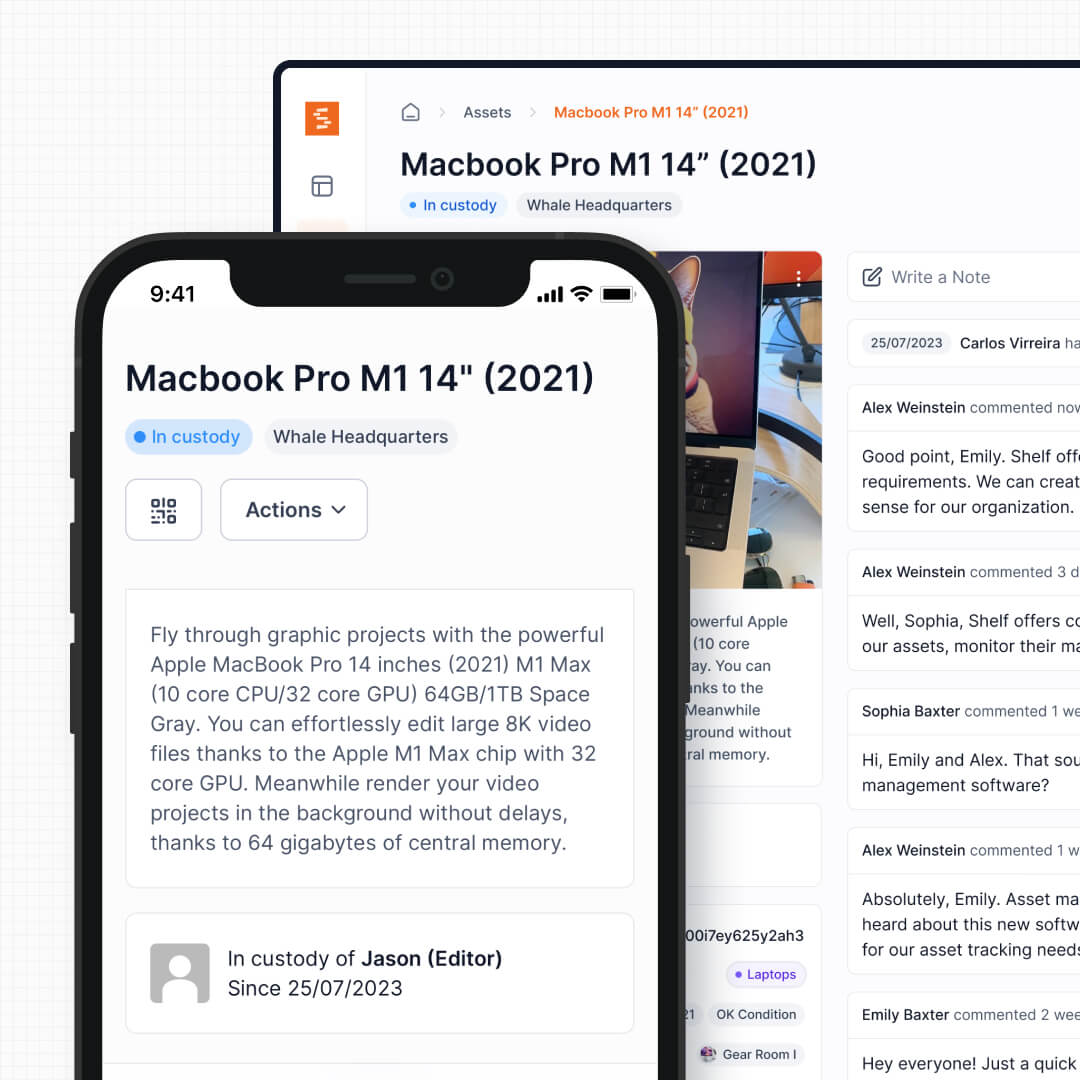
Itemit's scanning experience is built around identifying and locating assets. Scan a tag, see the asset details, update its location. Shelf's scanning experience is built around accountability. Scan a QR code, and you immediately see who has the item, when it is due back, who booked it next, and you can complete a custody transfer on the spot. For teams managing shared equipment, the question is rarely "where is this laptop?" -- it is "who has it, and when can I get it?"
See: Custody
2. No Per-User Pricing or Hardware Costs
Itemit's Starter tier charges per user (up to 3 users), which reviewers on Capterra note pushes some teams toward sharing login accounts -- undermining the audit trail the software is meant to provide. Moving to Pro for unlimited users jumps the price to GBP 1,599/year. Adding GPS trackers or RFID readers increases costs further with per-device hardware expenses.
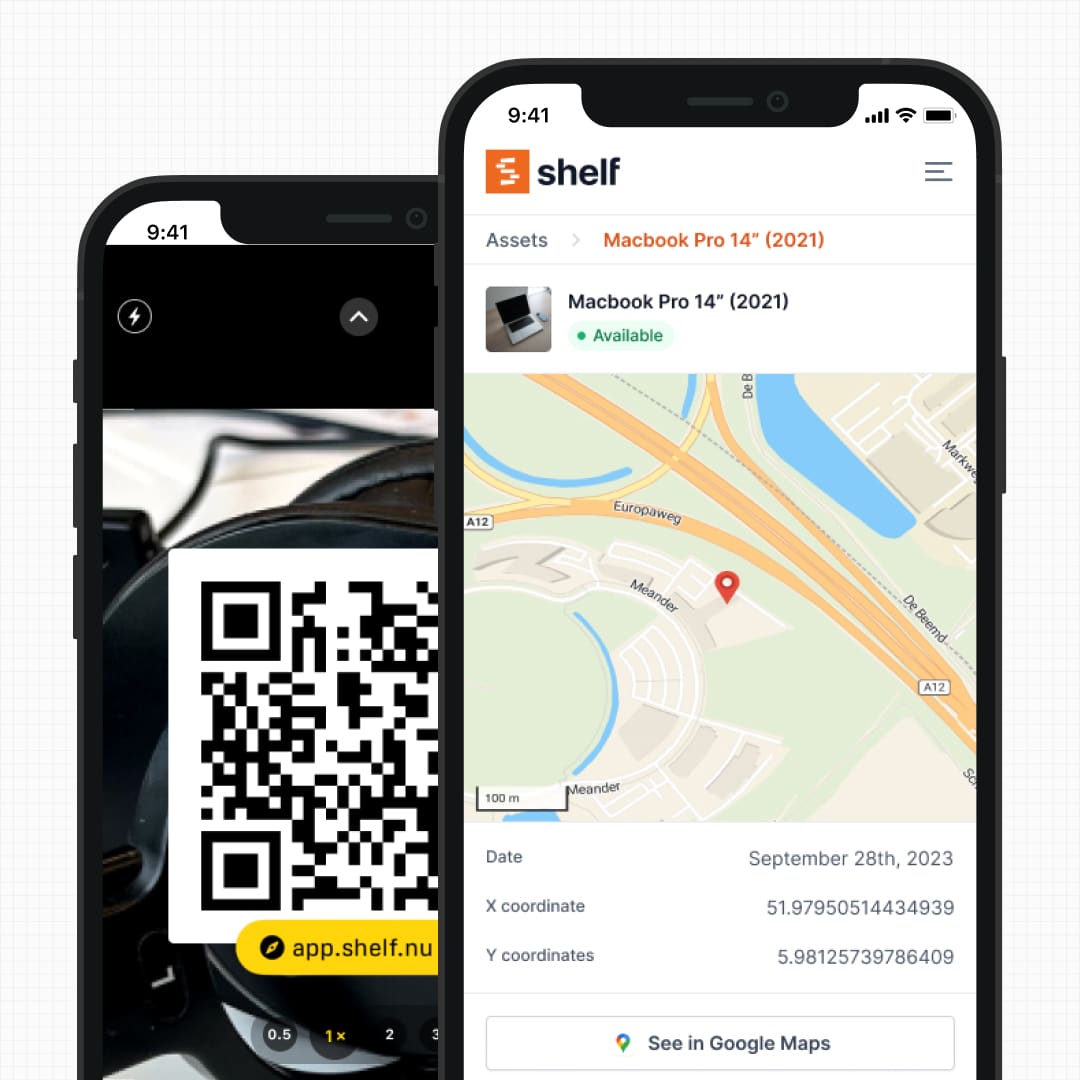
Shelf uses printed QR labels that cost pennies per asset. Every smartphone becomes a scanner. There are no per-user surcharges, no beacon infrastructure, and no signal dead zones in warehouses or basements. The total cost of ownership stays predictable regardless of how many people need access.
See: Location Tracking
3. Purpose-Built Booking and Reservations
Itemit offers basic check-in/check-out functionality where users can scan an asset tag to reserve it and set an expected return date. For scheduling visibility, itemit relies on Zapier integrations to push bookings into Google Calendar or Trello -- the platform itself does not provide a visual reservation calendar.
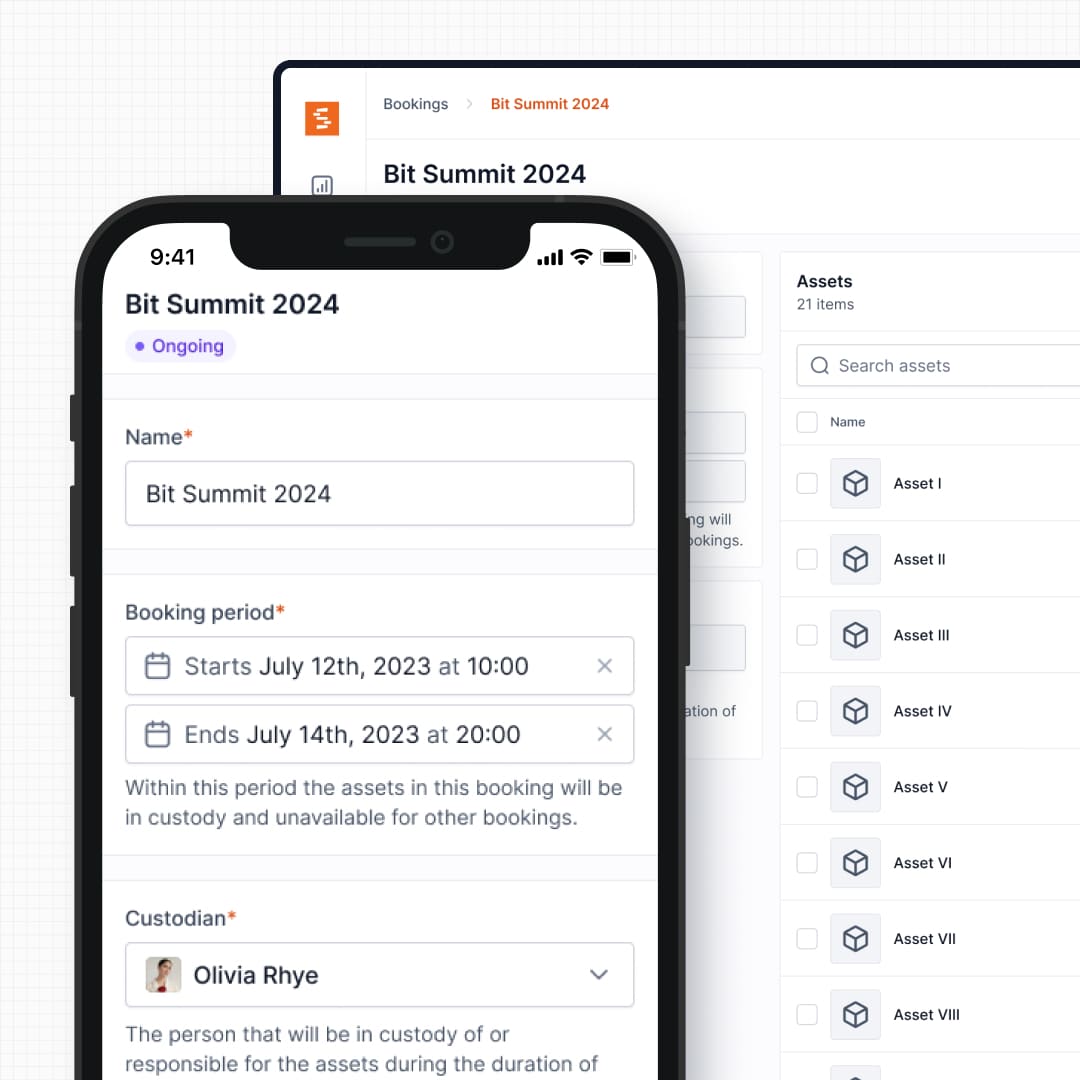
Shelf's booking system is built directly into the platform: real-time availability calendars, automatic double-booking prevention, and multi-day reservation support. Teams can see at a glance what equipment is available for any date range without toggling between separate tools. This matters for film productions scheduling camera packages, universities managing student gear loans, or IT teams coordinating laptop pools.
See: Bookings
4. Kit Tracking and Component Verification
Itemit tracks assets as individual records. If you manage a camera kit with a body, three lenses, batteries, and a tripod, those are five separate items in itemit with no inherent relationship binding them together.
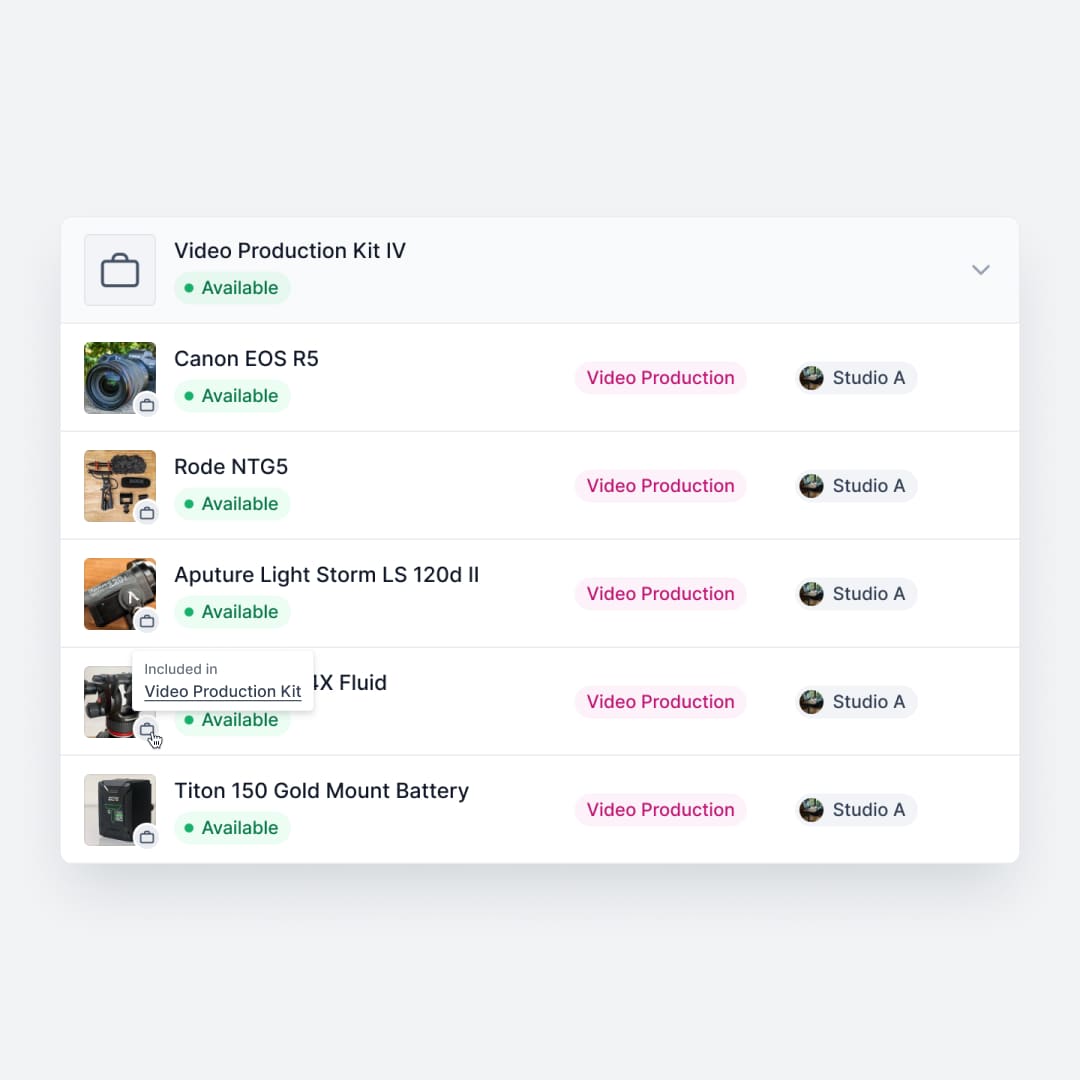
Shelf groups related equipment into kits that are booked, checked out, and verified as a single unit. When a kit comes back missing a lens cap or a battery charger, Shelf flags the discrepancy before the next user picks it up. This prevents the slow bleed of accessories that plagues shared equipment operations in media production, education, and field services.
See: Kits
5. Workspace Separation for Departments
Itemit organizes assets into a single inventory with role-based permissions. Reviewers note that the information visible to each user type is not customizable, which becomes a friction point when multiple departments need to manage their own equipment independently.
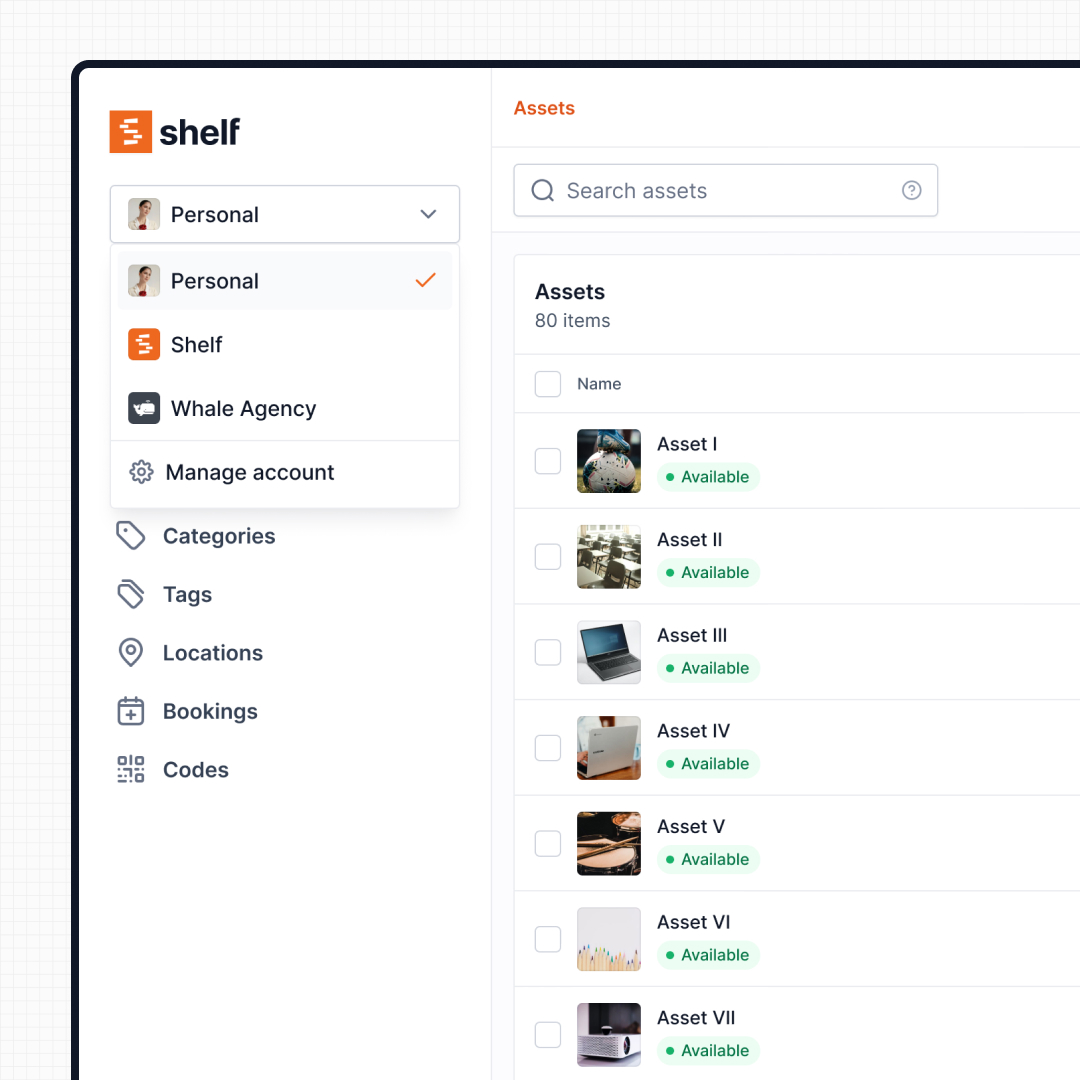
Shelf uses workspaces to separate inventories by department, program, or location. IT, facilities, media production, and athletics each manage their own equipment independently, with organization-level visibility for administrators. No cross-department clutter, no permission complexity.
See: Workspaces
6. Open Source with Full Transparency
Itemit is a closed-source, proprietary SaaS product. Your data lives on their infrastructure, and your ability to customize the platform is limited to what their team prioritizes on their roadmap. Reviewers praise itemit's responsiveness to feature requests, but you are still dependent on a vendor's timeline.
Shelf is open source. Teams can review the codebase, understand exactly how their data is handled, self-host the platform for complete control, or extend functionality to fit workflows that no vendor anticipated. For organizations with data governance requirements -- healthcare, government, education -- this is not a nice-to-have.
7. Search, Filtering, and Bulk Operations
Capterra reviewers note that itemit's search function is limited, with the best filtering achieved through exported reports rather than in-app searches. Bulk import via CSV is also flagged as a gap -- teams migrating from spreadsheets cannot upload multiple assets simultaneously.
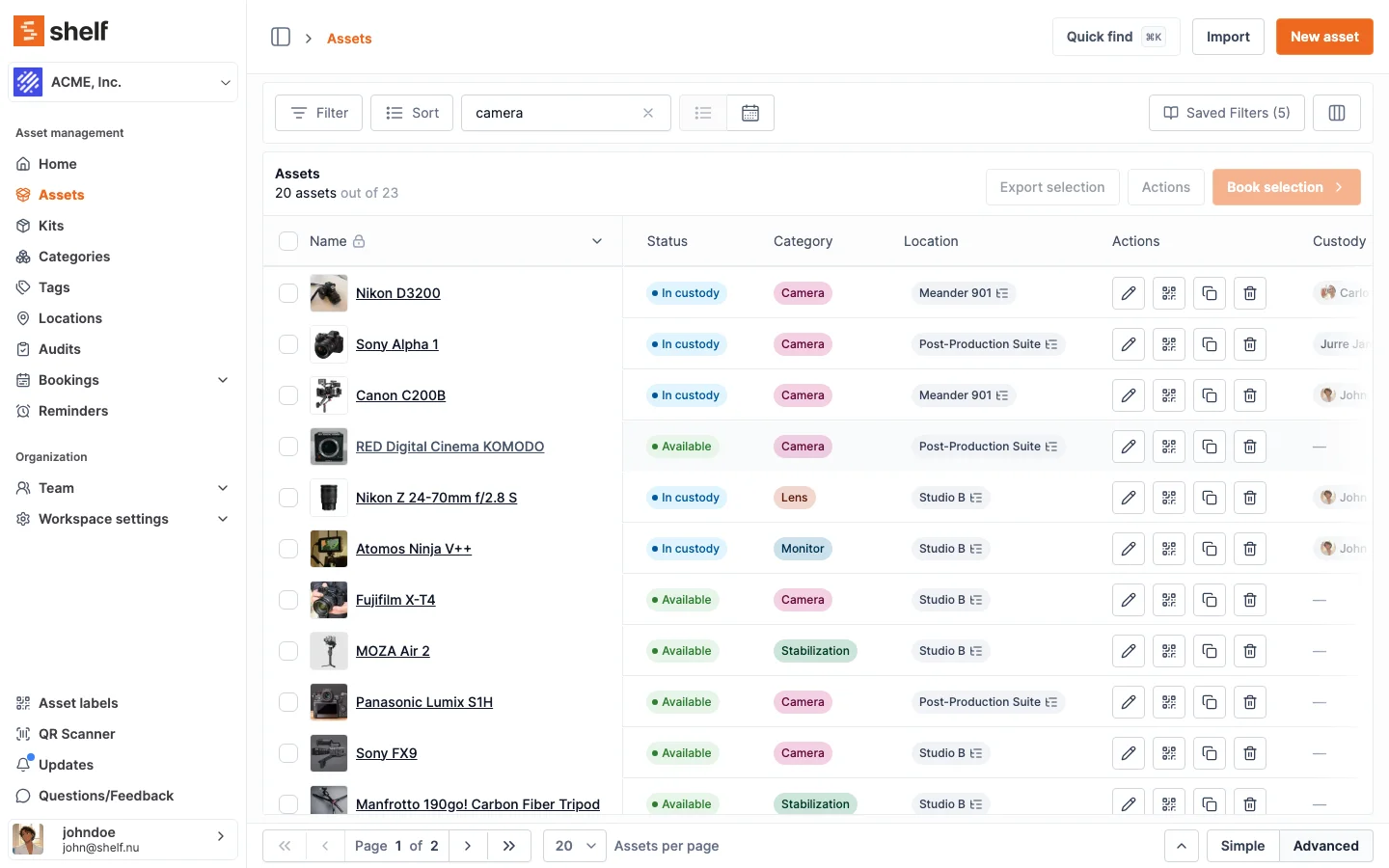
Shelf provides full-text search across all asset fields, advanced filtering by category, location, status, and custom fields, and CSV import for bulk asset creation. When you are managing hundreds or thousands of items, the ability to find and organize assets quickly is not optional.
See: Asset Search
When Teams Choose Shelf Instead of Itemit
Teams often switch from itemit (or choose Shelf over it during evaluation) when their daily operations center on equipment circulation rather than asset identification:
- Custody matters more than location pings: Knowing who has equipment and when it is due back is more actionable than a GPS dot on a map
- Equipment is shared frequently: Daily check-outs, returns, and reservations need a booking-first platform with a visual calendar, not Zapier workarounds
- Kits need to stay complete: Production, education, and field teams managing grouped equipment need kit-level workflows that track components together
- Multiple departments share one platform: Workspaces let IT, facilities, and media teams operate independently without stepping on each other
- Budget is constrained: Itemit's per-user Starter pricing or GBP 1,599/year Pro tier adds up quickly; Shelf's QR labels and transparent pricing keep total cost of ownership low
- Bulk operations matter: Teams migrating from spreadsheets need CSV import, robust search, and filtering from day one
- Open source matters: Data sovereignty, self-hosting capability, and codebase transparency are requirements, not nice-to-haves
When Itemit May Be a Better Fit
Itemit has genuine strengths that matter for certain use cases:
- Multi-technology tagging requirements: If your operation needs QR codes, barcodes, handheld RFID, fixed RFID readers, and GPS trackers all working within a single platform, itemit's hardware breadth is a real advantage -- particularly for construction, logistics, and field operations where passive GPS monitoring prevents theft or loss of mobile assets
- Polished mobile-first experience: Itemit's iOS and Android apps are consistently praised for their clean, intuitive interface. Teams that primarily value a smooth smartphone experience for casual asset tagging will appreciate the app design
- Quick setup with minimal training: Snap a photo, scan a tag, start tracking. Itemit's onboarding is designed for teams that want to be operational within minutes, not hours
- Responsive customer support: Reviewers across Capterra and GetApp consistently highlight itemit's support team as outstanding -- quick responses, willingness to implement feature requests, and dedicated account managers on higher tiers
- UK-based data and support: For organizations that need a UK-headquartered vendor with local support hours and data residency, itemit's Cambridge base is a practical advantage
Both platforms solve asset management, but they solve different problems within it. Itemit is strongest when multi-technology tagging, mobile-first simplicity, and hardware-based location monitoring drive the decision. Shelf is strongest when equipment circulation, custody accountability, booking workflows, and kit management are the daily reality.
Case Studies
See how teams operate with QR-first equipment workflows:
- Arellano Associates — Event Equipment Management
- CES Utility Solutions — $70K Equipment Recovery
- Fabel Film — Eliminating Double Bookings
- Eastern Michigan University — Theatre Equipment Management
Related Solutions
Quick comparison
| Feature | Shelf | Itemit |
|---|---|---|
| Free plan with unlimited assets | Varies | |
| Open source & self-hostable | ||
| QR codes with custom branded labels | Varies | |
| Custody tracking with full audit trail | Varies | |
| Equipment bookings & reservations | Varies | |
| Kit-aware check-in/check-out | Varies | |
| Location hierarchy (up to 12 levels) | Varies | |
| CSV import from any tool | Varies | |
| Works on any device (PWA) | Varies | |
| No credit card to start | Varies |
Feature availability for Itemit may vary by plan. We encourage you to verify on their website.
Compatibility Checker
Will your Itemit Barcodes
Work with Shelf?
Camera preview
Supported barcode types: Code128, Code39, QR Code, DataMatrix, EAN-13, EAN-8, UPC-A, UPC-E, ITF, Code93.
If your barcode doesn't scan, it may be due to camera focus, lighting, or barcode quality. This doesn't necessarily mean your code isn't supported — try again or upload a clearer image.

Ready to switch from Itemit?
Create a free account and import your data in minutes. No credit card required.
Also compare
Evaluating alternatives? See how Shelf stacks up against similar tools.





Ready to organize your assets?
Join thousands of teams who trust Shelf to manage their physical assets. Free forever, or try the Team plan free for 7 days.
Out in the field? Shelf Companion is free on iPhone & Android.