

Multi-Location Asset Tracking
Track equipment across multiple sites, warehouses, campuses, and job sites from a single dashboard. See what is where, who has it, and move assets between locations with a QR scan.
Trusted by innovative teams


































































Multi-location asset tracking is the ability to manage equipment across multiple physical sites — offices, warehouses, campuses, job sites, vehicles — from a single system. Instead of separate spreadsheets per location or manual coordination between site managers, a multi-location system provides unified visibility: what is where, who has it, and whether it is available.
Shelf is a free, open-source asset tracking platform with native multi-location support. Organize sites into hierarchies up to 12 levels deep, transfer equipment between locations with a QR scan, and see real-time availability across every site from one dashboard. Used by 3,000+ teams managing around 750k assets.
The Multi-Location Problem
Organizations with equipment spread across multiple sites face a specific set of challenges that single-location tracking tools and spreadsheets cannot solve:
No Cross-Site Visibility
Each location maintains its own records — a spreadsheet, a whiteboard, a mental model held by one site manager. When the main office needs a projector and one is sitting idle at the satellite office, no one knows. Equipment gets re-purchased because the search radius stops at the building door.
Transfer Chaos
Moving equipment between sites involves emails, phone calls, and hope. There is no structured way to document that a laptop left Building A and arrived at Building B. Items get lost in transit, arrive without documentation, or sit in a loading dock unclaimed.
Inconsistent Processes
Different locations develop different tracking habits. The warehouse uses a clipboard. The office uses a shared spreadsheet. The field team uses text messages. Reporting across the organization requires manually combining incompatible data sources.
Audit Complexity
When it is time to verify equipment counts — for insurance, compliance, or financial reporting — teams spend days reconciling records across sites. Physical audits require travel. Discrepancies are common because the data was never unified in the first place.
How Shelf Handles Multi-Location Tracking
Shelf treats location as a first-class dimension of every asset, not an afterthought field in a spreadsheet.
Hierarchical Location Structure
Organize your sites into a tree structure that mirrors your real world. Shelf supports up to 12 levels of location hierarchy:
Region → City → Campus → Building → Floor → Room → Shelf
Or for field operations:
District → Job Site → Vehicle → Toolbox
Each level is a real location in Shelf with its own inventory, QR code, and activity history. Add, rename, or restructure locations at any time without losing historical data. The tree is usable as well as visible: when adding assets to a booking or starting an audit from a location, one checkbox includes everything kept in the sub-locations below the one you picked.
See: Location Tracking
Cross-Site Transfers via QR Scan
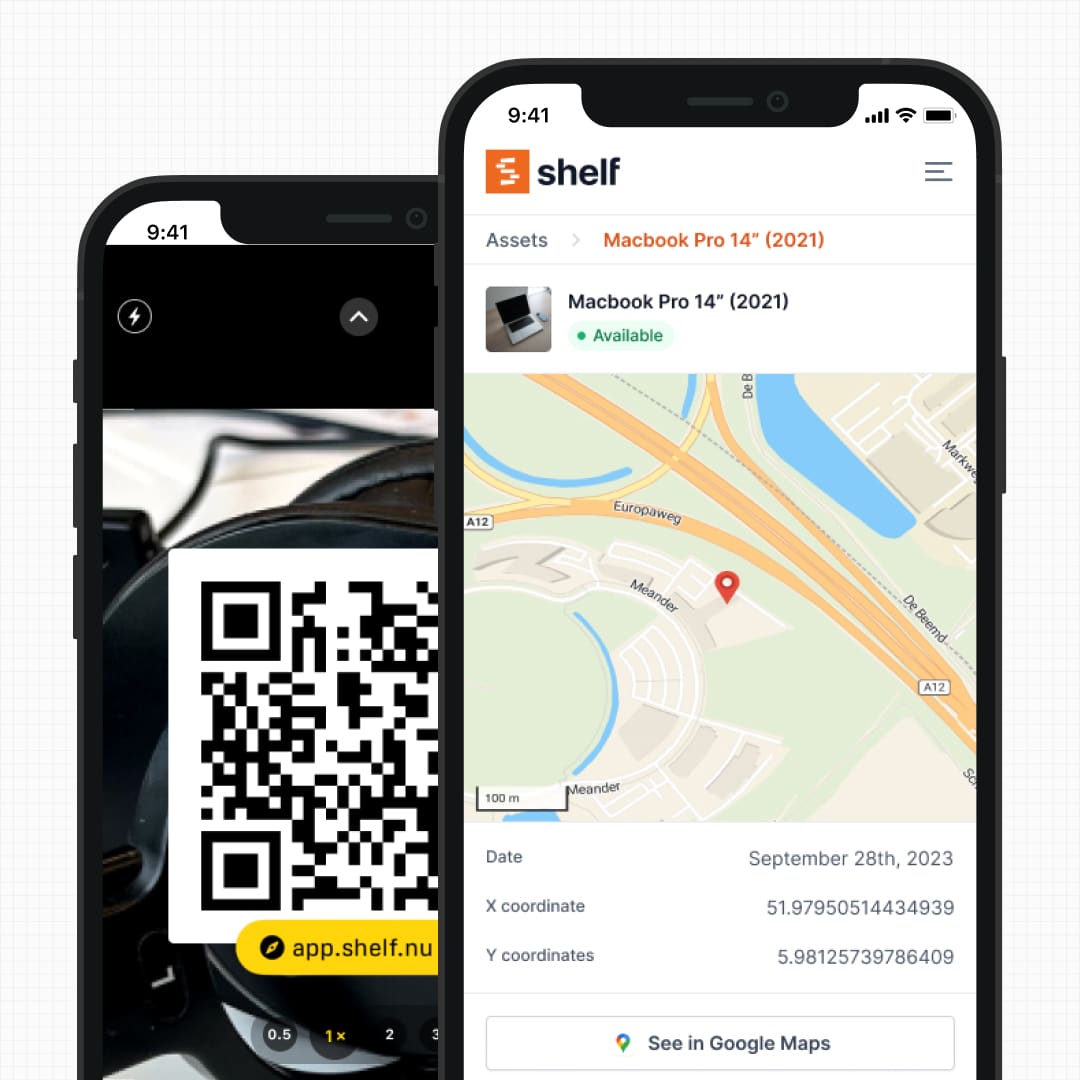
When equipment moves between locations, a QR scan at the destination updates the asset record automatically. The transfer is timestamped, attributed to the person who scanned, and logged in the asset's activity history.
No forms, no emails, no manual spreadsheet updates. The receiving site scans the item and the system reflects reality.
Supplies Stocked per Location
The same multi-site visibility applies to the consumables you track by quantity. Stock a count of supplies at each location, see the available quantity per site, and split or move units between locations as stock shifts — so you know exactly how many cables, batteries, or spare parts are sitting at each site. When units leave a site, out on a booking or into someone's custody assigned on the web, Shelf records which site they came from, so a used-up consumable comes off that site's count and each site's row shows what is with people or out on a booking.
Real-Time Dashboard Across All Sites
A single dashboard shows equipment counts, availability, and status across every location. Filter by site to see what is at a specific warehouse. Filter by category to see all laptops across the organization. Filter by status to see what is checked out, available, or overdue — across every location simultaneously.
Site managers see their own location. Administrators see everything.
Location-Aware Bookings
When a team member reserves equipment, they see availability by location. A camera kit available at the downtown office but checked out at the campus is visible in one view. Cross-site reservations are possible — book it at one location, pick it up there, return it at another.
See: Bookings
Workspaces for Organizational Separation
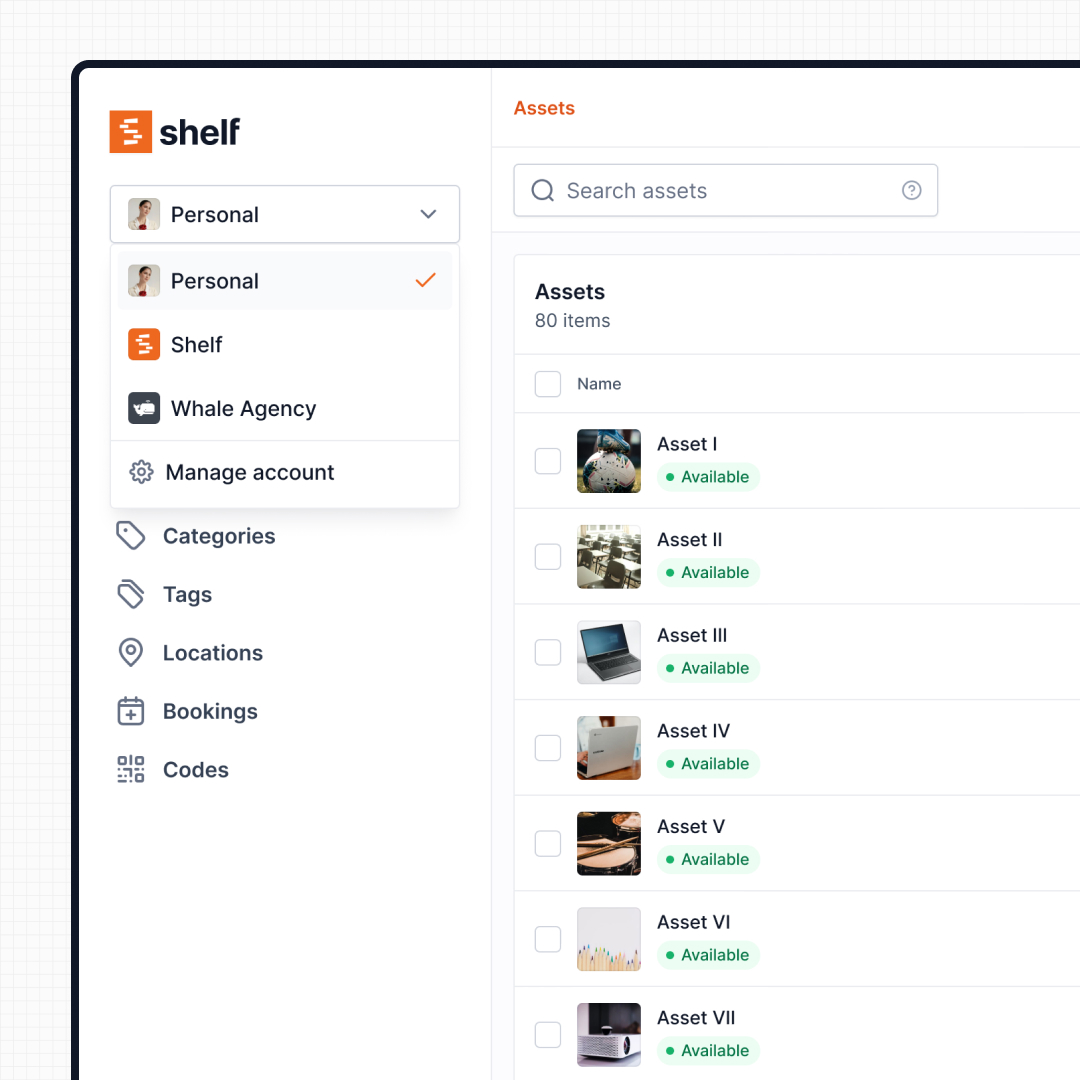
For larger organizations where departments operate independently — IT, facilities, media, education — Shelf workspaces provide fully separated inventories. Each workspace has its own assets, users, locations, and settings. Administrators retain visibility across the entire organization without departments seeing each other's equipment.
This is different from shared-folder approaches where everyone sees everything and access control becomes the bottleneck.
See: Workspaces
Mobile Auditing Across Sites
Conduct physical audits at any location using a smartphone. Walk through a warehouse or equipment room, scan each item's QR code, and Shelf reconciles the scan against the expected inventory. Items that are present get confirmed. Items that are missing get flagged. The entire audit is documented digitally without clipboards or manual tallying.
See: Mobile Auditing
Key Features for Multi-Location Teams
- Hierarchical locations: Up to 12 levels of nesting (region → building → room → shelf)
- QR-based transfers: Scan at the new location to update the record instantly
- Cross-site visibility: One dashboard for all locations, with filters by site, category, and status
- Location-aware bookings: Reserve equipment at specific sites with conflict prevention
- Workspaces: Departmental separation with organization-wide admin visibility
- Mobile auditing: Scan-based inventory verification at any site
- Custom fields: Track location-specific data (site manager, access hours, storage conditions)
- CSV import/export: Bulk-load assets with location assignments from existing records
- Activity history: Full log of every transfer, check-out, and location change per asset
- Unlimited users: Every team member at every location can scan and check equipment — no per-seat fees
- Cross-site reports: Asset Distribution by location, Custody Snapshot, Asset Inventory, and Idle Assets as built-in reports — answer "what is at each site" or "what is sitting idle in Amsterdam" without writing SQL or stitching exports
Common Use Cases
- Technology companies with equipment across multiple offices — laptops, monitors, and peripherals tracked from headquarters to satellite sites. Central IT maintains visibility while local teams manage day-to-day check-outs.
- Universities and school districts managing gear across campuses, buildings, and department equipment rooms. Eastern Michigan University uses Shelf to track theatre equipment across facilities.
- Construction and field services tracking tools and safety equipment across active job sites, vehicles, and a central warehouse. Equipment moves daily — QR scanning keeps records current without paperwork.
- Media and production companies with gear distributed across studios, edit suites, and on-location shoots. Fabel Film replaced memory-based coordination with real-time multi-location tracking.
- Healthcare and research facilities managing instruments, devices, and testing equipment across labs, clinics, and administrative offices. HAARP tracks research assets across seven universities.
- Nonprofits and churches with equipment shared across multiple campuses or ministry locations. A central inventory with per-site visibility eliminates duplicate purchases.
Why Teams Choose Shelf for Multi-Location Tracking
- Free to start: Unlimited assets and locations on the free plan. No credit card required.
- Flat-rate pricing: The Team plan covers unlimited users across all locations — no per-seat or per-site fees.
- No special hardware: QR scanning works with any smartphone camera. No app to install.
- Open source: AGPL licensed. Self-host for data sovereignty or use the managed cloud.
- Set up in minutes: Import existing asset lists via CSV, create your location hierarchy, print QR labels, and start scanning.
Getting Started
- Sign up for free at app.shelf.nu — no credit card required.
- Create your locations — build a hierarchy that matches your physical sites (buildings, floors, rooms).
- Add your equipment manually or import from a CSV file with location assignments.
- Print QR labels and attach them to each item. Custom branding available.
- Invite your team across all sites — unlimited users, no per-seat fees.
- Start scanning — check-outs, transfers, and audits across every location are live immediately.
Frequently Asked Questions
Can different locations have different administrators?
Yes. Give each site its own workspace and it gets its own Administrators and Managers: a Manager runs that site's bookings, custody and audits without being able to change its catalogue or settings, while the organization's administrators keep visibility across every site. Roles apply per workspace, not per location inside one workspace.
How do I transfer equipment between locations?
Scan the asset's QR code at the new location. Shelf updates the location record automatically, with a timestamped log of the transfer and who performed it. No forms or approvals required unless you configure them.
Can I see all equipment across all locations in one view?
Yes. The asset dashboard shows your entire inventory with filters for location, category, status, and assignee. You can view everything at once or narrow down to a specific site.
How many locations can I create?
There is no limit on the number of locations. You can create as many sites, sub-locations, and hierarchy levels as your organization needs, up to 12 levels deep.
Does Shelf work offline for remote job sites?
Shelf requires an internet connection to sync data in real time. For remote sites with intermittent connectivity, team members can scan QR codes when they have signal — the records update as soon as the connection is available.
Can I import my existing location data?
Yes. The CSV import supports a location column. Map your existing site names to Shelf locations during import, and assets will be assigned to the correct site automatically.
Case Studies
See how multi-location teams manage equipment with Shelf:
- HAARP — Research Assets Across Seven Universities
- ResQ — 4,000+ Devices Across Contact Center Sites
- Eastern Michigan University — Theatre Equipment Across Facilities
- CES Utility Solutions — $70K Equipment Recovery
Related Solutions
Ready to organize your assets?
Join thousands of teams who trust Shelf to manage their physical assets. Free forever, or try the Team plan free for 7 days.
Out in the field? Shelf Companion is free on iPhone & Android.