
Shelf vs ShareMyToolbox
ShareMyToolbox Alternative
Compare ShareMyToolbox and Shelf to understand how construction tool tracking differs from multi-purpose equipment operations.

ShareMyToolbox Alternative
ShareMyToolbox is a construction-focused tool tracking app originally built inside the Viewpoint Construction Software incubator and launched in 2015. Founded by Chuck Elyea, a former CFO of a general contractor, the platform was designed around a single problem: construction crews losing tools across job sites, trucks, and workers. ShareMyToolbox claims its users reduce tool loss by an average of 48%. Teams evaluating alternatives often need equipment management that extends beyond construction-specific tool transfers into advance booking, kit workflows, multi-department support, and use cases spanning IT, education, and media production.
Overview: ShareMyToolbox vs Shelf
ShareMyToolbox uses a per-user pricing model starting at $80/month base fee plus $10 per user per month, with users added in blocks of five. A free plan is available with three employees and ten virtual connections, and a 14-day trial requires no credit card. The platform is built around a mobile app (iOS and Android) where field workers transfer tools between people and job sites using barcode or QR code scanning via their phone cameras.
Shelf approaches equipment management from a broader operational perspective. Rather than focusing exclusively on construction tool transfers, Shelf provides booking calendars, custody chains, kit management, QR-based workflows, and workspace separation that work across industries. Shelf is also open source, giving teams the option to self-host or use the managed cloud service with full codebase transparency.
Quick Comparison
| Capability | ShareMyToolbox | Shelf |
|---|---|---|
| Primary focus | Construction tool transfers | Equipment check-out, booking, custody |
| Pricing | $80/mo base + $10/user/mo | Free (self-hosted) or managed cloud |
| Mobile app | Native iOS and Android | Native iOS & Android app (Shelf Companion) + mobile web |
| Tool transfers | Person-to-person via app | QR scan from any smartphone |
| Equipment booking | Not available | Built-in with conflict prevention |
| Kit management | Individual items only | Kit-aware booking and verification |
| Service alerts | Yes — calibration and maintenance reminders | Asset reminders for any date |
| Barcode/QR scanning | Yes — via native app camera | Yes — any smartphone camera, no install required for web |
| Reporting | Excel exports, usage and costing reports | Dashboard, CSV exports, audit trails |
| Open source | No — proprietary SaaS | Yes — full codebase available |
| Multi-team workspaces | Single inventory with user roles | Separated workspaces per department |
| Operational reports | Tool-out / tool-in activity log | Built-in operational reports (booking compliance, top booked assets and kits, utilization, idle, custody, distribution) with CSV/PDF export |
| Integrations | Box, Google Drive, Dropbox | Open source codebase; CSV import/export |
Where Shelf Takes a Different Approach
1. Full Equipment Lifecycle vs Tool Transfers
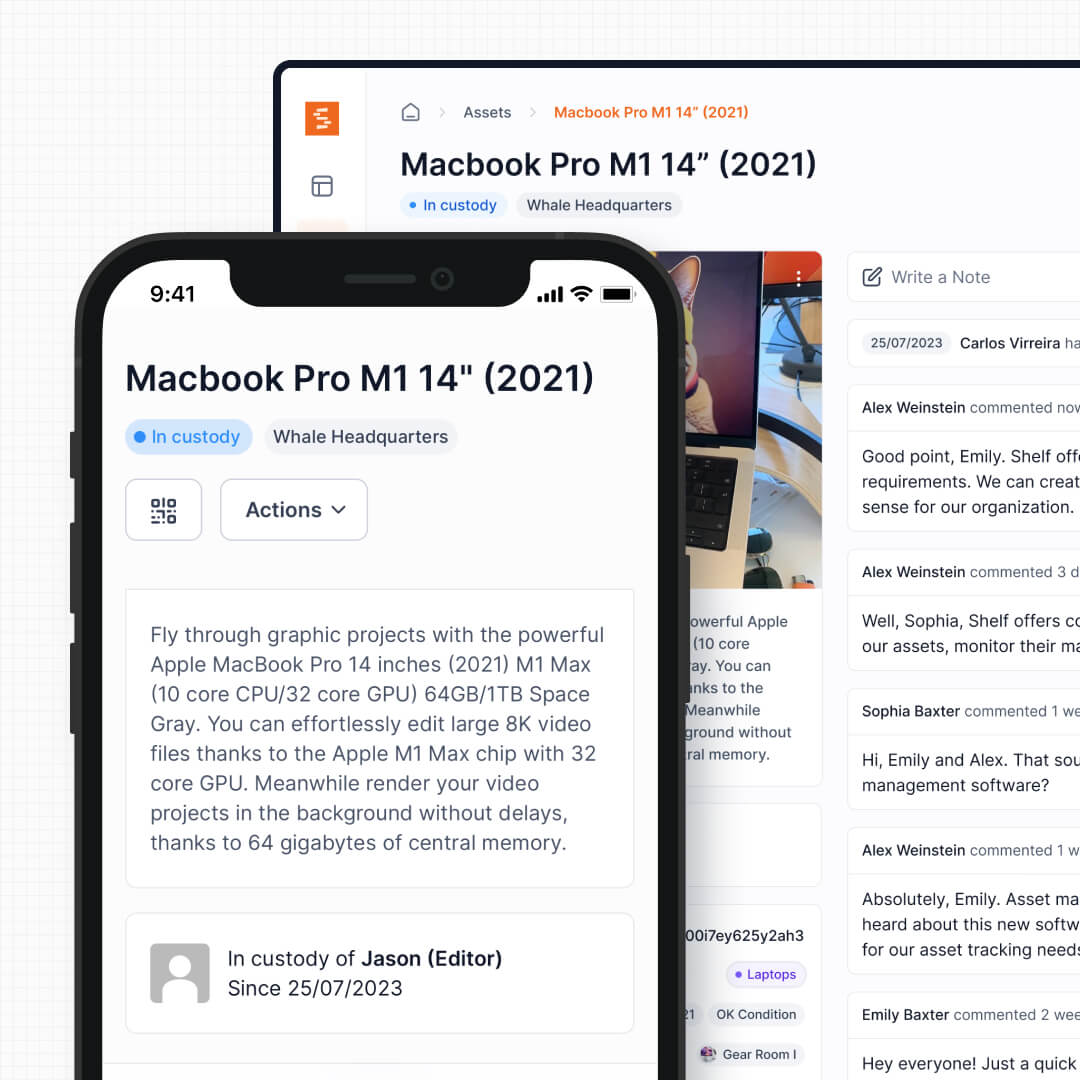
ShareMyToolbox is built around one core workflow: transferring tools between workers. A foreman assigns a tool to a crew member, the crew member accepts it, and when the job wraps, the tool gets transferred back or to someone else. This works well for construction-specific accountability.
Shelf covers the full equipment lifecycle: booking in advance, checking out, transferring between people, tracking location, verifying kit completeness on return, and maintaining audit trails. For organizations where equipment circulates frequently among many users, the operational scope goes well beyond simple transfers.
See: Custody
2. Advance Booking and Scheduling
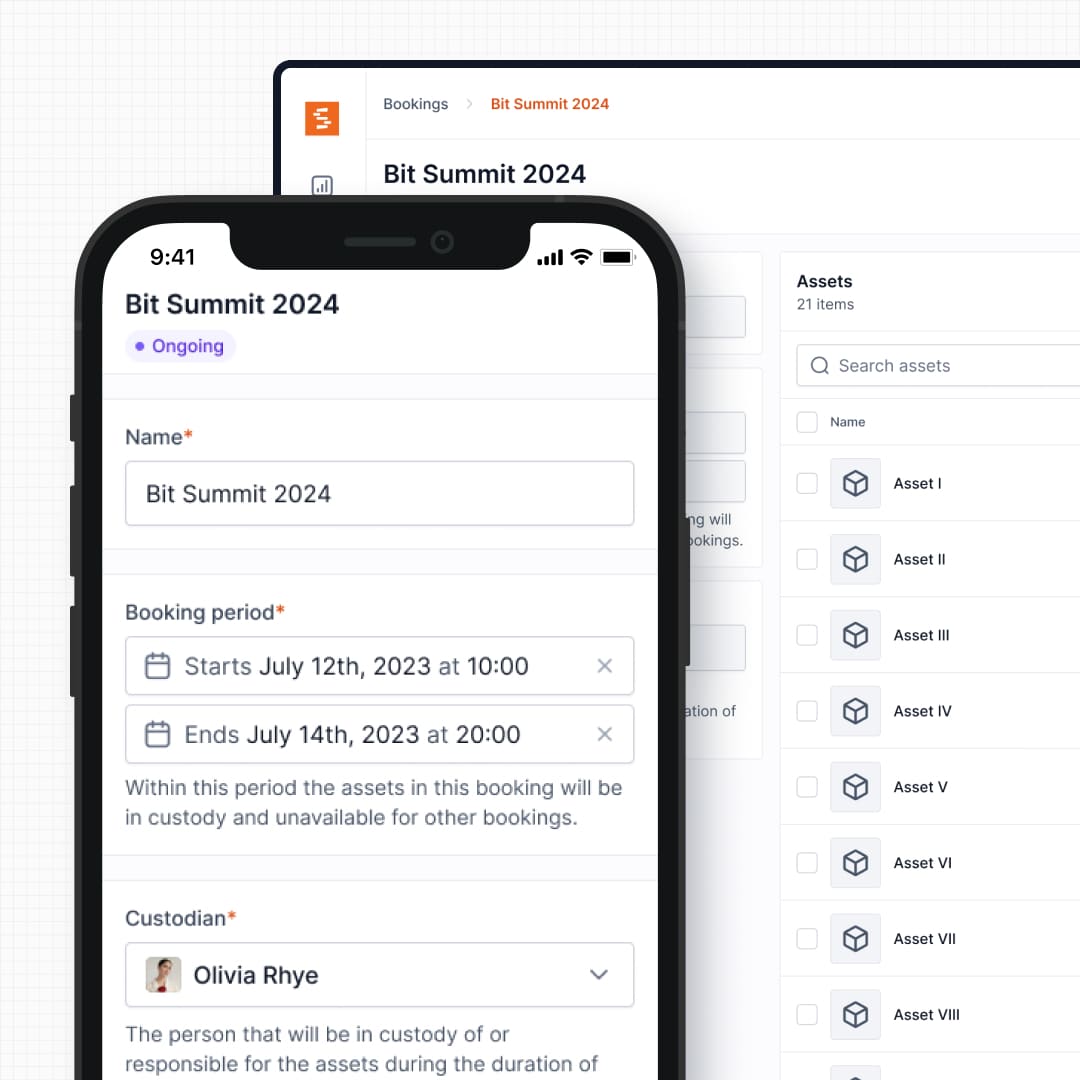
Construction tool tracking is inherently reactive: who has the drill right now? Shelf adds proactive scheduling where teams book equipment in advance, see real-time availability on a given date, and prevent double-booking conflicts automatically. This matters for organizations that share expensive or limited-quantity equipment across teams, like universities managing student gear loans or production companies coordinating camera packages across shoots.
ShareMyToolbox has no reservation or booking functionality. If two crews need the same piece of equipment next Tuesday, there is no system-level way to manage that conflict.
See: Bookings
3. QR Scanning From the Browser or the App
ShareMyToolbox requires field workers to download and sign into a native iOS or Android app. Reviewers on Capterra and GetApp note some feature differences between the mobile app and the web version, and initial setup takes time to complete. For organizations with high staff turnover, seasonal workers, or subcontractors, requiring every person to install and learn the app introduces friction.
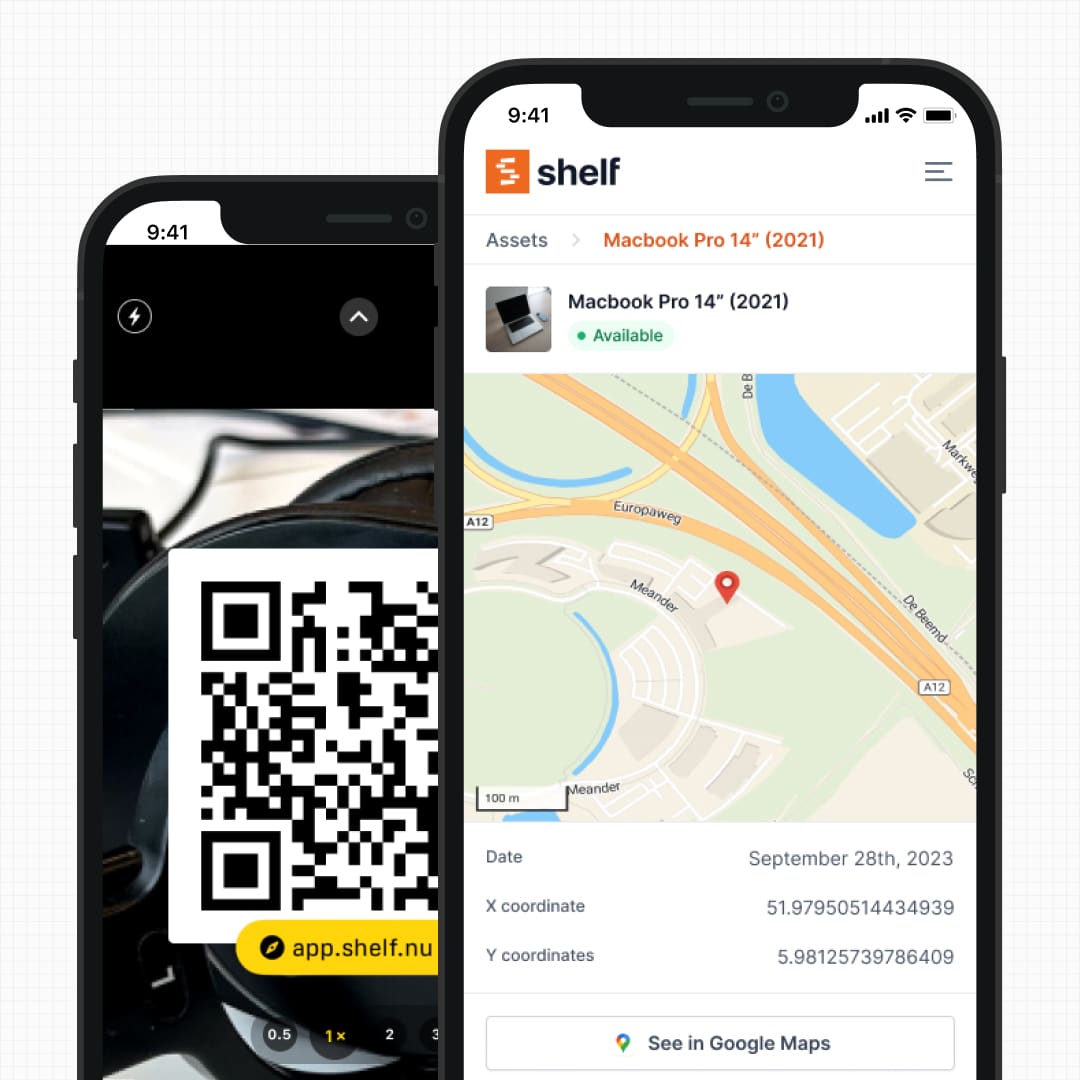
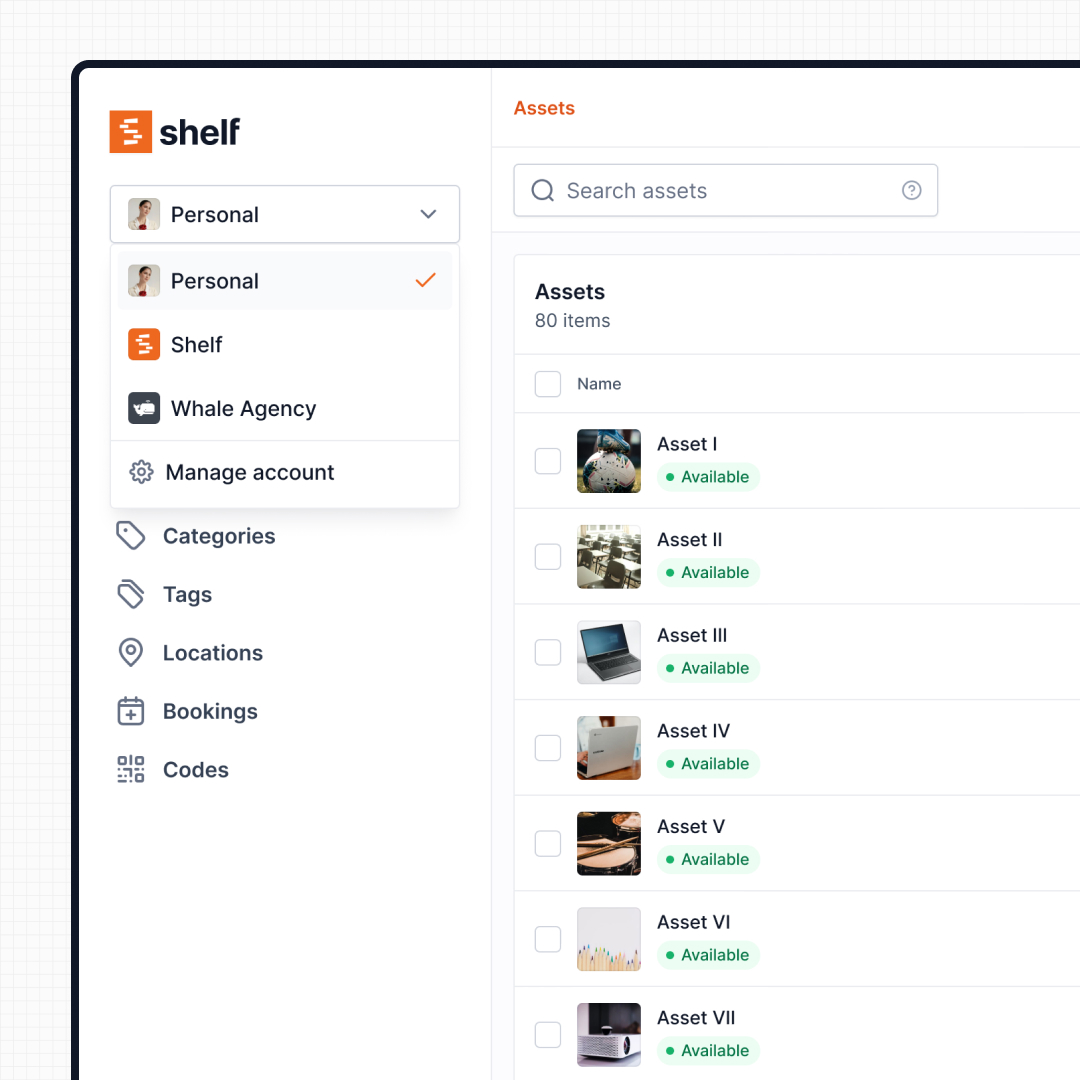
Shelf gives users a choice. QR labels work with any smartphone camera in the browser — no app install needed for the web flow. For a native field experience on iPhone and Android, the free Shelf Companion app is on the App Store and Google Play. Either path uses the same Shelf workspace and login.
See: Location Tracking
4. Kit Tracking and Component Verification
ShareMyToolbox tracks tools as individual items. If you manage a field testing kit with a meter, probes, cables, and a carrying case, those are four separate items with no inherent relationship in the system.
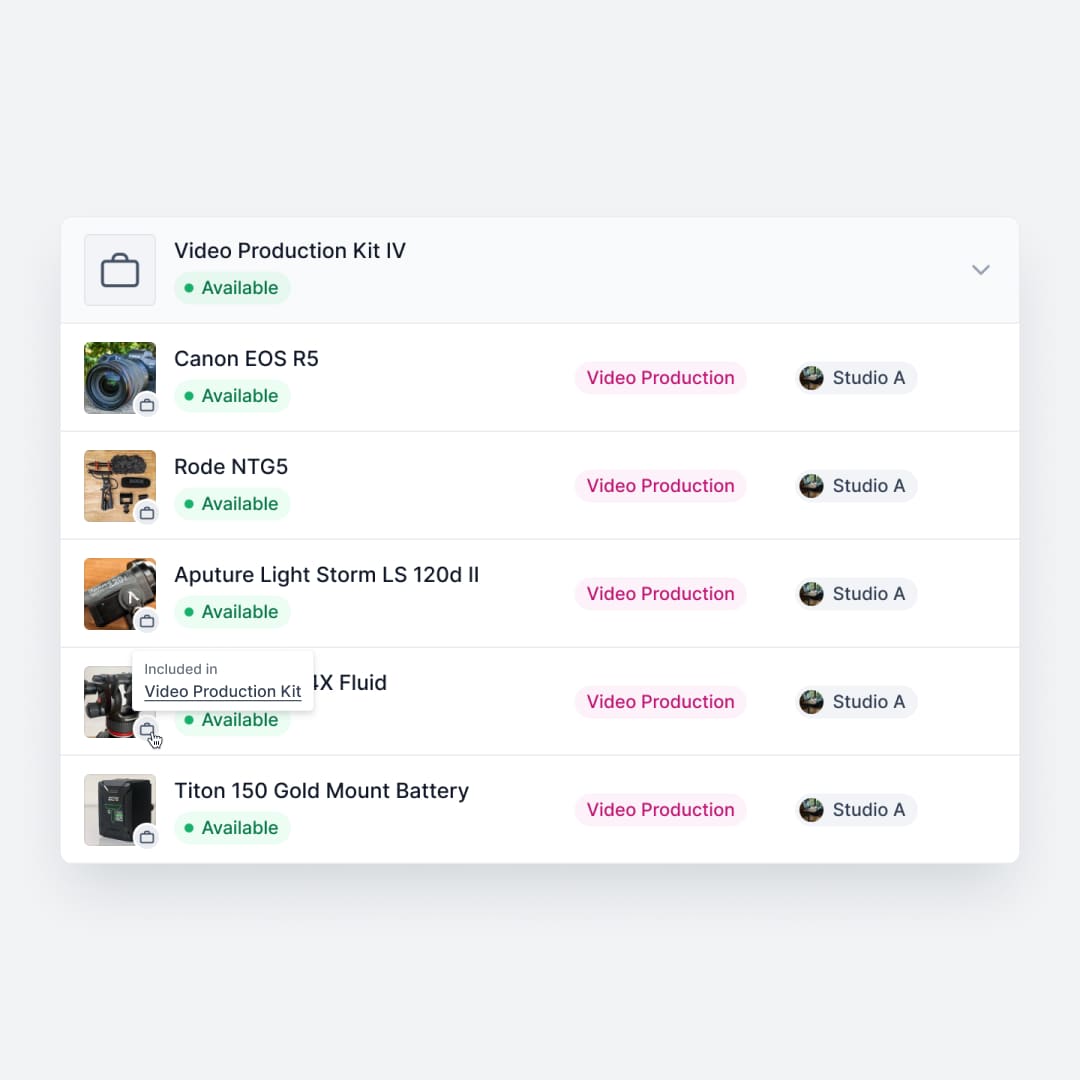
Shelf groups related equipment into kits that are booked, checked out, and returned as a single unit. When a kit comes back missing a cable or a probe tip, Shelf flags the discrepancy before the next user picks it up. This prevents the slow bleed of accessories and components that plagues any shared equipment operation.
See: Kits
5. Multi-Department Workspaces
ShareMyToolbox serves construction operations with a single shared inventory. User roles control who can see what, but everything lives in one pool. This works for a single construction company managing tools across job sites.
Shelf uses workspaces to separate inventories by department, program, or location. A university can have separate workspaces for the theatre department, the engineering lab, and the IT help desk. Each team manages their own equipment independently, with organization-level visibility for administrators. No cross-department clutter, no permission headaches.
See: Workspaces
6. Pricing Transparency and Open Source
ShareMyToolbox charges $80 per month as a base fee, then $10 per user per month, with users added in blocks of five. For a 25-person team, that comes to $330/month. The per-user model means costs scale directly with headcount, which can be unpredictable for companies with seasonal crews or fluctuating project staffing.
Shelf is open source with transparent pricing. Teams can self-host for free, or use the managed cloud service where the Team plan carries unlimited users at a flat rate. There are no per-seat charges that punish you for onboarding more people, and no vendor lock-in.
7. Audit and Compliance Workflows
ShareMyToolbox offers Excel-exportable reports on tool usage, costing, and inventory status. This covers basic accountability needs for construction operations.
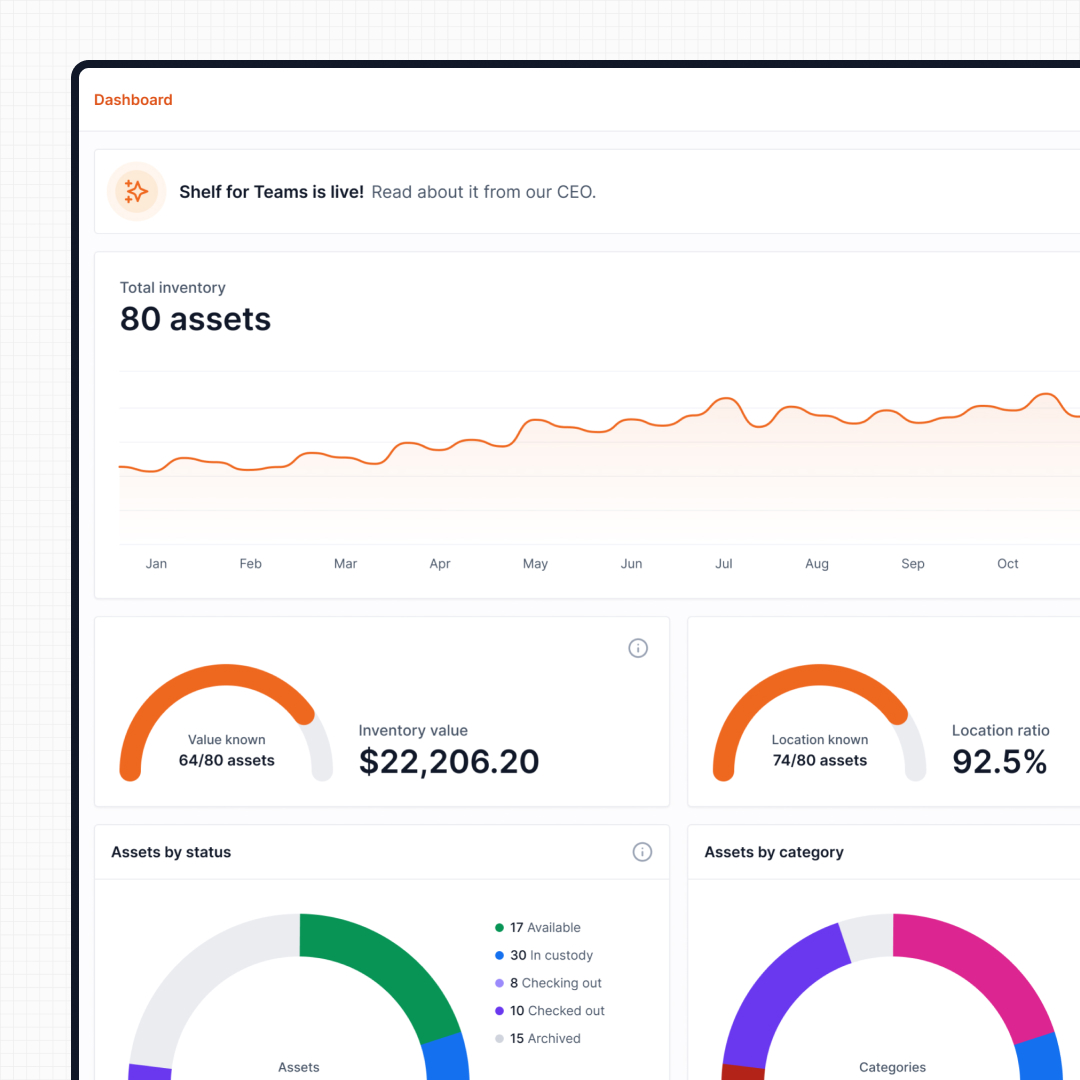
Shelf provides structured audit workflows where teams can verify physical inventory against digital records, flag discrepancies, and maintain compliance trails. For organizations in regulated industries or those managing high-value shared equipment pools, structured audits go beyond simple reporting.
See: Audits
When Teams Choose Shelf Instead of ShareMyToolbox
Teams often choose Shelf over ShareMyToolbox when their equipment management needs extend beyond construction tool transfers:
- Organizations beyond construction: Companies managing equipment across IT, media, education, healthcare, and facilities need a platform that is not industry-locked
- Teams needing advance booking: Shared equipment pools require scheduling and conflict prevention that tool transfer apps do not provide
- Operations managing kits: Multi-component equipment sets need grouped tracking and return verification that individual-item systems cannot support
- Multi-department companies: Different teams need independent inventory management with centralized oversight, not a single shared pool
- Organizations with high staff turnover: A QR scan in the browser requires no app install, reducing adoption friction for seasonal workers, temps, and subcontractors
- Budget-conscious scaling: Per-user pricing becomes expensive at scale; Shelf's unlimited-user model keeps costs predictable as teams grow
- Open source requirements: Teams needing data sovereignty, self-hosting capability, or codebase transparency cannot get this from a proprietary SaaS tool
When ShareMyToolbox May Be a Better Fit
ShareMyToolbox has genuine strengths for its target market:
- Pure construction operations: Crews focused exclusively on tracking tools between workers, trucks, and job sites will find ShareMyToolbox purpose-built for their exact workflow
- Tool-crib management: Construction companies running centralized tool cribs where tools are checked in and out daily benefit from the focused simplicity of the platform
- Construction-specific reporting: Teams needing tool costing reports, utilization tracking, and loss analysis within a construction context will find these built in
- Service and calibration alerts: Organizations that need automatic reminders for tool servicing, calibration dates, and equipment inspections benefit from ShareMyToolbox's maintenance notification system
- Cross-platform: both ship native iOS and Android apps — Shelf Companion is on the App Store and Google Play
- Simplicity over breadth: Reviewers consistently praise the low learning curve; one reviewer noted becoming confident enough to demonstrate features to management within days of starting. Teams that want exactly tool tracking and nothing more will appreciate the focused feature set
Both platforms track equipment, but they serve different operational realities. ShareMyToolbox is strongest when construction crews need simple person-to-person tool accountability. Shelf is strongest when equipment circulates across teams, departments, or industries and needs booking, kit management, and workflow flexibility.
Case Studies
See how teams manage equipment operations with QR-first workflows:
- CES Utility Solutions — $70K Equipment Recovery
- Arellano Associates — Event Equipment Management
- HAARP — Research Equipment Accountability
- Fabel Film — Eliminating Double Bookings
Related Solutions
Quick comparison
| Feature | Shelf | ShareMyToolbox |
|---|---|---|
| Free plan with unlimited assets | Varies | |
| Open source & self-hostable | ||
| QR codes with custom branded labels | Varies | |
| Custody tracking with full audit trail | Varies | |
| Equipment bookings & reservations | Varies | |
| Kit-aware check-in/check-out | Varies | |
| Location hierarchy (up to 12 levels) | Varies | |
| CSV import from any tool | Varies | |
| Works on any device (PWA) | Varies | |
| No credit card to start | Varies |
Feature availability for ShareMyToolbox may vary by plan. We encourage you to verify on their website.
Compatibility Checker
Will your ShareMyToolbox Barcodes
Work with Shelf?
Camera preview
Supported barcode types: Code128, Code39, QR Code, DataMatrix, EAN-13, EAN-8, UPC-A, UPC-E, ITF, Code93.
If your barcode doesn't scan, it may be due to camera focus, lighting, or barcode quality. This doesn't necessarily mean your code isn't supported — try again or upload a clearer image.

Ready to switch from ShareMyToolbox?
Create a free account and import your data in minutes. No credit card required.
Also compare
Evaluating alternatives? See how Shelf stacks up against similar tools.



Ready to organize your assets?
Join thousands of teams who trust Shelf to manage their physical assets. Free forever, or try the Team plan free for 7 days.
Out in the field? Shelf Companion is free on iPhone & Android.