
Shelf vs UpKeep
UpKeep Alternative
Compare UpKeep and Shelf to understand when a full CMMS is the right choice—and when a lightweight, workflow-first equipment platform is a better fit.

UpKeep Alternative
UpKeep is a Los Angeles-based CMMS (Computerized Maintenance Management System) founded in 2016 by Ryan Chan, who built the product after experiencing firsthand how painful maintenance workflows were while working as a process engineer at a manufacturing plant. Backed by $50M in venture funding from Y Combinator, Insight Partners, and Emergence Capital, UpKeep has grown to serve over 4,000 companies with a mobile-first approach to work orders, preventive maintenance, and technician coordination. Teams evaluating alternatives typically find that UpKeep's depth in maintenance management comes with complexity and per-user costs that don't fit when the real need is straightforward equipment tracking, check-outs, and bookings.
Overview: UpKeep vs Shelf
UpKeep offers four tiers: Lite ($20/user/month), Starter ($45/user/month), Professional ($75/user/month), and Business+ (custom pricing). Per-user pricing means costs scale directly with team size. A 25-person operations team on the Starter plan pays over $13,000/year before adding IoT sensors or advanced analytics. Core features like AI-powered insights and advanced reporting are reserved for higher tiers, which reviewers on Capterra and G2 frequently note as a friction point for smaller organizations.
Shelf takes a fundamentally different approach. Instead of managing maintenance tickets and technician schedules, Shelf focuses on what happens when people interact with equipment: who checked it out, where it went, when it's due back, and who needs it next. Shelf is also open source, so teams can self-host for free or use the managed cloud service without per-user scaling concerns.
Quick Comparison
| Capability | UpKeep | Shelf |
|---|---|---|
| Primary focus | Work orders, preventive maintenance, technician dispatch | Equipment check-out, booking, custody, location |
| Pricing model | Per user/month (from $20) | Free (self-hosted) or managed cloud |
| Work order management | Core feature with checklists, photos, time logging | Not a focus — built for equipment workflows |
| Preventive maintenance | Automated schedules, meter-based triggers, IoT alerts | No — maintenance scheduling is not the use case |
| Equipment booking | Not a core feature | Built-in with conflict prevention |
| Kit management | Individual asset records only | Kit-aware booking and return verification |
| IoT / sensor integration | Yes — wireless sensors with auto-work-order creation | No — QR-first, no hardware needed |
| Parts & consumables | Yes — purchase orders, reorder automation, work-order-linked parts consumption | Tracks consumables/spare parts by quantity with min-quantity low-stock email alerts; no purchase-order automation |
| Open source | No — proprietary SaaS | Yes — full codebase available |
| Per-user pricing | Yes — every user adds cost | No — unlimited users |
| Mobile experience | Native iOS/Android app | Native iOS & Android app (Shelf Companion) + mobile web |
| Multi-team workspaces | Single inventory with roles | Separated workspaces per department |
| Operational reports | Strong maintenance, work-order, and asset-history reports | Built-in operational reports for bookings/custody/utilization (booking compliance, top booked assets and kits, utilization, idle, custody, distribution) with CSV/PDF export |
Where Shelf Takes a Different Approach
1. Equipment Circulation vs Maintenance Tickets
UpKeep is built around work orders. A technician receives a request, logs parts and labor, closes the ticket, and the maintenance manager reviews KPIs. That workflow makes sense in manufacturing plants, facilities with HVAC systems, and fleet operations where preventive maintenance scheduling drives the business.
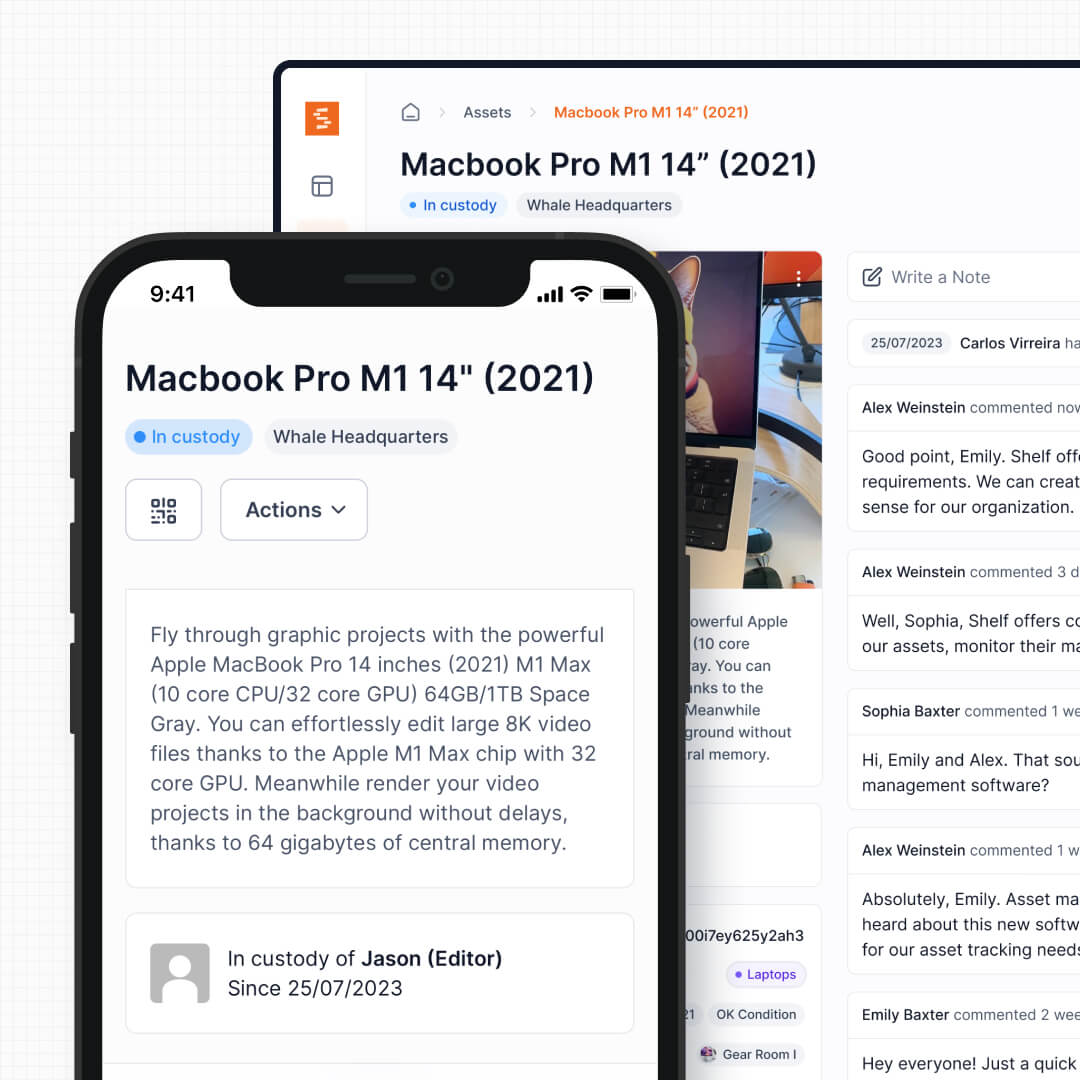
But many teams don't manage maintenance at all. They manage equipment movement: laptops going out to new hires, cameras booked for productions, AV gear checked out for events, tools moving between job sites. For these teams, UpKeep's work order system is overhead they pay for but never use. Shelf is built specifically for this circulation pattern: check-out, track custody, return, repeat.
See: Custody
2. Flat Pricing vs Per-User Scaling
UpKeep's per-user pricing creates a direct tension: the more people who need to interact with equipment, the higher the bill. For a 50-person team on the Starter plan, that's $27,000/year. Organizations often respond by limiting who gets access, which defeats the purpose of having a system that tracks accountability across the team. Review sites surface this complaint regularly, with users noting that costs escalate quickly when advanced features require tier upgrades.
Shelf includes unlimited users on all plans. The equipment room manager, the field technician, the department head checking availability, and the intern picking up a loaner laptop all participate without adding line items to the invoice. This is particularly important for education and media environments where dozens of users interact with shared gear.
3. Purpose-Built Booking and Reservations
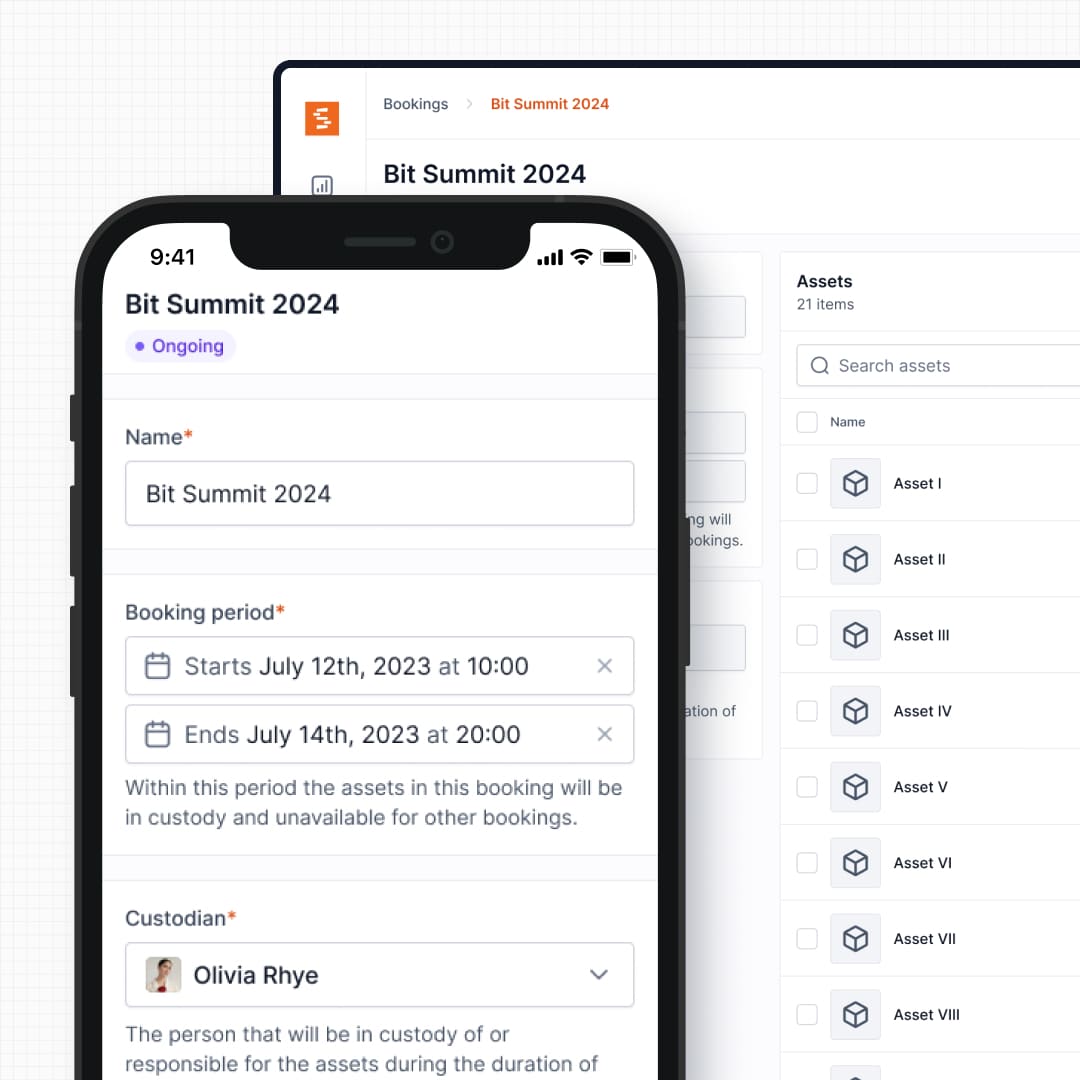
UpKeep schedules maintenance events: inspections, PM routines, sensor-triggered alerts. What it does not provide is a reservation system for shared equipment. If three production teams need the same camera package next week, UpKeep has no native way to manage that conflict.
Shelf's booking system handles exactly this: real-time availability calendars, automatic double-booking prevention, and multi-day reservation support. Film crews scheduling camera packages, universities managing student gear loans, and IT teams coordinating laptop pools all rely on booking-first workflows that UpKeep was never designed to support.
See: Bookings
4. Kit Tracking and Component Verification
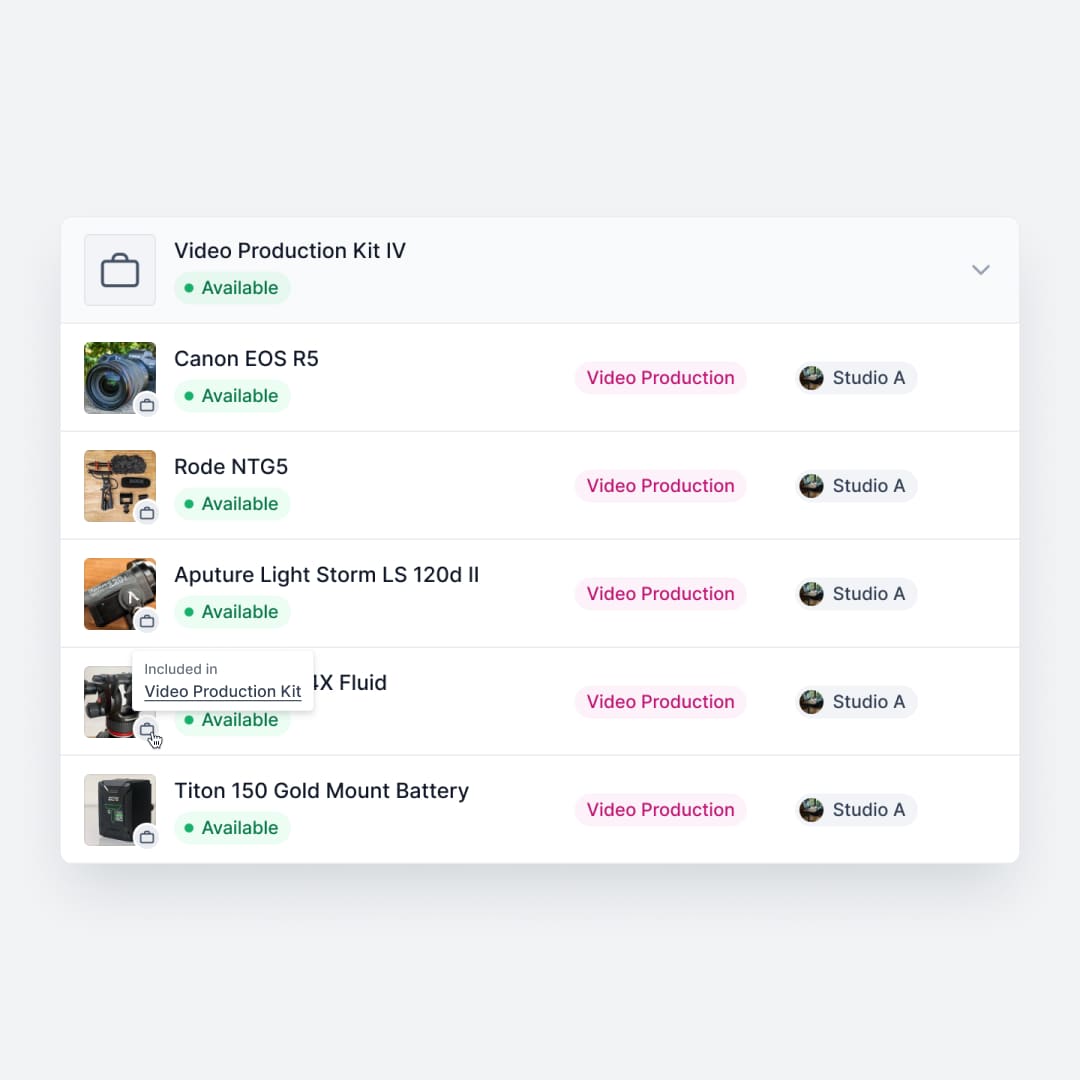
UpKeep tracks assets as individual records with maintenance histories. If you manage a video production kit with a camera body, three lenses, a wireless mic, batteries, and a tripod, those are six separate items in UpKeep with no inherent grouping for check-out purposes.
Shelf bundles related equipment into kits that are booked, checked out, and verified as a single unit. When a kit returns missing an SD card or a battery charger, Shelf flags the discrepancy before the next user picks it up. This prevents the slow bleed of accessories that plagues high-turnover shared equipment operations, something a maintenance-focused CMMS has no mechanism to address.
See: Kits
5. QR-First Simplicity vs CMMS Complexity
UpKeep reviewers consistently praise its mobile app and ease of use relative to legacy CMMS platforms. But even an accessible CMMS carries inherent complexity: work order categories, priority levels, technician assignments, parts logs, and compliance documentation. For teams that just need to track who has what, that structure becomes noise.
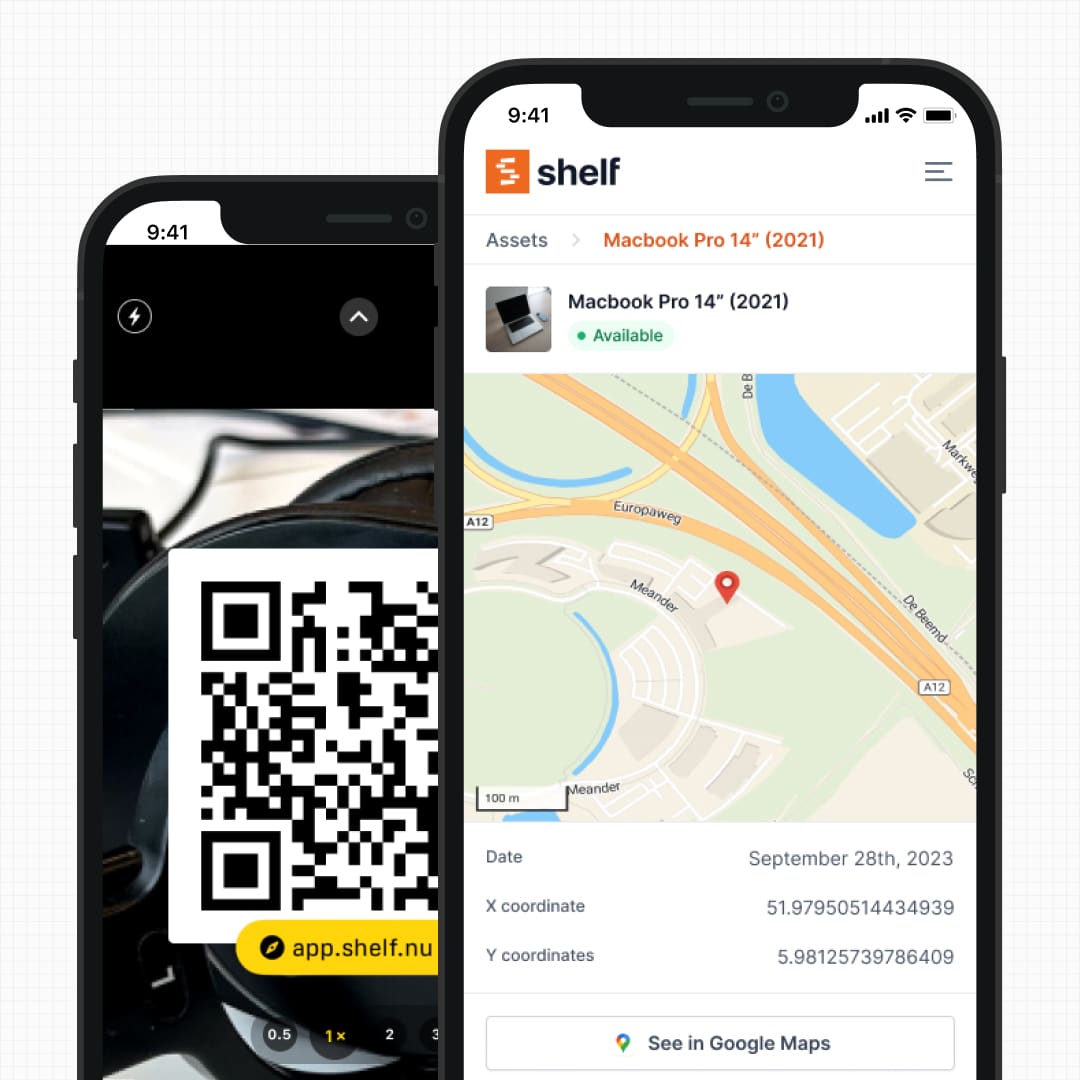
Shelf uses QR codes as the primary interface. Scan to check out, scan to return, scan to see the full custody history. Any smartphone becomes a scanner — in the browser, or via the free Shelf Companion app on iOS and Android. A student borrowing a laptop, a contractor picking up tools, or an event coordinator grabbing AV gear can complete the transaction in seconds without CMMS training.
See: Location Tracking
6. Multi-Department Workspaces
UpKeep organizes assets in a single inventory with role-based permissions. This works well for a dedicated maintenance department but becomes cumbersome when IT, facilities, media production, and education programs all need independent equipment management within the same organization.
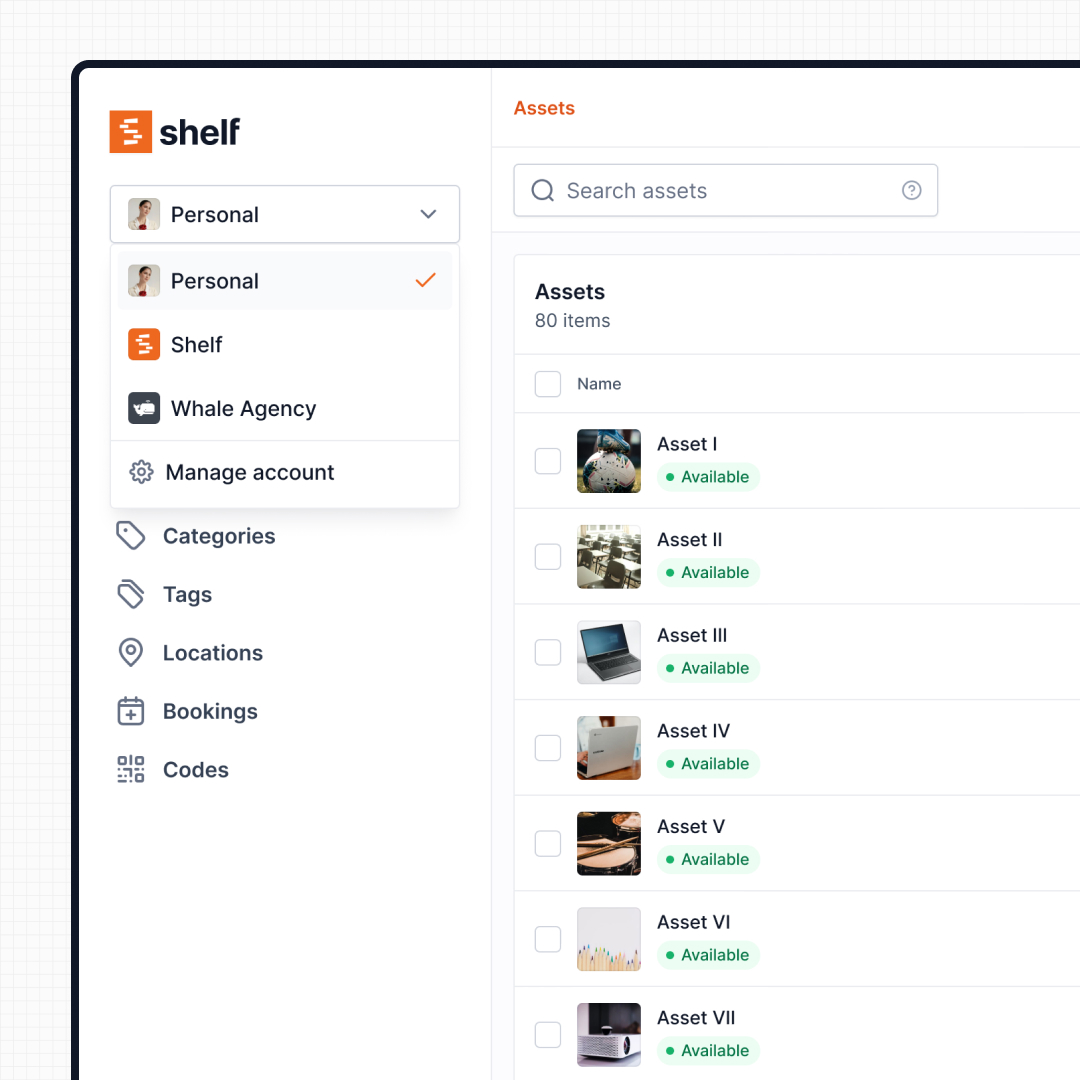
Shelf uses workspaces to separate inventories by department, program, or location. Each team manages their own equipment independently, while administrators retain organization-level visibility. No cross-department clutter, no permission matrix to maintain.
See: Workspaces
7. Open Source and Data Ownership
UpKeep is proprietary SaaS with no self-hosting option. Your asset data, maintenance records, and operational history live on UpKeep's infrastructure under their terms. If you leave, you export what they allow.
The Shelf platform is open source under AGPL-3.0. Teams can inspect the codebase, self-host on their own infrastructure, and extend functionality without waiting for vendor roadmap decisions. For organizations with data sovereignty requirements or IT policies that prohibit third-party-hosted operational data, this is a deciding factor rather than a nice-to-have.
When Teams Choose Shelf Instead of UpKeep
Teams choose Shelf over UpKeep when their daily operations center on equipment circulation rather than maintenance management:
- Equipment moves more than it breaks: The primary workflow is check-outs, returns, and transfers rather than repairs and inspections
- Per-user costs don't scale: UpKeep's pricing model becomes prohibitive when 30+ people need system access for basic equipment interactions
- Booking is the bottleneck: Scheduling shared gear is a daily challenge, not an occasional convenience
- Kits need to stay complete: Production, education, and field teams managing grouped equipment need component-level tracking on return
- Multiple departments share one platform: IT, facilities, and media teams need independent workspaces rather than a single CMMS inventory
- Non-technical users participate daily: Students, contractors, and field staff can scan a QR code without CMMS onboarding
- Open source matters: Data sovereignty, self-hosting capability, and codebase transparency are organizational requirements
When UpKeep May Be a Better Fit
UpKeep has genuine strengths that make it the right choice for specific operational profiles:
- Maintenance-driven operations: Manufacturing plants, food and beverage facilities, and property management companies with structured PM schedules, compliance requirements, and technician coordination will find UpKeep's work order engine far more capable than anything Shelf offers
- IoT sensor monitoring: If assets need 24/7 automated condition monitoring with sensor-triggered work orders (vibration, temperature, runtime hours), UpKeep's IoT integration addresses this directly
- Purchase-order automation and work-order-linked parts: Teams that need to automate purchase orders and associate parts consumption with specific work orders have a genuine need UpKeep serves. (Shelf does track consumables and spare parts by quantity with min-quantity low-stock email alerts — it simply doesn't automate reordering or tie parts to work orders.)
- Technician dispatch and labor tracking: Organizations with dedicated maintenance staff who need assignment routing, time logging, and wrench-time analytics benefit from UpKeep's technician-focused workflow
- Regulatory compliance documentation: Industries requiring auditable maintenance records for OSHA, FDA, or ISO compliance will find UpKeep's documentation and reporting more mature for that purpose
Both platforms manage assets, but they solve different operational problems. UpKeep excels when the question is "when does this asset need service and who will do the work?" Shelf excels when the question is "who has this equipment and when is it coming back?"
Case Studies
See how teams operate with equipment-first workflows:
- CES Utility Solutions — $70K Equipment Recovery
- ResQ Contact Center — 4,000+ Devices Across Multiple Sites
- HAARP — Research Equipment Accountability
- Fabel Film — Eliminating Double Bookings
Related Solutions
Quick comparison
| Feature | Shelf | UpKeep |
|---|---|---|
| Free plan with unlimited assets | Varies | |
| Open source & self-hostable | ||
| QR codes with custom branded labels | Varies | |
| Custody tracking with full audit trail | Varies | |
| Equipment bookings & reservations | Varies | |
| Kit-aware check-in/check-out | Varies | |
| Location hierarchy (up to 12 levels) | Varies | |
| CSV import from any tool | Varies | |
| Works on any device (PWA) | Varies | |
| No credit card to start | Varies |
Feature availability for UpKeep may vary by plan. We encourage you to verify on their website.
Compatibility Checker
Will your UpKeep Barcodes
Work with Shelf?
Camera preview
Supported barcode types: Code128, Code39, QR Code, DataMatrix, EAN-13, EAN-8, UPC-A, UPC-E, ITF, Code93.
If your barcode doesn't scan, it may be due to camera focus, lighting, or barcode quality. This doesn't necessarily mean your code isn't supported — try again or upload a clearer image.

Ready to switch from UpKeep?
Create a free account and import your data in minutes. No credit card required.
Also compare
Evaluating alternatives? See how Shelf stacks up against similar tools.



Ready to organize your assets?
Join thousands of teams who trust Shelf to manage their physical assets. Free forever, or try the Team plan free for 7 days.
Out in the field? Shelf Companion is free on iPhone & Android.