
Shelf vs Limble CMMS
Limble CMMS Alternative
Compare Limble CMMS and Shelf to understand how maintenance-focused CMMS differs from QR-first equipment tracking with bookings and custody workflows.
Limble is a cloud-based CMMS (Computerized Maintenance Management System) trusted by over 50,000 maintenance professionals at manufacturing plants, hospitals, hotels, and commercial facilities. It manages work orders, preventive maintenance scheduling, spare parts inventory, and equipment uptime — the full maintenance lifecycle.
But many teams searching for Limble are not maintenance teams. They are operations managers, IT departments, and media teams who need to track who has which equipment, where it is, and when it is due back. For those teams, a full CMMS adds complexity without solving their actual problem. Shelf is built specifically for that use case — equipment tracking, custody, and bookings — without the maintenance management overhead.
Overview: Limble vs Shelf
Limble and Shelf solve fundamentally different problems, even though both deal with physical assets.
Limble is a maintenance management system. Its core workflow revolves around work orders: a technician receives a request, diagnoses the issue, logs parts used, and closes the ticket. Preventive maintenance schedules trigger automatically based on time or meter readings. Asset tracking exists within Limble as a supporting function — you track assets so you can maintain them.
Shelf is an equipment operations platform. Its core workflow revolves around custody: someone checks out a piece of equipment, uses it, and returns it. Booking calendars prevent scheduling conflicts. QR codes make every transaction instant. You track assets so you know who has what, where it is, and whether it is available.
The distinction matters because the interfaces, pricing, and onboarding complexity are designed around these different workflows. Teams that primarily need custody and checkout workflows will find a CMMS adds unnecessary steps to simple operations.
Where Shelf Takes a Different Approach
1. Equipment Tracking Without CMMS Overhead
Limble's asset tracking is embedded within its maintenance management framework. To track an asset in Limble, you also adopt work order management, PM scheduling, spare parts tracking, and vendor management — whether you need them or not. Limble's Standard plan starts at $28 per user per month (annually) for these capabilities, and many of the advanced features like automations, detailed analytics, and API access are locked behind the $69/month Premium+ tier.
Shelf provides focused equipment tracking starting with a free tier. The Team plan at $67/month covers unlimited users with custody tracking, bookings, kits, and multi-location support. There is no work order system to configure, no spare parts module to ignore, and no maintenance scheduling to work around.
2. QR-First Check-In/Check-Out
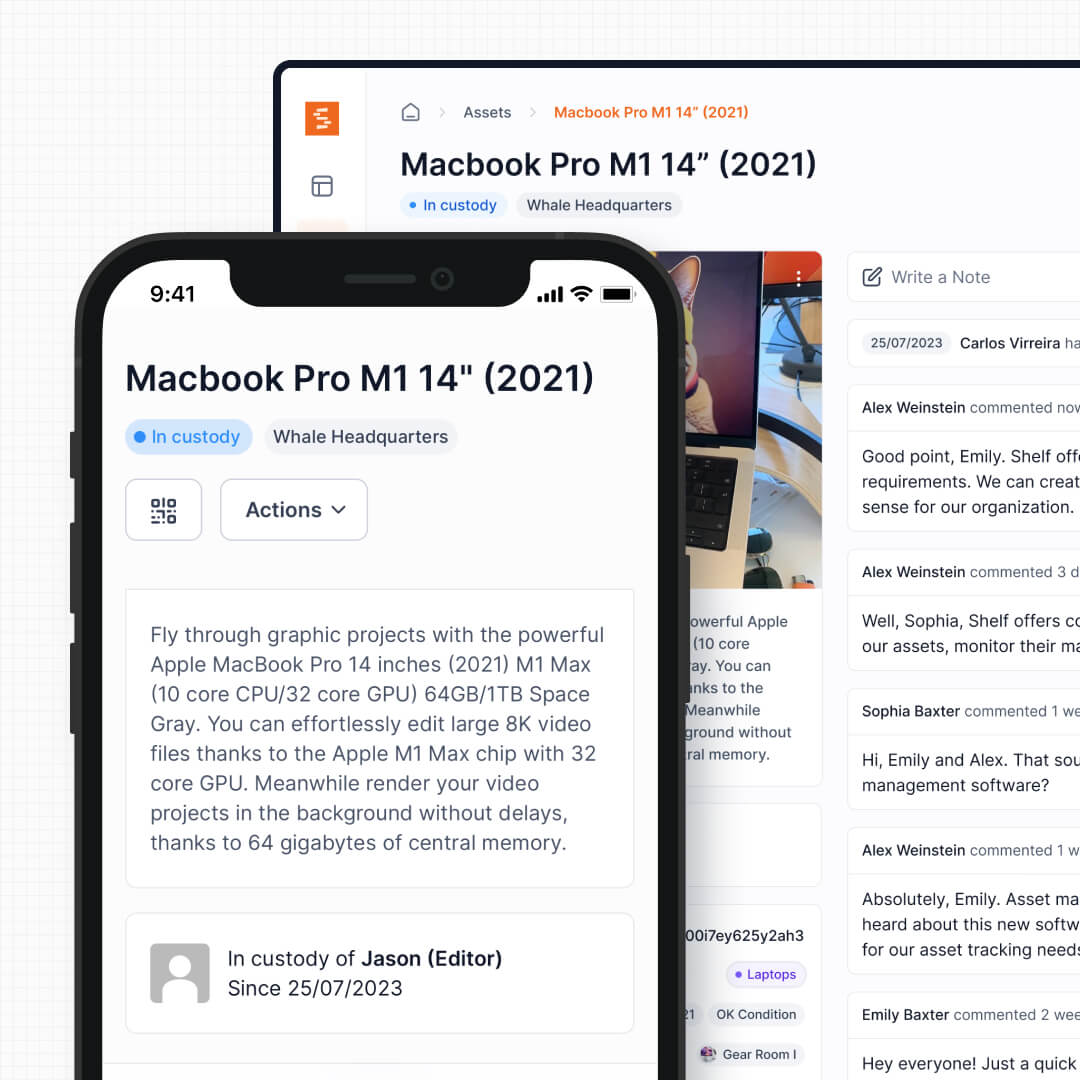
Shelf uses QR codes as the primary interface for every equipment interaction. Scan to check out, scan to return, scan to transfer custody — all in seconds, on any phone, with no app download required. The QR code is the entry point to the asset's full profile, history, and available actions.
Limble also supports QR codes for asset identification, but they function as lookup tools within the maintenance workflow rather than as operational triggers. Reviewers on Capterra have noted that Limble's QR code customization options are limited compared to what they need.
See: Custody
3. Built-In Booking Calendar for Shared Equipment
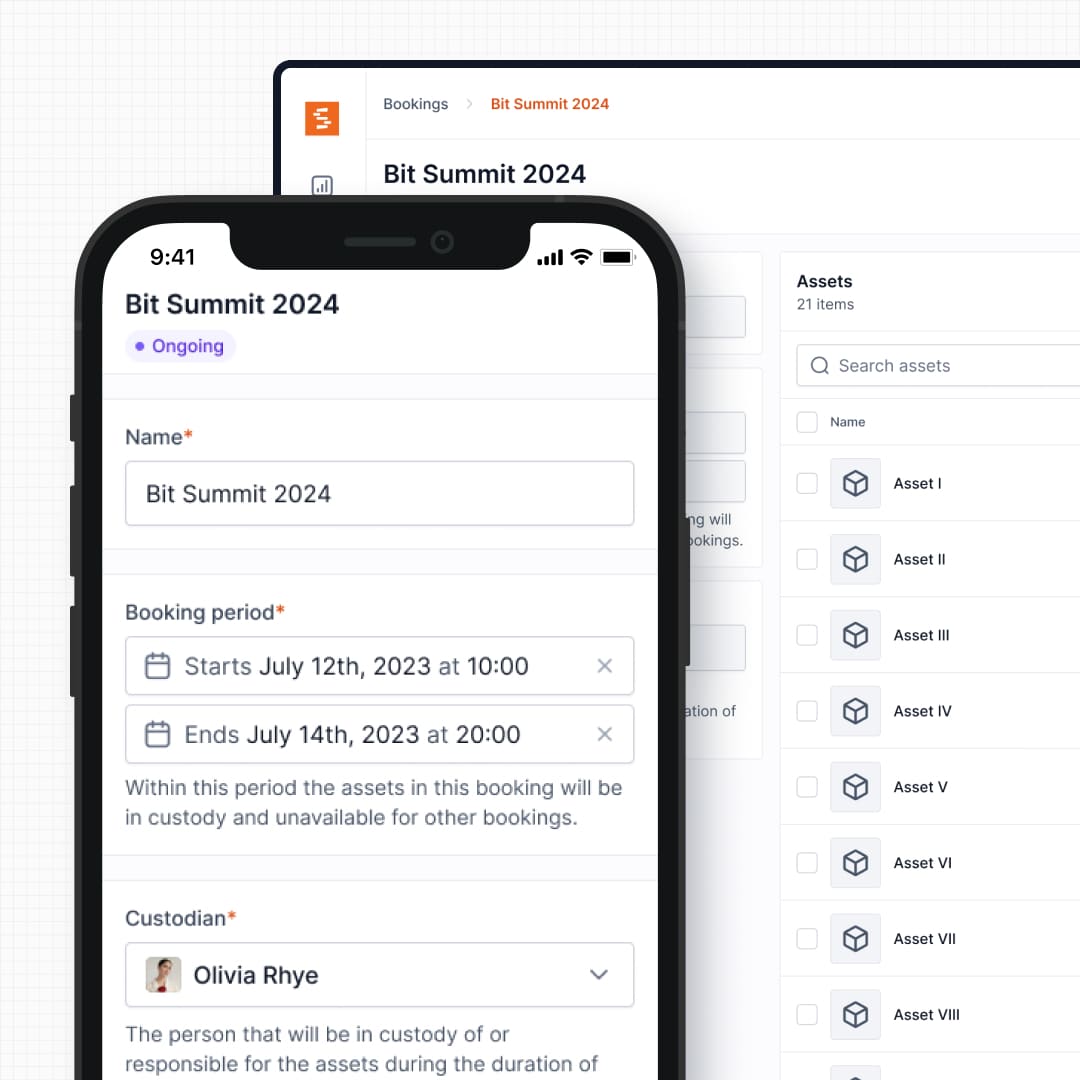
Shelf includes native equipment scheduling with conflict-free reservations. Users can browse available equipment, reserve items for specific dates, and receive confirmation — all self-service. The system prevents double-bookings automatically and shows real-time availability across the organization.
Limble does not include a dedicated equipment reservation system. Its scheduling capabilities are built around preventive maintenance tasks and work order timelines, not around shared equipment availability. Teams using Limble for equipment lending end up building workarounds or adding a separate booking tool alongside it.
See: Bookings
4. Kit Management with Component Tracking
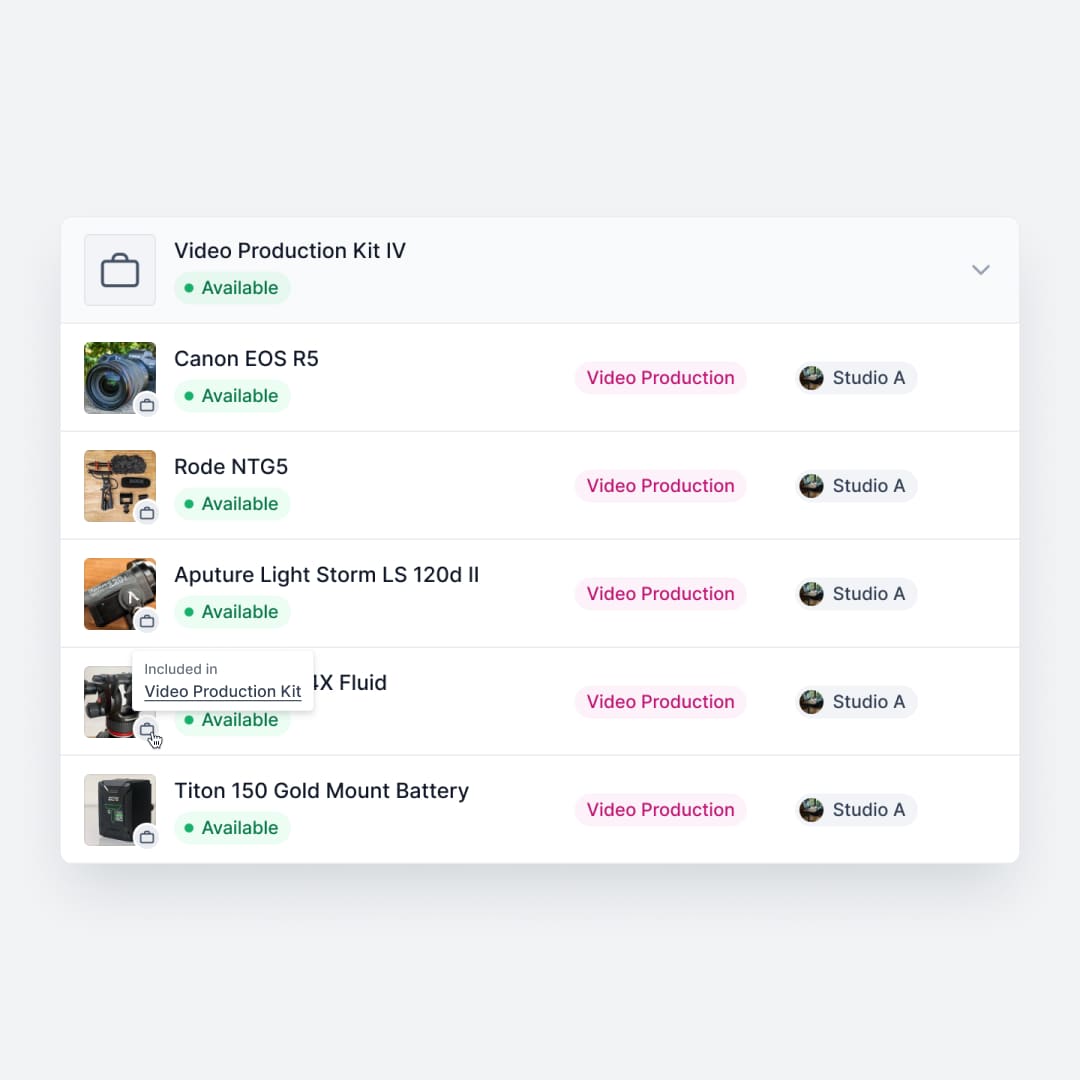
Shelf groups items that belong together — a camera with its lenses and batteries, a laptop with its charger and bag, an audio kit with microphones, cables, and a mixer. When a kit is checked out, every component moves as a unit. Return it, and Shelf flags what is missing.
Limble tracks individual assets and their hierarchical relationships (parent-child), but this is designed for maintenance dependency mapping — understanding which subcomponents affect a machine's uptime. It does not offer kit-level checkout workflows where grouped items move together as a single bookable unit.
See: Kits
5. Simpler Onboarding for Non-Technical Users
Limble is well-regarded for its ease of use compared to other CMMS platforms, but it is still a CMMS. Reviewer feedback on G2 and Capterra notes that initial setup can be complex — asset relationships need to be configured in a specific manner to fully utilize preventive maintenance features, and the system assumes familiarity with maintenance workflows.
Shelf is designed for organizations where the people checking equipment in and out are not maintenance technicians. Students borrowing AV gear, employees checking out laptops, field teams picking up tools — they scan a QR code and follow a guided flow. No training sessions, no CMMS terminology, no work order concepts to learn.
6. Multi-Team Workspaces
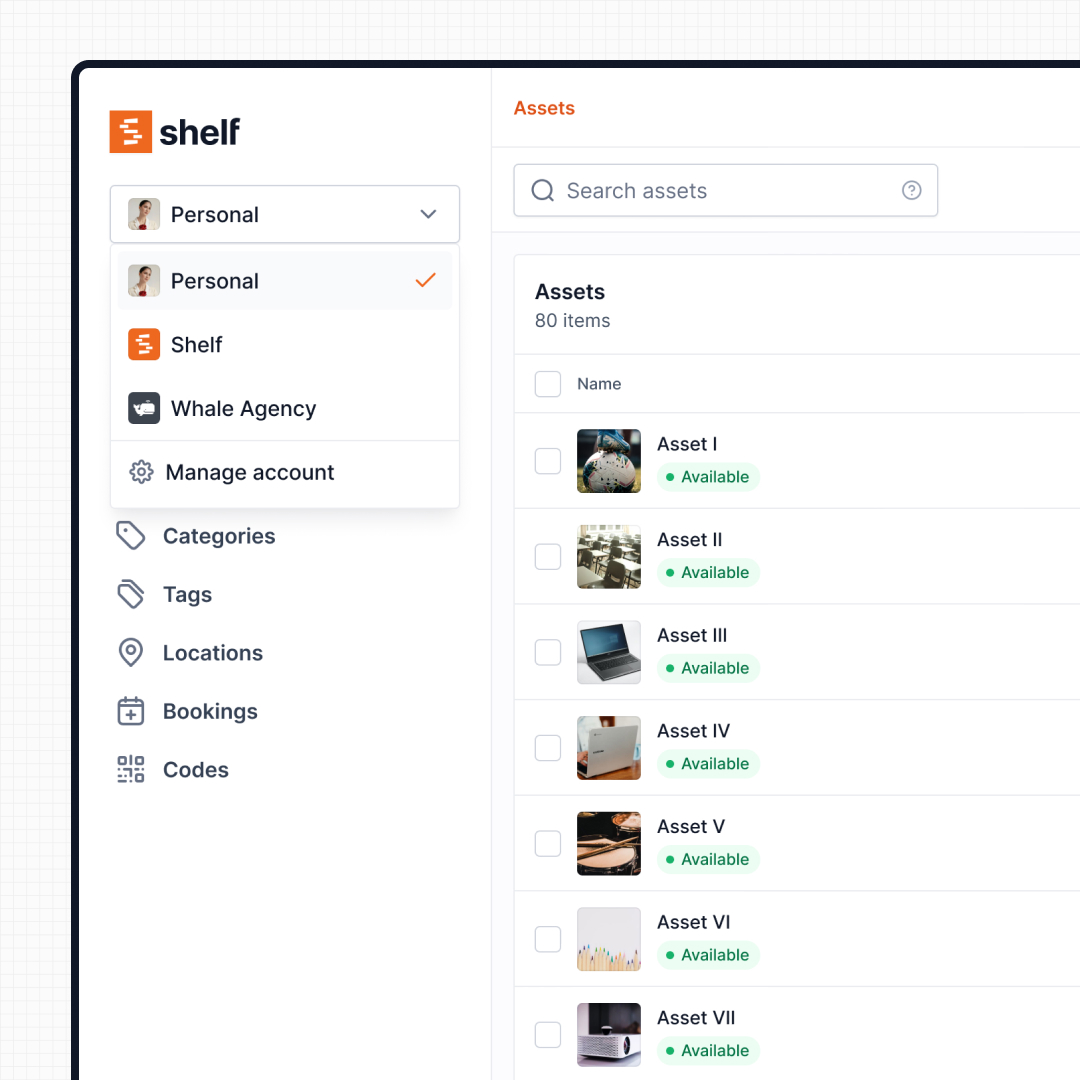
Shelf separates inventories by department, program, or location using workspaces. IT, media, facilities, and field teams can coexist in the same organization while each managing their own equipment pool independently — with their own categories, team members, and checkout workflows.
Limble supports multi-location setups, but its organizational model is structured around maintenance hierarchies (facilities, systems, components) rather than departmental equipment pools. Teams that share equipment across departments but need independent management benefit from Shelf's workspace model.
See: Workspaces
7. Open Source and Self-Hostable
Limble is closed-source commercial software with no self-hosting option. Shelf is open source under the AGPL license — the entire codebase is publicly available on GitHub, auditable, and community-driven. Organizations that require on-premise deployments for data sovereignty, need to pass security audits with code review, or want to avoid vendor lock-in can inspect and deploy every line of code themselves.
Pricing Comparison at a Glance
Limble's per-user pricing model can scale quickly for larger teams. The Standard plan at $28/user/month (annually) means a 20-person team pays $560/month before adding Premium+ features. Advanced automations, detailed analytics, and API access require the $69/user/month tier — $1,380/month for the same 20 users.
Shelf's Team plan is $67/month total (not per user) and includes custody tracking, bookings, kits, location tracking, and unlimited team members. For teams where many people need to check equipment in and out, the cost difference is significant. Shelf also offers a free Personal tier and a $34/month Plus plan for smaller operations.
Reports — Operational Visibility
Limble's reporting strength is maintenance KPIs — work-order completion, MTBF, and PM compliance — built around the CMMS data model. Shelf's Reports area covers a different surface: built-in operational reports for bookings, custody, asset utilization and audit completion (Booking Compliance, Top Booked Assets, Top Booked Kits, Monthly Booking Trends, Overdue Items, Asset Inventory, Asset Activity Summary, Asset Utilization, Idle Assets, Asset Distribution, Custody Snapshot, Audit Completion). Every report exports to CSV; chart-based reports also export to PDF.
When Teams Choose Shelf Instead of Limble
Teams typically choose Shelf over Limble when their core need is equipment operations rather than maintenance management:
- Operations teams tracking shared equipment: QR checkout workflows, booking calendars, and custody chains are the priority — not work orders or PM schedules
- Media and production teams: Equipment check-out and kit management drive daily operations, and staff need to reserve gear without learning a CMMS
- Education institutions: Students and faculty need simple self-service equipment checkout — a CMMS interface is overkill for borrowing a projector or camera kit
- IT departments managing devices: Laptop and peripheral tracking with custody trails, not maintenance scheduling and spare parts management
- Field service teams with mobile equipment: Knowing which technician has which tools and when they are coming back matters more than logging repair history
- Organizations wanting open-source transparency: Code visibility, self-hosting options, and no vendor lock-in
When Limble May Be a Better Fit
Limble is genuinely strong for teams whose primary challenge is keeping equipment running, not tracking who has it:
- Facility maintenance teams: Organizations whose core need is work order management, PM scheduling, and compliance tracking for building systems like HVAC, plumbing, and electrical
- Manufacturing operations: Teams focused on equipment uptime, mean-time-to-repair metrics, and spare parts inventory management for production lines
- Regulated industries requiring maintenance documentation: When audit trails for maintenance procedures are legally required — healthcare facilities, food processing plants, or pharmaceutical manufacturing
- Teams that need IoT and sensor integration: Limble integrates with ERP systems and IoT sensors for condition-based maintenance monitoring, which Shelf does not offer
Both tools serve legitimate but different operational needs. If your primary question is "is this machine running correctly?" Limble is the right tool. If your primary question is "who has this equipment and when is it coming back?" Shelf is built for that.
Case Studies
See how teams use Shelf for equipment operations:
- CES Utility Solutions — $70K Equipment Recovery
- ResQ Contact Center — 4,000+ Devices Across Multiple Sites
- HAARP — Research Equipment Accountability
- Eastern Michigan University — Theatre Equipment Management
Related Solutions
Quick comparison
| Feature | Shelf | Limble CMMS |
|---|---|---|
| Free plan with unlimited assets | Varies | |
| Open source & self-hostable | ||
| QR codes with custom branded labels | Varies | |
| Custody tracking with full audit trail | Varies | |
| Equipment bookings & reservations | Varies | |
| Kit-aware check-in/check-out | Varies | |
| Location hierarchy (up to 12 levels) | Varies | |
| CSV import from any tool | Varies | |
| Works on any device (PWA) | Varies | |
| No credit card to start | Varies |
Feature availability for Limble CMMS may vary by plan. We encourage you to verify on their website.
Compatibility Checker
Will your Limble CMMS Barcodes
Work with Shelf?
Camera preview
Supported barcode types: Code128, Code39, QR Code, DataMatrix, EAN-13, EAN-8, UPC-A, UPC-E, ITF, Code93.
If your barcode doesn't scan, it may be due to camera focus, lighting, or barcode quality. This doesn't necessarily mean your code isn't supported — try again or upload a clearer image.

Ready to switch from Limble CMMS?
Create a free account and import your data in minutes. No credit card required.
Also compare
Evaluating alternatives? See how Shelf stacks up against similar tools.




Ready to organize your assets?
Join thousands of teams who trust Shelf to manage their physical assets. Free forever, or try the Team plan free for 7 days.
Out in the field? Shelf Companion is free on iPhone & Android.