
Asset Reminders
Set a dated reminder on any asset and Shelf emails the people you name when the date arrives. For inspections, calibrations, warranty dates and anything else with a deadline.
Trusted by innovative teams
































































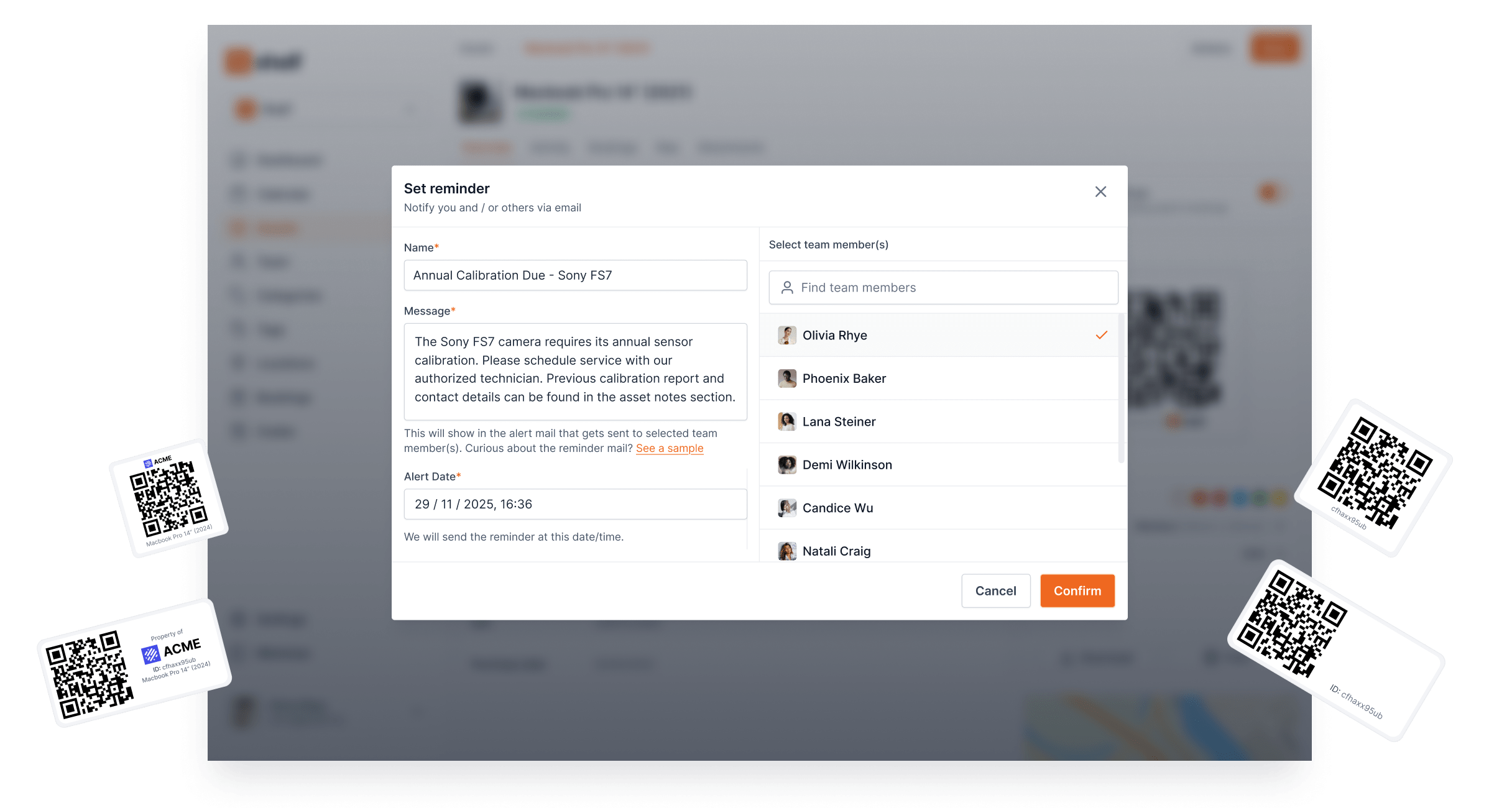
A reminder is a date on an asset with a message and a list of people. When the date arrives, Shelf emails those people and writes a note on the asset. A reminder can fire once or repeat on a schedule. It covers a lot: inspections, calibrations, warranty ends, licence renewals, "decide whether to retire this".
What Reminders Solve
Dates that live in a spreadsheet, a calendar or someone's head slip. A reminder lives on the asset it is about, so:
- Nothing is forgotten: the inspection date is attached to the thing being inspected.
- The right people hear: each reminder names its own recipients, so the lab manager gets the calibration reminders and the IT lead gets the warranty ones.
- There is a record: every reminder that fires leaves a note on the asset's timeline.
How Reminders Work in Shelf
Set on the asset
Open an asset, choose Actions > Set Reminder, give it a name, a message, a date and time, and pick the team members who should receive it. Any team member with a Shelf login can be chosen, and one asset can carry as many reminders as you need.
Emailed when the date arrives
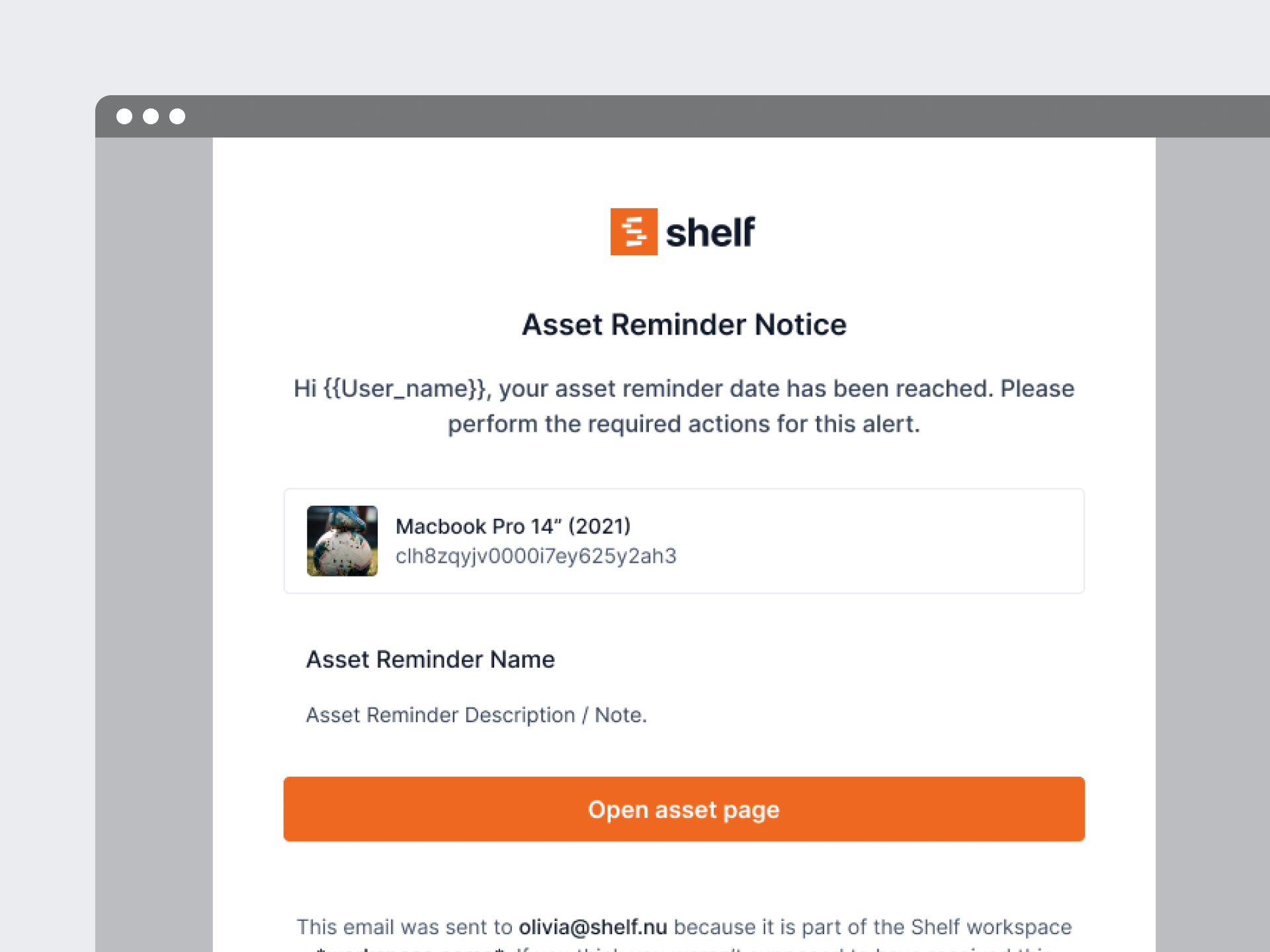
At the chosen date and time Shelf sends one email to each person on the reminder, with the asset, your message and a link to it. If a recipient has since left the workspace, their email goes to the workspace owner instead, so no reminder is lost. On the Plus, Team and Enterprise plans, recipients who use the Shelf Companion app also get a push notification that opens the asset. Archiving an asset pauses its reminders: no email is sent while it stays archived.
Seen before they fire
Upcoming reminders show in three places: the Upcoming reminders card on the Home page, the asset's own overview, and the Reminders page in the sidebar, which lists every reminder in the workspace with its status: Pending, Sent, or Paused for reminders on an archived asset. Pending reminders can be edited. A one-time reminder that has been sent can only be deleted; a repeating one stays editable for as long as it runs.
Repeating reminders
On the Plus and Team plans a reminder can repeat: daily, weekly, every 2 weeks, monthly, every 3 months, every 6 months or yearly, at the same time of day. Add an end date if the series should stop, or leave it open until you delete it. A yearly calibration or a quarterly safety check becomes one reminder instead of one per occurrence.
Each email says when the next one is due, and each occurrence leaves its own note on the asset. Monthly and longer cadences keep the same day of the month. A series set on the 29th to 31st moves to the last day of a shorter month and stays on that earlier day from then on, so the 1st to the 28th are the safe choice. An archived asset's series keeps its schedule but sends nothing until the asset is reinstated. The free Personal plan has one-time reminders only.
What a reminder is not, yet
Reminders are set by hand. They are not driven by a date custom field such as Warranty expiry or Next calibration: if you store those dates on your assets, you set the reminder yourself, 30 or 90 days ahead, as you prefer. Field-driven reminders are on our list, but not built. Return dates for borrowed equipment are handled by Bookings, which send their own reminders.
Benefits
- Deadlines attached to the asset, not to a person's memory
- Named recipients per reminder, so each team hears only about its own gear
- An audit trail, since every fired reminder becomes a note on the asset
- Repeating schedules for checks that come back every month, quarter or year (Plus and Team)
- Workspace-wide overview on the Reminders page and the Home card
Related Features
Ready to organize your assets?
Join thousands of teams who trust Shelf to manage their physical assets. Free forever, or try the Team plan free for 7 days.
Out in the field? Shelf Companion is free on iPhone & Android.