

New Feature Update: Streamlined Bookings and Calendar Integration


we've added an "Add to Calendar" button to the booking page for past bookings. This generates an ICS (Internet Calendar Subscription) file containing essential information about the booking, along with a link to the booking page. Now, you can easily add your bookings to your preferred calendar app or platform, keeping track of your schedule a breeze.
Small improvement to Bookings Area
At Shelf, we're always striving to make your equipment management experience more seamless and efficient. Today, we're excited to announce a couple of improvements to our bookings feature that will save you time and simplify your workflow.
First up, we've added an "Add to Calendar" button to the booking page for past bookings. This generates an ICS (Internet Calendar Subscription) file containing essential information about the booking, along with a link to the booking page. Now, you can easily add your bookings to your preferred calendar app or platform, keeping track of your schedule a breeze.
Take a look at how it works:
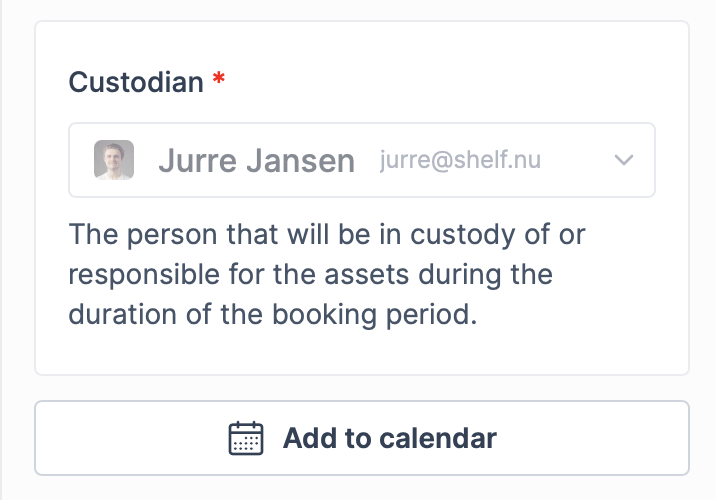
After a booking has crossed a 'draft' status, you can see an 'add to calendar' button on the page
Further adjustments to bookings
Next, we've refined the starting time default setting for quick bookings. We understand that sometimes you need to reserve equipment quickly, without having to worry about adjusting dates and times. With this update, when you select a start time, we'll automatically set it to the current date and time, plus 10 minutes. All you need to do is enter an end time, assign a custodian, and add assets before clicking "Reserve." It's that simple!
And don't forget, the generated calendar file can be shared with others, allowing them to easily add the booking to their calendars as well.
These changes aim to streamline your booking experience, saving you valuable time and effort while ensuring you stay organized and on top of your equipment reservations. As always, we're committed to continually improving Shelf to meet your needs and enhance your user experience.
Stay tuned for more exciting updates and features coming soon!
Ready to organize your assets?
Join thousands of teams who trust Shelf to manage their physical assets. Free forever, or try the Team plan free for 7 days.
Out in the field? Shelf Companion is free on iPhone & Android.
More from the blog

Take Control of Your Booking Notifications
Shelf now lets workspace admins configure exactly who receives booking email notifications — at both the workspace level and per booking. Reduce noise, add coverage, and keep the right people informed.

How We Used to Think About Native Apps — and What Changed
In 2024 we wrote a post explaining why Shelf didn't have native apps. In 2026 we shipped one. Here's the honest story of what changed our mind, what stayed true, and what we'd say differently today.

Industry-Specific CSV Import Examples
One of the most powerful features of Shelf is its ability to import existing asset data via CSV files. To help you get started, we've created a set of industry-specific CSV templates that you can use as a starting point for your own asset management journey.