

Asset Register Template (Excel) and Equipment Inventory List

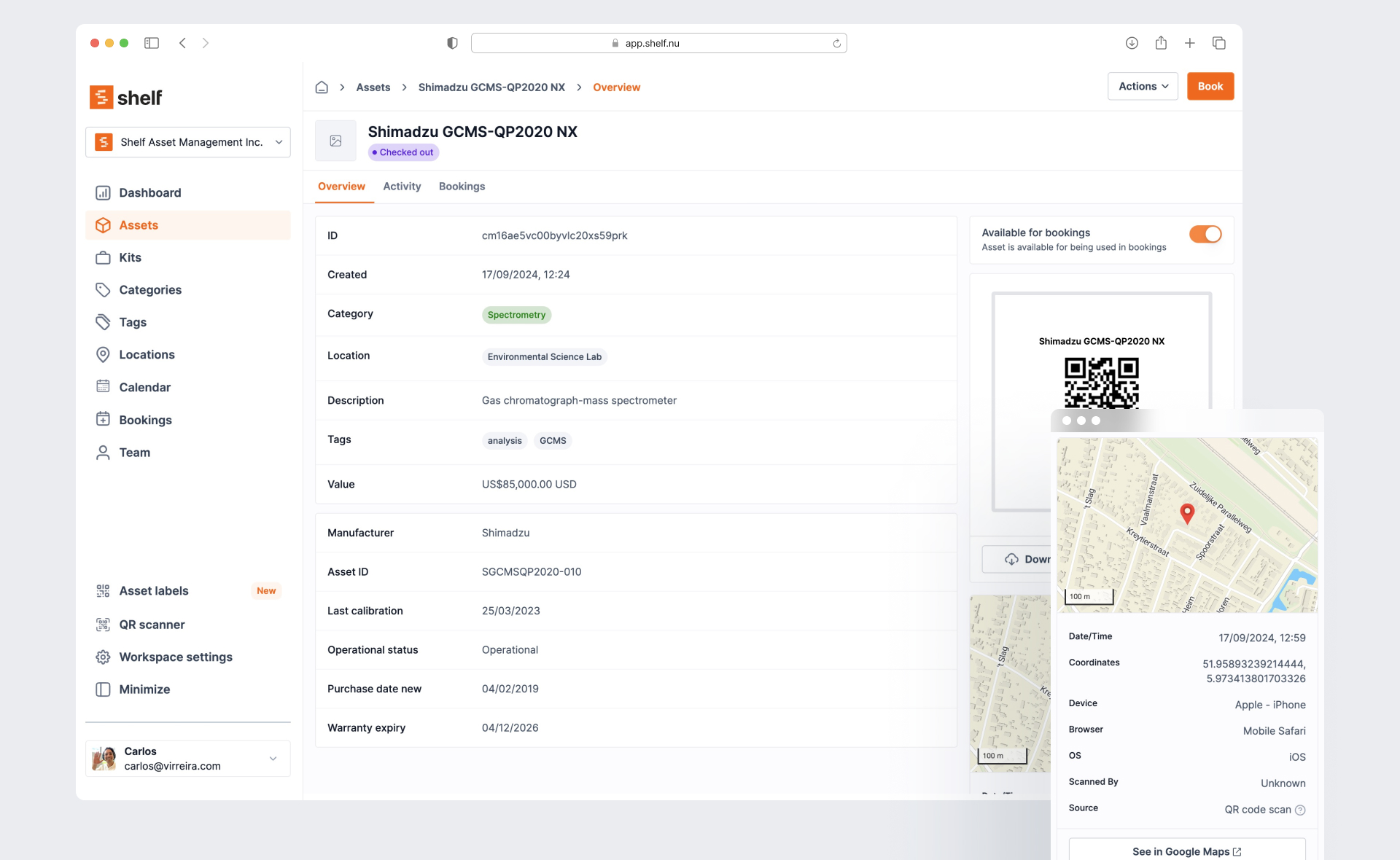
Short answer: an asset register is one row per asset you own, with an ID, a description, where it is, who has it, what it cost, when you bought it and what it is worth now. Download ours free, no email needed:
- Fixed asset register, Excel (.xlsx): 16 columns, straight-line depreciation and net book value formulas, 5 example rows and a short how-to.
- Equipment inventory list, Excel (.xlsx): the operations list, with column headers that Shelf can import, 8 example rows and import steps.
- Equipment inventory list (.csv): the same list, ready to upload.
The .xlsx files use plain formulas that work in Excel and Google Sheets. Copy them, change them and share them.
What an asset register must contain, and why
Each column is there because someone will ask for it.
| Column | What goes in it | Who needs it |
|---|---|---|
| Asset ID | A unique number, also printed on the item's label | Everyone. It ties the row to the physical item |
| Description | Make, model and type: "Laptop, Dell Latitude 5440" | Auditors and insurers |
| Category | Laptops, Cameras, Tools, AV, Vehicles | Finance, for grouping and useful life |
| Location | The room, site or vehicle it lives in | Auditors doing a physical count |
| Custodian | The one person responsible for it | Operations, when it goes missing |
| Serial number | The maker's serial | Insurers, warranty claims and police reports |
| Supplier | Who sold it | Warranty and replacement orders |
| Purchase date | The date you took ownership | Depreciation and warranty dates |
| Cost | What you paid, including delivery and setup | Depreciation and insurance value |
| Useful life (years) | How long you expect to use it | Depreciation and replacement planning |
| Depreciation and net book value | Calculated by the template | Finance, insurance and disposal decisions |
| Disposal date | When it was sold, scrapped or lost | Auditors, so the asset leaves the books |
The register serves four jobs.
Audit. An auditor picks rows and asks to see the items, then picks items and looks for their rows. Both checks need an Asset ID on the label and a Location in the row.
Insurance. After a fire or a break-in, the claim needs a list of what was there, with serial numbers and costs. A register written before the loss beats a list written from memory after it.
Depreciation. Your accounts spread the cost of an asset over its useful life. The register holds the three numbers that calculation needs: cost, purchase date and useful life.
Replacement planning. Add Useful life to Purchase date and you have each asset's replacement year.
Fixed asset register vs equipment inventory list: two jobs, two sheets
The two terms get mixed up. They answer different questions.
| Fixed asset register | Equipment inventory list | |
|---|---|---|
| Question it answers | What do we own, and what is it worth? | Where is each item, and who has it? |
| Owner | Finance or the accountant | Operations, IT or the equipment manager |
| Key columns | Cost, purchase date, useful life, depreciation, net book value | Location, custodian, category, tags |
| What goes in | Items above your capitalisation threshold | Everything you lend, move or need to find |
| How often it changes | When you buy or dispose of something | Every day items move |
A cheap drill may never reach the fixed asset register, because it is expensed in the year you buy it. It still belongs on the inventory list, because it still walks off.
So we made two files. The inventory list's headers match Shelf's import, so it can move into software later without retyping.
How to fill in a register in a day
Aim for a complete first pass, not a perfect one. Plan one working day for a few hundred items.
- Pick the scope. Ask your accountant for the capitalisation threshold, the cost above which an item goes on the fixed asset register. Everything below it goes on the inventory list only.
- Pull the purchase records. Export the last few years of invoices for equipment from your accounting system or card statements. These give you Cost, Supplier and Purchase date.
- Delete the example rows. Both templates ship with grey rows marked EXAMPLE. Remove them first.
- Walk the building, room by room. Write one row per item: Description, Serial number, Location, and the person who uses it as Custodian.
- Number and label each item. Give it the next Asset ID (LAP-0001, CAM-0001) and stick a label on it. A label with a QR code lets anyone with a phone find the row later.
- Match rows to invoices. Back at the desk, fill Cost, Supplier and Purchase date from the records in step 2. No invoice? Write "cost estimated" in Notes and ask your accountant.
- Fill Useful life. Use the lives your accountant already uses for each category. Leave the three formula columns alone. They fill themselves.
- Mark what is gone. Anything on an invoice that you did not find in the walk gets a Disposal date or a note. Do not delete the row. Missing items are exactly what an audit asks about.
How straight-line depreciation works in the template
Straight-line depreciation charges the same amount every year of the asset's useful life. The IRS describes it as deducting "the same amount of depreciation each year over the useful life of the property" (Publication 946).
The template uses three formulas:
- Annual depreciation = Cost / Useful life.
- Accumulated depreciation = Annual depreciation x days owned / 365, counted to today, or to the Disposal date if there is one. It never goes above Cost.
- Net book value = Cost - Accumulated depreciation.
The template assumes zero salvage value. If you expect to sell an asset at the end of its life, subtract that amount from Cost in the Annual depreciation formula. Our salvage value calculator helps you estimate it.
Worked example. The second example row is a camera body, CAM-0001, bought on 5 October 2024 for 2,500 with a useful life of 5 years.
- Annual depreciation: 2,500 / 5 = 500.
- Days owned on 5 October 2026: 730.
- Accumulated depreciation: 500 x 730 / 365 = 1,000.
- Net book value: 2,500 - 1,000 = 1,500.
On a later date the last two numbers move, because the formula counts to today. The disposed laptop in row 6 shows the cap: it cost 2,400, its useful life ran out before its disposal date, so accumulated depreciation stops at 2,400 and net book value is 0.
Straight-line is common for a small organisation's own books. US tax returns usually need MACRS instead. Our MACRS depreciation calculator does that schedule, and the equipment depreciation calculator compares straight-line with three accelerated methods. Your accountant decides which method goes in the books.
When the spreadsheet stops working
A register in a spreadsheet is a good system for a small, stable set of assets. These are the points where it starts to cost you time.
Several people edit it. Changes collide, or the file sits behind one shared login and you cannot tell who moved an item.
Items go out and come back. A register says where an item lives. It does not say that the projector is at the client site until Thursday. For that you need a sign-out log next to it (see our equipment sign-out sheet), and the two drift apart.
You need photos. "Scratched screen" in a Notes cell is a claim. A dated photo on the item's record is evidence. Nobody pastes photos into row 214 of a spreadsheet.
Audits mean a physical count. On a spreadsheet, an audit is a printout, a pen and an afternoon of retyping.
If three of these are true, you will spend more time keeping the file right than using it.
The import path into Shelf
Shelf is asset tracking software for the equipment a team uses.
1. Fill the inventory list. Keep row 1 exactly as it is. The headers are title, description, category, tags, location, custodian and valuation, as Shelf's CSV import guide lists them. Only title is required. Shelf refuses a file with an unknown header, so add extra columns only in the custom field format the guide describes.
2. Import it. Save the sheet as CSV and upload it in Shelf under Assets, then Import. Shelf creates each item with its own QR code, and creates any category, location or tag that does not exist yet. A custodian name that is not yet a team member is added as one. One file holds up to 1,000 items. CSV import is on the Plus, Team and Enterprise plans. On the Free plan you add items one at a time.
3. Track custody. Custody records which person holds each item, with a timestamped history on the item's page. Custody is on every Shelf plan, including Free.
4. Book and check out. Bookings let people reserve items for a date range, with check-out and check-in by scan. Bookings are on the Team plan, which has unlimited users, so each person signs in with their own account. Staff scan labels with a phone browser or with Shelf Companion, the free app for iPhone and Android.
5. Count with audits. Audits, a paid add-on on the Team plan, let someone scan a location or a selection of items with a phone. Shelf flags what was found, what is missing and what showed up unexpectedly, and the count matches the records the moment it ends.
What Shelf does not do. Shelf stores each item's value, but it does not calculate depreciation. Keep the fixed asset register for the books, and use the Asset ID to link a row in the register to the item in Shelf.
Frequently asked questions
How do I create an asset register?
Set the scope with your accountant's capitalisation threshold. Walk each room and write one row per item, with an Asset ID and a label. Then fill cost, purchase date and useful life from the invoices. The fixed asset register template has the columns and formulas ready.
What should be in an asset register?
At minimum: a unique asset ID, description, category, location, custodian, serial number, supplier, purchase date and cost. A fixed asset register adds useful life, depreciation, net book value and a disposal date.
What is the format of an asset register in Excel?
One sheet, one row per asset, one column per field, and a frozen header row. Put formulas only in the calculated columns, and keep dates in one format (YYYY-MM-DD sorts correctly everywhere). In Google Sheets, choose File, then Import, to open our template with the formulas intact.
What is the difference between a fixed asset register and an asset list?
A fixed asset register is a finance record: cost and depreciation for items above a capitalisation threshold. An asset list, or equipment inventory list, is an operations record: location and custodian for everything you need to find, cheap items included. Most teams need both.
Can I import this into Shelf?
Yes, the equipment inventory list. Its headers match Shelf's CSV import exactly. Save it as CSV and upload it under Assets, then Import, on the Plus, Team or Enterprise plan. The fixed asset register is not an import file: its finance columns, such as depreciation, have no Shelf column. The CSV import guide lists every column Shelf accepts, including custom fields for extras such as serial number or purchase date.
Sources
- IRS, Publication 946: How To Depreciate Property, for the straight-line method and MACRS.
- Shelf, Importing assets to Shelf: CSV guide, for the import headers and the 1,000-row limit.
Ready to organize your assets?
Join thousands of teams who trust Shelf to manage their physical assets. Free forever, or try the Team plan free for 7 days.
Out in the field? Shelf Companion is free on iPhone & Android.
More from the blog
Asset Panda Pricing in 2026: Plans, Minimums and What It Really Costs
Asset Panda no longer lists prices on its website. Here is every figure we could source and date: its last public price list, third-party reports, seat minimums, extra users, onboarding, and worked totals for three real team shapes.

Asset Tags: Types, Materials, Numbering and Placement
What an asset tag is and what it must carry, tag types and materials compared, a numbering format with check digits, where to put tags on laptops, cameras, tripods, tools, chairs and vehicles, and what government property tags require.
AssetTiger Pricing in 2026: Is It Still Free?
AssetTiger dropped its free plan in 2026. Here is what each plan costs today, what the 30-day trial includes, what the pricing page said before, and worked totals for three real team sizes, with every figure sourced and dated.