

Calibration Tracking
Keep a calibration register — track due dates, intervals, certificate numbers, and providers, get a reminder before each instrument expires, and filter or export what's due. Open source, free to start.
Trusted by innovative teams






























































Calibration Tracking
For teams that measure for a living, an out-of-calibration instrument is worse than no instrument — the readings can't be trusted, and the work may have to be redone. Calibration tracking is how you keep one clear register of every instrument: what it is, when it's due, and whether it's in date before it leaves the shelf.
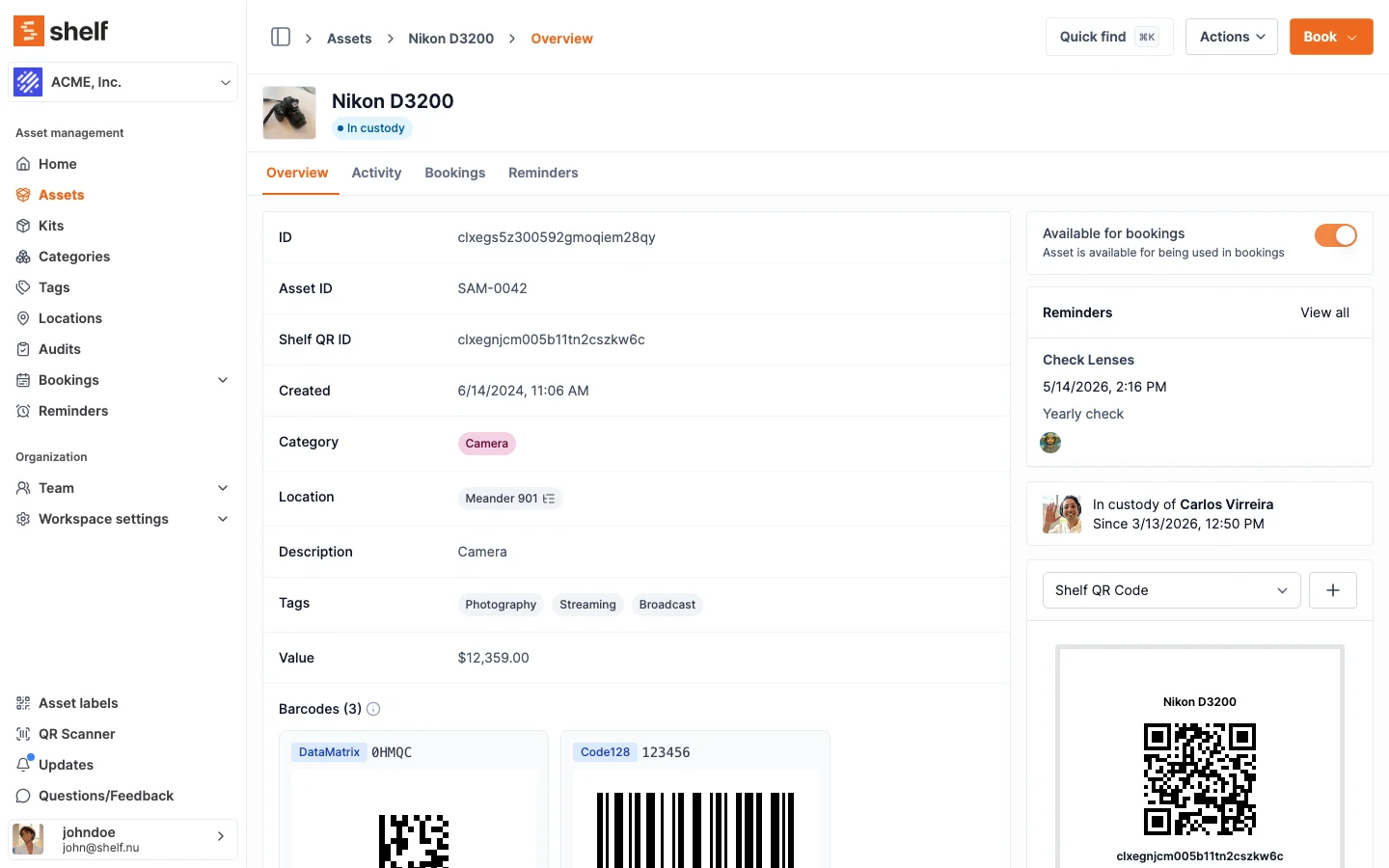
Shelf gives you that register using Custom Fields, Asset Reminders, and an automatic change log. Record each instrument's calibration due date, interval, certificate number, and provider; set a reminder before it expires; and filter or export everything that's coming due. It is a lightweight calibration register — not a metrology suite, and not full calibration management software. It does not store certificate PDFs, keep a multi-event calibration history, generate certificates, or manage measurement uncertainty. If you need those, see the honest comparison below.
When a Calibration Register Is Enough (and When It Isn't)
Dedicated calibration/metrology platforms are built for labs that perform calibrations — managing measurement uncertainty, standards traceability, pass/fail results, and certificate generation. They're powerful, complex, and priced for that job.
Many teams that use calibrated instruments don't need all of that. They need to answer simpler questions:
- Which sound level meters are due for calibration this month?
- Is this instrument in date before I send it to a client site?
- What's the certificate number and provider for the unit we used on that job?
- Who needs reminding that the dosimeter is due soon?
If that's your need, Shelf covers it. If you must store every certificate PDF, keep a full history of past calibrations per instrument, or record measurement uncertainty, you'll want dedicated calibration software — be honest with yourself about which you are.
How Shelf Handles Calibration Tracking
Custom Fields — Your Calibration Register
Custom Fields turn every instrument into a register entry. Add the fields your workflow needs:
- Last Calibration Date (date)
- Calibration Due Date (date)
- Calibration Interval (text or number — e.g. "12 months")
- Calibration Certificate Number (text)
- Certificate Link (text — paste a URL to the PDF stored in your drive)
- Calibration Provider / Lab (text)
- Calibration Status (option: In Date / Due Soon / Overdue)
Fields are searchable and filterable, so you can pull every instrument due in the next 30 days, or export the whole calibration register to CSV for an audit. Custom fields hold the current values for each instrument — Shelf stores a cert number and link, not the certificate file itself.
See: Custom Field Types
Reminders — A Heads-Up Before Each Due Date
Asset Reminders email the team members you choose ahead of an instrument's calibration due date, so it doesn't quietly slip out of date. Each reminder is set for a specific date. When an instrument is recalibrated, update its dates and set the reminder for the next due date — a quick step that keeps the register current.
Heads-up: Reminders are set per due date, not auto-recurring — you set the next one after each calibration. Automatic recurring reminders are on our roadmap.
See: Asset Reminders
Booking + Custody — See Status Before an Instrument Goes Out
Because calibration status lives on the asset, your team can see whether an instrument is in date before reserving or checking it out. Bookings let staff reserve a unit for a job, and custody records who took which instrument and when. (Shelf shows the status — it doesn't automatically block an out-of-date instrument from being booked.)
Change Log — A Timestamped Trail
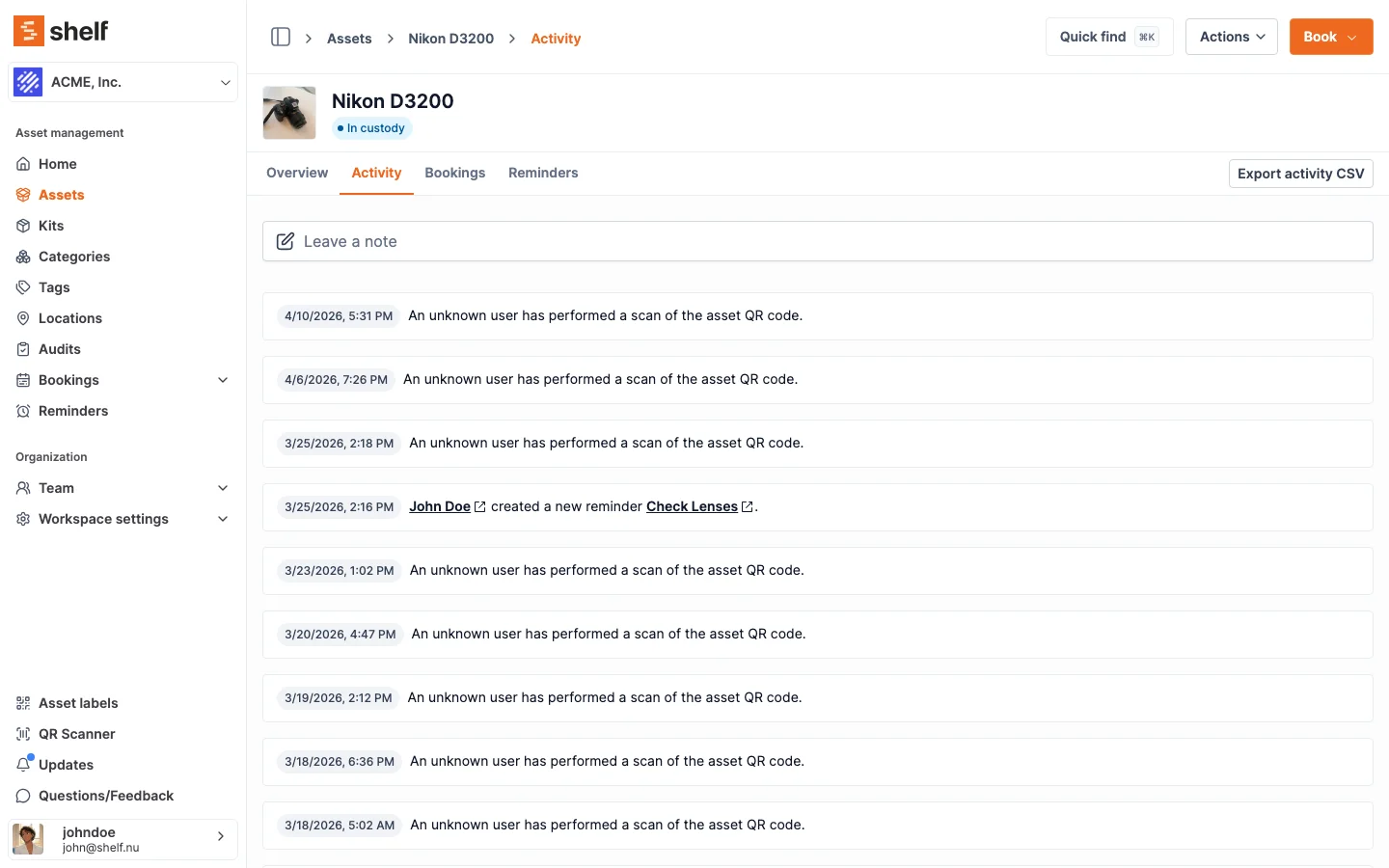
Every custody change, location update, and field edit is logged automatically with a timestamp and the person who made it. That gives you a trail of when calibration fields were last updated — useful for audits and handovers. It's a change log on the asset, not a structured multi-record calibration history.
Multi-Location Visibility
For teams with instruments spread across several offices, location tracking shows the register by site. Filter to see which instruments at each office are due, or view the whole organization to plan calibration runs.
See: Multi-Location Asset Tracking
What Shelf Does — and Doesn't — Do
Be clear-eyed about the fit. Shelf is honest about where dedicated calibration software is the better tool:
| Need | Shelf | Dedicated calibration software |
|---|---|---|
| Instrument register with due dates & status | Yes — via custom fields | Yes |
| Certificate number & provider | Yes — text fields | Yes |
| Reminder before a due date | Yes — set per due date | Yes |
| Filter / export what's due | Yes — dashboard + CSV | Yes |
| Booking & custody of instruments | Yes — built-in | Rarely |
| Multi-location visibility | Yes | Varies |
| Automatic recurring scheduling | No — set the next reminder when you calibrate (on the roadmap) | Yes |
| Certificate file storage (PDF upload) | No — store the number or a link (on the roadmap) | Yes |
| Full calibration history per instrument | No — current values + change log | Yes |
| Pass/fail & measurement uncertainty | No | Yes |
| Auto-generated calibration certificates | No | Yes |
| Pricing | Free plan; Team at flat rate | Per-seat, typically $$$ |
Choose Shelf if you use calibrated instruments and want a simple register, due-date reminders, and custody alongside your other equipment — all in one tool. Choose dedicated calibration software if you perform calibrations or must store certificates and full histories with uncertainty management.
Who Uses Calibration Tracking
Shelf fits teams whose work depends on in-date, shared instruments:
- Acoustic and noise consultancies — sound level meters, dosimeters, calibrators
- Environmental and air-quality consultants — monitors, samplers, gas detectors
- Occupational hygiene and health & safety — exposure and monitoring equipment
- NDT, inspection, and surveying — gauges, test instruments, total stations
- Engineering and QA teams — measurement instruments on accreditation cycles
Why Teams Choose Shelf for Calibration Tracking
- One system: Register, reminders, booking, and custody together — not a separate tool.
- Free to start: Unlimited assets and custom fields on the free plan. No credit card required.
- Flat-rate pricing: The Team plan covers unlimited users — no per-seat tax.
- Open source: AGPL licensed. Self-host or use the managed cloud.
- Set up in minutes: Add instruments, create calibration fields, set reminders, start tracking.
Frequently Asked Questions
Is Shelf calibration management software?
Not in the full sense. Shelf is a lightweight calibration register — due dates, intervals, certificate numbers, providers, reminders, and a change log. It does not store certificate files, keep a multi-event calibration history, generate certificates, or manage measurement uncertainty. For teams that use calibrated instruments and want a simple register alongside their other equipment, it's a good fit; teams that perform calibrations should use dedicated calibration software.
How do I get reminded before calibration expires?
Set an Asset Reminder on an instrument for a date ahead of its calibration due date, and Shelf emails the team members you choose. Reminders are set per due date rather than auto-recurring, so after each calibration you update the dates and set the next reminder. Automatic recurring reminders are on our roadmap.
Can I store the calibration certificate?
You can store the certificate number and a link to where the PDF lives (for example, your shared drive) in text fields. Shelf does not currently upload and store the certificate file itself — file attachments are on our roadmap.
Can I keep a history of every past calibration?
Custom fields hold the current values, and the asset's change log records when those fields were updated. Shelf does not keep a separate, structured record of every past calibration event per instrument — if that's a hard requirement, use dedicated calibration software.
Can I see which instruments are due across offices?
Yes. Filter by location to see status at each site, or view the whole organization at once to plan calibration runs, and export the register to CSV for audits.
Is calibration tracking available on the free plan?
Yes — unlimited assets, custom fields, and reminders are on the free plan for a single user. Multi-user access and bookings are on the Team plan.
Related Solutions
Ready to organize your assets?
Join thousands of teams who trust Shelf to manage their physical assets. Free forever, or try the Team plan free for 7 days.
Out in the field? Shelf Companion is free on iPhone & Android.