

Take Control of Your Booking Notifications


If you manage bookings for a growing team, you have probably hit this wall: every admin gets emailed on every new booking, the person who actually created the booking gets nothing, and there is no way to loop in the one operations lead who actually needs to know.
Today, that changes. Shelf's new granular booking notification settings give workspace admins full control over who receives booking emails — at both the workspace level and on individual bookings.
The Problem: All-or-Nothing Notifications
Until now, Shelf's booking notifications followed a rigid pattern:
- The custodian received all booking emails. Good.
- All admins received a notification on every new reservation. Whether they needed it or not.
- The booking creator — the person who actually made the reservation — received nothing. Even when they booked equipment on behalf of someone else and needed to stay in the loop.
- There was no way to add specific people to a booking's notification list. If your office manager wasn't an admin, they were invisible to the system.
For small teams, this was fine. For teams with five admins, ten admins, or admins who only manage specific departments? It was noise. And for the booking creator who submitted a request and then heard nothing until something went wrong? It was a gap.
What's New
Workspace-Level Notification Defaults
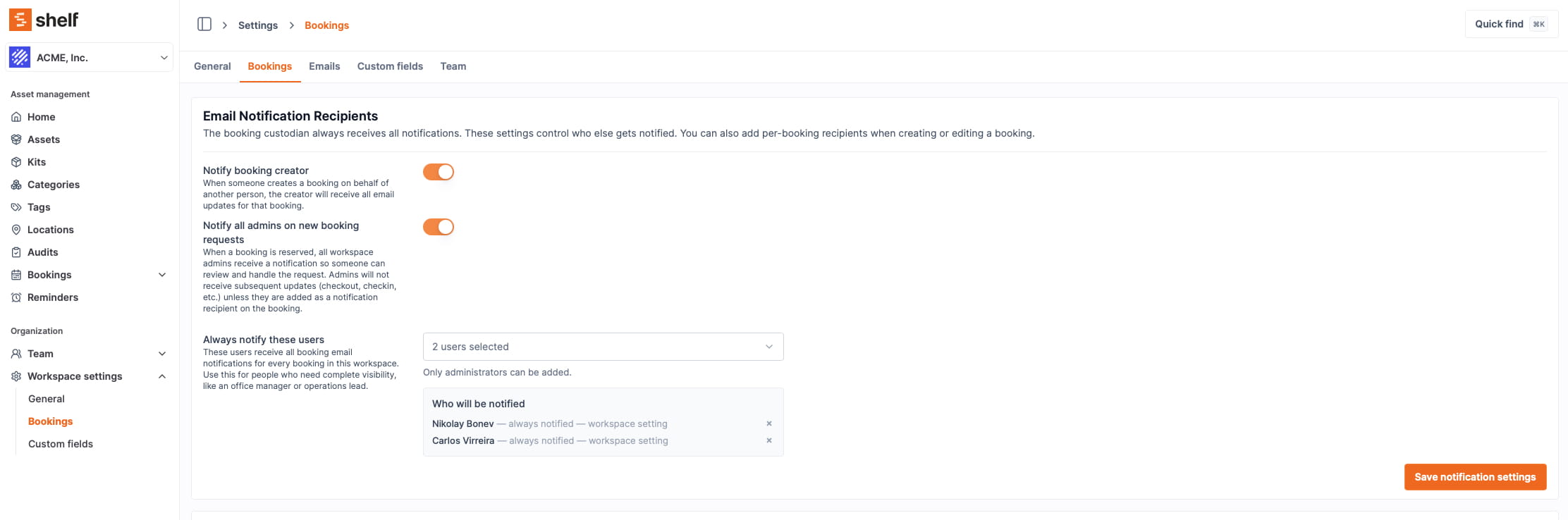
Admins can now configure default notification rules in Settings > Bookings under the new Email Notification Recipients section.
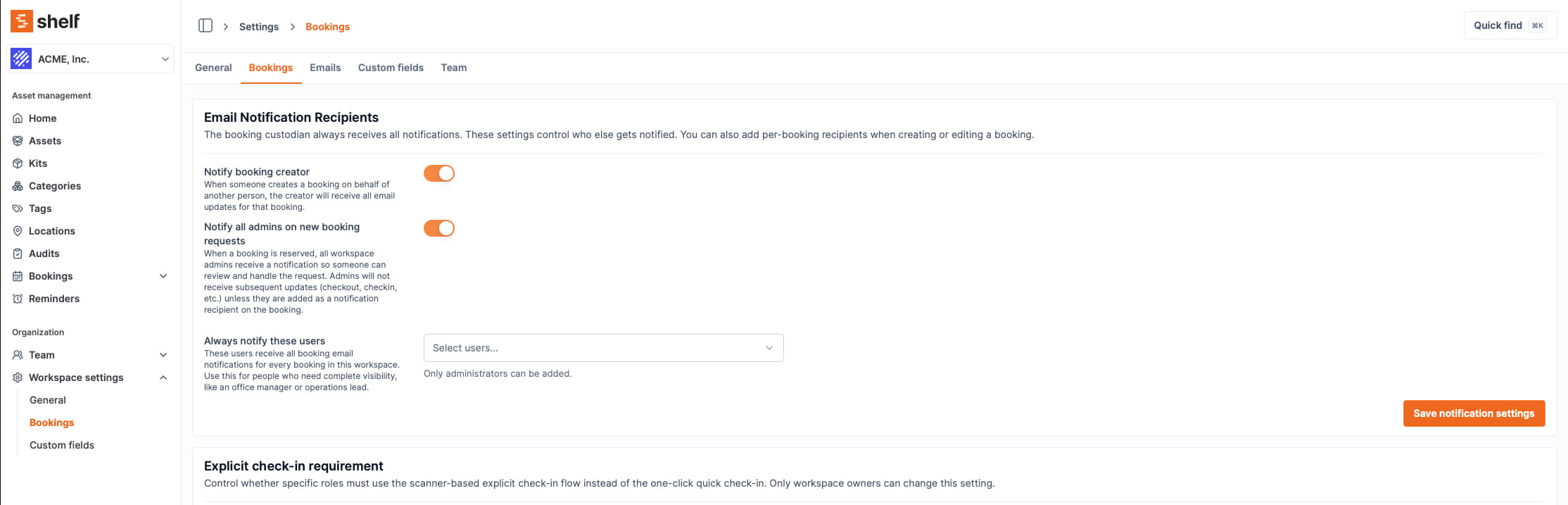
Three new controls:
Notify booking creator — On by default. The user who creates a booking now receives all email notifications for it (checkout reminders, overdue notices, completion, cancellation). This is the biggest quality-of-life improvement in this release. If you book a camera kit on behalf of a student, you will finally know when it gets checked out, when it is overdue, and when it comes back.
Notify all admins on new booking requests — On by default, preserving existing behavior. But here is the key difference: this is now a one-time broadcast for the reservation event only. Admins are no longer included in every subsequent lifecycle email (checkout reminders, overdue, completed, cancelled) unless they are explicitly added to the booking. The purpose is a pickup signal — a heads-up that a new booking needs attention — not a firehose.
Always notify these users — A new user picker for adding specific people who receive all booking notifications across every booking in the workspace. This is built for the equipment manager, office coordinator, or operations lead who needs complete visibility without being an admin. Add them once, and they are covered for every booking going forward.
Per-Booking Notification Recipients
Sometimes a specific booking needs extra eyes. When creating or editing a booking, you can now add notification recipients for that booking only.
Use this for high-value equipment checkouts where a department head should know what is happening, or for complex bookings that involve coordination across teams. Per-booking recipients receive all notification emails for that booking — not just the reservation, but every update through the entire lifecycle.
Notification Preview
For Admin and Owner users, the booking form now shows a real-time notification preview — a summary of exactly who will be emailed and why, before you save. No more guessing. The preview groups recipients by reason: custodian, creator, always-notify users, per-booking recipients, and the admin broadcast.
This transparency matters. When something goes wrong with a booking, the first question is always "who got notified?" Now you can see the answer before the booking is even created.
Smart Deduplication
Recipients are deduplicated before sending. If someone appears in multiple layers (they are both the custodian and on the always-notify list), they receive one email, not two. The person performing an action is excluded from the immediate notification — they already know what they did — with two deliberate exceptions: the custodian and, while Notify booking creator is on, the creator, both of whom are on the list precisely to hold a complete record of the booking. Scheduled reminders (checkout, check-in, overdue) reach everyone regardless.
Who This Is For
Operations managers who are drowning in booking emails they don't need. Turn off the admin broadcast and use the always-notify list to target the right people.
Team leads who create bookings on behalf of others. You will now receive every update for bookings you create — no more chasing people to find out if the equipment was returned.
Equipment managers who are not admins but need full visibility. The always-notify list gives you coverage across every booking without requiring an admin role.
Growing organizations where the "all admins get all emails" model has broken down. Shelf's notification system now scales with your team.
Nothing Breaks for Existing Users
If you do nothing, your workspace keeps its current behavior. The new defaults are additive and backward-compatible:
- Creator notifications are on by default (new coverage, no noise)
- Admin broadcast is on by default (same as before, but scoped to reservations only)
- The always-notify list and per-booking recipients start empty
You opt in to customization when you are ready.
Get Started
Head to Settings > Bookings in your Shelf workspace to configure your notification preferences. For a full walkthrough of every setting, see our Booking Notification Settings guide.
If you are new to Shelf, sign up free and explore the full booking system — conflict-free scheduling, availability views, kit-aware reservations, and now granular notification control.
Have questions about the new notification settings? Reach out to us — we are happy to help you configure the right setup for your team.
Ready to organize your assets?
Join thousands of teams who trust Shelf to manage their physical assets. Free forever, or try the Team plan free for 7 days.
Out in the field? Shelf Companion is free on iPhone & Android.
More from the blog

How We Used to Think About Native Apps — and What Changed
In 2024 we wrote a post explaining why Shelf didn't have native apps. In 2026 we shipped one. Here's the honest story of what changed our mind, what stayed true, and what we'd say differently today.

Industry-Specific CSV Import Examples
One of the most powerful features of Shelf is its ability to import existing asset data via CSV files. To help you get started, we've created a set of industry-specific CSV templates that you can use as a starting point for your own asset management journey.

New Feature Update: Streamlined Bookings and Calendar Integration
we've added an "Add to Calendar" button to the booking page for past bookings. This generates an ICS (Internet Calendar Subscription) file containing essential information about the booking, along with a link to the booking page. Now, you can easily add your bookings to your preferred calendar app or platform, keeping track of your schedule a breeze.