

A Manager Role for the People Who Run the Equipment Counter
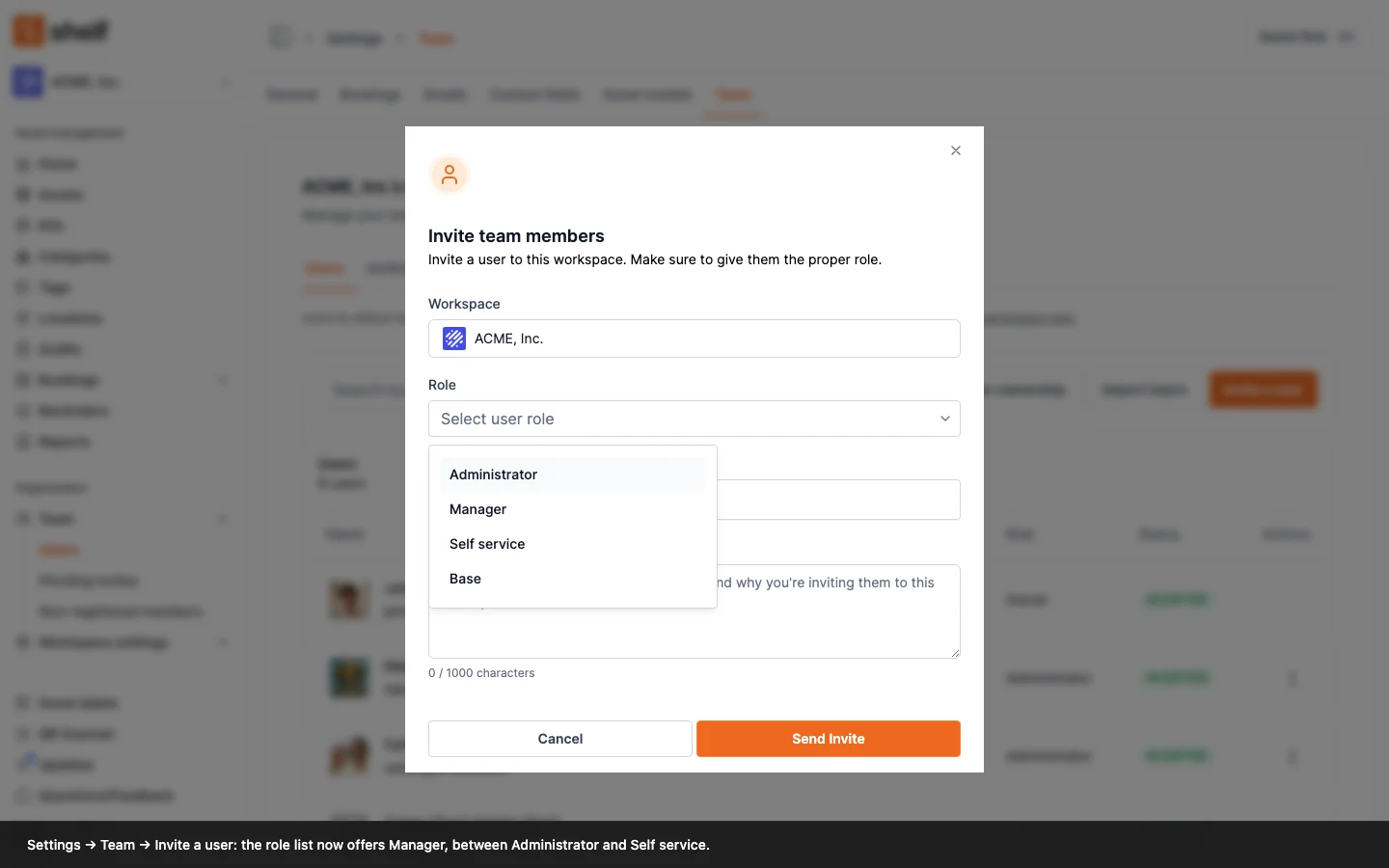
A new workspace role, Manager, sits between Administrator and Self service. Managers run every booking, custody assignment and audit in the workspace without being able to change assets, settings, billing or the team. Grant it from Settings → Team → Users → Invite a user or Change role, by CSV import, or through an SSO group.
Until now, anyone who had to hand gear out to other people, take it back, or count stock for the whole workspace needed the Administrator role, and with it the power to edit every asset, change settings and manage the team. Many workspaces gave front-desk staff more than they needed because the role in between did not exist.
You can now make someone a Manager. A Manager:
- sees every booking and can create, edit, check out, check in, extend, cancel and delete any of them, name anyone as custodian, and use the bookings list's bulk actions;
- sees every custodian and assigns or releases custody of assets and kits to anyone;
- sees every audit and can create, run, edit, complete, cancel, archive and delete any audit;
- reads the whole catalogue, including assets marked unavailable for bookings and archived assets, adds asset notes and reminders, and can add or edit non-registered members.
A Manager cannot create, edit, import, export, archive or delete assets, kits, locations, categories, tags, custom fields or asset models; cannot invite, remove or re-role users; and does not see the workspace settings, billing, the dashboard or Reports. Signing in lands a Manager on Bookings.
Owners and Administrators grant the role from Settings → Team → Users, through Invite a user or Change role, or from a CSV user import (MANAGER, or the label Manager). The workspace Owner can also map an identity-provider group to it in the new Manager role group field of the SSO settings. Changing an Administrator to Manager moves nothing: the records they created stay in their name.
A few labels moved with the role. The switches on Settings → Bookings that require each item to be scanned or selected now read Admins and Managers, because a Manager follows the same rule as an Administrator. The reservation broadcast is now called Notify all owners, administrators and managers on new booking requests, and Managers can be picked as booking notification recipients.
The Shelf Companion app knows the role too, since its over-the-air update of the same day: a Manager on the phone runs every booking, custody hand-off and audit exactly as on the web.
Ready to organize your assets?
Join thousands of teams who trust Shelf to manage their physical assets. Free forever, or try the Team plan free for 7 days.
Out in the field? Shelf Companion is free on iPhone & Android.