

Every Asset Move, Named, in the Activity Summary and on Each Location
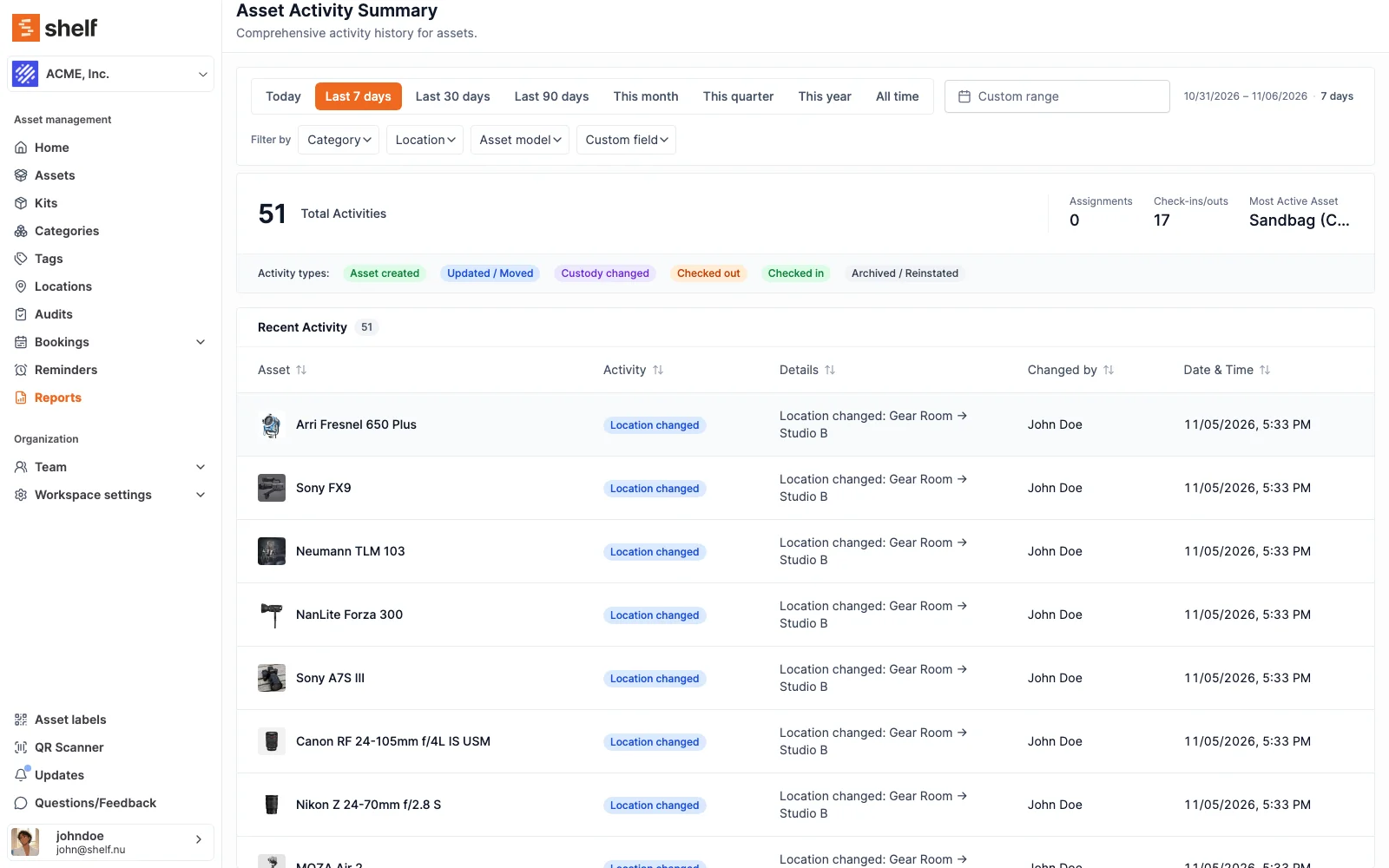
The Asset Activity Summary now writes each change out with names, lists archives and reinstatements, and exports the whole period with SAM ID, QR code ID, From and To. A location's Activity log lists every asset that arrived or left, from the web, the phone app or a kit move.
When someone asks where an asset was kept and who moved it, Shelf now answers in two places.
The Asset Activity Summary report writes every change out in a Details column, with names: Location changed: Gear Room → Studio B, Location set to Hull depot, Tags added: Fragile, Serial number changed: SN-1234 → SN-9999. Quantity-tracked assets name the units that moved, in their own unit of measure, such as 12 units moved: Leeds unit → Hull depot. Archiving an asset and reinstating it show up as Archived and Reinstated rows. The CSV carries each asset's SAM ID and QR Code ID, a From and a To column, and every row in the timeframe you picked, up to 100,000. That is a movement history you can hand to a client or an auditor as it is.
A location's Activity tab lists every asset that arrived or left, whether it was moved on the web, in the Shelf Companion app, together with its kit, or by changing where a quantity-tracked asset's units are kept. Each line names the location the asset came from or went to, when there was one, and Export activity CSV downloads the log.
Reports are part of the Plus and Team plans. See Getting started with reports and Exporting data from Shelf.
Ready to organize your assets?
Join thousands of teams who trust Shelf to manage their physical assets. Free forever, or try the Team plan free for 7 days.
Out in the field? Shelf Companion is free on iPhone & Android.