

Best Equipment Management Software in 2026: An Honest Comparison

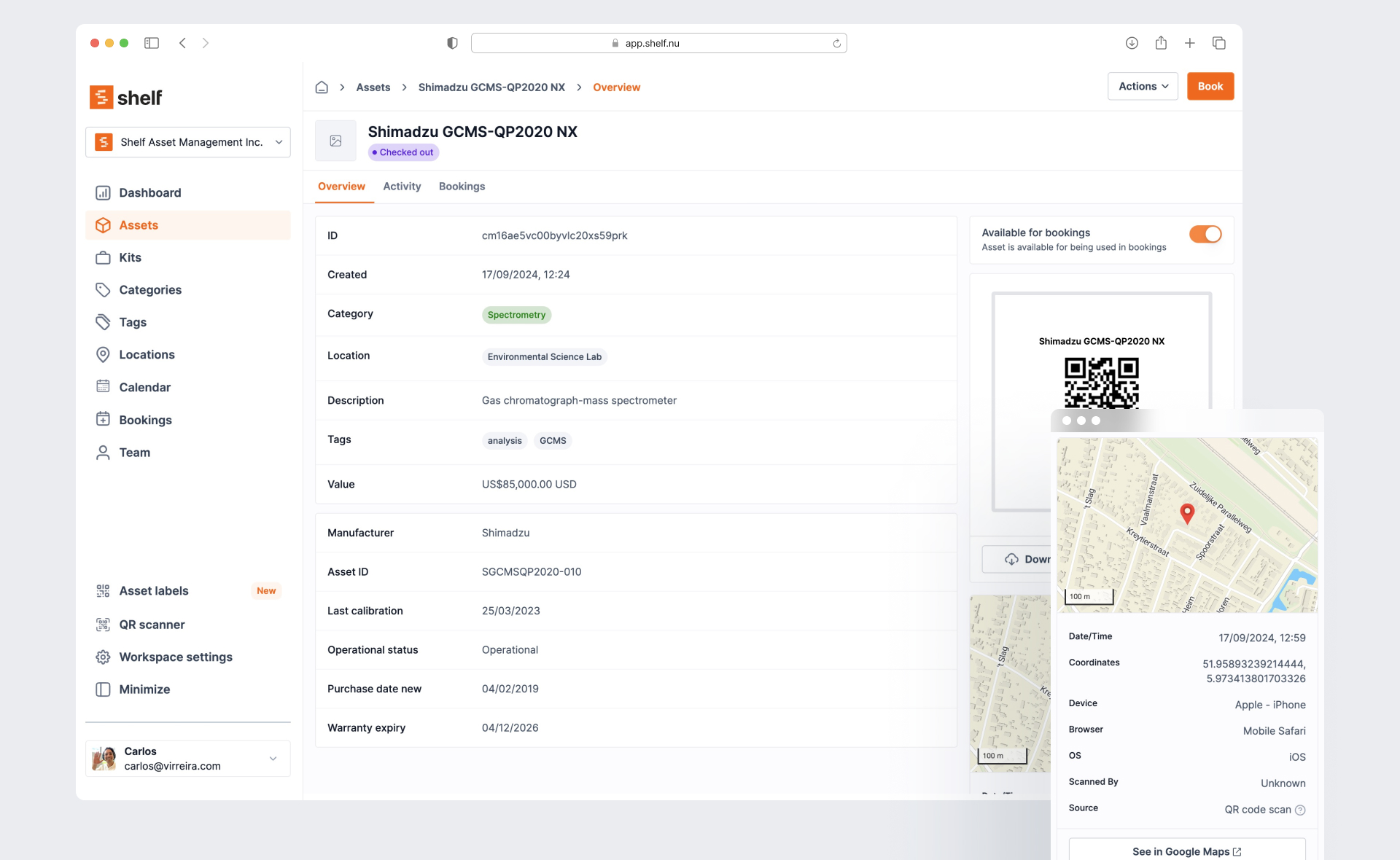
There are dozens of equipment management tools on the market. Most "best of" lists are written by one of the vendors, who — surprise — rank themselves first on every axis.
This page is different. We built Shelf, so we have a perspective. But we also have real competitors who do specific things better than we do, and we'll say so. Our goal is to help you find the right tool for your situation — even if that's not us.
Start with the comparison table for a quick scan. Then read the section for your specific use case (education, media production, field operations, IT, or small business). Each tool gets an honest summary with strengths, limitations, and who it's best for.
Three Categories, Not One
Before comparing tools, it helps to understand that "equipment management software" means different things to different people. The market breaks into three categories:
1. Equipment checkout and booking tools — built for tracking who has what, scheduling shared gear, and preventing double-bookings. Best for schools, media production, shared equipment pools. Tools: Shelf, Cheqroom
2. Asset inventory and registry tools — built for cataloging what you own, where it is, and its lifecycle stage. Best for IT departments, fixed asset tracking, compliance. Tools: Snipe-IT, Reftab, Sortly
3. Maintenance and operations platforms (CMMS) — built for scheduling maintenance, tracking work orders, and managing equipment health. Best for facilities, manufacturing, fleet management. Tools: EZOfficeInventory (bridges categories 2 and 3), Asset Panda (bridges categories 1 and 2)
If you need equipment booking and checkout, comparing Shelf to a CMMS tool is apples to oranges. If full preventive maintenance with work orders is your primary need, you need a tool in category 3. Knowing your category narrows the field immediately.
Quick Comparison
Prices are based on publicly available information as of April 2026. SaaS pricing changes — verify on each vendor's site before making decisions.
| Feature | Shelf | Cheqroom | Sortly | Snipe-IT | EZO | Asset Panda | Reftab |
|---|---|---|---|---|---|---|---|
| Free plan | Yes (unlimited assets, 1 user) | No — demo onlyNo free plan or trial. Must request a demo to test the software. | Yes (100 items, 1 user) | Yes (self-hosted) | Trial only | Trial only | Yes (50 assets, unlimited users) |
| Paid pricing | $67/mo flat | From $184/admin/moHidden minimum admin requirement — not disclosed on pricing page. Core tier ($184) locked to 1 location, no reporting, no custom roles. | $49–$299/moCaps on both items and users per tier. Multiple reviewers report steep renewal price hikes after year one. | $40–$250/mo (hosted) | From $40/mo (250 items)Scales steeply with items: $40/mo for 250 → $136/mo for 1,500. 'Unlimited users' subject to fair-use policy. | ~$50/user/moNow behind 'Request Quote' wall. Historical floor: $50/user/mo, minimum 5 users ($3,000/year). | From $31.25/mo |
| Pricing model | Flat per workspace | Per admin seat | Per user + item cap | Free self-host or hosted | Per item count | Per user | Per asset count (unlimited users) |
| Open source | |||||||
| Self-host option | |||||||
| QR-first design | Yes | Has QR | Has QR | Has QR | Has QR | Has barcode/QR | Has QR |
| Booking / reservations | |||||||
| Custody chain | Yes | Yes | Folder-based | Basic assign | Basic | Yes (with signatures) | Basic assign |
| Kit management | Limited | Paid plans | |||||
| Maintenance / CMMS | Tracking, not full CMMS | Add-onMaintenance is priced separately per admin user — not included in base plans. | Limited | Business tier | |||
| Depreciation tracking | |||||||
| License tracking | Limited | ||||||
| Native mobile app | iOS + Android (Shelf Companion); PWA on any browser | Yes (iOS/Android) | Yes (iOS/Android) | Yes (iOS/Android) | Yes (iOS/Android) | Yes (iOS/Android) | |
| Best for | Schools, media, shared equipment | AV/media production | Simple visual inventory | IT asset lifecycle | Mid-market operations | Customizable enterprise | IT teams (unlimited users) |
The Tools
Shelf
What it is: An open-source equipment management platform built around QR code scanning, equipment booking, and custody tracking. Shelf is what we make — so take this section with that context.
Strengths:
- Flat pricing with unlimited users — $67/month for the Team plan covers your entire organization. No per-seat fees. This matters most for schools and large teams where dozens of people need checkout access.
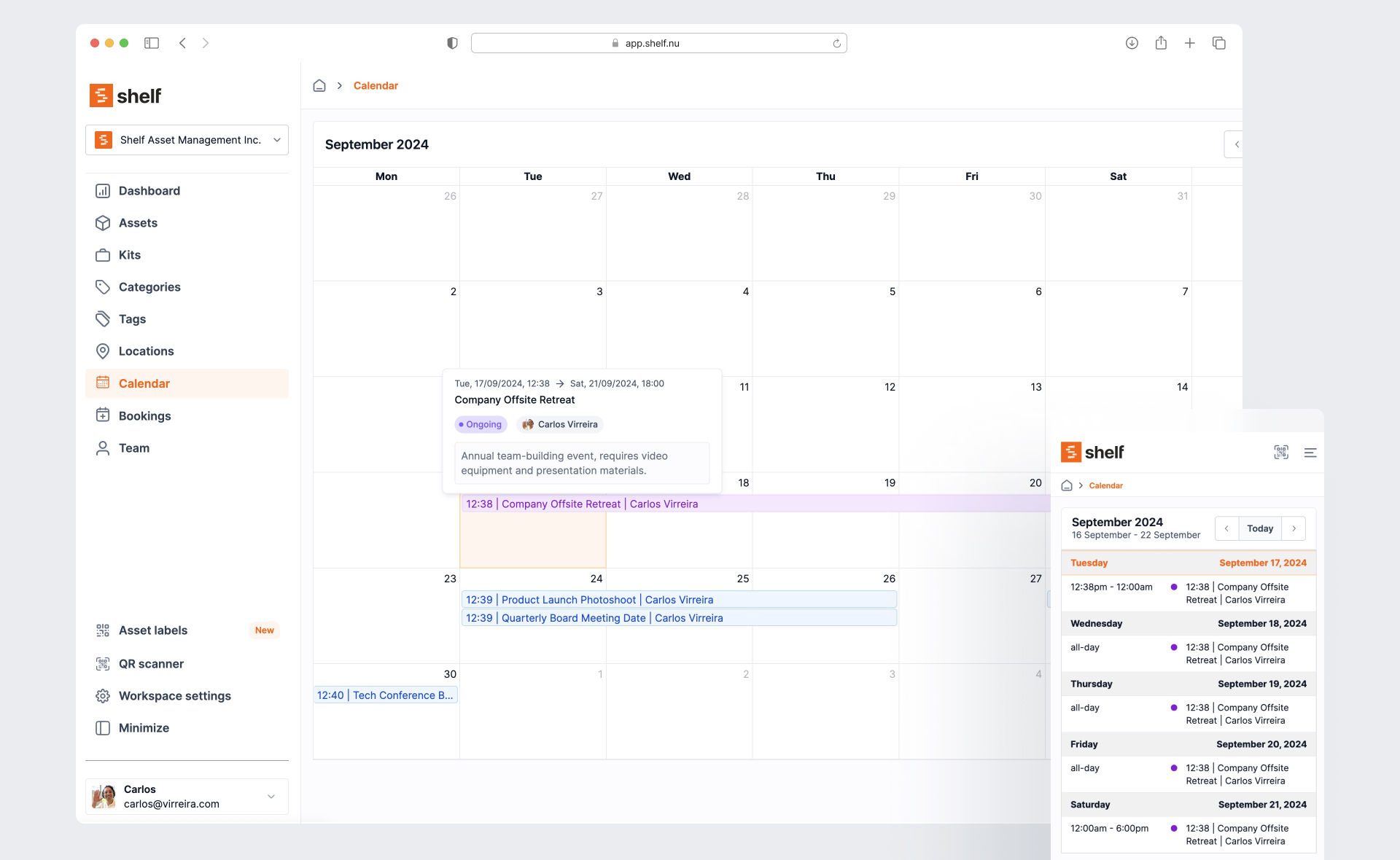
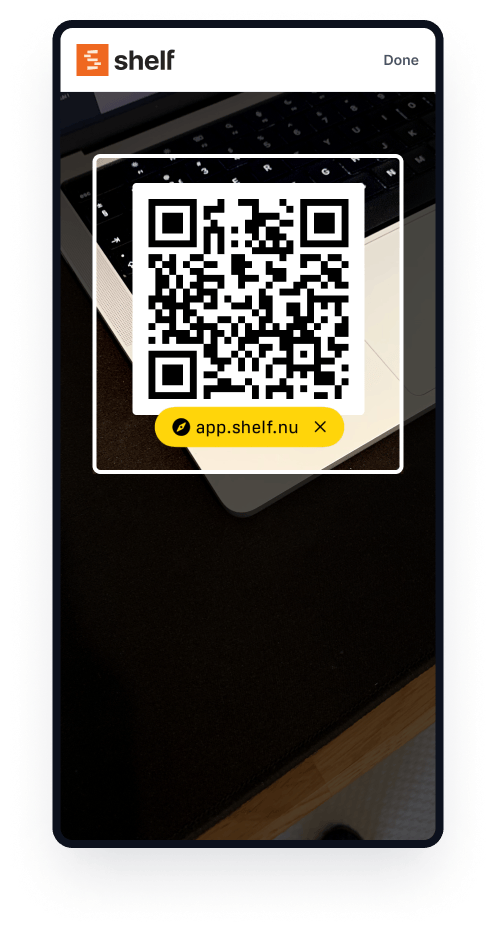
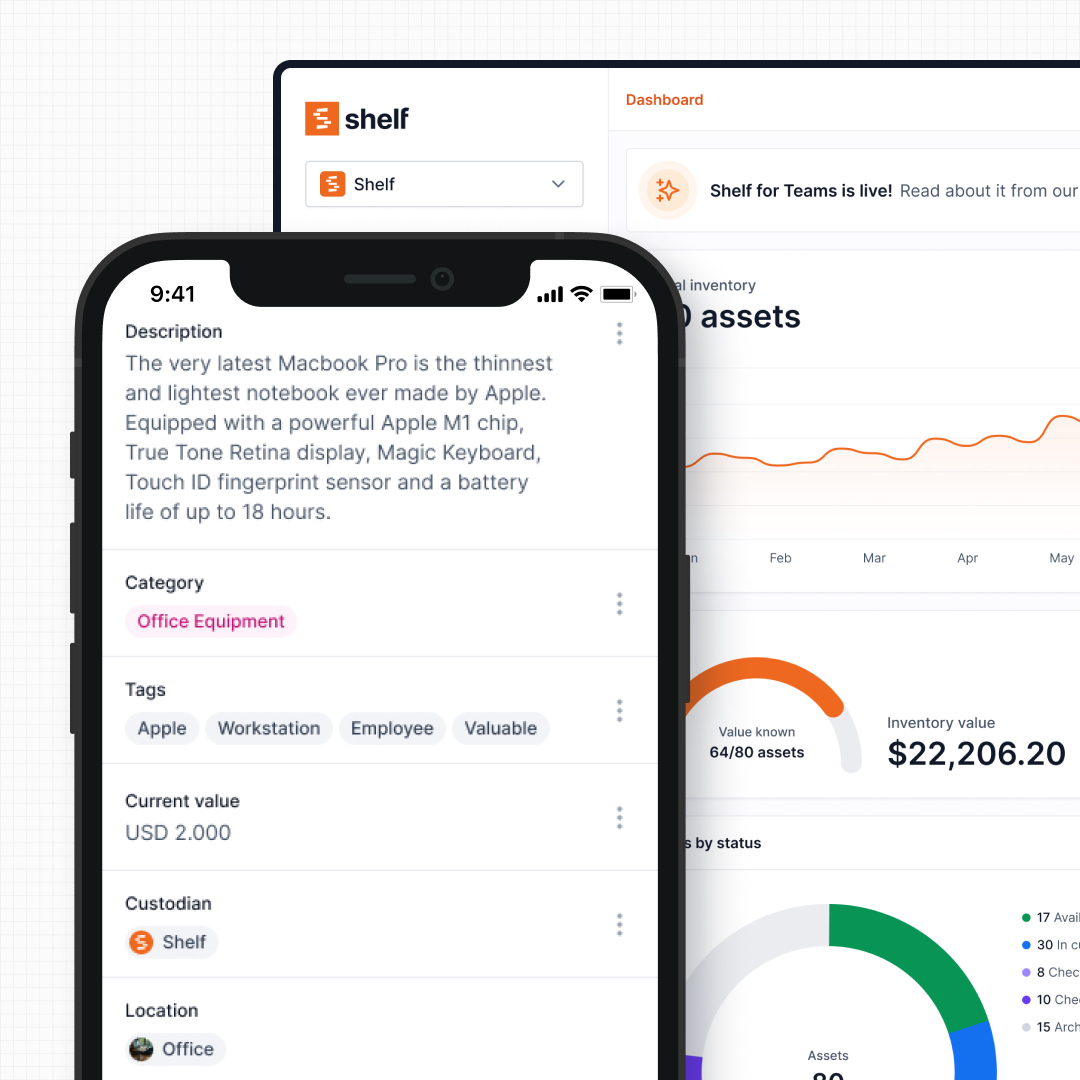
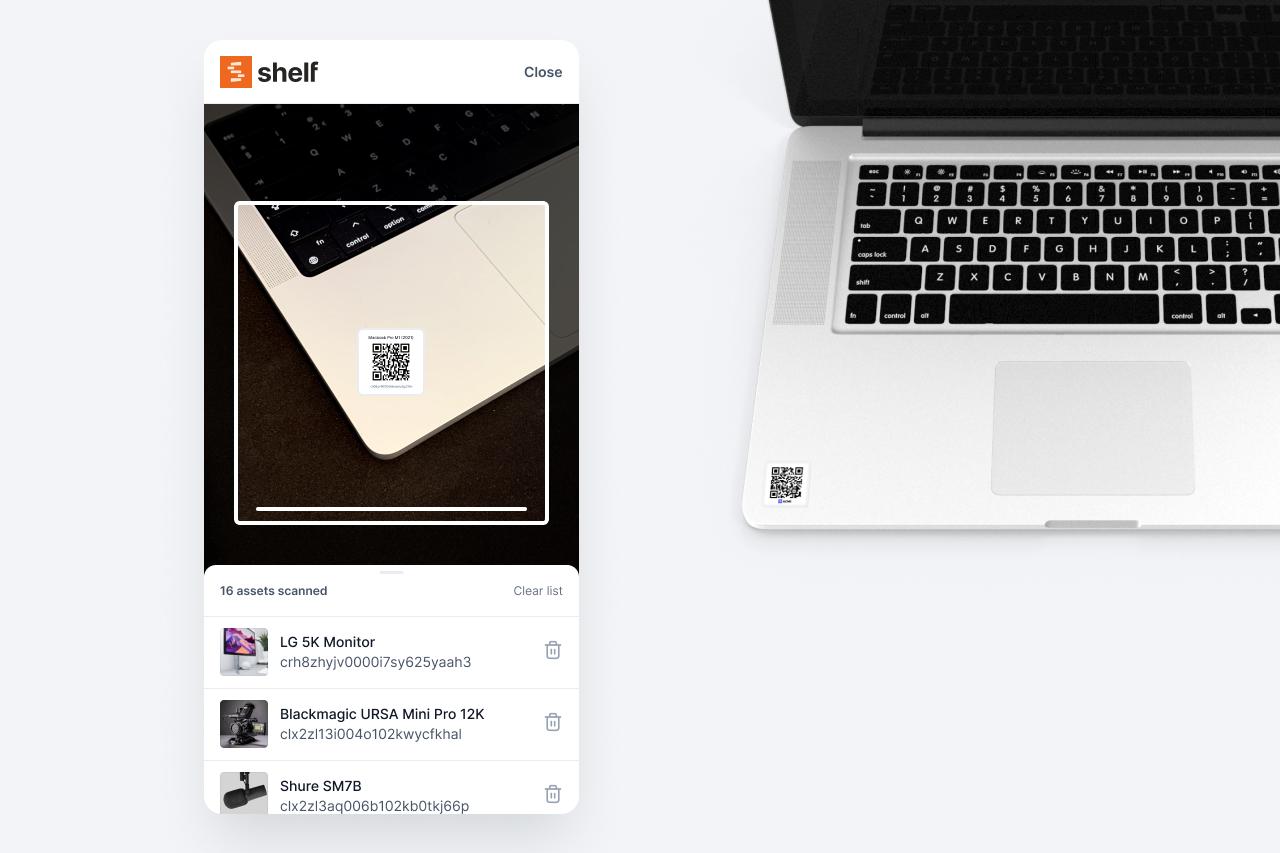
- QR-first workflow — scanning is the primary interaction, not data entry. Students, staff, and field workers pick it up without training.
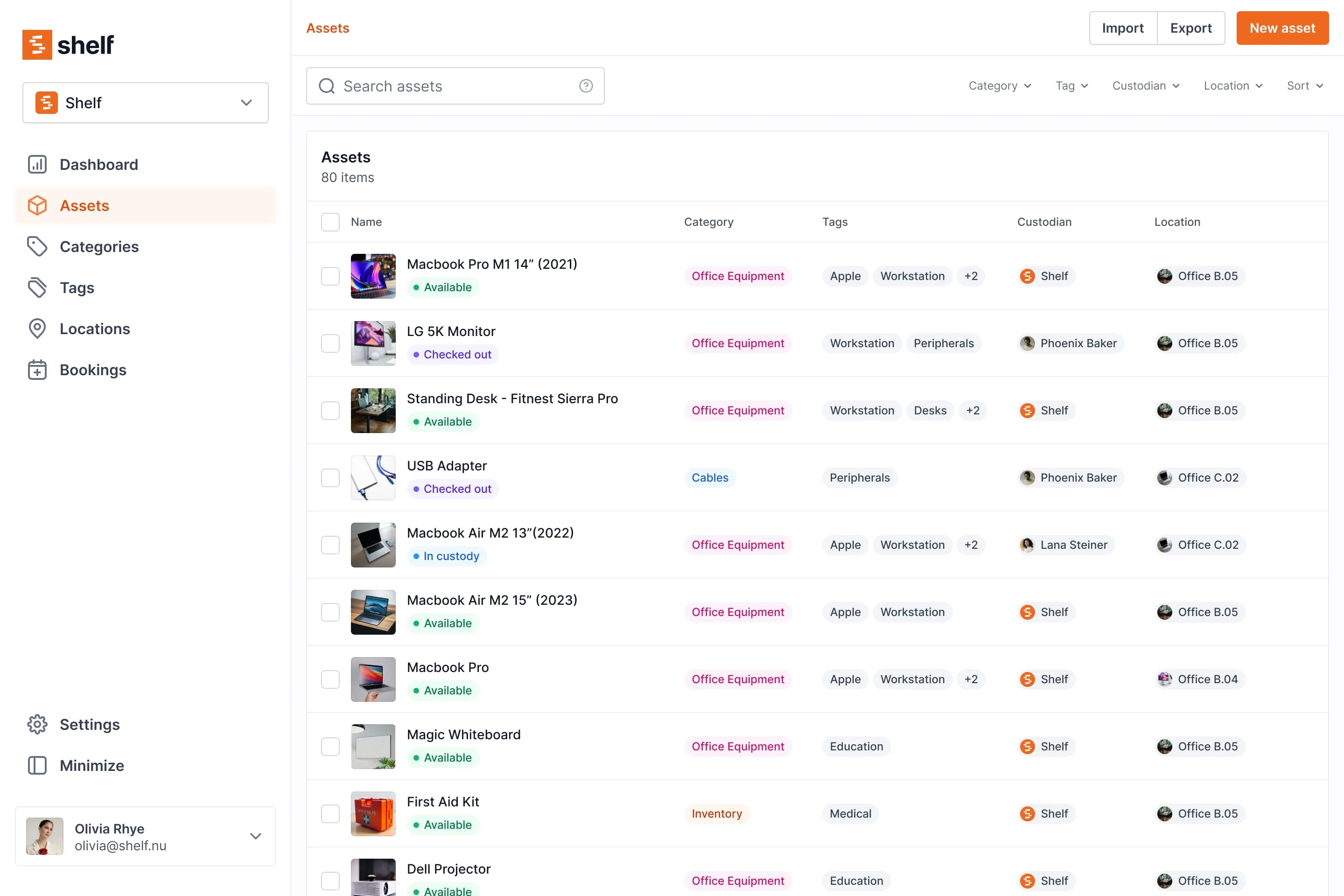
- Equipment booking — visual calendar with conflict prevention. Reserve shared gear ahead of time.
- Kit management — bundle a camera with its lens, battery, and SD card. Missing components are flagged at check-in.
- Open source — full codebase is public. Self-host if you need to. No vendor lock-in.
- Free plan — unlimited assets for one user. Genuinely usable, not a demo.
- Native iOS + Android app + PWA — the free Shelf Companion app is on the App Store and Google Play (field workflows: scan, audit, custody, bookings). The web app also runs as a PWA in any modern phone browser.
Limitations — where we'll be honest:
- Maintenance tracking, not full CMMS — Shelf offers asset reminders, service history logging, and custom maintenance fields — but it does not have work orders, parts inventory, or technician dispatching. If full CMMS is your primary need, look at EZOfficeInventory or a dedicated maintenance platform.
- No depreciation or fixed asset accounting — Shelf tracks operational use, not financial lifecycle. Snipe-IT or Asset Panda are better if depreciation reporting is required.
- The mobile app is a field client, not a second admin console — the Shelf Companion app covers scanning, audits (including notes and photos on individual scans), custody handoffs, and bookings. Setting audits up, bulk imports, custom field configuration, user and role management, reporting, and integrations stay on the web app.
- No help desk integrations — no Zendesk, Jira, or ServiceNow connectors. EZOfficeInventory has these.
- Smaller ecosystem — Shelf has fewer integrations and a smaller community than tools that have been on the market for 10+ years.
Best for: Schools and universities (unlimited users, no per-seat cost), media and production companies (booking + kits), operations teams managing shared equipment, anyone who values open source and pricing transparency.
Pricing: Free (1 user, unlimited assets) → Plus $34/mo (1 user, more features) → Team $67/mo (unlimited users) → Enterprise (custom). See pricing →
Cheqroom
What it is: An equipment management platform focused on AV, media, and production environments. Cheqroom specializes in equipment checkout, booking, and kit tracking for teams that share professional gear.
Strengths:
- Purpose-built for media/AV — their workflows are specifically designed for camera cages, production equipment rooms, and studio gear management.
- Booking and reservations — calendar-based scheduling with availability views.
- Kit management — group items into kits with completeness tracking.
- Native mobile apps on iOS and Android — both platforms today.
- Education case studies — they serve real universities (Portland State, CUNY, UT Arlington) and understand higher-ed workflows.
Limitations:
- Expensive per-admin pricing — plans start at $184/admin/month (Core), scaling to $275 (Business) and $367 (Enterprise). The cheapest Core tier is artificially restricted: locked to exactly 1 location, with custom roles, reporting, and document generation stripped out to force upgrades to the $275/month Business tier. Minimum admin counts apply but aren't disclosed upfront.
- No free trial or free plan — you must request a demo to test the software. This is a significant barrier compared to tools you can try immediately.
- Closed source — no self-hosting option, no code transparency.
- Reporting limitations — multiple reviewers note reporting is basic and not easily customizable. Reporting is unavailable on the Core tier entirely.
- Primarily higher-ed focused — less content and fewer features targeting K-12 schools or non-media use cases.
Best for: Media production companies and university AV departments that need dedicated equipment checkout workflows and can justify the per-admin cost. Teams with a small number of administrators managing equipment for many users.
Pricing: Core $184/admin/mo → Business $275/admin/mo → Enterprise $367/admin/mo (billed annually, minimum admin counts apply). No free plan or self-serve trial.
Read full Shelf vs Cheqroom comparison →
Sortly
What it is: A visual inventory management app designed for simplicity. Sortly's strength is making it easy to photograph, categorize, and locate items — it's closer to an inventory catalog than an equipment checkout system.
Strengths:
- Visual-first approach — every item gets photos. The interface is clean and intuitive. Non-technical users love it.
- Simple setup — you can start cataloging items in minutes. Low learning curve.
- Offline mode — available on Ultra+ plans. Useful for field work.
- Low stock alerts — set minimums, get notified. Good for consumables.
- Free plan — 100 items, 1 user.
Limitations:
- No equipment booking or reservations — this is the critical gap. Sortly cannot schedule who gets what equipment and when. If you need to prevent double-bookings, Sortly is not the right tool.
- "Check-out" is a folder move — Sortly has a check-in/check-out feature, but it works by moving an item to a folder representing a person. There are no due dates, no return reminders, no availability calendar.
- No kit management — items are tracked individually. You can't bundle a camera with its accessories.
- Item and user caps on every plan — the most common complaint. You start at 100 items (free). Even on their $299/month Premium tier, you are strictly capped at 8 users and 5,000 items. If you need 10 people to just view inventory, you're forced into custom enterprise pricing.
- Price increase complaints — multiple reviewers report significant renewal price hikes after the first year.
Best for: Small businesses that need a simple, visual catalog of what they own and where it is. Homeowners tracking valuables. Teams where "what do we have?" is a bigger question than "who has it right now?"
Pricing: Free (100 items) → Advanced $49/mo → Ultra $149/mo → Premium $299/mo → Enterprise (custom). Annual billing reduces costs significantly in year one; watch for renewal increases.
Read full Shelf vs Sortly comparison →
Snipe-IT
What it is: An open-source IT asset management platform built for sysadmins. Snipe-IT tracks the full lifecycle of IT hardware — procurement, deployment, assignment, depreciation, and disposal. It has a large community and is used by thousands of IT departments.
Strengths:
- Free and self-hosted — the entire platform is free to run on your own server. No per-asset or per-user limits. This is genuinely free, not freemium.
- Deep IT lifecycle features — depreciation, license management, consumables tracking, component tracking. No other tool on this list matches its IT asset depth.
- LDAP/Active Directory integration — pulls users directly from your directory. Important for IT teams.
- Extensive API — well-documented REST API for custom integrations.
- Large community — 13,000+ GitHub stars, active development, extensive documentation.
Limitations:
- No booking or reservation system — you can assign an asset to a user, but you cannot reserve it for a future date. For shared equipment scheduling, this is a deal-breaker.
- Dated user interface — the UI is functional but feels like a 2015 Bootstrap admin panel. Non-technical users (teachers, production crews, field staff) will struggle.
- Requires technical setup — self-hosting needs a LAMP stack and command-line comfort. Not accessible to non-technical teams.
- No custody chain — check-out is binary (assigned or not). No multi-step handoff tracking.
- Weak mobile experience — no dedicated mobile app. The responsive web UI works but isn't optimized for phone-based scanning workflows.
Best for: IT departments managing laptops, servers, network gear, and software licenses. Organizations with technical staff who can self-host. Teams that need depreciation tracking and IT lifecycle reporting.
Pricing: Free (self-hosted, unlimited) → Hosted plans from ~$40/month.
Read full Shelf vs Snipe-IT comparison →
EZOfficeInventory (EZO)
What it is: A mid-market asset tracking and maintenance platform that bridges equipment checkout and CMMS functionality. EZO (formerly EZOfficeInventory) combines reservation workflows with maintenance scheduling and integrates with help desk tools like Zendesk and Jira.
Strengths:
- Reservations + maintenance available — one of the few platforms that combines equipment booking with maintenance tracking. However, maintenance is priced as a separate per-admin add-on, not included in the base plan.
- Integrations — Zendesk, Jira, and Slack are available, but only on the Premium tier ($65+/month). Lower tiers don't include them.
- Depreciation and compliance — built-in depreciation tracking and audit reporting.
- Native mobile apps — iOS and Android with barcode scanning.
- Custom roles and permissions — granular access control for complex organizations.
- "Unlimited users" — advertised on all plans, though subject to a fair-use policy.
Limitations:
- Per-item pricing that scales steeply — $40/month for 250 items, but $136/month for 1,500 items. Schools and large teams hit high costs fast.
- Maintenance is a separate add-on — not included in base plans. Priced separately per admin user.
- Key integrations tier-locked — Zendesk and Jira require the Premium tier ($65+/month for just 250 items).
- UI complexity — powerful but cluttered. The learning curve is real. Non-technical staff can feel overwhelmed.
- Closed source — no self-hosting, no code transparency.
Best for: Mid-market operations teams that need equipment checkout AND are willing to pay for maintenance add-ons. Teams already on Zendesk/Jira who can justify Premium tier pricing.
Pricing: Essentials $40/mo (250 items) → Advanced $55/mo → Premium $65/mo. Scales steeply with item count. Maintenance is a separate add-on. Verify current pricing at ezo.io.
Read full Shelf vs EZOfficeInventory comparison →
Asset Panda
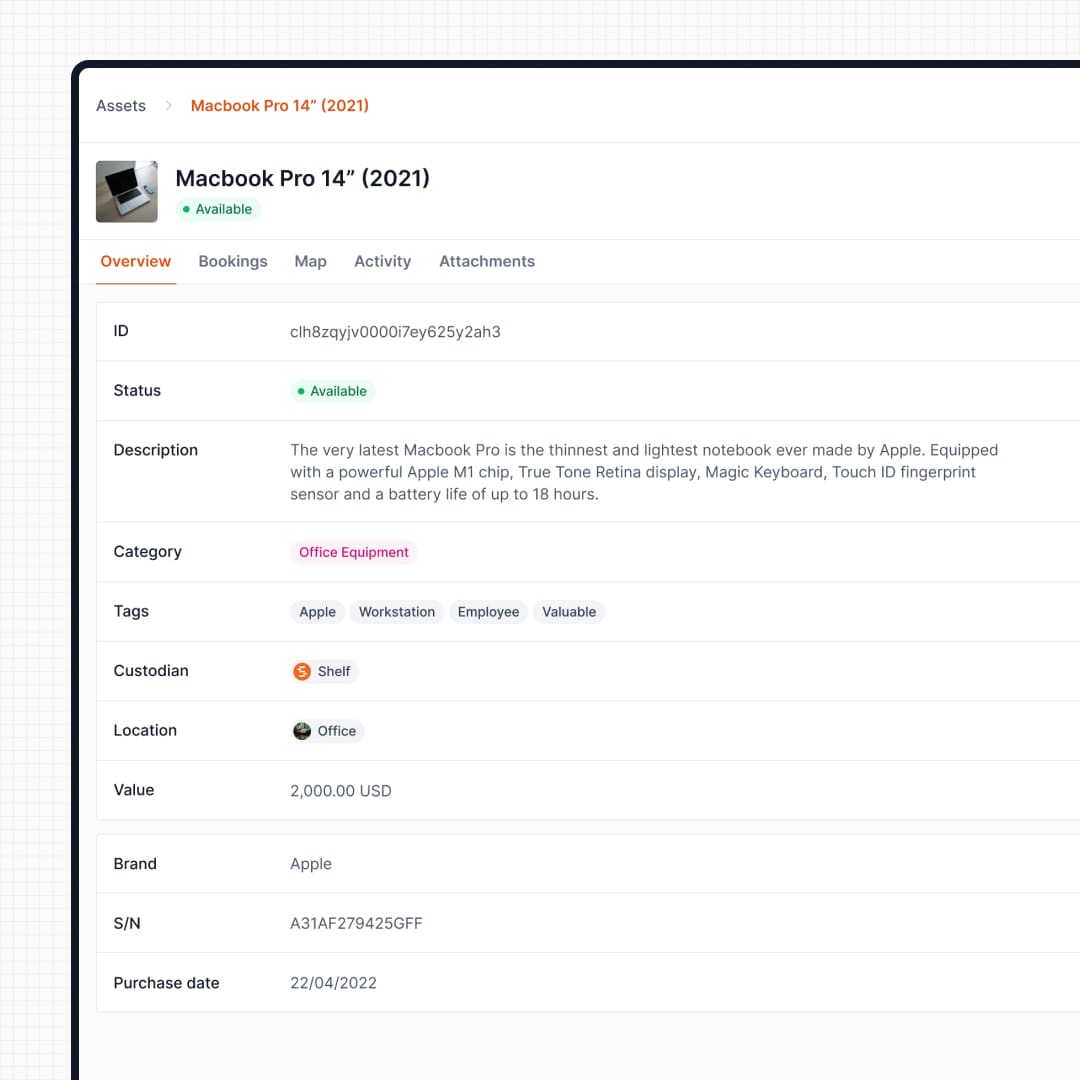
What it is: A highly customizable asset management platform targeting mid-market and enterprise organizations. Asset Panda's core strength is deep configurability — custom fields, custom workflows, conditional forms, and approval chains for virtually any asset management scenario.
Strengths:
- Deep customization — custom fields, statuses, workflows, forms, and conditional logic. One of the most configurable platforms in the category.
- Check-in/check-out with digital signatures — full custody workflow including DocuSign integration and condition documentation.
- Reservation system — calendar-based with approval workflows and hold times.
- Compliance and audit trails — every action logged. Built for regulated environments.
- Depreciation tracking — built-in fixed asset accounting.
- Strong education positioning — dedicated education page, K-12 and higher-ed case studies, SSO via Azure AD/Okta.
Limitations:
- Expensive and opaque pricing — Asset Panda has moved pricing behind a "Request Quote" wall. Historical data indicates a floor around $50/user/month with a 5-user minimum ($3,000/year), making it the most expensive option on this list. You'll need to contact sales to get a current quote.
- Steep learning curve — weeks of configuration before first use. The platform's power comes with setup complexity.
- Search is weak — multiple reviewers describe it as nearly unusable unless you know the exact item name.
- Reservation UX is clunky — the feature exists, but old reservations pile up and must be deleted individually. Reviewers find it cumbersome compared to purpose-built booking tools.
- Performance issues — slow loading and timeouts reported in both mobile and web apps.
- Closed source — no self-hosting, no code transparency.
Best for: Enterprise organizations with complex compliance requirements, dedicated asset management staff, and budget for per-user licensing. Government, healthcare, and large institutions where configurability justifies the cost.
Pricing: Now behind a "Request Quote" wall. Historical floor: $50/user/month with a 5-user minimum ($3,000/year). Contact their sales team for current pricing.
Read full Shelf vs Asset Panda comparison →
Reftab
What it is: An IT-focused asset tracking tool that has expanded beyond basic inventory into reservations, kit management, and maintenance. Reftab charges by asset count with unlimited users on all plans — a pricing model that works well for teams with many people but modest inventories.
Strengths:
- Unlimited users on all plans — including free. No per-seat fees. This is a genuine differentiator for teams where many people need access.
- Reservations and calendar — equipment booking with calendar views, included on all plans including free.
- Kit bundles and templates — group related items (available on Starter+).
- Active Directory / LDAP integration — pulls users from your directory.
- Native mobile apps — iOS and Android apps for scanning and asset management.
- Maintenance and work orders — available on Business tier ($125/mo).
- API access — REST API for custom integrations.
- Free tier — 50 assets with reservations, calendars, and mobile app access.
Limitations:
- Per-asset pricing hits hard at scale — Free covers 50 assets, Starter ($31.25/mo) and Business ($125/mo) scale by asset count. Because pricing is strictly per-asset, organizations with large volumes of low-value items (cables, adapters, accessories, chairs) blow through tiers fast. If you track 5,000 items, you'll be deep into enterprise pricing. Shelf flat-rates assets, so you aren't punished for tracking the small stuff.
- Smaller ecosystem — fewer integrations, smaller community, and less documentation than larger competitors.
- IT-focused positioning — less content and fewer workflows tailored to non-IT use cases (education, media, field operations).
- Closed source — no self-hosting option.
Best for: Teams with many users but moderate asset counts. IT departments that need reservations, kit tracking, and maintenance in one tool without per-seat fees.
Pricing: Free (50 assets, unlimited users) → Starter $31.25/mo → Business $125/mo → Enterprise (custom). All plans include unlimited users. Verify at reftab.com/pricing.
Read full Shelf vs Reftab comparison →
Which Tool Fits Your Situation?
If you're a school or university
Your priorities: tight budget, many users (students + staff), equipment booking to prevent double-bookings, minimal training requirement, compliance documentation for procurement.
- Best overall: Shelf — unlimited users on flat pricing, QR-first workflows students adopt immediately, booking with conflict prevention, VPAT/508 compliance docs, education-specific content
- If you need higher-ed AV checkout specifically: Cheqroom — purpose-built for media/AV rooms, university case studies, native mobile app on iOS and Android
- If you need IT device tracking (Chromebooks, laptops): Snipe-IT — free self-hosted, LDAP integration, depreciation tracking. But no booking system.
- If budget allows and you need maximum configurability: Asset Panda — education case studies, SSO, compliance features. But expensive at $3,000+/year.
If you're a media or production company
Your priorities: booking shared gear (cameras, audio, lighting), kit management (camera + lenses + batteries), preventing double-bookings, custody accountability for expensive equipment.
- Best overall: Shelf or Cheqroom — both have booking, kits, and custody. Shelf wins on pricing (flat vs per-admin), open source, and a native iOS + Android Companion app. Cheqroom wins on AV-specific heritage.
- Avoid: Sortly (no booking), Snipe-IT (no booking, dated UI)
- If you also need maintenance tracking: EZOfficeInventory — combines reservations with CMMS (maintenance is a paid add-on)
If you're a field operations team
Your priorities: tool tracking across job sites and trucks, rugged mobile workflows, accountability for equipment handoffs between crews, low training overhead.
- Best overall: Shelf — QR scanning works on any phone (browser or the free Shelf Companion app on iPhone and Android), custody chain for crew handoffs, location tracking across sites, flat pricing for entire crew.
- If you need maintenance scheduling: EZOfficeInventory — combines asset tracking with maintenance (available as a paid add-on)
- If construction tool tracking is the core need: Check our tool tracking page for the specific workflow
If you're an IT department
Your priorities: tracking hardware lifecycle (procurement → deployment → depreciation → disposal), license management, LDAP/AD integration, compliance reporting.
- Best for IT lifecycle management: Snipe-IT — free, open source, depreciation, licenses, consumables, LDAP. The most complete IT asset tool on this list.
- If you need both IT tracking and equipment checkout: Shelf for the operational layer (checkout, booking) + Snipe-IT for the lifecycle layer. Some teams use both.
- If you need help desk integration: EZOfficeInventory — Zendesk and Jira connectors
- For small IT teams wanting simplicity with reservations: Reftab — affordable, includes booking calendar, AD integration, mobile apps
If you're a small business
Your priorities: simplicity, low cost, fast setup, answer the question "what do we have and where is it?"
- Simplest visual inventory: Sortly — photo-first, intuitive, works immediately. Best for cataloging what you own. But no checkout or booking.
- If you need checkout/booking too: Shelf — free plan covers unlimited assets for one user. Upgrade only when you need the team features.
- If you're still using spreadsheets: Read our spreadsheet vs. Shelf comparison — it covers exactly when spreadsheets stop working and what the minimum viable upgrade looks like.
What We'd Choose If We Didn't Make Shelf
If we were evaluating these tools as a buyer — not a competitor — here's where we'd land:
- For a university media department, we'd choose between Shelf and Cheqroom. Both handle the core workflow with native iOS apps. The choice comes down to: do you value open source and flat pricing (Shelf), or Android support today and AV-specific heritage (Cheqroom)?
- For an IT department, we'd use Snipe-IT. Its lifecycle and license tracking features are unmatched in this category, and it's free to self-host.
- For a production company that also needs maintenance tracking, we'd look at EZOfficeInventory. It bridges equipment checkout and CMMS — though maintenance is a separate paid add-on, not included in the base plan.
- For someone who just wants to catalog their stuff, we'd start with Sortly. It does the simple thing beautifully.
We built Shelf for teams that need equipment checkout, booking, and custody tracking — with pricing that doesn't punish you for having a large team. If that's your core problem, we think it's the best option. If your core problem is something else, the right answer might be a different tool.

How to Decide
Before you trial anything, answer four questions:
- Do you need booking/reservations? If yes, your options are Shelf, Cheqroom, EZO, Asset Panda, or Reftab. Sortly and Snipe-IT don't have it.
- How many people need access? If it's more than 10, per-user pricing (Asset Panda) and per-admin pricing (Cheqroom at $184+/admin) add up fast. Flat pricing (Shelf), unlimited users (Reftab), and free self-hosting (Snipe-IT) don't penalize team size.
- How much time do you have to set this up? Sortly and Shelf can be operational in an afternoon. Asset Panda is known for requiring weeks of complex workflow configuration before you can scan your first item. EZO sits in between. If you need to be tracking equipment by Friday, eliminate the tools that need a multi-week implementation.
- What's your technical capacity? If you have a sysadmin who can manage a server, Snipe-IT's free self-hosting is compelling. If you want zero setup, a cloud-hosted SaaS (Shelf, Cheqroom, Sortly, EZO) is the right path.
Most tools on this list offer a free plan or free trial — Cheqroom is the exception (demo request only). Don't choose based on a comparison page — including this one. Try the 2-3 tools that fit your situation and decide based on your own experience.
Last updated: May 2026. We review and update this page quarterly. If you notice something that's changed or inaccurate, let us know.
Shelf is one of the tools compared on this page. We've tried to be fair, but we're human and we built one of these products. Read our competitors' pages too. The best decision is an informed one.
Ready to organize your assets?
Join thousands of teams who trust Shelf to manage their physical assets. Free forever, or try the Team plan free for 7 days.
Out in the field? Shelf Companion is free on iPhone & Android.
More from the blog

Film School Equipment Checkout Policies & Best Practices
Film schools and media programs juggle hundreds of cameras, audio kits, and lighting rigs that constantly flow between courses, sets, and student projects. Without a structured policy, even the best cage managers battle bottlenecks, lost lenses, or scheduling conflicts that derail productions. This guide consolidates proven practices from campus equipment rooms, fills gaps left by scattered institutional playbooks, and shows how Shelf’s platform helps document workflows, automate reminders, and drive accountability without resorting to guesswork.
Equipment Management Software for Universities: Streamlining Campus Resources
Learn how equipment management software for universities tracks, manages and schedules campus equipment while improving accountability and student access.

Intelligent Asset Management Software for Universities & Creative Labs
Explore how intelligent asset management software empowers universities and creative labs with tracking, proactive maintenance and streamlined workflows.