

Type the Name Before You Delete
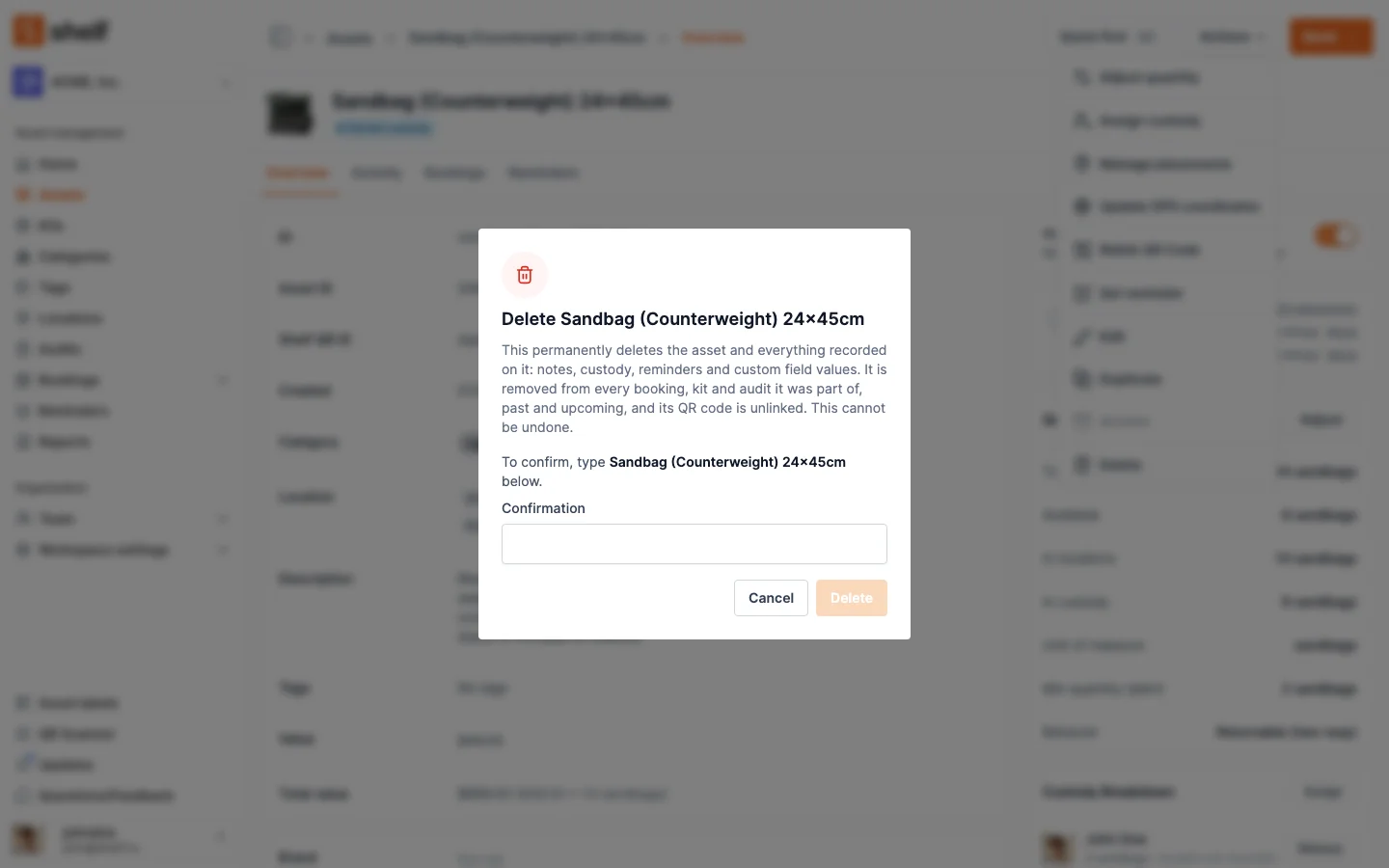
Every permanent delete in Shelf now says what it removes and asks you to type the item's name, or the number of items selected, before it runs. Select all on locations, categories and asset models now deletes only what the list shows.
One click on Delete used to remove an asset, or 200 of them, for good, and the dialog did not say what went with them. A customer asked us to make it harder to do by accident, so we did it for every delete in Shelf, on the web and in the Shelf Companion app.
Now every permanent delete tells you what it takes with it, and Delete stays greyed out until you type the item's name. For a bulk delete you type the number of items selected. Shelf checks what you typed on the server too, and if a Select all selection has grown since you opened the dialog, it deletes nothing and asks for the new number. This covers assets, kits, locations, bookings, asset models, custom fields, archived audits, and categories and tags that are in use.
We also fixed Select all on searched lists of locations, categories and asset models: deleting now removes exactly what the list shows, where before it could remove every one in the workspace. The same fix covers bookings: Select all on the Bookings list, or on a kit's or an asset's Bookings tab, now deletes, archives or cancels only the bookings that list shows. And on the web, an item with no name asks you to type delete instead of its name.
Ready to organize your assets?
Join thousands of teams who trust Shelf to manage their physical assets. Free forever, or try the Team plan free for 7 days.
Out in the field? Shelf Companion is free on iPhone & Android.