

Top Booked Kits Follows Its Filters, and Idle Assets Pages Add Up
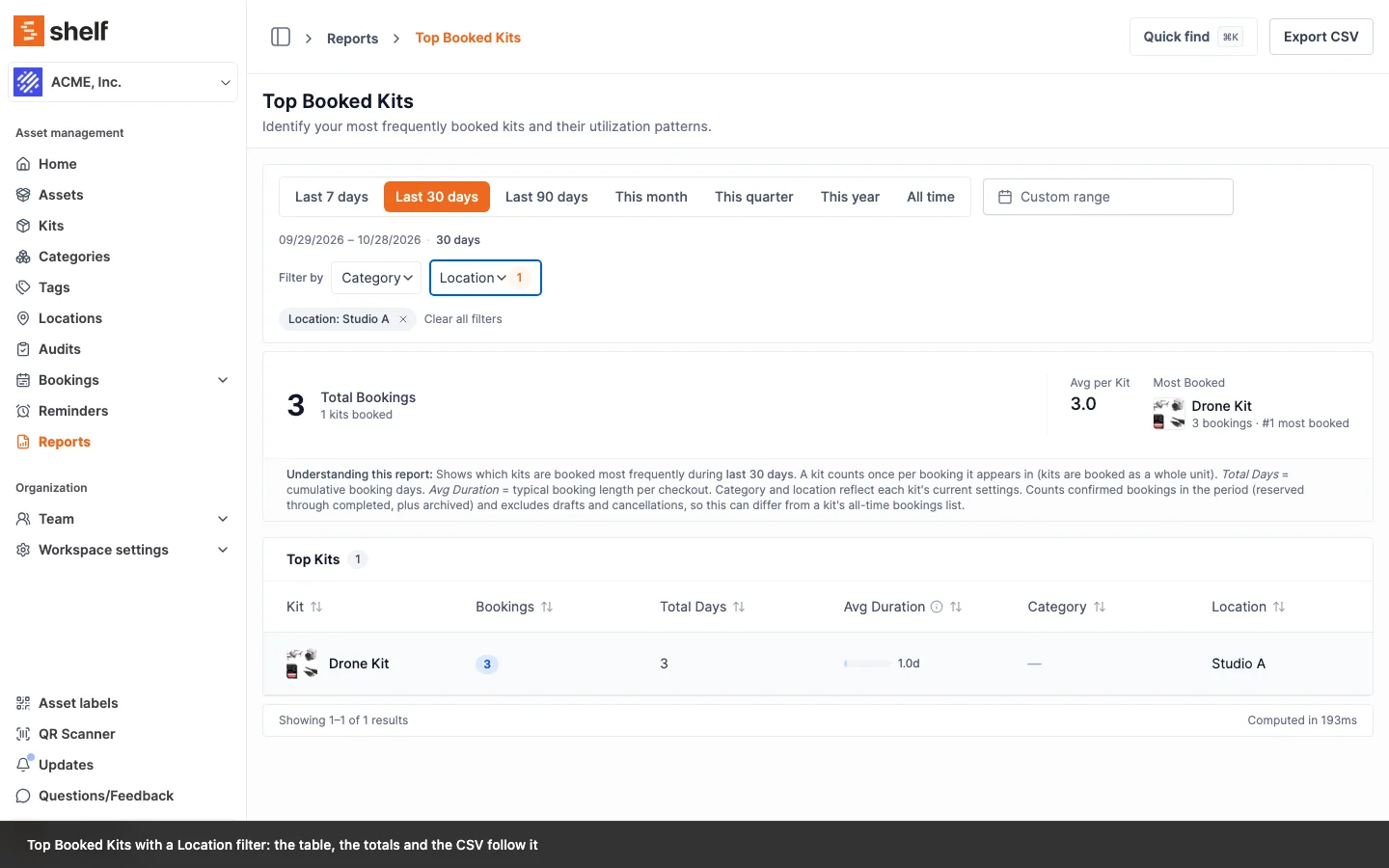
Two report fixes. The Category and Location filters on Top Booked Kits now narrow the table, the totals and the CSV. The Idle Assets report pages over idle assets only, so every page holds what its footer says and no idle asset is left off the last page. A filtered report that finds nothing now says so.
Top Booked Kits declared Category and Location filters, and the filter bar offered them, but picking one changed nothing: the chip appeared and the ranking stayed the same. Since 27 October 2026 the report lists only kits in the chosen categories and the chosen location, judged by the kit's own category and location (the same columns the table shows), in the page, the Total Bookings figure and the CSV export. Without location picks kits that have none, and with both filters set a kit has to match both.
Idle Assets cut each page from every asset not on an active booking and only then dropped the recently used ones, so a page could show three rows under a footer that said five, and with enough recently used assets in the list some idle assets landed on no page at all. The idle test now runs in the database before paging: an asset is idle when it is not out on a booking right now and no booking it went out on has ended since the cutoff. Every page holds as many rows as it says, and the pages together list every idle asset exactly once. Two details of the test changed with it. "Out right now" is read from the asset's own line on the booking, so an asset already checked back in on a long booking that is still running counts as idle. And a use only counts when the asset actually went out, so an asset left behind at check-out is not marked used when its booking ends. Your idle count can move by a few assets because of this.
Reports with a results table also read better when a filter finds nothing: they say No matching results instead of the report's usual "nothing happened yet" message, and a page number past the end of the filtered list offers Go to page 1 with your filters kept. See Apply filters.
Ready to organize your assets?
Join thousands of teams who trust Shelf to manage their physical assets. Free forever, or try the Team plan free for 7 days.
Out in the field? Shelf Companion is free on iPhone & Android.