

Subscribe Your Calendar to a Live Booking Feed
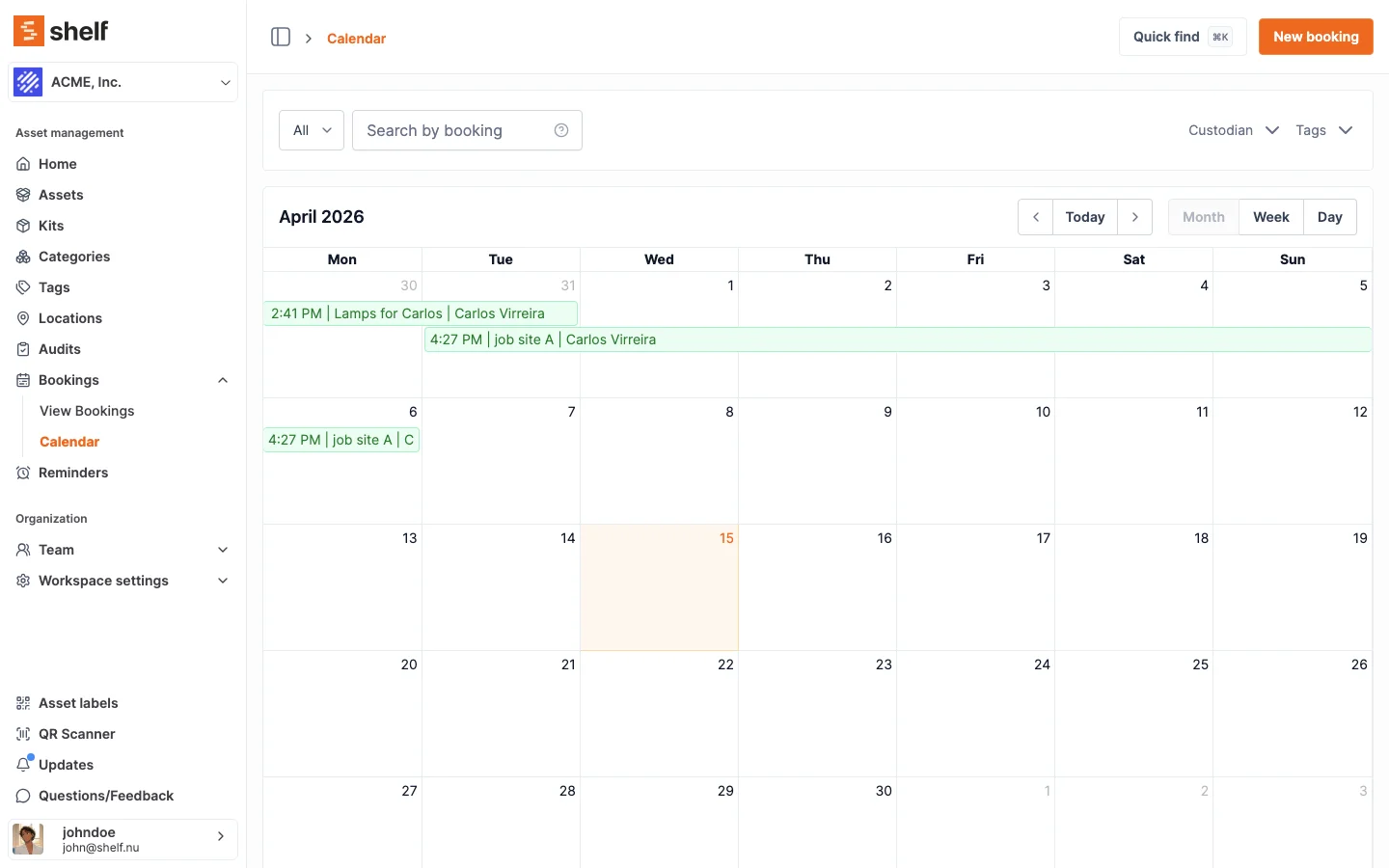
Connect Google Calendar, Apple Calendar, or Outlook to a live, auto-updating feed of your Shelf bookings via a secret URL — no more exporting events one at a time.
You can now subscribe your everyday calendar to a live feed of your Shelf bookings, so reservations appear in the calendar you already use and stay up to date on their own. When a booking is added, moved, or cancelled in Shelf, your Google, Apple, or Outlook calendar reflects it on its next refresh — no re-exporting.
Open the Calendar page and click Subscribe (or go to Account Settings → Calendars) to get a secret feed URL. Add it to Google Calendar via Other calendars → From URL, or use the one-click webcal:// link for Apple Calendar and Outlook. The feed is one-way and read-only and includes your confirmed bookings across a rolling window (about a month back to a year ahead). Every event lists the assets and, where your role can see custody, the custodian, links straight back to the booking in Shelf, and carries a reminder the day before the equipment is due back.
The feed mirrors what you can already see in Shelf: if you can view all workspace bookings, an admin can publish a shared team calendar everyone subscribes to; self-service and base members get a feed of just their own reservations. The URL is a secret, so treat it like a password — you can regenerate it to rotate the link or stop sharing to revoke it at any time. Free for all Team workspaces.
Ready to organize your assets?
Join thousands of teams who trust Shelf to manage their physical assets. Free forever, or try the Team plan free for 7 days.
Out in the field? Shelf Companion is free on iPhone & Android.