

SSO Users Now Land in the Right Workspace
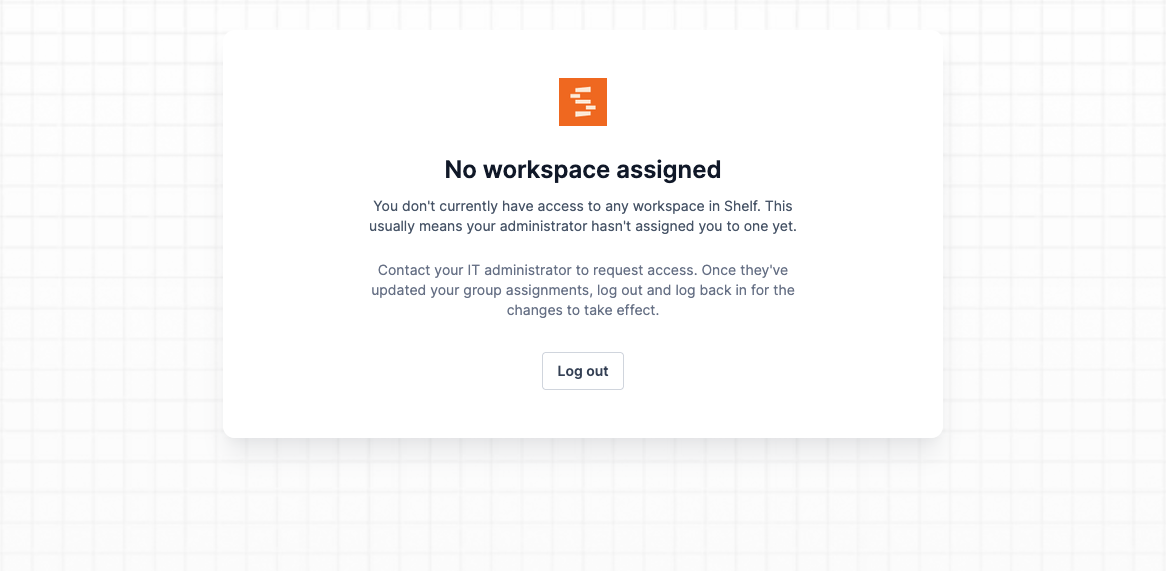
Personal workspaces are now hidden for SSO users, ensuring they always see and operate within their assigned team workspaces.
SSO users no longer see their personal workspace anywhere in Shelf — the workspace switcher, account settings, and organization context now only show the team workspaces assigned by their administrator. This eliminates the confusion of SSO-managed users accidentally working in a personal workspace instead of their organizational one.
For users who log in via SSO and have not yet been assigned to a team workspace, Shelf now shows a clear "No workspace assigned" page instead of an error or a broken state. The page includes instructions to contact their IT administrator, and automatically redirects them once access is granted.
This is particularly useful for organizations onboarding new employees via SSO — users get a clear, actionable message rather than an empty or confusing interface.
Ready to organize your assets?
Join thousands of teams who trust Shelf to manage their physical assets. Free forever, or try the Team plan free for 7 days.
Out in the field? Shelf Companion is free on iPhone & Android.