

A Filter Bar for Reports, and Reports on Plus and Team
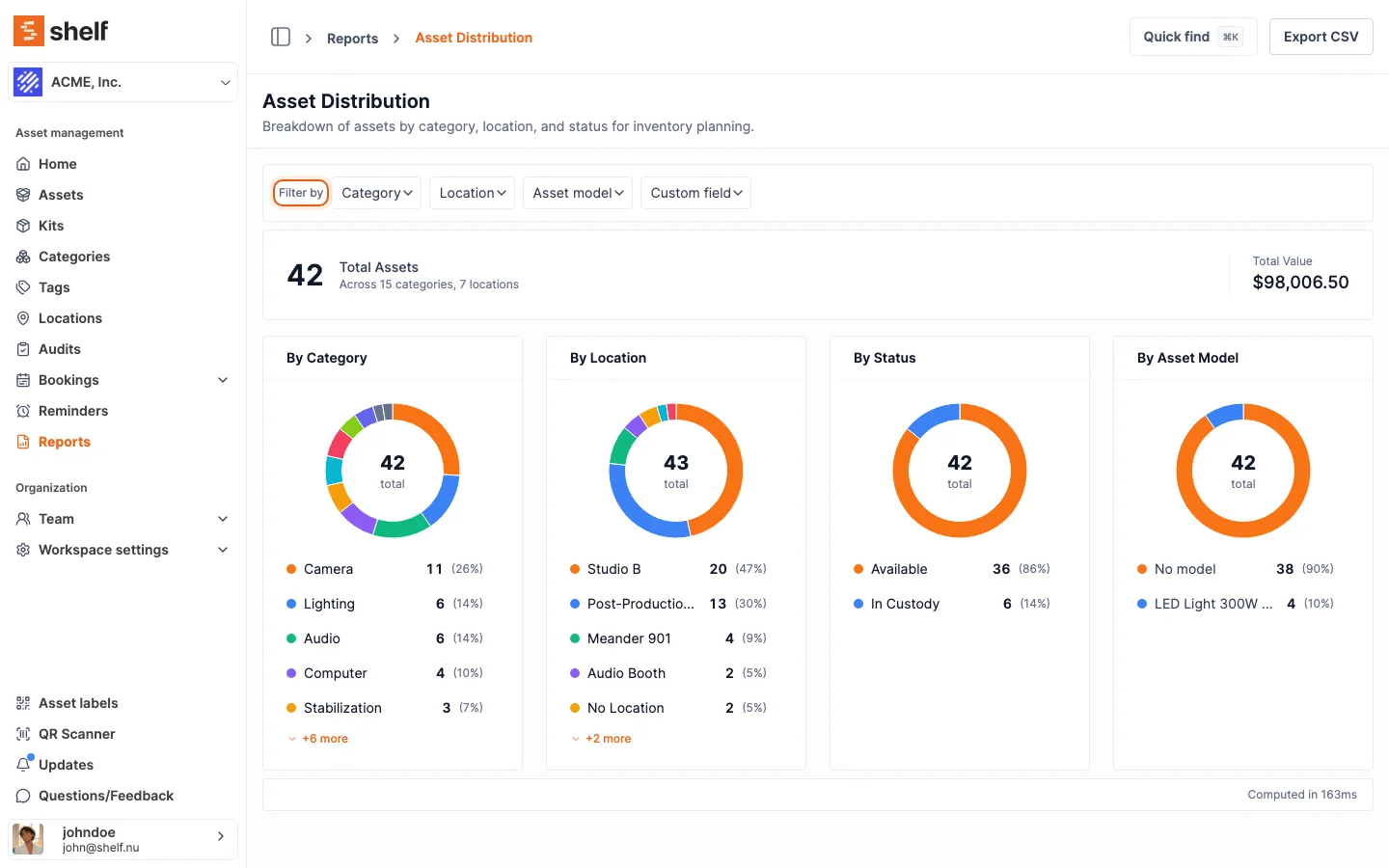
Booking, asset and custody reports now have a filter bar, with new Asset model and Custom field filters, and their CSV and PDF exports follow the same filters. Reports are part of the Plus and Team plans.
Some reports could already be filtered, but only by typing parameters into the address bar. Every booking, asset and custody report except Top Booked Kits can now be filtered from a filter bar with dropdowns for the filters it supports: Category, Location, Status and Custodian where they apply, and two new ones on every asset-based report:
- Custom field: pick a field, then one of the values it holds, for example Condition is Good. Text, dropdown and yes/no fields; several combine so a row must match all of them.
- Asset model: narrow a report to the units of one or more models. Asset Distribution also gains a By Asset Model breakdown.
Applied filters show as chips you can remove one by one, and the headline numbers, the CSV and the PDF follow exactly what the page shows. Monthly Booking Trends now applies its category and location filters, which it used to accept and ignore. Filtered reports are still a link you can bookmark and share.
Since 20 October 2026, Reports is part of the Plus and Team plans. On a Free workspace it stays in the sidebar and shows which plans include it; the plan is the workspace's, so an Administrator in a Team workspace keeps reports whatever their own plan.
Ready to organize your assets?
Join thousands of teams who trust Shelf to manage their physical assets. Free forever, or try the Team plan free for 7 days.
Out in the field? Shelf Companion is free on iPhone & Android.