

See When Each Asset Was Last Audited
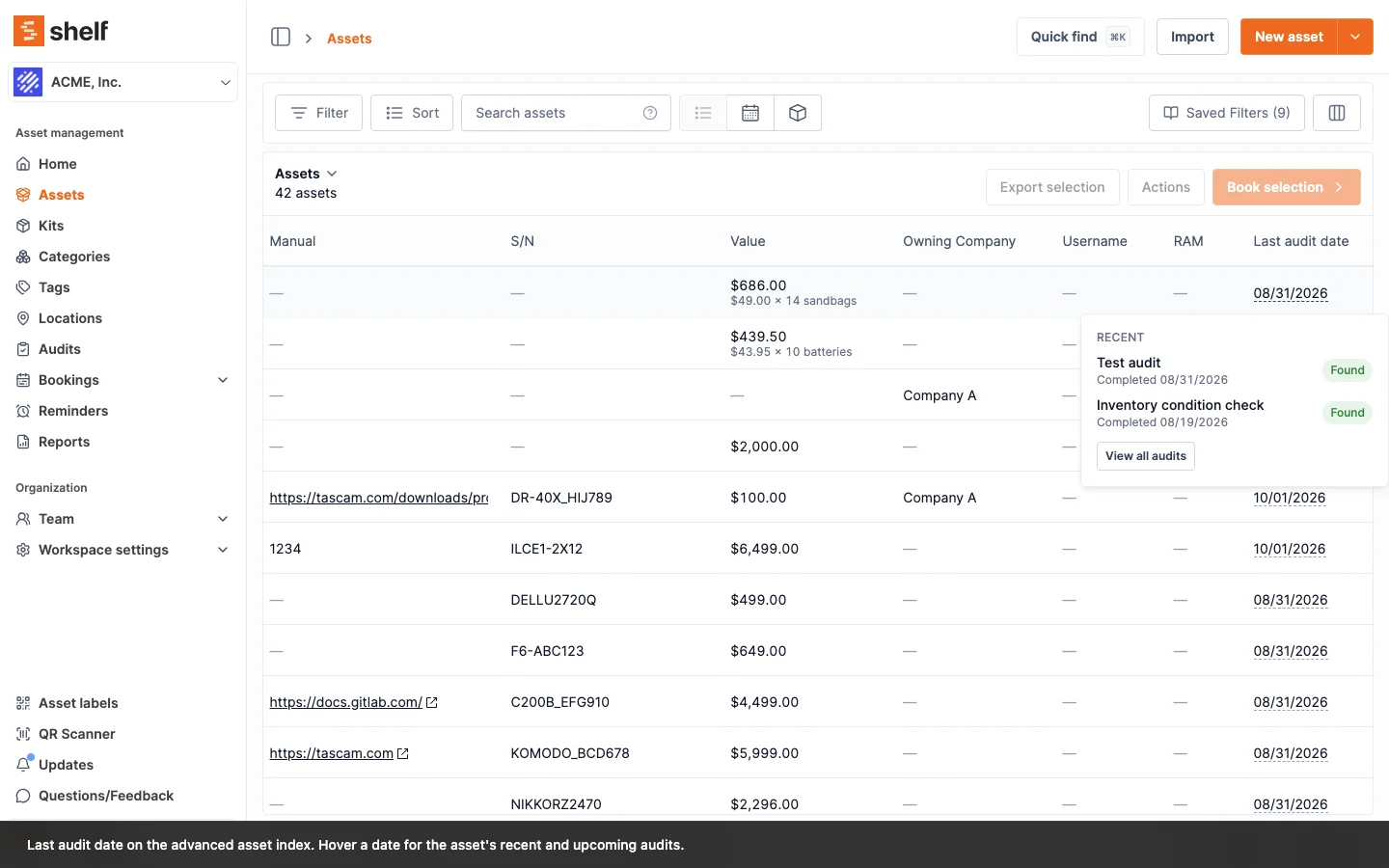
The advanced asset index has a Last audit date column: when the asset was last counted in a completed audit, or Never audited. Hover it for the asset's recent and upcoming audits, filter on it, sort by it and export it. The asset page gets a matching Last audit card. Open Assets, switch to the advanced index, and look for the column.
The advanced asset index now has a Last audit date column, on by default, so teams that run audits can see at a glance which assets have not been counted lately. It holds the completion date of the most recent completed or archived audit the asset was in, or Never audited. An asset reported missing in that audit still counts, because it was on the list that was checked. Hover a date for up to three recent audits with the asset's result in each, up to three upcoming ones, and View all audits, which opens the audits list filtered to that asset. Filter the column with the usual date operators or Never audited, sort it (never-audited assets go last), and take it along in a Standard export; the Import-ready export leaves it out.
The asset page shows the same history on a Last audit card in its right column: the last audit, up to three earlier and three upcoming ones, and View all audits.
Both appear for Owners, Administrators and Managers in a workspace with the Audits add-on. Without the add-on the column reads Unlock audits and there is no card; Self-service and Base users do not see the column or the card.
Ready to organize your assets?
Join thousands of teams who trust Shelf to manage their physical assets. Free forever, or try the Team plan free for 7 days.
Out in the field? Shelf Companion is free on iPhone & Android.