

Importing Users Checks the Whole File First
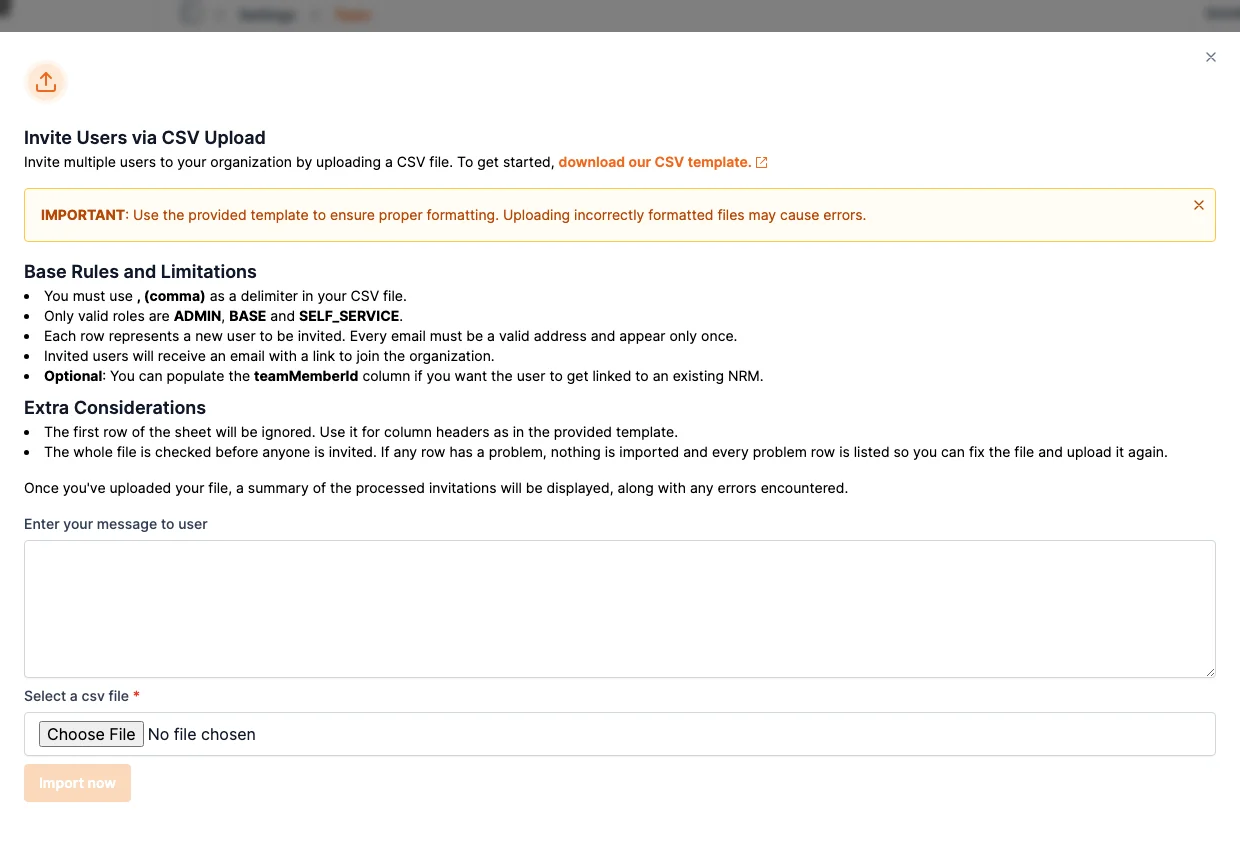
A users CSV is now checked row by row before anyone is invited. A file with a problem invites nobody and lists the problem rows, and roles no longer have to be typed in capitals.
Settings → Team → Import Users now works the same way as the asset import: Shelf reads the whole file before it invites anyone. If any row has a problem, nobody is invited, and the dialog lists the problems in a Row / Problem table with your spreadsheet's row numbers, up to 100 at a time. Fix the rows and upload the file again, with nothing to clean up first.
The check covers roles, email addresses, an address that appears twice (in any capitals), a teamMemberId that appears twice or does not belong to this workspace, and addresses that SSO does not allow inviting. A typo in an email column no longer turns into an invite that can never arrive.
Two smaller changes come with it:
- Roles are not case-sensitive any more.
admin,AdminandADMINall work. - A file takes up to 1,000 users. Split a larger list and import the parts one at a time.
People who are already members, or already have a pending invite, are still skipped rather than invited twice, and the rest of the file goes ahead.
Ready to organize your assets?
Join thousands of teams who trust Shelf to manage their physical assets. Free forever, or try the Team plan free for 7 days.
Out in the field? Shelf Companion is free on iPhone & Android.