

Export assets in a format that imports straight back
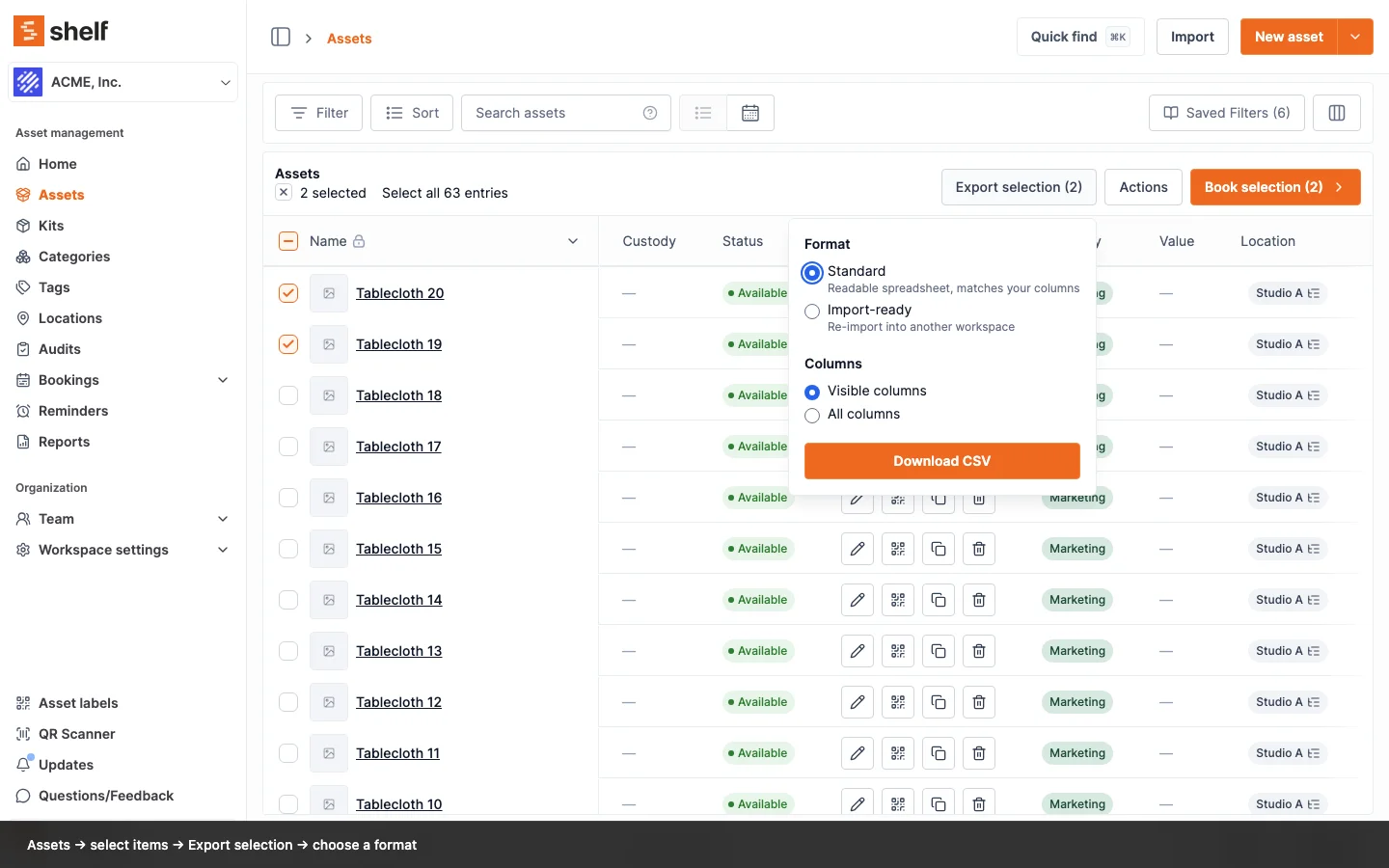
A new Import-ready export writes your assets with the importer's own columns, so a CSV from one workspace uploads directly into another. Plus a Visible/All column choice on every export.
Exporting assets and importing them somewhere else used to mean reshaping the file by hand: the export was built for people to read, and the importer wanted its own column names and value formats. Export selection on the Assets index now asks which you want.
Pick Import-ready and Shelf writes the file with the importer's own headers and values, including quantity-tracking fields, asset models, barcodes, and custom fields with their types. Upload it into another workspace via Assets → Import and the importer creates the categories, tags, locations, custodians, models, kits, and custom fields it finds by name. Two things stay behind: QR IDs, which belong to the workspace that issued them, and asset images, which need re-adding after the import.
The same dialog also lets you choose whether the export covers only the visible columns in your index or all columns, on both formats. Standard exports are unchanged otherwise, and your current search and filters still apply when you use Select all entries.
Ready to organize your assets?
Join thousands of teams who trust Shelf to manage their physical assets. Free forever, or try the Team plan free for 7 days.
Out in the field? Shelf Companion is free on iPhone & Android.