

An audit now shows what people wrote, not just what they photographed
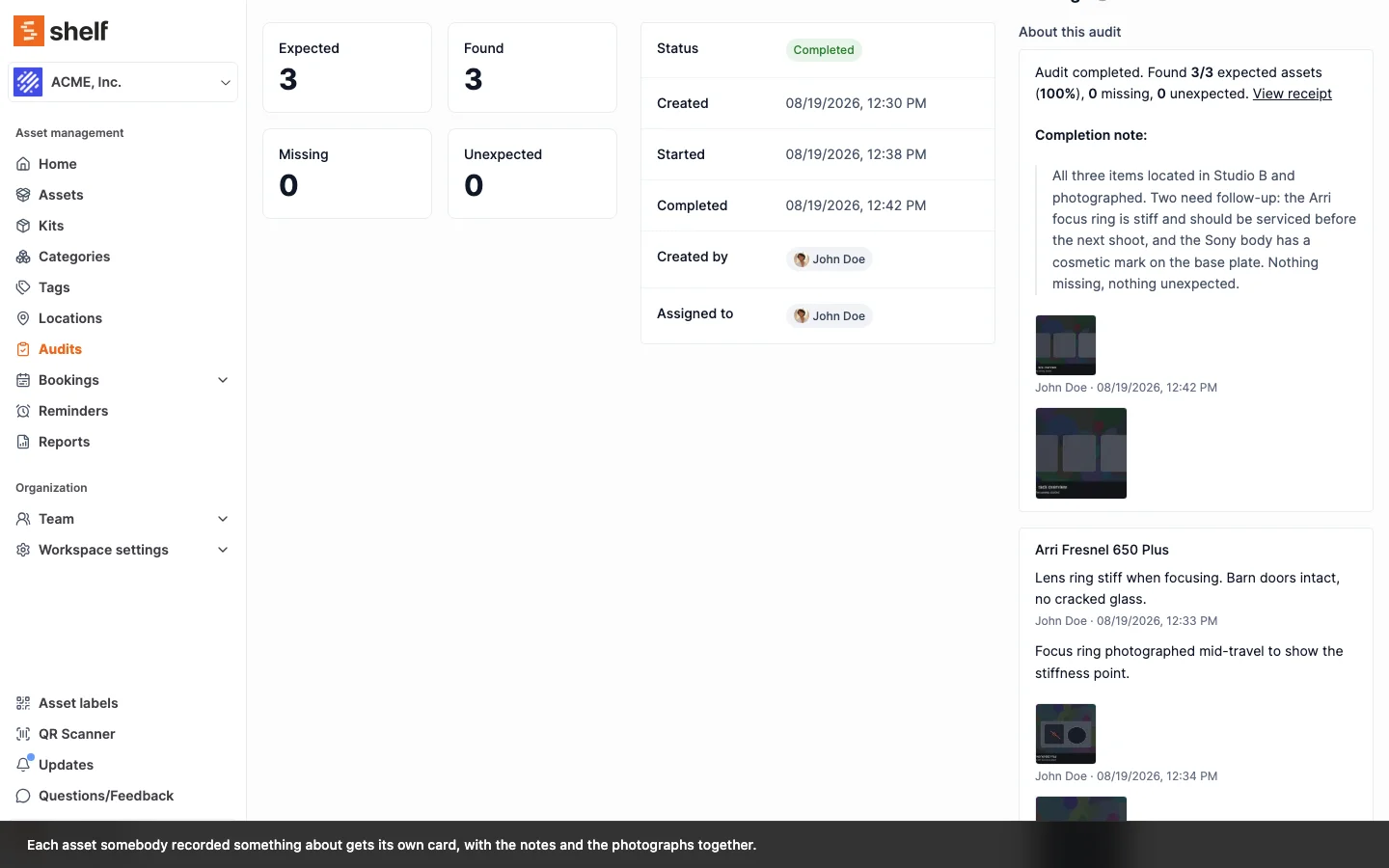
Findings collects every condition note and photo from an audit on the audit's own page and in the PDF receipt, grouped by the asset each one is about, with a chip on every row that carries something.
Audit photos have always been on the audit page. The words typed beside them were not: reading a condition note meant opening rows one at a time, or scrolling the Activity tab past every status change Shelf logged for itself. A note and a photo of the same camera are one observation, and they were in two different places.
The audit page now has a Findings column. About this audit sits at the top with the completion note and any photos of the count as a whole, and below it one card per asset somebody recorded something about, with the note, its author, the time, and the photographs of that item together. An audit nobody wrote anything on says so: Nothing was recorded during this audit.
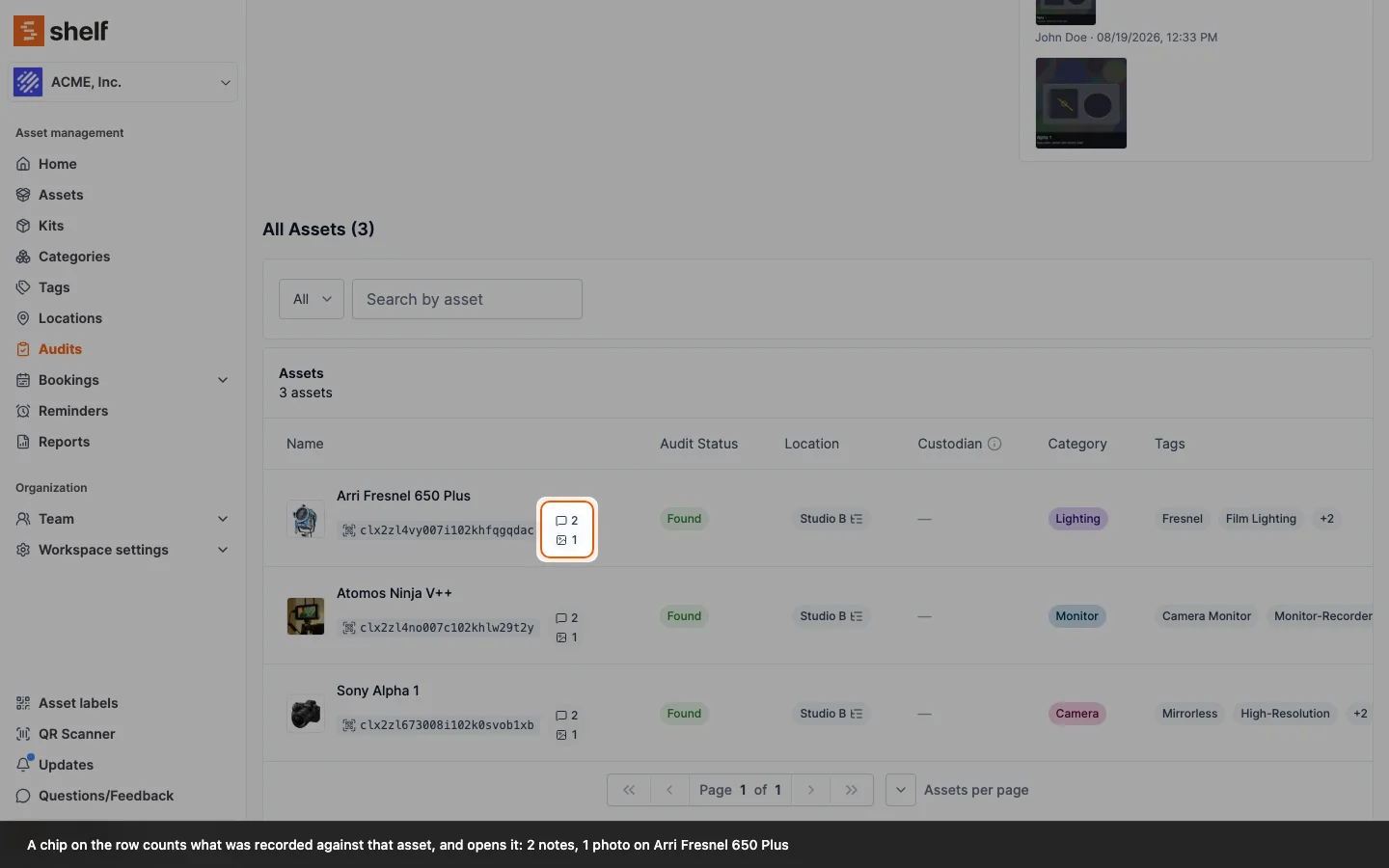
The asset table points you at them. Any row that carries something now shows a chip counting the notes and the photos separately, and opens straight into that asset's notes and images. On a 200-item count, that chip is the difference between the one damaged item and the 199 that were fine.
The Download Receipt PDF is grouped the same way. Its old "Images" section is now Findings, holding the notes with the photographs of the same asset instead of printing them apart and leaving the reader to join them up by name across pages.
Shelf's own trail has not moved. Statuses changing, the audit starting and completing: those stay on the Activity tab, which is also where the note log still downloads as CSV. Findings is people's observations only.
Ready to organize your assets?
Join thousands of teams who trust Shelf to manage their physical assets. Free forever, or try the Team plan free for 7 days.
Out in the field? Shelf Companion is free on iPhone & Android.