

Asset Models Fill In Brand, Supplier and Your Other Custom Fields
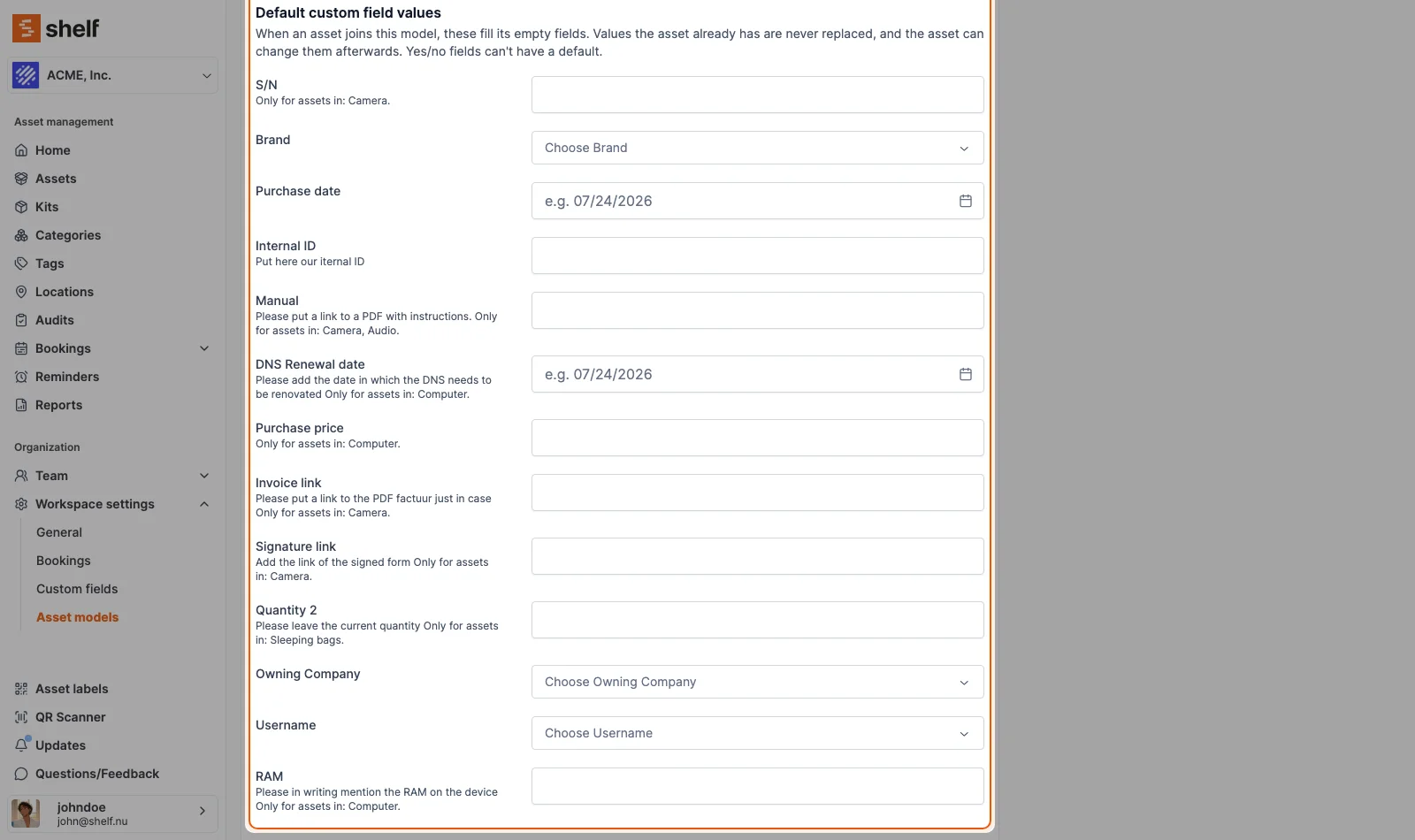
An asset model can now hold default values for your workspace's custom fields, next to its default category and value. Every asset that joins the model gets them in the fields it has left empty. Set them under Workspace settings → Asset models.
A fleet of 30 identical laptops shares a brand, a supplier and a warranty, and nobody should have to type them 30 times. An asset model now has a Default custom field values section next to its default category and value, with one row for each custom field in your workspace.
Whenever an asset joins the model, each default fills the matching field if it is empty. That covers the new asset form, bulk-creating units, the edit form, Actions → Update asset model on a selection, imports and CSV updates. A value the asset already has is never replaced, and the asset can change any filled value afterwards. Each filled asset gets a note naming the model and the values.
For units already in the model, its edit page shows how many have empty fields the defaults could fill, with one button to fill them. Yes/no fields can't have a default.
Ready to organize your assets?
Join thousands of teams who trust Shelf to manage their physical assets. Free forever, or try the Team plan free for 7 days.
Out in the field? Shelf Companion is free on iPhone & Android.