

Archive Assets Instead of Deleting Them
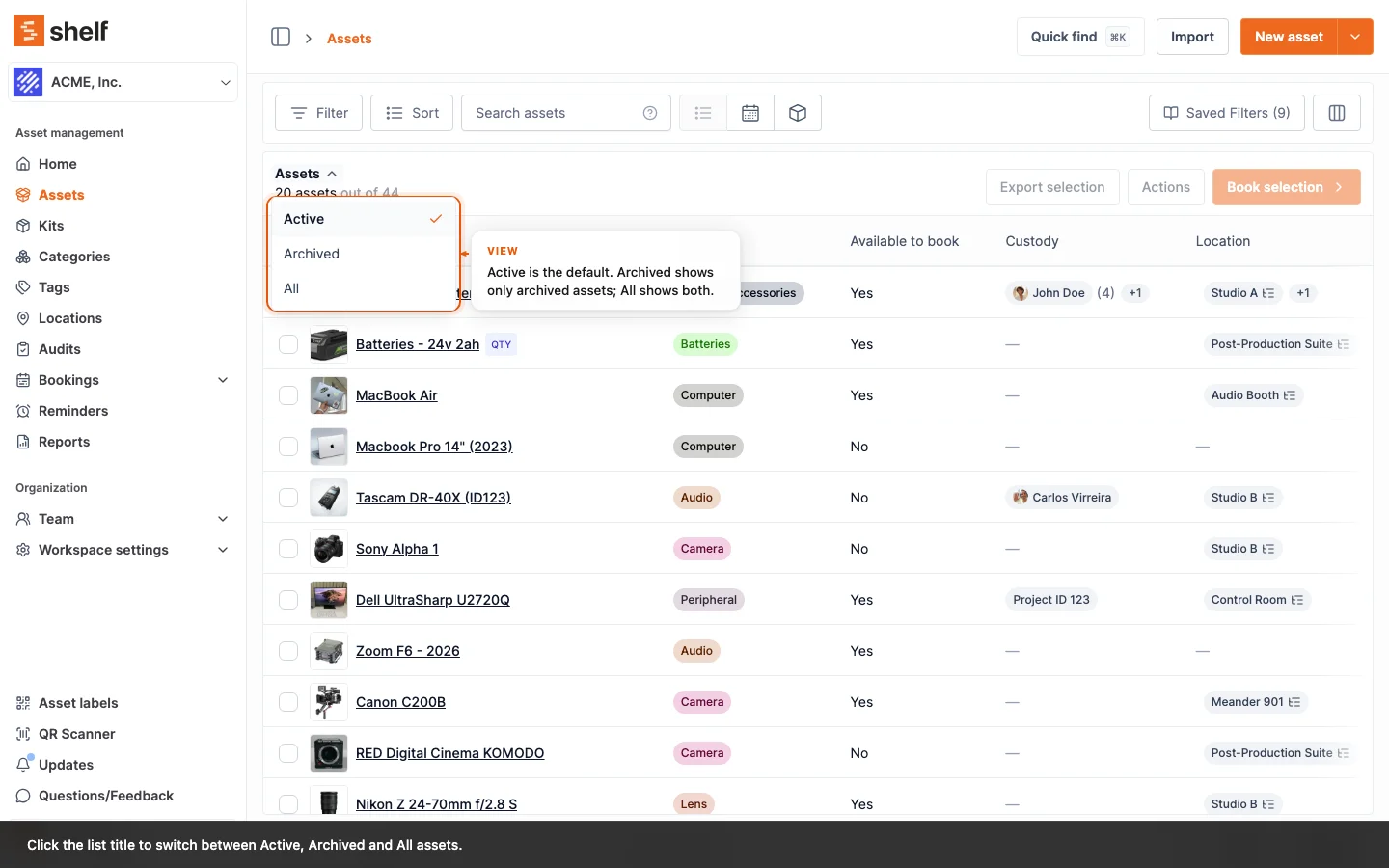
Owners and Administrators can now archive an asset to take it out of asset lists, the booking picker and current-inventory reports while keeping its history, ID and QR code, and reinstate it at any time.
Until now, the only way to get retired equipment out of your lists was to delete it, and a deleted asset takes its history with it. You can now archive an asset instead. Choose Archive from the asset's Actions menu, or archive a selection from the asset index. An archived asset leaves your asset lists, the booking picker, the dashboard's asset totals, value, status split and top locations, and the Asset Inventory, Asset Distribution and Idle Assets reports, but the record stays, with its history, SAM ID and QR code. Reinstate brings it back exactly as it was.
To find archived assets, click the list title on the Assets page and choose Archived or All; the same menu is on a kit's and a location's asset lists. An archived asset's details are read-only, though you can still add a note on its Activity tab, reinstate it or delete it. It carries an Archived badge everywhere it still appears, including bookings that already held it and the page its QR label opens. History reports such as Activity, Asset Utilization and Top Booked keep counting it.
Archiving is careful with everything around the asset. The asset's Activity tab records who archived and reinstated it, its reminders pause instead of emailing, and a kit whose assets are all archived can't be booked or put in custody until one comes back. A Draft booking that holds an archived asset names it and keeps Reserve greyed out until you take it off or reinstate it. Asset counts on the locations, kits, categories and asset models lists leave archived assets out.
In the Shelf Companion app, an archived asset you open or scan reads Archived rather than Available, its custody, move and edit actions are turned off, and Owners and Administrators can reinstate it from the phone.
Archiving itself is available to Owners and Administrators, on the web. For now it covers individually tracked assets that are not checked out, in custody or in a reserved or checked-out booking.
Ready to organize your assets?
Join thousands of teams who trust Shelf to manage their physical assets. Free forever, or try the Team plan free for 7 days.
Out in the field? Shelf Companion is free on iPhone & Android.