

An audit can be corrected while it runs, and its record survives a deleted asset
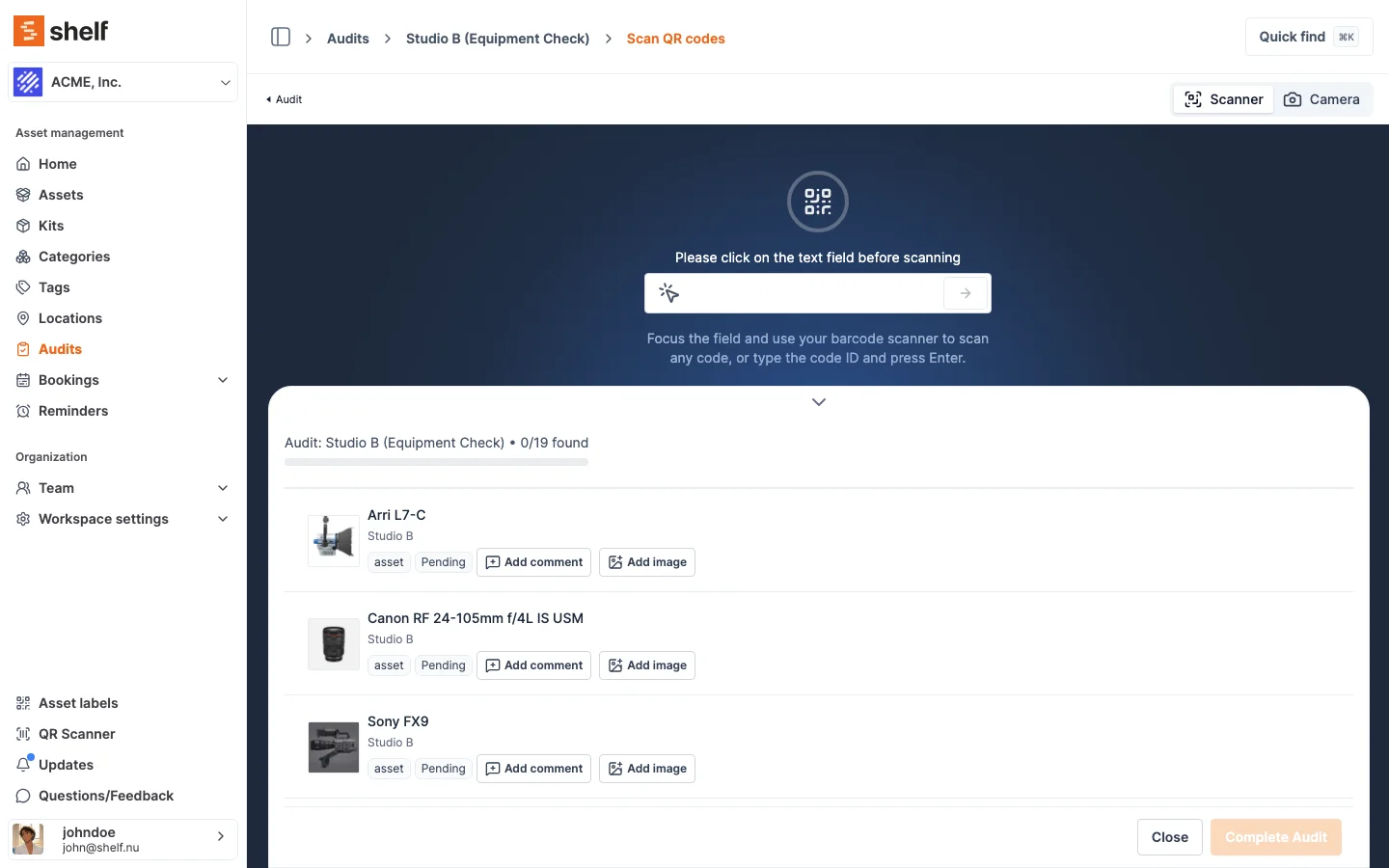
Remove a mis-scan from a live audit and the counts recount themselves, complete an audit where nothing was found, and keep a scanned row readable after its asset is deleted.
Three changes to audits, all of them about the audit record being honest rather than merely tidy.
A scan you did not mean to make comes back off. Click the bin icon at the end of a scanned row on the scan page. An asset that was on the expected list returns to Not scanned, with the time of the scan and the name of the person who made it cleared; an asset that was never on the list leaves the audit entirely, because nothing but the scan put it there. The Found, Not scanned and Unexpected counts are then recounted from the rows rather than nudged down by one, so a total can never drift away from the list it summarises, and the Activity tab keeps a record of who removed what. Reopening the scan page restores everything already recorded, so yesterday's mis-scan is as correctable as this minute's. A Completed or Cancelled audit refuses the change: its numbers have been reported.
An audit where nothing was found can be completed. It used to sit there with the Complete button greyed out and no explanation, which left the most alarming result an audit can produce, an empty room, as the one result you could not put on the record. Completing is now offered, and the confirmation says what it means before anything is written. For an audit that expects 20 assets it reads: "No assets were scanned. Completing now marks all 20 expected assets as missing." Confirm and every expected asset is recorded as Missing, with the same receipt and the same counts as any other completion.
A deleted asset no longer erases the scan that found it. Every scan now stores the asset's name and whether the audit expected it, at the moment it is scanned. Delete the asset afterwards and its row survives, reading "Camera body A (deleted)" and still badged Expected if the audit had expected it, instead of the blank row marked Unexpected it used to become. Scans recorded before this shipped have been filled in from their assets, so the protection covers your existing audits rather than only the ones you run from here. A live asset still shows its current name: the stored one exists to survive deletion, not to freeze naming.
Removing a scan is also available to the Companion app now through the mobile API. The button for it arrives in a future app release.
Ready to organize your assets?
Join thousands of teams who trust Shelf to manage their physical assets. Free forever, or try the Team plan free for 7 days.
Out in the field? Shelf Companion is free on iPhone & Android.