

A Reserved Booking Always Holds Something
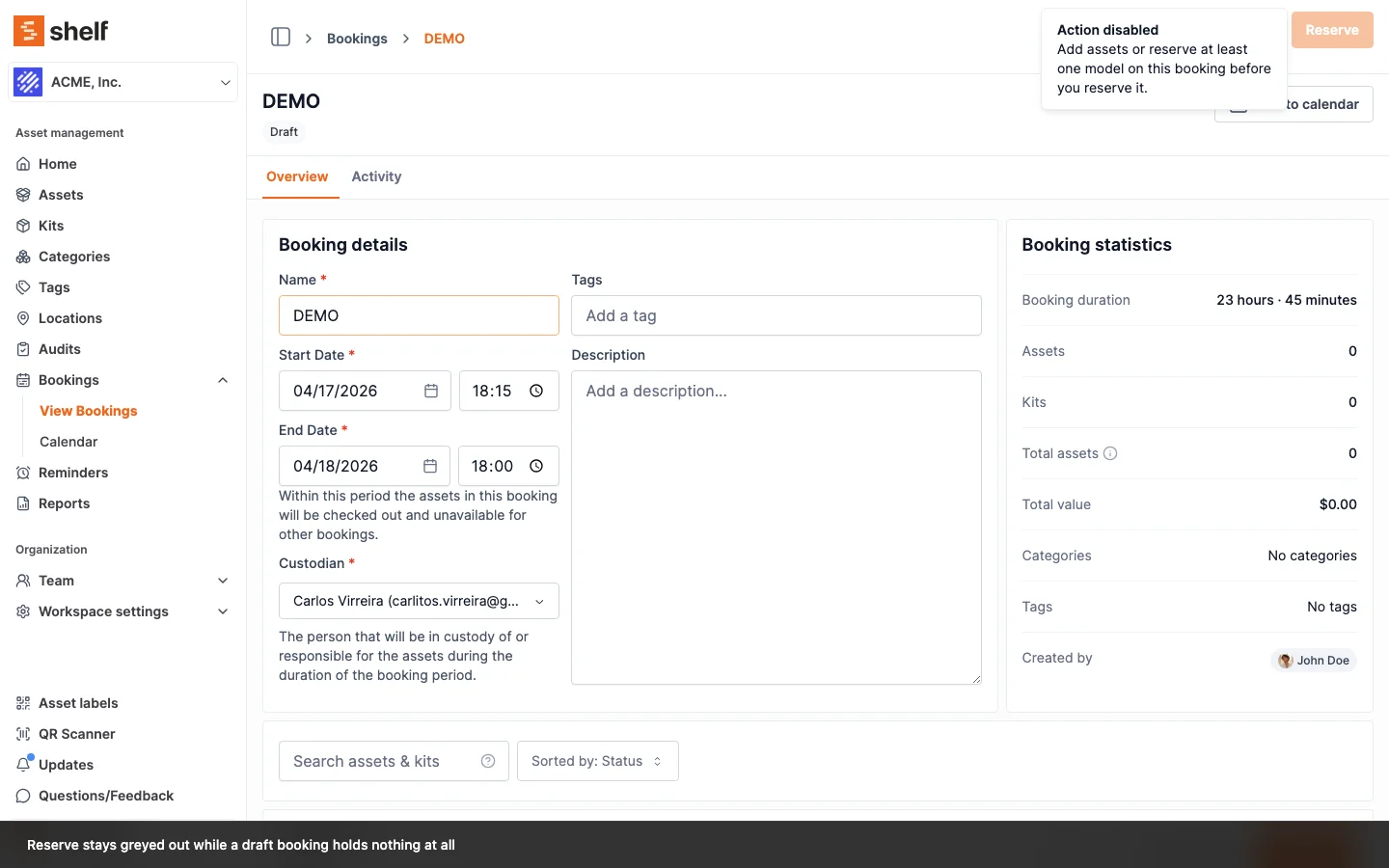
Reserving an empty booking is now refused everywhere, on the web and in the Shelf Companion app, and a reserved booking can no longer be emptied by removing its last item.
A booking that is Reserved but holds nothing reserves nothing. It cannot be checked out, it shows on the index as an empty row, and nobody can tell from the outside that it is not holding gear for someone. Two doors led to that state, and both are now closed.
Reserving. The website already greyed out Reserve when a booking had neither assets nor model reservations, or when it held an asset marked unavailable. Those checks lived only in the web form, so the Shelf Companion app could reserve a booking the website turned away. Both rules are now enforced on the server, which means every surface follows them: the phone refuses exactly what the website refuses. Shelf also re-checks them at the instant you reserve, so an edit made by someone else while you have the booking open cannot slip through.
Removing. Taking the last asset or model reservation off a booking that is already Reserved is now refused. Cancel the booking if you no longer need it, or add the replacement first. Draft, Ongoing and Overdue bookings are unaffected, since pulling an item off a booking that is already underway is a normal correction.
One wording now backs each rule, so the reason the tooltip gives you is the reason the server gives back. The third greyed-out reason, an asset already booked for your dates, is refused by the conflict check instead, which is more useful because it names the assets that clash. The matching note inside the Companion app arrives with its next release; the refusal itself is already live there, because it is enforced on the server. Existing empty reservations are untouched.
Ready to organize your assets?
Join thousands of teams who trust Shelf to manage their physical assets. Free forever, or try the Team plan free for 7 days.
Out in the field? Shelf Companion is free on iPhone & Android.