

What Equipment Schools Need for Student Media Programs After Phone Bans

A practical, budgeted equipment guide for K-12 schools building out media programs after cellphone bans — organized by program type with real products and prices.
With 33 U.S. states now enforcing statewide K-12 cellphone bans as of March 2026, K-12 schools face a straightforward operational question: what equipment do student media programs actually need, and what does it cost?
Students' personal phones were a $0 line item on school budgets. Every student carried a capable camera, audio recorder, and video device in their pocket. Phone bans shift that cost entirely to the school.
This guide breaks down equipment needs by program type, with specific product recommendations and realistic budgets. Everything here is based on what schools actually use — not aspirational wishlists.
- Yearbook (20-30 students) — from $4,500
- School Newspaper (10-20 students) — from $2,500
- Broadcast / Morning Show (10-15 students) — from $5,000
- Film / Media Arts CTE (15-25 students) — from $8,000
- Podcast / Audio (5-10 students) — from $600
- Plus: shared equipment models, education discounts, and combined budgets
What Phones Were Doing
Before getting into product lists, it's worth naming what phones replaced in student media workflows:
- Quick candid photography — hallway moments, events, classroom life
- Voice memo interviews — the single most common phone use in student journalism
- Video clips — b-roll, social media content, news packages
- On-the-fly editing — cropping photos, trimming clips, adding text
- Content publishing — posting to school social media accounts
- Communication — coordinating with sources, scheduling
Every function above now needs a school-owned alternative.
Yearbook Programs (20-30 Students)
Yearbook teams depend heavily on candid photography and event coverage. This is where the phone ban hits hardest — yearbooks relied on student-submitted phone photos and staffers grabbing candids between classes.
Recommended Equipment
Cameras
- 6-8x Canon EOS Rebel T8i (DSLR, $750 each) — the most common camera in scholastic journalism programs. Durable, extensive learning resources, 4K video capability. Canon Rebels have been the default in school media rooms for over a decade.
- 3-4x Canon PowerShot G7 X Mark III ($750 each) — compact "grab-and-go" cameras for beginners and quick event coverage. Replaces the phone-in-pocket convenience.
- 3x Canon EF 50mm f/1.8 STM ($125 each) — inexpensive portrait lens with shallow depth of field. The best value lens for yearbook photography.
- 2x Canon EF-S 55-250mm f/4-5.6 IS STM ($250 each) — zoom lens for sports and assembly coverage.
Accessories
- 16x SanDisk Extreme 64GB SD cards ($13 each)
- 8x Spare batteries, Canon LP-E17 compatible ($20-$45 each)
- 8x Camera cases ($25 each)
- 4x SD card readers ($13 each)
- Lens cleaning kits
Software
- Adobe Creative Cloud for Education — InDesign, Photoshop, Lightroom ($5-$15/student/year via district agreement)
- Canva for Education — free for K-12, full Pro features
Budget
| Level | Estimate |
|---|---|
| Bare minimum (4 cameras, basic accessories, existing computers) | $4,500 - $5,500 |
| Well-equipped (8 cameras, extra lenses, accessories, Adobe CC) | $10,000 - $12,000 |
| Annual ongoing (replacement cards, batteries, software, 1 camera replacement) | $1,200 - $1,800/yr |
What people forget to budget for
- SD card replacement — students lose them. Budget 30% replacement annually.
- Lens caps — they vanish. Buy a 10-pack of universal 58mm caps.
- A dedicated card reader station — plugging cameras directly into computers wears out USB ports.
School Newspaper / Student Journalism (10-20 Students)
Student journalism's biggest loss is the voice memo interview. Reporters used to hit record on their phone without a second thought. Now they need a dedicated recorder.
Recommended Equipment
Cameras
- 3-4x Canon EOS Rebel T8i or Nikon D5600 ($700-$750 each) — shared with yearbook if possible
- 2x Canon PowerShot G7 X Mark III ($750 each) — compact cameras for news photography in the field
Audio — The Most Critical Gap
Audio recorders replace the single most common phone use in student journalism — the quick interview recording. The Zoom H1essential ($80) with 32-bit float recording means students can't clip audio even with wrong levels. This is the #1 purchase for any newspaper program after a phone ban.
- 4-6x Zoom H1essential ($80 each) — the new version of the H1n, which has been used in journalism programs for over a decade.
- 2x Rode smartLav+ lavalier mic ($60 each) — for sit-down interviews
- Foam windscreens, micro SD cards
Field Devices
- 4-6x Chromebooks ($250-$300 each) for writing, photo uploading, and CMS management — or existing school devices
- Alternative: iPad 10th Gen ($350 each) with keyboard case for field editing
Software
- SNO Sites (~$500/year) or WordPress — used by 3,000+ schools for online publication
- Adobe Photoshop/Lightroom education license
- Google Docs — free with Google Workspace for Education
Budget
| Level | Estimate |
|---|---|
| Bare minimum (2 cameras, 3 audio recorders, existing computers) | $2,500 - $3,500 |
| Well-equipped (4 cameras, 6 recorders, dedicated laptops, Adobe CC) | $7,000 - $9,000 |
| Annual ongoing | $800 - $1,200/yr |
What people forget
- Headphones for audio review — buy a class set of inexpensive over-ears (~$15 each)
- A file transfer workflow — students used to AirDrop from phones. Now you need a process.
Broadcast Journalism / Morning Show (10-15 Students)
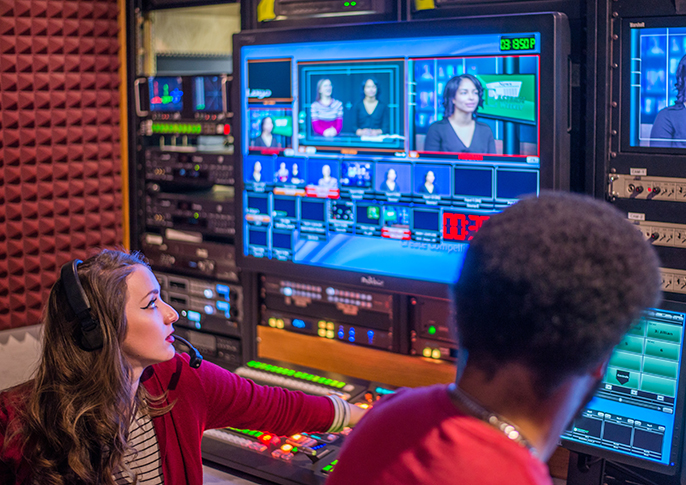
Broadcast programs need both studio equipment (fixed cameras, switcher, lighting) and field gear (handheld cameras, wireless mics). Many programs also used phone teleprompter apps that now need replacing.
Recommended Equipment
Video Cameras
- 2x Canon VIXIA HF G70 ($1,200 each) — 4K camcorder for studio use. Powered zoom, long battery life, built-in ND filters. Camcorders are better for studio work than mirrorless cameras.
- 2x Canon EOS R50 ($680 each) — lightweight mirrorless for field packages and news gathering
Tripods
- 2x Magnus VT-4000 fluid head tripod ($160 each) — studio
- 3x Magnus VT-300 or Manfrotto Compact Action ($60-$80 each) — field
Lighting
- 1x GVM 80W LED 2-pack ($180) — studio key/fill lights
- 1x Neewer 660 LED Panel 2-pack ($130) — additional studio lighting
- 2x Small portable LED panels ($50-$80 each) — field lighting
Microphones
- 2-3x Audio-Technica AT2010 or Shure SM58 ($80-$100 each) — handheld reporter mics
- 2x Rode Wireless GO II ($250 each) — wireless lavalier system, dual channel. This has become the most popular wireless mic system in education media.
- 2x Rode VideoMic GO II ($100 each) — on-camera shotgun mic
Teleprompter
- 1x Glide Gear TMP100 ($170)
- 1x Tablet for prompter display (repurposed school iPad or $150 Amazon Fire HD 10)
- CuePrompter — free web-based teleprompter software
Switching/Production
- 1x Blackmagic ATEM Mini ($295) or ATEM Mini Pro ($495) — the ATEM Mini has replaced expensive TriCaster systems in school broadcast programs. It handles 4 camera inputs, transitions, picture-in-picture, and can stream directly. Students learn to run live shows within a week.
Budget
| Level | Estimate |
|---|---|
| Bare minimum (2 cameras, basic audio, ATEM Mini, existing computers) | $5,000 - $7,000 |
| Well-equipped (4 cameras, full audio kit, lighting, teleprompter, ATEM Mini Pro) | $12,000 - $16,000 |
| Annual ongoing | $1,500 - $2,500/yr |
What people forget
- HDMI cables in the right lengths — measure your studio space before ordering
- A green screen ($40-$100 for a collapsible one)
- Cable management — gaffer tape, cable ties, floor covers. Safety hazard if ignored.
Film / Media Arts CTE Programs (15-25 Students)
CTE programs need to teach industry-standard workflows. This means cinema-style cameras, professional audio, proper lighting, and real editing software — not consumer-grade gear.
Recommended Equipment
Cameras
- 4-6x Canon EOS R50 or Sony a6400 ($680-$900 each) — versatile mirrorless cameras for student projects
- 1-2x Blackmagic Pocket Cinema Camera 4K ($1,295 each) — records in Blackmagic RAW, teaches real color grading workflows. Pairs directly with DaVinci Resolve. This is a pipeline used in actual production houses.
- Creative lenses: 3x 50mm f/1.8 ($125-$250 each), 2x 55-210mm zoom ($250-$350 each)
Audio
- 2x Rode NTG2 shotgun mic ($150-$270 each) — for boom operation
- 2x Boom poles ($60-$100 each)
- 2x Rode Wireless GO II ($250 each)
- 2x Zoom H4essential or Zoom H5 portable recorder ($150-$230 each)
- 4x Sony MDR-7506 headphones ($80 each) — the industry standard for production monitoring. Students will find the same pair in every professional studio they ever walk into.
Lighting
- 1-2x GVM 80W LED 3-Light Kit ($250-$400 per kit)
- 2x Aputure Amaran P60c portable LED ($200 each)
- 3x 5-in-1 reflectors ($18 each)
- Light stands, sandbags
Stabilization
- 4x Magnus VT-4000 fluid head tripod ($160 each)
- 2x DJI RS 3 Mini or Zhiyun Weebill 3 gimbal ($300-$400 each)
Editing Workstations
- 6-8x Dedicated workstations — Dell OptiPlex or HP Z2 with i7 processor, 16GB RAM, dedicated GPU, SSD ($900-$1,200 each). Video editing cannot run on standard classroom computers or Chromebooks.
- 6-8x 24" IPS monitors ($150-$200 each)
- 1x Synology DS220+ NAS with 2x 4TB drives ($500) — central project storage
- 10x WD My Passport 2TB external drives ($65 each)
Software
- DaVinci Resolve (free) — professional-grade editing, color, audio, and VFX. The free version covers everything a CTE program needs. Students can install it at home at no cost.
- Adobe Premiere Pro education license — important to teach for industry awareness, but DaVinci Resolve eliminates the biggest recurring software cost
Budget
| Level | Estimate |
|---|---|
| Bare minimum (4 cameras, basic audio, basic lighting, existing computers, Resolve free) | $8,000 - $12,000 |
| Well-equipped (6 cameras including BMPCC, full audio, lighting, gimbals, 8 editing workstations) | $25,000 - $35,000 |
| Annual ongoing (software, replacement parts, drives, consumables) | $2,000 - $3,500/yr |
What people forget
- Hard drive storage fills up fast — 4K video eats storage. Budget for a NAS and a file management policy.
- Gaffer tape ($15/roll, you'll go through many)
- Release forms — talent release, location release. Legal requirement for student films.
- A way to screen finished work — projector, TV, or school assembly slot. Students need an audience.
Podcast / Audio Production (5-10 Students)
The lowest-cost program to equip, and one of the fastest-growing in K-12 education.
Recommended Equipment
Microphones
- 4-6x Samson Q2U ($70 each) or Audio-Technica ATR2100x-USB ($80 each) — dynamic mics with both USB and XLR outputs. Students start with USB, and as the program grows you can add an audio interface using the same mics via XLR. Buy once.
- Alternative: 1x Rode RODECaster Duo ($400) — purpose-built for podcasting with physical faders, sound pads, and multi-track recording to microSD. Simplifies the workflow dramatically.
Audio Interface (for multi-person recording without RODECaster)
- 1x Focusrite Scarlett 2i2 ($180) or Scarlett 4i4 ($260)
Headphones
- 4x Sony MDR-7506 ($80 each) or budget alternative: 6x Behringer HPM1100 ($25 each)
Accessories
- Desk boom arms ($14 each), pop filters ($8 each), acoustic foam panels ($25 per 12-pack)
- A "recording in progress" sign for the door
Software
- Audacity — free, open source
- GarageBand — free on Mac
- Hosting: Spotify for Podcasters (free) or Buzzsprout (free tier available)
Budget
| Level | Estimate |
|---|---|
| Bare minimum (4 USB mics, headphones, Audacity, existing computers) | $600 - $900 |
| Well-equipped (6 mics, RODECaster, good headphones, acoustic treatment) | $2,000 - $3,000 |
| Annual ongoing | $200 - $400/yr |
What people forget
- A quiet room matters more than expensive mics — advocate for a dedicated space, even a closet.
- Pop filters — without them, every "P" and "B" sounds like an explosion.
- Mic stands or boom arms — you cannot hand-hold a podcast mic, and desk vibration ruins audio.
What Can Be Shared Across Programs
The biggest cost savings come from shared equipment pools:
| Equipment | Programs That Share It |
|---|---|
| Canon Rebel cameras | Yearbook, Newspaper, Broadcast (field), Film |
| Rode Wireless GO II | Broadcast, Film, Newspaper |
| Tripods | All programs |
| LED light panels | Broadcast, Film |
| Sony MDR-7506 headphones | Podcast, Broadcast, Film |
| SD cards & readers | All programs |
| Adobe Creative Cloud | All programs (one site license) |
| DaVinci Resolve | Film, Broadcast (free — install everywhere) |
| Zoom H1essential recorders | Newspaper, Yearbook, Film |
A central "media equipment room" with a checkout system is the recommended model. Programs keep their dedicated essentials in the classroom and check out shared items as needed.
Combined Budget Overview
For a school running multiple media programs with shared equipment:
| Scenario | First-Year Cost | Annual Ongoing |
|---|---|---|
| Bare minimum (shared gear, free software, existing computers) | $18,000 - $25,000 | $5,000 - $7,000/yr |
| Shared equipment model (central pool + program essentials) | $30,000 - $45,000 | $6,000 - $9,000/yr |
| Fully equipped (dedicated gear per program, editing stations) | $55,000 - $75,000 | $8,000 - $12,000/yr |
Education Discount Programs
Before purchasing, contact these education-focused channels:
- B&H Photo Education and Adorama Education — tax-exempt purchasing, education pricing on cameras and audio gear
- CDW-G — government/education contracts, accepts purchase orders, carries everything from cameras to workstations
- Full Compass Systems — professional audio/video, major education AV supplier
- Sweetwater — audio gear with education pricing and excellent advisory service
- Canon, Nikon, Sony — contact education sales reps directly for volume discounts (5+ units). Typical savings: 5-15% off MSRP.
- Rode Education Partner Program — contact Rode for volume pricing on 10+ units. Typical savings: 15-25%.
- Adobe Creative Cloud for Education — deployed through district IT via the Adobe Value Incentive Plan (VIP). Many districts already have agreements.
Tip: Get a formal education quote from B&H or CDW-G with your full equipment list. Attach it directly to your budget proposal. Both accept school purchase orders.
Three Practical Starting Points
- Commit to one camera ecosystem. Canon EF/RF mount is the most common in scholastic journalism. Mixing brands means incompatible lenses, batteries, and accessories. Pick one and stick with it.
- Start with free software. DaVinci Resolve, Canva for Education, Audacity, and GarageBand cover an enormous amount of ground at zero cost. Add Adobe CC when you can afford it, not before.
- Build a checkout system on day one. Equipment without accountability disappears. Even a simple system works — but a purpose-built tool works better.
Managing the Equipment
Once you've funded and purchased equipment, the operational challenge begins: tracking what you have, who has it, what's available, and what's scheduled for use.
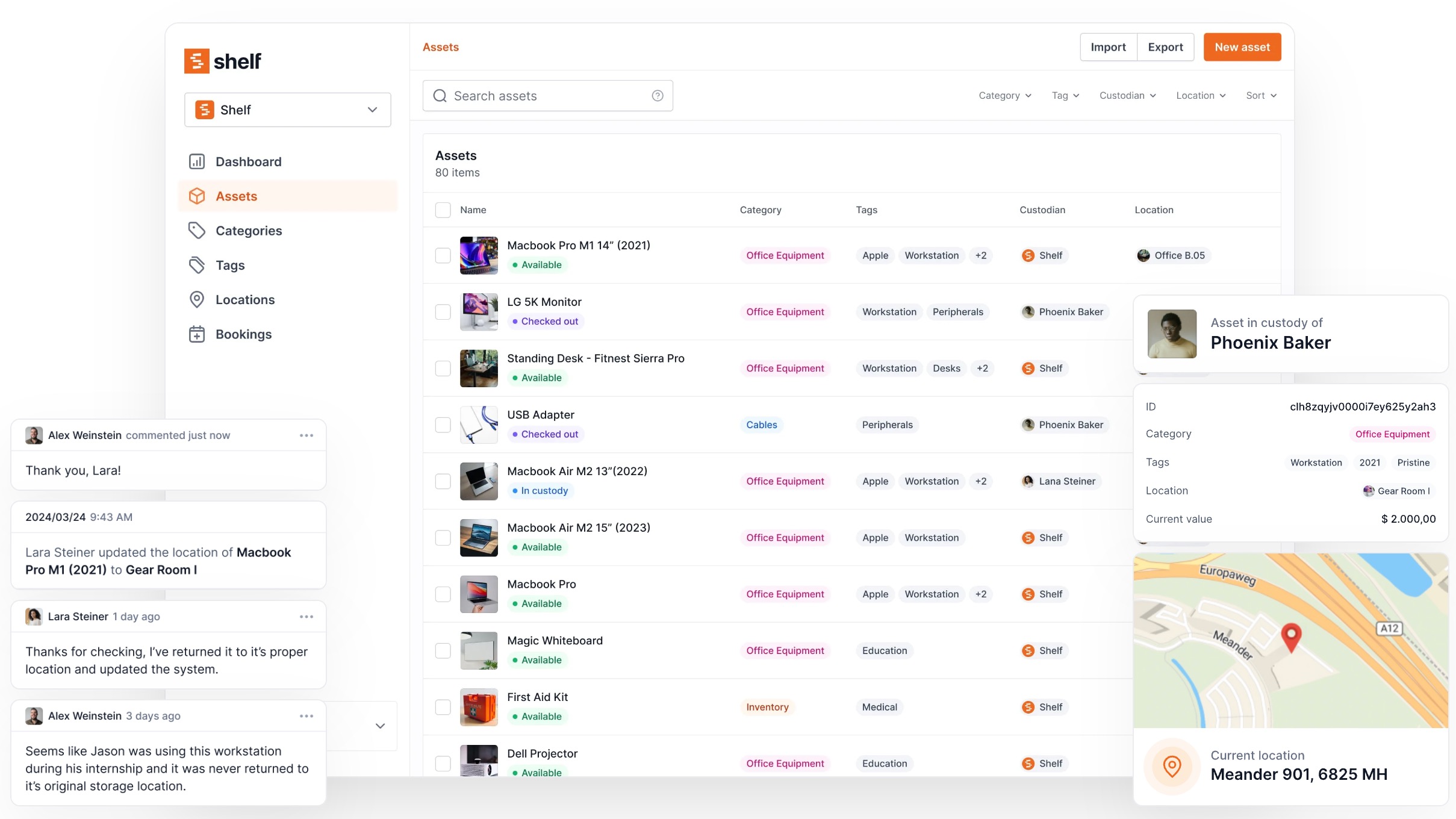
Shelf helps schools manage equipment with QR-code-based checkout, conflict-free booking calendars, kit tracking (so camera kits stay complete), and custody logs that show who had what and when.
Schools like Kansas City Art Institute and Eastern Michigan University use Shelf to manage student equipment checkout across their media programs.
It's free to start, has no per-user fees, and works on any device with a camera.
See how Shelf works for education →
For the full picture — why this is happening and what to do about it — read: The Post-Phone-Ban Equipment Problem: What Schools Need Now
Looking for funding to purchase this equipment? Read our companion guide: How to Fund School Media Equipment: Grants, Perkins/CTE, Title IV, and More.
Ready to organize your assets?
Join thousands of teams who trust Shelf to manage their physical assets. Free forever, or try the Team plan free for 7 days.
Out in the field? Shelf Companion is free on iPhone & Android.
More from the blog
How to Fund School Media Equipment: Grants, Perkins/CTE, Title IV, and More
A practical guide to federal, state, and private funding sources for K-12 schools that need to purchase cameras, audio gear, and production equipment for student media programs.
The Post-Phone-Ban Equipment Problem: What Schools Need Now
33 states have banned student phones. Student media programs just lost their primary tools. Here's the operational problem nobody's talking about — and what schools can do about it.

How to set up a student equipment rental workflow and system (Guide)
Empowering students to make their own equipment reservations can have a significant impact on the efficiency and productivity of educational institutions. By allowing students to reserve equipment on their own, schools can reduce the workload of staff members, improve the overall student experience, and promote independence among students.