

The Post-Phone-Ban Equipment Problem: What Schools Need Now

33 states have banned student phones in schools. The conversation has focused on mental health, discipline, and phone storage pouches. But there's an operational problem downstream that almost nobody is addressing: student media programs just lost their primary production tools, and schools aren't ready for what comes next.
The Policy Wave
This isn't a handful of states experimenting. As of March 2026, 33 U.S. states had enacted statewide K-12 cellphone bans, with more legislation pending in Maryland, Pennsylvania, Massachusetts, and others. 2025 alone saw 22 states pass bans. A federal bill — the UNPLUGGED Act — has been introduced in Congress. UNESCO reports that 58% of education systems worldwide now restrict phones in schools.
The trend is bipartisan, accelerating, and not reversing.
Most of these bans are bell-to-bell — covering the entire school day, not just classroom instruction. Students must power off personal devices and store them away from their person. In Kansas, HB 2299 goes further: teachers cannot require students to use social media for any assignment or extracurricular activity, and staff cannot communicate with students through social media for official school purposes.
This isn't just about putting phones in lockers. It's a structural change in how students interact with technology during the school day.
The Unintended Casualty
The phone ban conversation has centered on two things: student mental health (the reason for the bans) and logistics (how to store and enforce). What's missing is the operational impact on programs that had organically integrated student phones into their workflows.
Student media programs are the clearest example. Consider what a phone did for a typical high school media operation:
- Yearbook: Students submitted candid photos from their phones throughout the day. Staffers grabbed event shots between classes. Photo submission apps like Jostens' ReplayIt collected images from the entire student body.
- School newspaper: Reporters recorded interviews with voice memos. Photographers captured breaking news in the hallway. Writers filed stories from anywhere on campus.
- Morning show / broadcast journalism: Phones served as B-roll cameras, man-on-the-street interview tools, and teleprompter displays.
- Social media: Students managing school accounts created and posted content natively on their devices.
- Film and media arts: Phone-based filmmaking was an increasingly common starting point in CTE programs.
- Podcasts: Voice memo apps served as field recorders for interviews and remote segments.
Every one of these functions relied on a device that students brought for free.
The phone ban doesn't just remove a distraction — it removes the production infrastructure that student media programs were built on. Every capability that students used to bring for free now needs a school-owned replacement.
The Cost Shift
Here's the math that most school administrators haven't done yet.
A student's phone is an $800–$1,200 device that functions as a camera, video recorder, audio recorder, editing station, and publishing tool. When students bring their own, the cost to the school is $0.
When phones are banned bell-to-bell, every one of those capabilities needs a school-owned replacement:
- Cameras — DSLRs or mirrorless for yearbook, newspaper, and film programs
- Audio recorders — portable recorders for journalism interviews
- Video cameras — camcorders for broadcast, mirrorless for field packages
- Microphones — handheld, lavalier, wireless, and shotgun mics
- Tripods, lighting, stabilizers — production infrastructure
- Editing workstations — computers capable of running video editing software
- Accessories — memory cards, batteries, cases, cables, chargers
For a single program, the cost ranges from $2,500 (a bare-minimum podcast setup) to $35,000 (a well-equipped film/CTE program with editing stations).
A school running multiple media programs can expect $18,000–$75,000 in first-year equipment costs, plus $5,000–$12,000 annually for replacements, repairs, and consumables.
We published a complete breakdown by program type — with specific products, quantities, and budgets — in our companion guide: What Equipment Schools Need for Student Media Programs After Phone Bans →
The Funding Gap
Most phone ban legislation includes zero funding for replacement equipment. Kansas estimated statewide compliance costs at $13.4 million — and allocated nothing. States that have earmarked phone ban funding (New York, New Jersey, Texas) directed it toward storage pouches and enforcement infrastructure, not content creation equipment.
School media programs, which typically operate on $2,000–$10,000 annual budgets, cannot absorb a one-time equipment need of $20,000–$50,000.
But funding does exist — it's just scattered across federal, state, and private sources that most school administrators don't know about:
- Perkins V (CTE) — The most substantial source. Schools with approved media arts CTE pathways can access $5,000–$50,000+ annually for equipment. The relevant cluster is "Arts, A/V Technology & Communications."
- Title IV-A — Every district receives this ESSA funding. The strategic move: frame media equipment under the "Well-Rounded Education" pillar (which supports arts education with no equipment cap), not the "Effective Use of Technology" pillar (which caps devices at 15%).
- State press association grants — A hidden gem. Organizations like the California Press Foundation, SPJ state chapters, the Scripps Howard Fund, and the Dow Jones News Fund all support scholastic journalism with equipment-eligible grants.
- DonorsChoose — Effective for targeted requests under $800. Break large needs into smaller projects.
- Kansas-specific: The Patterson Family Foundation has offered Rural CTE Grants, and the Kansas Creative Arts Industries Commission runs an Arts Everywhere Program supporting equipment and technology for arts programs.
We mapped every viable funding source in detail — federal, state, private, and local — in our companion guide: How to Fund School Media Equipment: Grants, Perkins/CTE, Title IV, and More →
The Management Challenge Nobody's Planned For
Suppose a school secures funding and purchases equipment. Now what?
A yearbook program with 8 cameras, 16 SD cards, 8 spare batteries, 4 lenses, and assorted accessories has 40+ individual items that need to be tracked across 25 students, multiple class periods, and an entire school year. Add a broadcast program, a newspaper, and a podcast — and you're managing hundreds of items.
This is the part that catches schools off guard. The equipment arrives, gets distributed, and within weeks:
- Gear goes missing — A camera was checked out three weeks ago. Nobody knows who has it.
- Accessories get separated — Batteries, cables, and memory cards end up in the wrong bags or disappear entirely.
- Double-bookings — Two class sections both need the same camera kit on Tuesday afternoon.
- No accountability trail — When something breaks, nobody knows when it happened or who had it last.
- Paper sign-out sheets fail — They get lost, ignored, or filled out incorrectly.
This isn't hypothetical. It's the reality that every school with shared equipment faces — and it gets worse as inventory grows.
Schools that manage equipment well share a few common practices:
- A central equipment room or cage with controlled access
- A checkout system — not paper, but something that tracks who has what in real time
- Booking and scheduling — so students and class sections can reserve gear without conflicts
- Kit management — bundling cameras with their lenses, batteries, and cards so nothing gets separated
- Accountability — a clear custody trail showing every handoff
What Schools Are Already Doing
Some schools have already solved this — particularly universities and art institutes with established media programs.
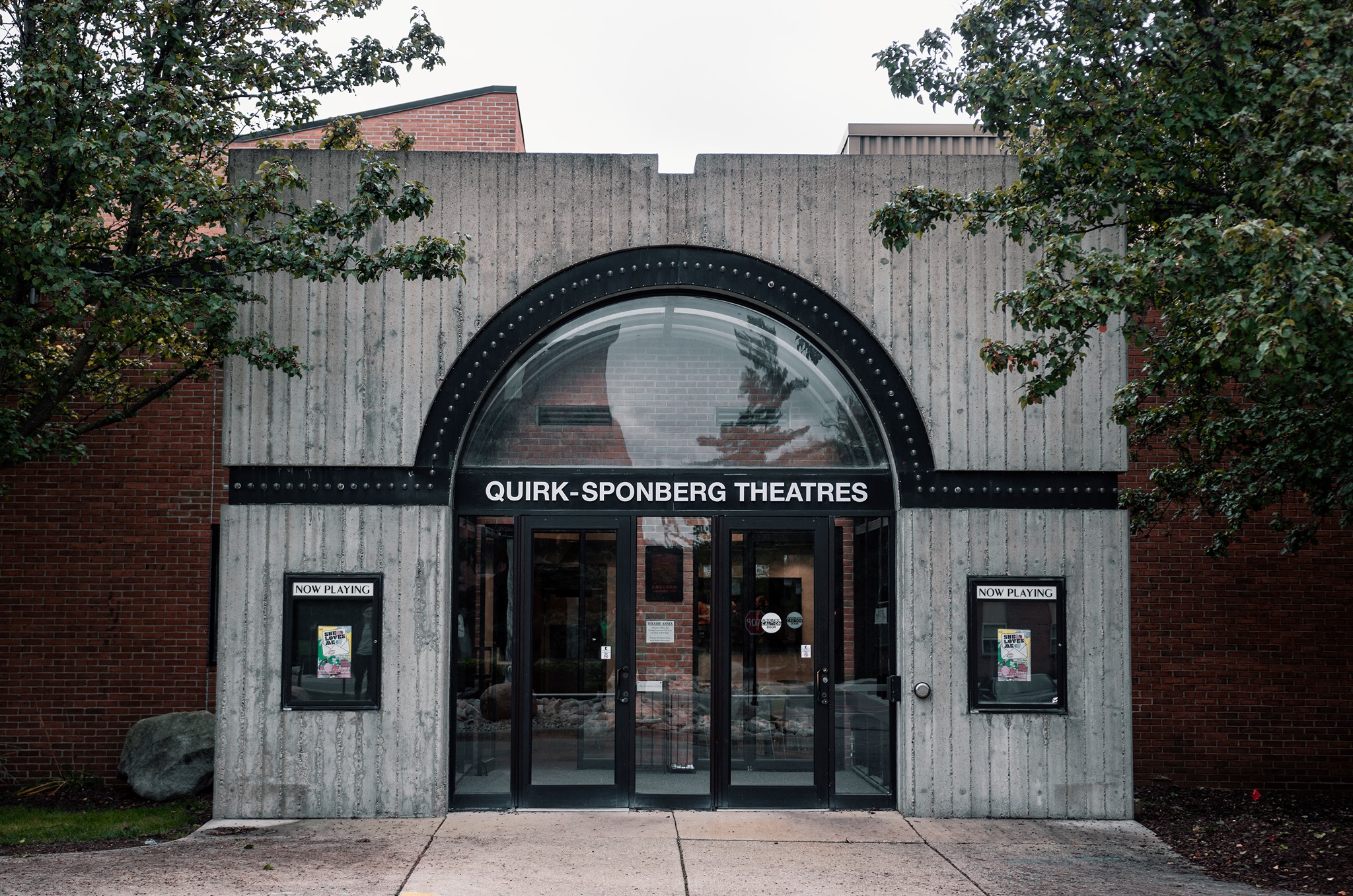
Eastern Michigan University manages theatre and media equipment across departments using QR-code-based checkout.
No one knew where any of our scenic elements and properties were, their current usability, or what they looked like from production to production.
With a centralized system, they eliminated hours of "blind digging time" and enabled students to plan productions remotely — even from other states.
Kansas City Art Institute — located in a state that just enacted one of the nation's strictest phone bans — runs their entire Media Center equipment checkout through a digital management system. When they migrated from their previous tool, they preserved their existing label-printing workflows and maintained uninterrupted student access to gear throughout the transition.
The pattern is consistent: schools that invest in equipment management alongside equipment purchases avoid the chaos that schools without systems face.
The Shared Equipment Model
For K-12 schools working within tight budgets, the most cost-effective approach is a shared equipment model: a central pool of gear that multiple programs draw from, supplemented by program-specific essentials that stay in each classroom.
This model cuts first-year costs by 30–40% compared to fully equipping each program independently. Cameras, wireless microphones, tripods, and LED lights are the highest-value shared items — they serve yearbook, newspaper, broadcast, and film programs equally.
But shared equipment only works with a management system. When three programs share the same camera kit, someone has to know where it is, who has it, and when it's due back. A clipboard in the media room doesn't scale.

Where Shelf Fits
Shelf is an open-source equipment management platform built for exactly this kind of problem. Schools use it to:
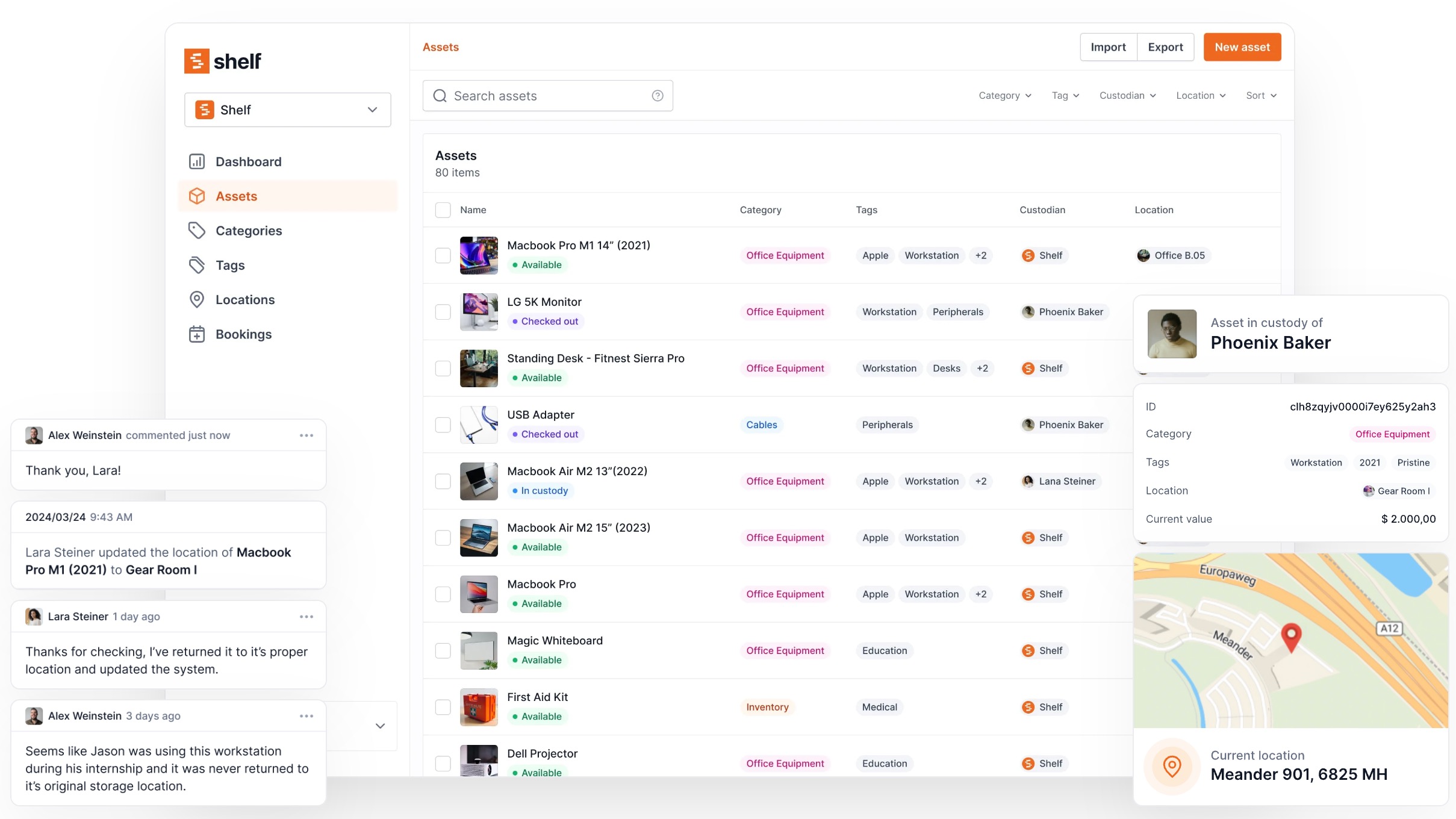
- Track equipment with QR codes — Print a label, stick it on a camera, and any student can scan it with their phone to check it out. Takes seconds, requires no training.
- Prevent double-bookings — A booking calendar shows real-time availability. Students and teachers reserve equipment with confidence.
- Keep kits complete — Bundle a camera with its lens, battery, charger, and memory card. Shelf flags missing components during check-in.
- Maintain custody trails — Every handoff is logged. When gear goes missing, you know who had it last and when.
- Separate departments with workspaces — Each program manages its own inventory while administrators retain oversight across the school.
Shelf has no per-user fees — critical for schools where dozens or hundreds of students need access. It's free to start, works on any device with a camera, and supports the compliance documentation (VPAT, Section 508, WCAG 2.1) that public institutions require for procurement.
See how Shelf works for education →
What to Do Next
If your school is facing the post-phone-ban equipment question, here's a practical sequence:
- Audit what you already have. Check every department for cameras, recorders, and devices that might be sitting unused.
- Assess your program needs. Our equipment planning guide breaks down what each program type needs with specific products and budgets.
- Build a funding strategy. Our funding guide maps every viable path — Perkins V, Title IV-A, state grants, DonorsChoose, and local approaches.
- Plan for management from day one. Equipment without a checkout system disappears. Set up a system before the gear arrives, not after.
- Start with what you can fund now. 4 cameras, 4 audio recorders, and free editing software covers a surprising amount of ground.
The phone ban wave isn't slowing down. Schools that plan now — before September deadlines hit — will be ready. Schools that wait will scramble.
This is the first article in Shelf's series on equipment management for K-12 schools navigating the phone ban transition. For detailed guidance, see:
Ready to organize your assets?
Join thousands of teams who trust Shelf to manage their physical assets. Free forever, or try the Team plan free for 7 days.
Out in the field? Shelf Companion is free on iPhone & Android.
More from the blog
How to Fund School Media Equipment: Grants, Perkins/CTE, Title IV, and More
A practical guide to federal, state, and private funding sources for K-12 schools that need to purchase cameras, audio gear, and production equipment for student media programs.
What Equipment Schools Need for Student Media Programs After Phone Bans
A practical, budgeted equipment guide for K-12 schools building media programs after cellphone bans — organized by program type with real products and prices.

How to set up a student equipment rental workflow and system (Guide)
Empowering students to make their own equipment reservations can have a significant impact on the efficiency and productivity of educational institutions. By allowing students to reserve equipment on their own, schools can reduce the workload of staff members, improve the overall student experience, and promote independence among students.