

Step Through a List Without Going Back to It
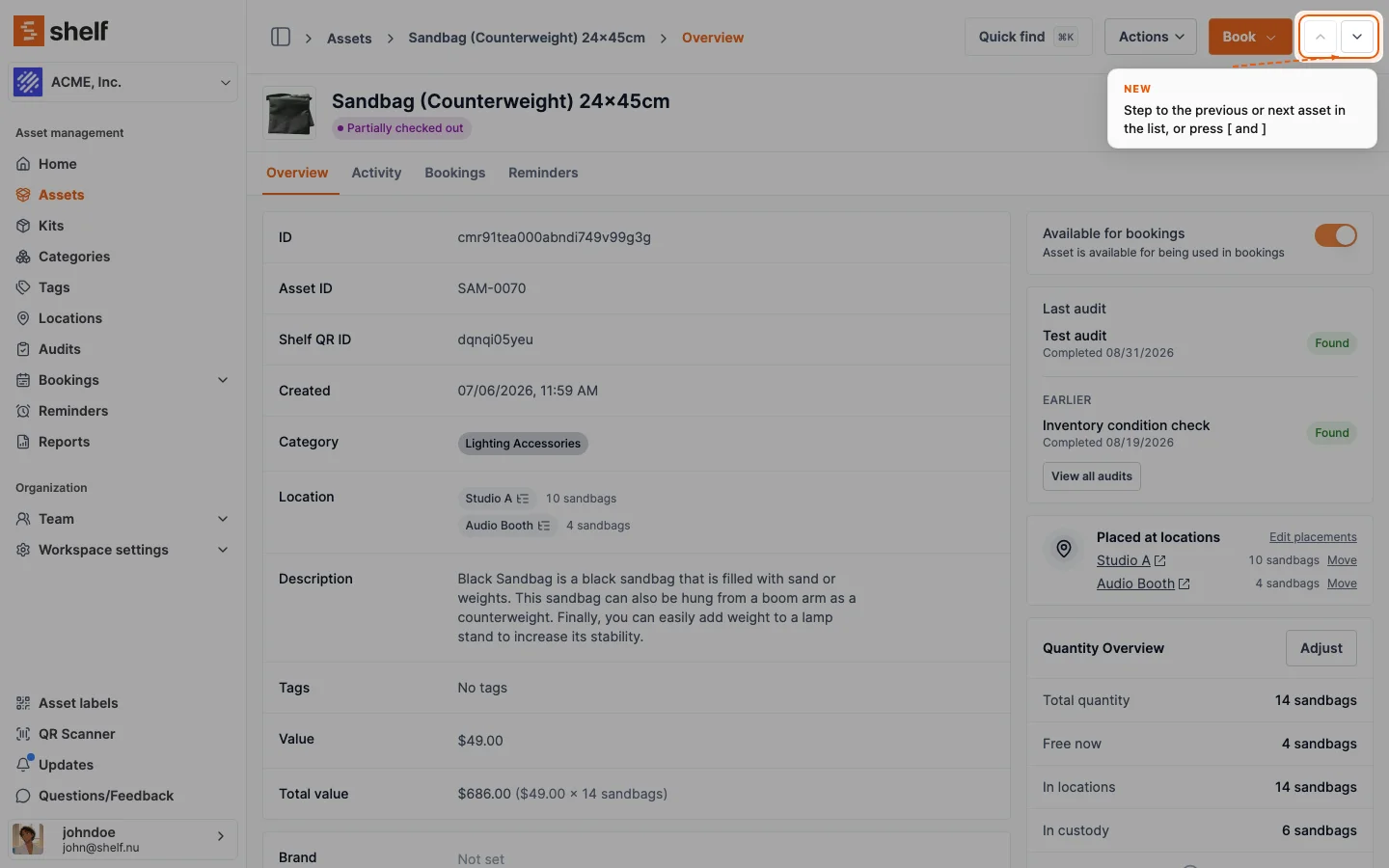
Asset, booking, kit and location pages opened from their list now have previous and next arrows, and the [ and ] keys, that open the neighbouring record of that same list, with its search, filters and sort.
Checking a list one record at a time used to mean opening a record, going back, and finding your place again. Since 28 October 2026 a record you open from its list, in the same tab, has two arrows in the top right of its page. The up arrow opens the previous record of that list and the down arrow the next one, keeping the search, filters and sort you set, and stepping across page boundaries. The [ and ] keys do the same when you are not typing in a field and no menu or dialog is open.
It works on asset pages opened from Assets (simple and advanced mode), booking pages from Bookings, kit pages from Kits and location pages from Locations. On a booking the arrows sit in the title row, next to Add to calendar. A page opened from a link, a bookmark, a scan or a new tab has no list behind it, so both arrows are greyed out with "Open from a list to step through it".
Ready to organize your assets?
Join thousands of teams who trust Shelf to manage their physical assets. Free forever, or try the Team plan free for 7 days.
Out in the field? Shelf Companion is free on iPhone & Android.