

Set a Custom Field on Many Assets at Once
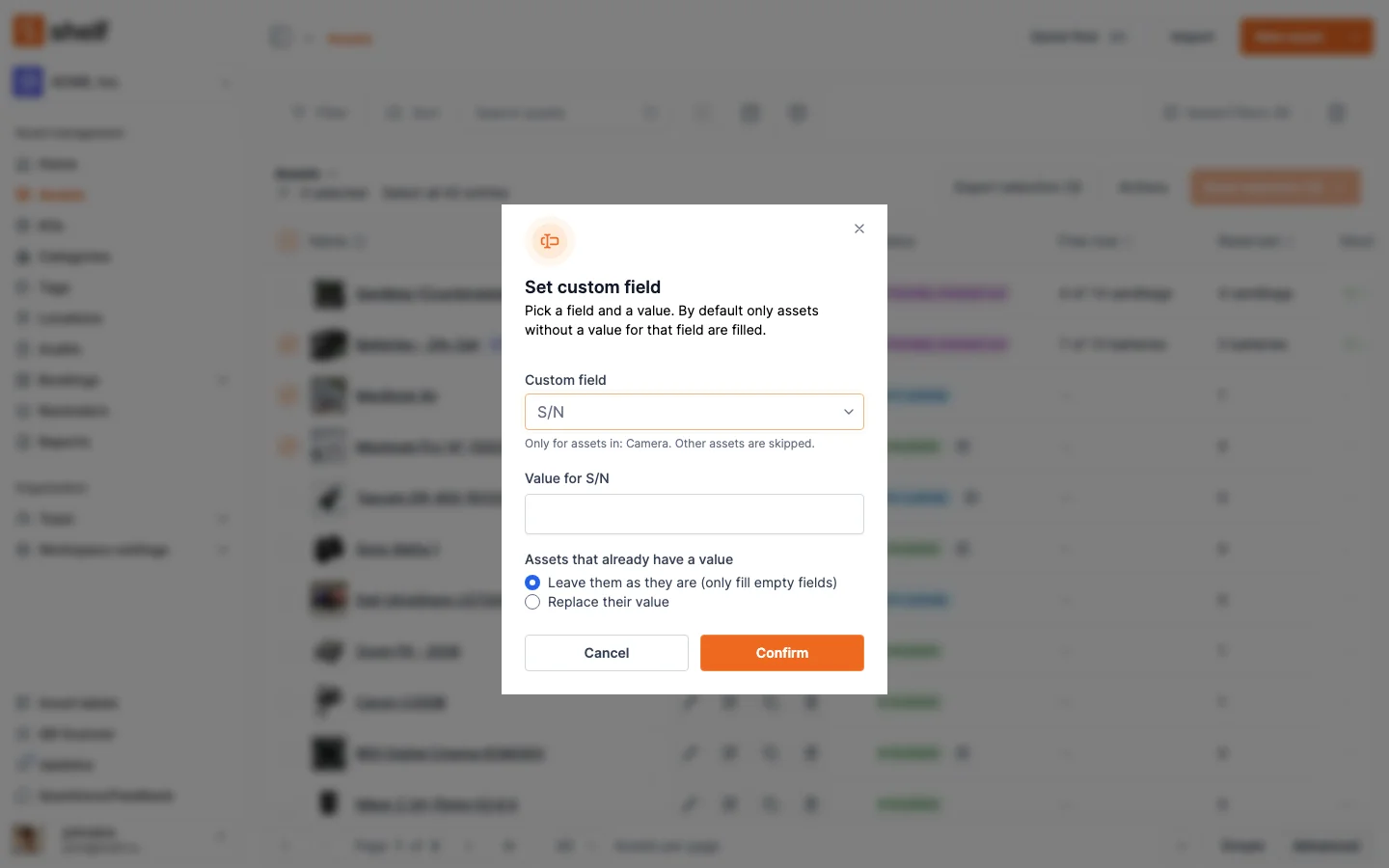
Select assets on the asset index and choose Actions → Set custom field to give them all one value for a field like Brand or Supplier. By default only assets with no value are filled; Replace their value overwrites the rest. Owners and Administrators.
Category, location and tags could already be set on many assets at once, but a custom field such as Brand or Supplier meant editing one asset at a time, or exporting, editing and re-importing a spreadsheet. Now select the assets on the asset index, open Actions → Set custom field, pick the field and a value, and confirm.
By default Shelf only fills assets that have no value for that field, and leaves the rest alone; choose Replace their value to overwrite them too. The value input follows the field's type (dropdown, yes or no, date, number or text), a field limited to certain categories skips assets in other categories, and the message afterwards says how many assets changed and why any were left alone. Each changed asset's activity records the new value, just as a single edit does.
Ready to organize your assets?
Join thousands of teams who trust Shelf to manage their physical assets. Free forever, or try the Team plan free for 7 days.
Out in the field? Shelf Companion is free on iPhone & Android.