

Scanner Drawers: One Needs Attention Card, and a Fulfil List That Survives a Reload
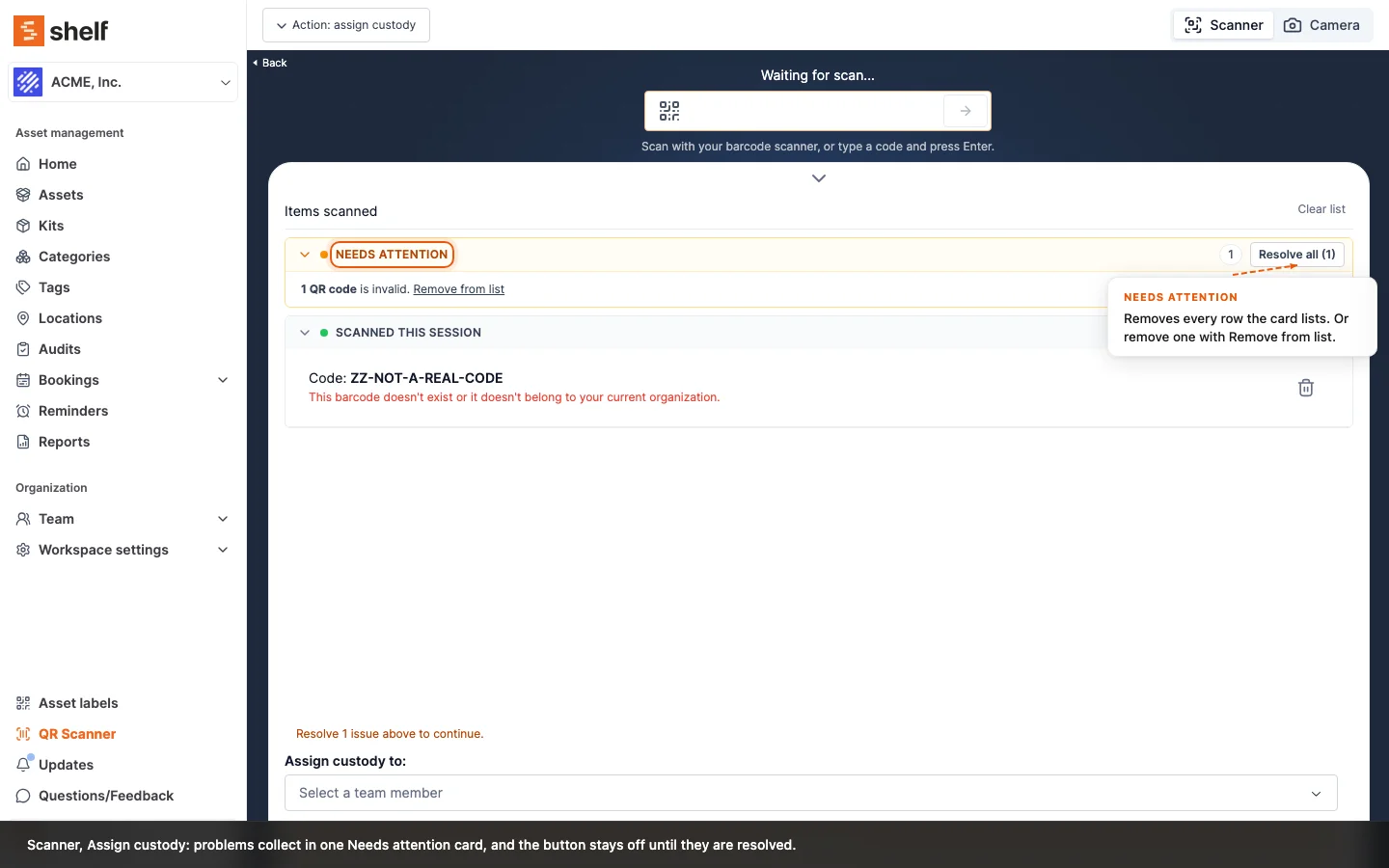
Every web scanner drawer now lists problems in one Needs attention card with Resolve all, keeps scanned rows in foldable cards, and takes less space. The Fulfil reservations & check out list is kept for twelve hours through a reload or a closed tab.
The drawers of every web scanner, from booking check-out and check-in to custody, location, kits and audits, have been tidied so more scanned rows fit on screen. The header is one row, the drawer sits right under the code field, and rows are grouped in cards such as Scanned this session that fold open and closed.
Anything that blocks the action now sits in one Needs attention card at the top of the list. Each line has Remove from list, the card has Resolve all, and a note above the button says how many issues are left. Resolve all removes exactly what the card lists. On Scan to add it used to also drop valid scans you were never warned about. Audits now flag a scanned kit and an unknown code in the same card, and opening Add comment or Add image on an audit row no longer empties the list.
The Fulfil reservations & check out scanner also keeps its list for twelve hours in your browser. Reload the page, close the tab or let the device sleep, open the scanner on the same booking again, and the list comes back, each row looked up fresh. A check-out that goes through clears it; one that is refused keeps it. See Your fulfil scan list survives a reload.
Ready to organize your assets?
Join thousands of teams who trust Shelf to manage their physical assets. Free forever, or try the Team plan free for 7 days.
Out in the field? Shelf Companion is free on iPhone & Android.