

Revert bookings from Reserved state to Draft
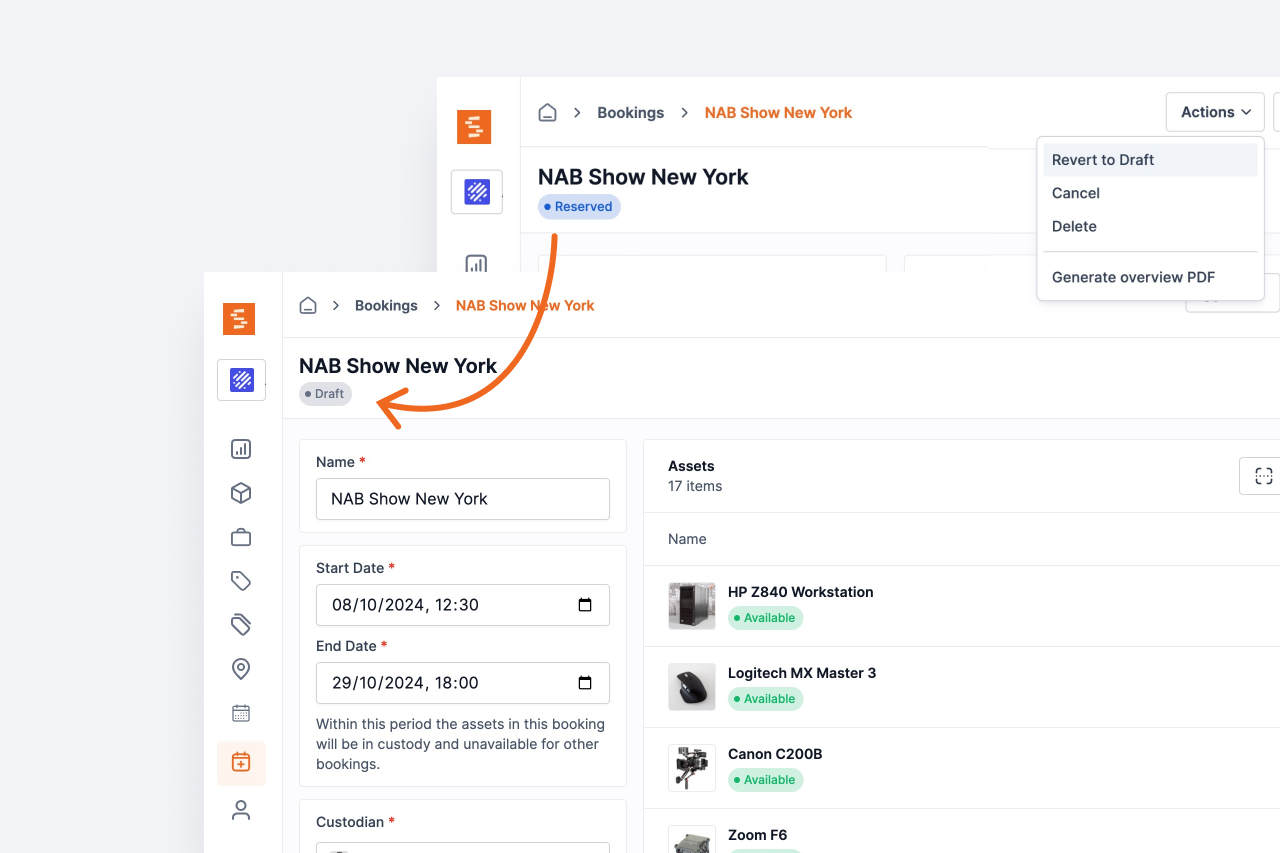
Need to make changes to a reservation? Revert it back to draft status to modify details before confirming again.
A reserved booking no longer has to be cancelled just because something about it needs to change. Open the booking, choose Revert to Draft from the Actions menu, and it returns to Draft with everything still on it — the same assets, kits, dates and custodian — ready to be edited and reserved again.
Use it when a reservation request needs a change rather than a refusal: a different week, one more camera, the wrong custodian. Cancelling would end the booking and read as a rejection; reverting keeps it alive and hands it back for another pass.
Ready to organize your assets?
Join thousands of teams who trust Shelf to manage their physical assets. Free forever, or try the Team plan free for 7 days.
Out in the field? Shelf Companion is free on iPhone & Android.