

Reminders That Repeat: Daily to Yearly, With an Optional End Date
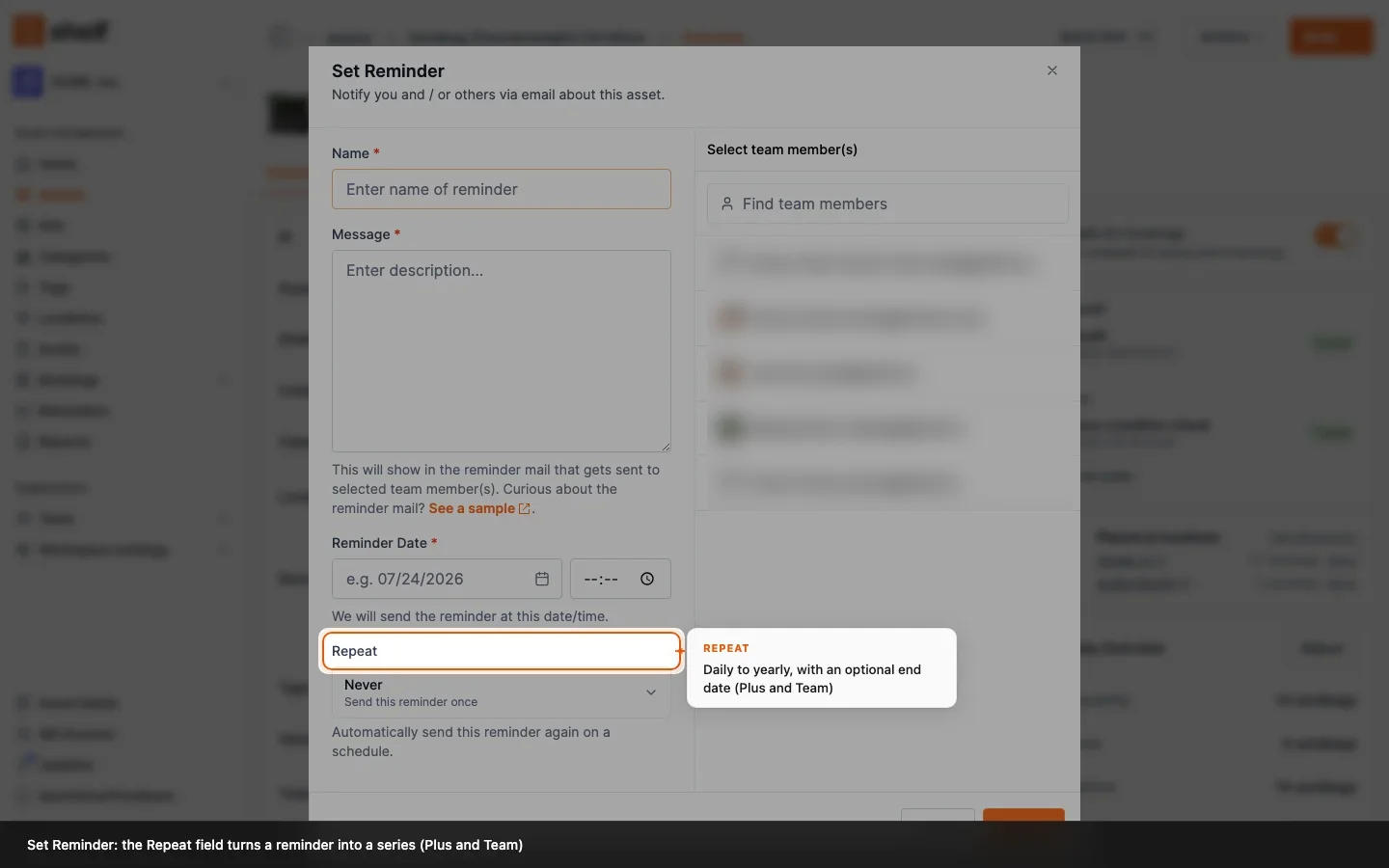
A reminder on an asset can now repeat on a schedule. Open the asset, choose Actions → Set reminder and set Repeat to daily, weekly, every 2 weeks, monthly, every 3 months, every 6 months or yearly, with an optional end date. Each email says when the next one is due. Repeating reminders are part of the Plus and Team plans; one-time reminders stay on every plan.
Until now a reminder fired once. A yearly calibration, a quarterly safety check or a monthly stock count meant setting the next reminder by hand after each one. Since 27 October 2026 a reminder can repeat.
Open the asset, choose Actions → Set reminder, and next to the date you will find Repeat: Never (a one-time reminder, as before), Daily, Weekly, Every 2 weeks, Monthly, Every 3 months, Every 6 months or Yearly. Add an Ends on date if the series should stop, or leave it open until you delete it. Editing an existing reminder offers the same field.
What a repeating reminder does:
- Goes out at the same time each occurrence, in the time zone of the person who set it. Weekly cadences keep the weekday; monthly and longer ones keep the day of the month, and a series set on the 29th to 31st moves to the last day of a shorter month and stays on that day afterwards.
- Says what comes next. Each email names the next date, and the last email of a series with an end date says it was the last one. Every occurrence also leaves a note on the asset.
- Shows its cadence under the date on the Reminders page and in the asset's reminders, and always lists the next occurrence due. The Upcoming reminders card on Home marks it with a repeat icon.
- Stays editable for as long as it runs. Editing changes the whole series; set Repeat to Never to turn it back into a one-time reminder, or delete it to stop it.
- Pauses with an archived asset. While the asset is archived the reminder shows Paused and sends nothing; reinstate the asset and it continues from the next date.
Repeating reminders are part of the Plus and Team plans. On the free Personal plan the Repeat field stays on Never, and one-time reminders work as they always have. A workspace that moves to the free plan with repeating reminders already set gets one more email saying that later ones will not be sent; the series resumes when the plan includes it again.
Reminders are still set by hand: they are not driven by a date custom field such as Next calibration.
Ready to organize your assets?
Join thousands of teams who trust Shelf to manage their physical assets. Free forever, or try the Team plan free for 7 days.
Out in the field? Shelf Companion is free on iPhone & Android.