

Let Managers Add and Edit Assets and Kits
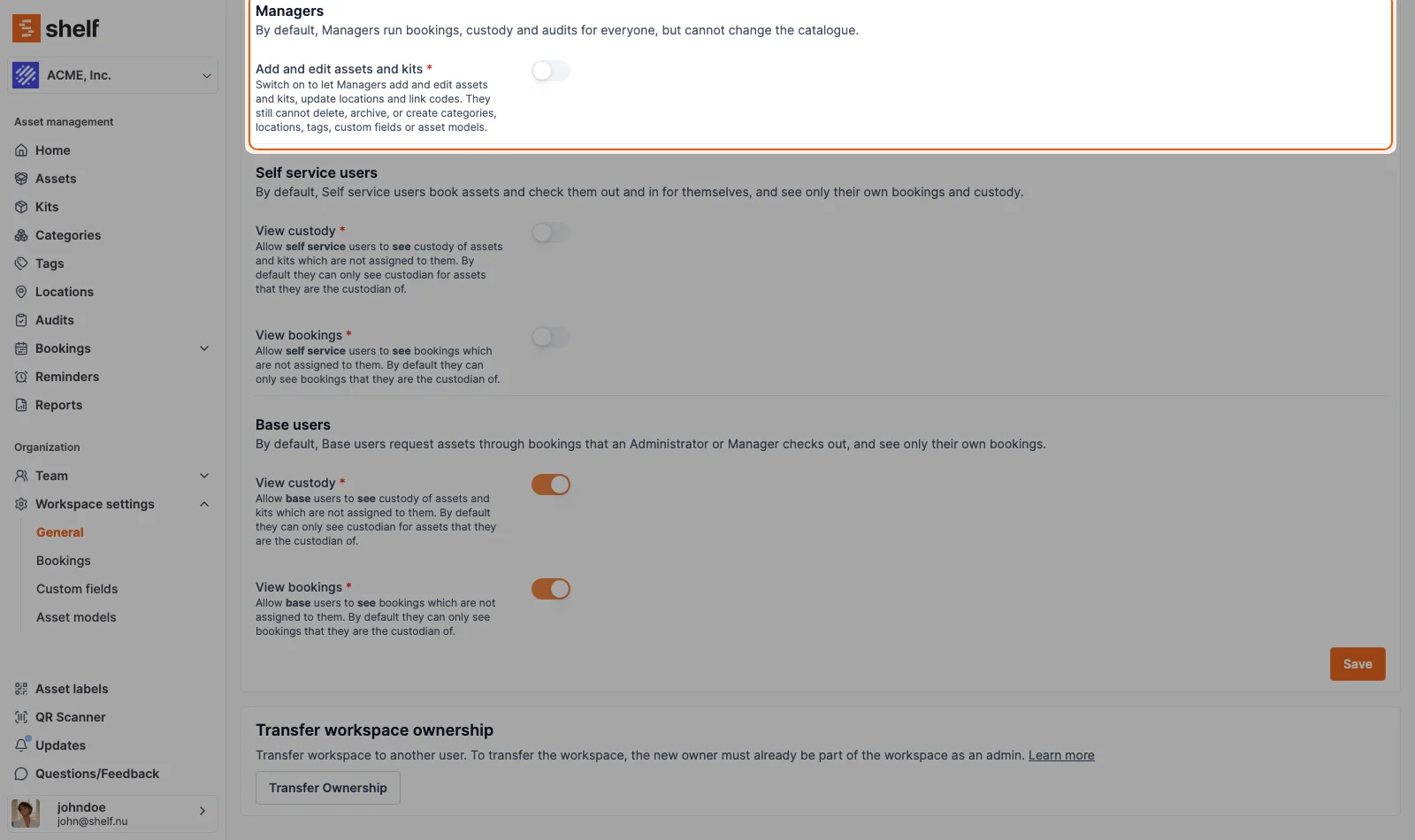
Workspace owners can now let Managers fix and add to the catalogue without making them Administrators. Go to Workspace settings → General → Permissions and, under Managers, switch on Add and edit assets and kits. It is off until you turn it on, and deleting, archiving and imports stay with Administrators.
The Manager role runs everyone's bookings, custody and audits, and until now it could only read the catalogue. If the person at the counter noticed a camera filed under the wrong location, they had to find an Administrator to fix it.
The workspace owner can now change that with one switch. Under Workspace settings → General → Permissions, the Managers section has Add and edit assets and kits. Switched on, Managers can create and edit assets and kits, update locations one at a time or for a selection, and link or swap QR codes and barcodes, on the web and in the Shelf Companion app. They still cannot delete or archive anything, run CSV imports, or create categories, locations, tags, custom fields or asset models. The switch is off in every workspace until the owner turns it on, and only the owner can change it.
Ready to organize your assets?
Join thousands of teams who trust Shelf to manage their physical assets. Free forever, or try the Team plan free for 7 days.
Out in the field? Shelf Companion is free on iPhone & Android.