

Link Fields for Manuals, Certificates and Folders
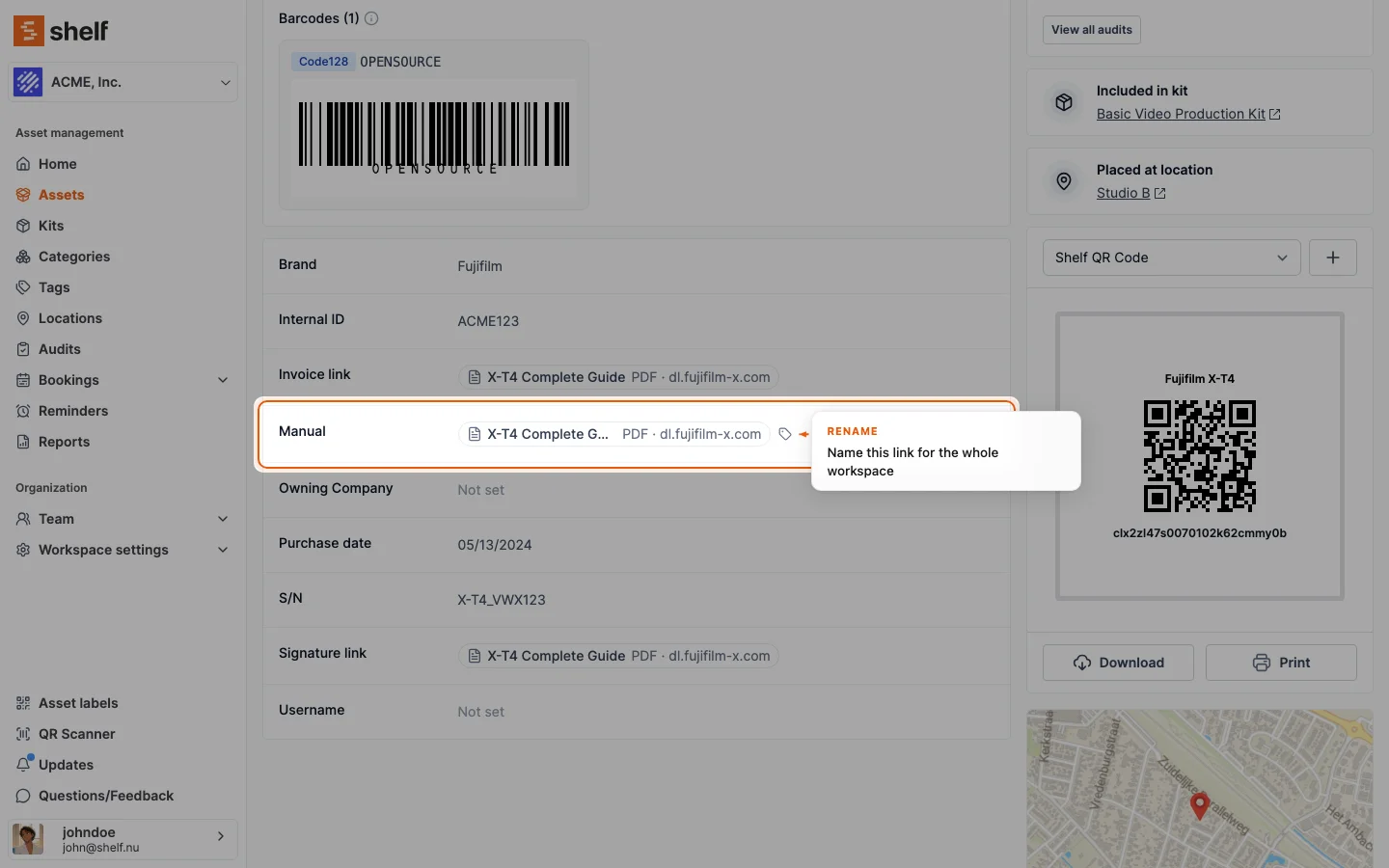
A text custom field can now use the Link format: it only accepts a web link and shows it on the asset page as a short link with the document's title, or what it is and where it lives, such as PDF · SharePoint. Links in notes, activity and descriptions read the same way.
Keep each asset's user manual, calibration certificate or project folder one click away, without moving the file. In Settings → Custom fields, create or edit a single-line text field and set its Format to Link. The field then only accepts a web link, in the asset form, inline edits, bulk edits, Shelf Companion and CSV imports (cf:User manual,type:text,format:link).
On the asset page and in the advanced index, the link shows as a short link with the page's title when Shelf can read it, or what it is and where it lives, such as PDF · SharePoint or Folder · Google Drive. Anyone who can edit assets can give a link a clearer name for the whole workspace. Links pasted into notes, recorded in activity lines or written in an asset description read the same way instead of as a long address.
Ready to organize your assets?
Join thousands of teams who trust Shelf to manage their physical assets. Free forever, or try the Team plan free for 7 days.
Out in the field? Shelf Companion is free on iPhone & Android.