

One export now edits the assets it came from
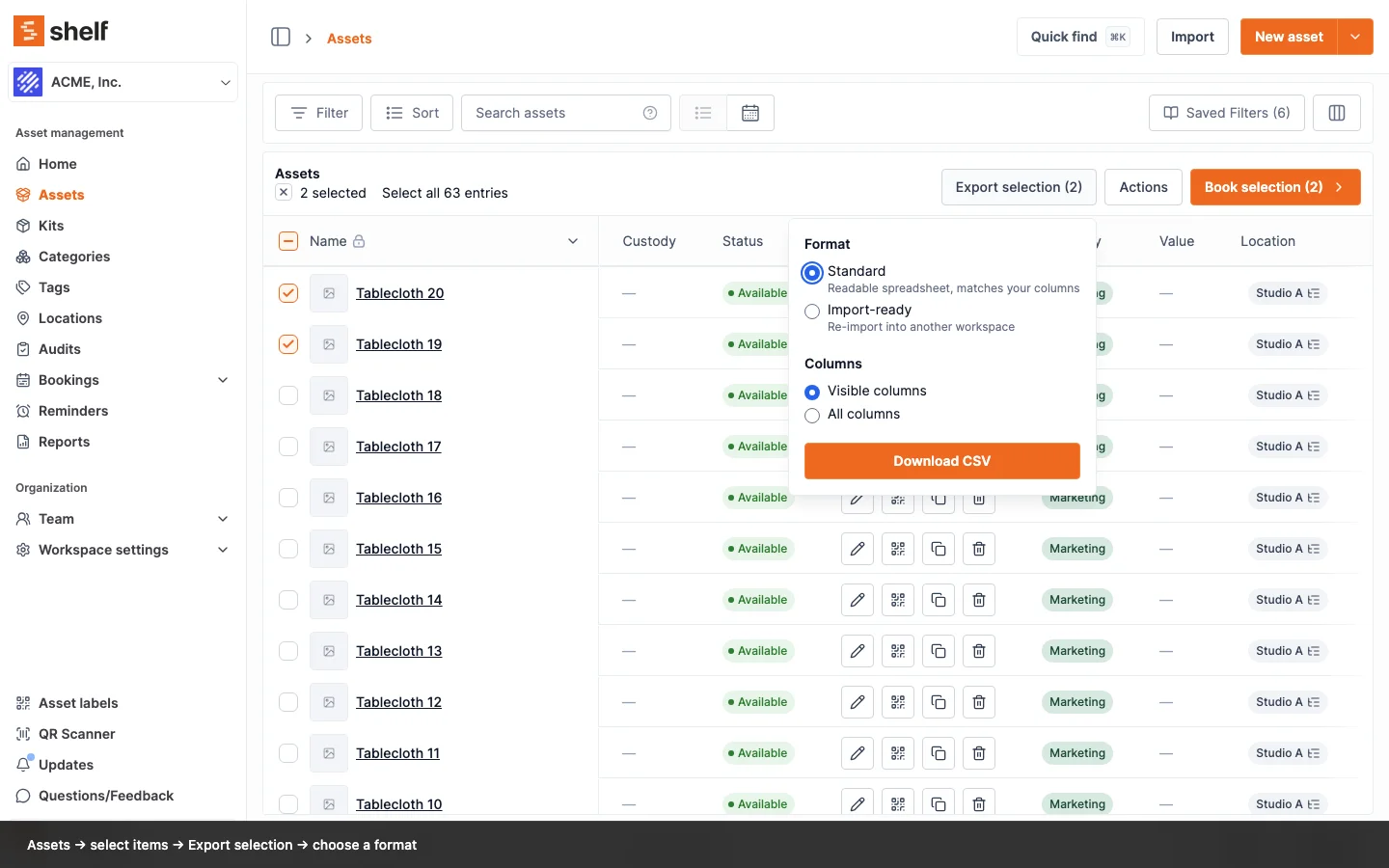
The Import-ready export carries an id column and the update importer reads its headers, so Export → edit → Import finally round-trips. Description joined the updatable fields.
Editing assets in bulk starts with an export, and until now the export best suited to that job could not be used for it. Import-ready wrote the importer's own column names but no identifier, so Assets → Import → Update existing had nothing to match rows on and rejected every column. The way around it was a Standard export plus a manual pass over the quantity columns.
That is fixed. An Import-ready export now writes an id column first, in either column scope, and the update flow reads its headers as well as the Standard export's labels. Header matching also ignores capitalization, so Asset model, asset model, and assetModel all land on the same field. One download now does both jobs: upload it to another workspace to recreate the assets, or upload it back to update the ones it came from.
Three more things came with it:
- Description is updatable. It was always in the export and always silently dropped on the way back in. Like Name, it cannot be cleared by an empty cell.
- Quantity-tracked stock round-trips cleanly. Import-ready already carries
minQuantity,unitOfMeasure, andconsumptionType, and writesquantityas a plain number rather than10 boxes, so a pooled asset needs no hand editing before it goes back in. - Clearer refusals. Uploading a workspace backup, or a file with nothing this flow can write, now says so instead of returning an empty preview that reads as "nothing changed".
Two safety guards are worth knowing about. An asset with units in more than one location has its location change flagged and skipped, because a single cell cannot say which placement you meant, and the rest of that row still applies. And leaving the word Uncategorized in a Standard export's category cell keeps the asset uncategorized rather than creating a category by that name.
Ready to organize your assets?
Join thousands of teams who trust Shelf to manage their physical assets. Free forever, or try the Team plan free for 7 days.
Out in the field? Shelf Companion is free on iPhone & Android.