
Filters Narrow a Search in the Asset Pickers
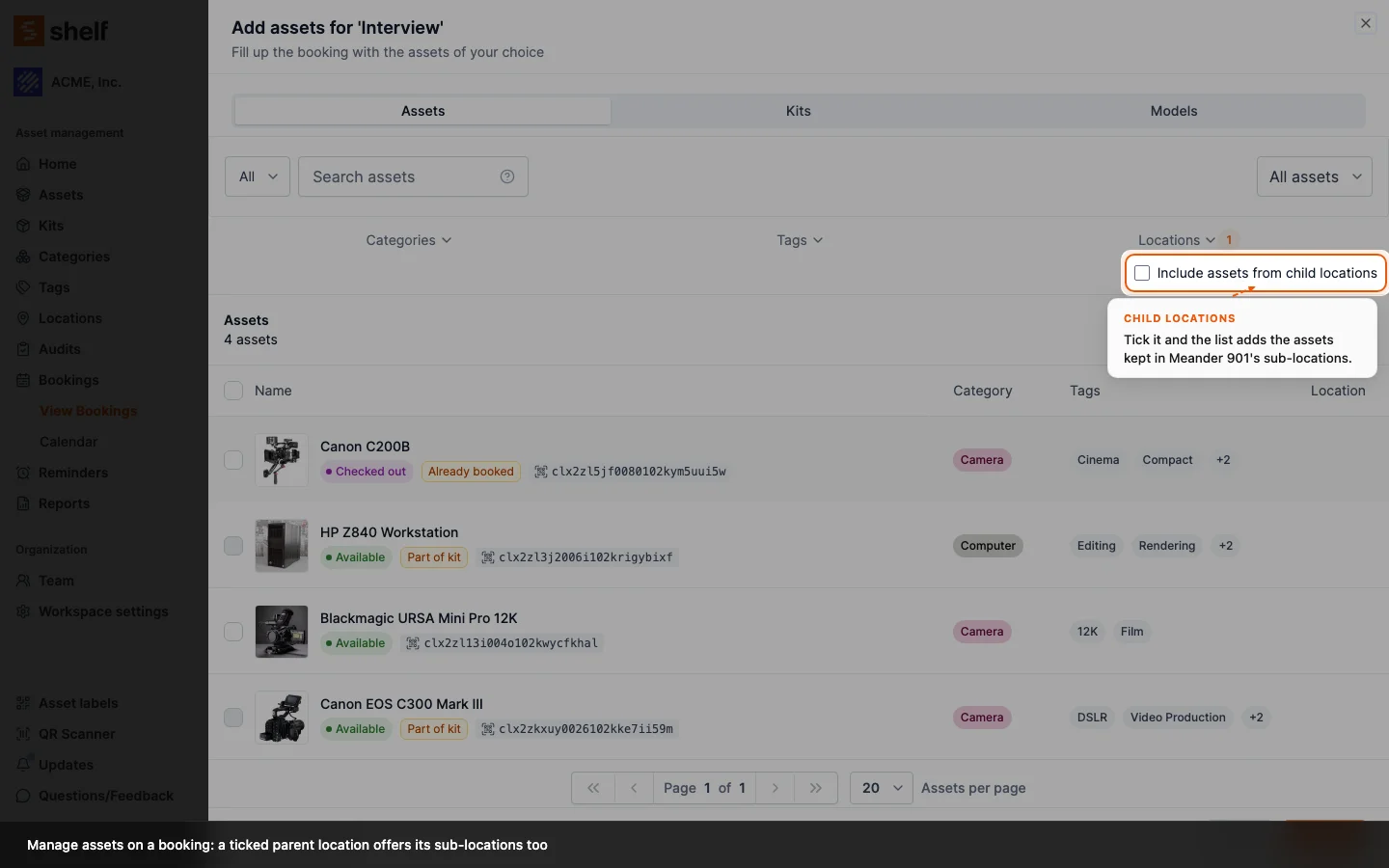
Adding a filter to a search in an asset picker now shows only the assets that match both. Before, a tag filter widened the search instead.
Type a search into an asset picker, then add a filter, and you expect fewer results, not more. Until now the opposite could happen: a tag filter in a picker, and a tag, custodian, Without tag, Uncategorized or Without location filter in the other lists named below, were combined with the search as either, so "Tripod" plus the tag simulation listed every tripod and every tagged asset. Since 26 October 2026 every filter narrows: the list shows the assets that match the search and each filter you set, while the options inside one filter still combine as before (either of two ticked tags, for example).
The fix covers every list that uses the simple asset query: the Add assets pickers on bookings, kits and locations, a team member's Assets tab under Settings → Team, and the asset list Base and Self-service members see. Select all follows the same rule, so a bulk action reaches exactly the rows on screen. See Using Batch Actions.
Ready to organize your assets?
Join thousands of teams who trust Shelf to manage their physical assets. Free forever, or try the Team plan free for 7 days.
Out in the field? Shelf Companion is free on iPhone & Android.