

Counts and Chips Open the Lists They Describe
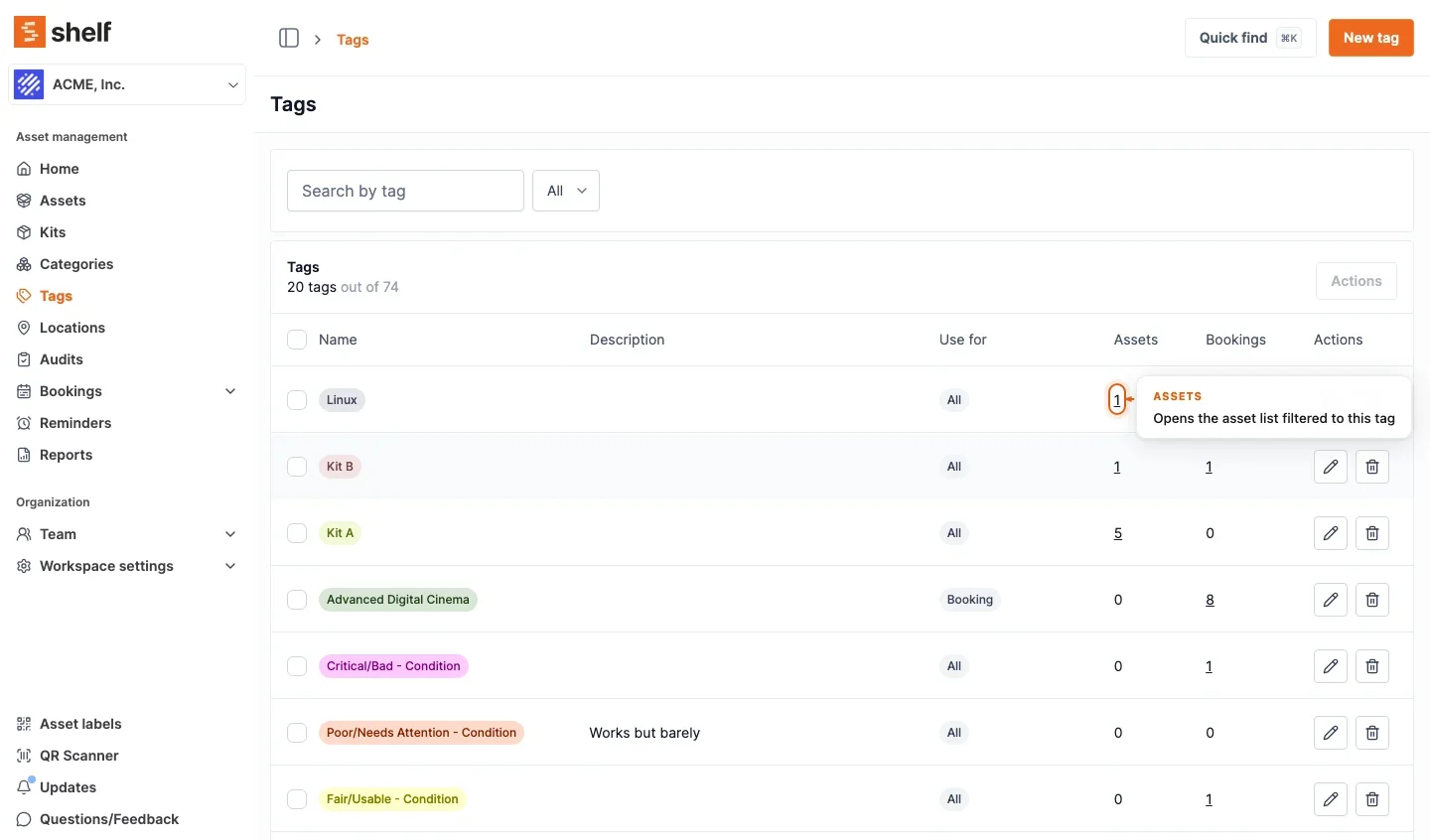
Click a category, tag or custodian chip on any list and Shelf opens that list filtered to it. The counts on Categories, Locations, Tags and Audits, and the Assets-by-status legend on Home, open the same way. The Tags page now also shows how many assets and bookings carry each tag.
Shelf's lists are full of things that name a set of records: a category chip, a tag, a custodian's name, the number of assets in a location. Until now they were plain text, so getting from "12 assets in Studio B" to those twelve assets meant opening the asset index and building the filter yourself. Since 26 October 2026 each of them is a link to the list it describes, already filtered.
Chips. On any asset list (the index, a location's, kit's or booking's assets, an audit, the newest assets on Home), a category chip opens the asset index filtered to that category, and an Uncategorized chip opens the assets without one. A tag chip does the same for its tag, including the tags tucked behind a +N. A custodian chip on an asset, kit, location or audit list opens that person's assets; on the Bookings list it opens their bookings. Someone added by name without a Shelf account, or a viewer whose role cannot open team pages, gets the asset or bookings index filtered to that person instead.
Counts. On Categories, the asset count opens the index filtered to the category. On Locations, the Child locations, Assets and Kits counts open the location's page and its two tabs. On Tags, two new columns, Assets and Bookings, count what carries each tag and open those lists. On Audits, the Expected, Found, Not scanned (called Missing on the overview once the audit is completed) and Unexpected counts open the audit's overview with that filter set. On Home, the Assets by status legend opens the asset index filtered to Available, In custody or Checked out. In advanced mode, the asset count under Workspace settings → Asset models opens the index filtered to that model.
A few things are deliberately unchanged. On Locations, Tags and Audits a zero stays plain text, since there is nothing to open. Pickers keep working as before, because a click on a picker row toggles a selection. The counts match what the linked list shows by default, so archived assets, and archived or cancelled bookings, are left out. A link only appears when your role may open its target; a custodian chip in particular follows the same custody-visibility rule that decides whether you see the name at all. Everything works in both the simple and the advanced asset index, and a filtered link copied from the simple index (a tag or custodian filter in the address) now opens filtered for a colleague on the advanced index too.
Ready to organize your assets?
Join thousands of teams who trust Shelf to manage their physical assets. Free forever, or try the Team plan free for 7 days.
Out in the field? Shelf Companion is free on iPhone & Android.